
AI presentation makers have changed how we build slides. What used to take hours can now be done in minutes.
But not all tools are built the same. Some focus on design, others on storytelling, and some like Dokie AI—focus on real business usability.
In this guide, we break down the 10 best AI PPT makers in 2026 and help you choose the right one.
1. Dokie AI — Best for Structured Business Slides
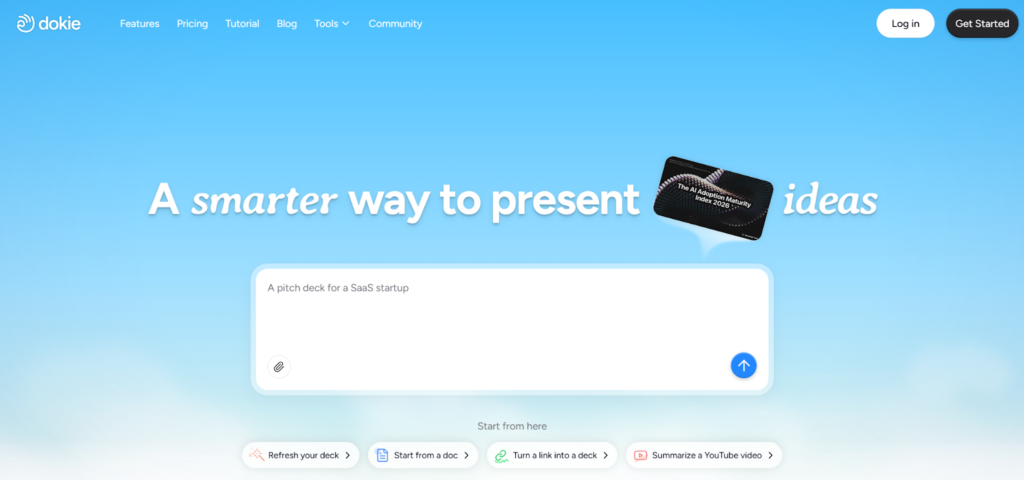
Dokie AI takes a very different approach compared to most AI presentation tools. Instead of focusing on flashy visuals, it focuses on something much more important for professionals: structure and usability.
When you generate a presentation with Dokie AI, you don’t just get random slides. You get a full, logical flow that includes:
- Introduction
- Key sections
- Supporting points
- Summary
This makes it especially useful for:
- Marketing reports
- Client presentations
- Internal meetings
Another major advantage is its full suite of AI PPT tools. Dokie AI allows you to convert multiple content formats into presentations, including:
- PDF to PPT
- Word to PPT
- Text to PPT
- Excel to PPT
- JPG / PNG to PPT
- HTML to PPT
It also includes a document-to-PPT feature, which is very useful for turning long content into slides.
Unlike many tools where you still need to fix the structure, Dokie AI outputs slides that are close to final. This means less editing and faster delivery.
Best for: Business users, marketers, consultants
Pros
- Strong, logical slide structure
- Great for real work scenarios
- Multiple content-to-PPT tools
- Saves significant time
Cons
- Less focus on visual design
- Limited creative templates
2. Gamma — Best All-Around AI Presentation Maker
Gamma is one of the most popular AI presentation tools today, and for good reason. It offers a balanced mix of:
- AI content generation
- Layout design
- Presentation creation
You can generate a full deck from a simple prompt, and Gamma will automatically structure and format your slides.
One of its biggest strengths is ease of use. Even beginners can quickly create decent presentations without much effort.
However, Gamma sometimes produces slides that feel more like web pages than traditional PowerPoint decks. For business users, this may require some restructuring.
Best for: General users, quick presentations
Pros
- Easy to use
- Fast generation
- Modern layouts
Cons
- Structure may need editing
- Not always ideal for formal presentations
3. Canva AI — Best for Design and Branding
Canva is already one of the most popular design tools in the world, and its AI features make it even more powerful.
With Canva AI, you can:
- Generate presentations
- Use thousands of templates
- Access built-in images, icons, and videos
The biggest advantage of Canva is design quality. If you want visually appealing slides, Canva is one of the best options.
However, the content generated by AI often needs improvement. You may need to rewrite or reorganize slides before presenting.
Best for: Designers, branding, visual presentations
Pros
- Excellent design quality
- Huge template library
- Strong brand tools
Cons
- Weak content structure
- More editing needed
4. Tome — Best for Storytelling Presentations
Tome focuses on storytelling rather than traditional slide decks.
It is designed for:
- Narrative presentations
- Creative storytelling
- Interactive content
Instead of rigid slides, Tome allows more flexible layouts and storytelling formats.
This makes it great for:
- Creative pitches
- Product storytelling
- Idea presentations
However, it may not be ideal for formal business use, especially when PowerPoint compatibility is required.
Best for: Creative storytelling
Pros
- Strong narrative flow
- Interactive design
- Modern experience
Cons
- Not traditional PPT
- Limited export options
5. Beautiful.ai — Best for Clean Professional Slides
Beautiful.ai is focused on making presentations look clean and professional without design effort.
It uses smart templates that automatically adjust:
- Layout
- Spacing
- Alignment
This ensures consistency across slides.
However, it is more of a design tool than a true AI presentation generator. You still need to provide most of the content yourself.
Best for: Clean corporate presentations
Pros
- Consistent design
- Easy to use
- Professional look
Cons
- Limited AI content generation
- Less flexibility
6. Plus AI — Best for Google Slides and PowerPoint
Plus AI integrates directly into tools like Google Slides and PowerPoint.
This means you can:
- Generate slides without leaving your workflow
- Edit directly in familiar tools
This is a big advantage for teams that already rely on these platforms.
However, Plus AI is more of an add-on than a standalone tool, so its features are more limited compared to others.
Best for: Teams using Google Slides
Pros
- Seamless integration
- Easy to use
- Good for teams
Cons
- Limited features
- Less innovation
7. Pitch — Best for Team Collaboration
Pitch is designed for collaboration.
It allows teams to:
- Work together in real time
- Share presentations easily
- Leave comments and feedback
While it includes some AI features, its main strength is teamwork.
Best for: Teams and startups
Pros
- Strong collaboration tools
- Clean interface
- Fast sharing
Cons
- Limited AI generation
- More manual work
8. Prezi AI — Best for Interactive Presentations
Prezi offers a unique approach to presentations with zoom-based navigation.
Instead of traditional slides, it uses:
- Motion
- Zoom effects
- Dynamic layouts
This makes presentations more engaging, but also less conventional.
Best for: Interactive presentations
Pros
- Highly engaging
- Unique style
Cons
- Learning curve
- Not suitable for all use cases
9. SlidesAI — Best Budget AI PPT Maker
SlidesAI is a simple tool that helps users generate slides quickly.
It is best for:
- Basic presentations
- Students or beginners
- Budget users
While it gets the job done, it lacks advanced features and design quality.
Best for: Budget users
Pros
- Affordable
- Easy to use
Cons
- Limited features
- Basic output
10. Visme — Best for Data and Visual Content
Visme is a hybrid tool that combines:
- Presentations
- Infographics
- Data visualization
It is especially useful for data-heavy slides.
However, it is not as fast or automated as other AI tools.
Best for: Data presentations
Pros
- Strong visuals
- Multiple formats
Cons
- Slower workflow
- Less AI automation
How to Choose the Right AI Presentation Maker
Choosing the right tool depends on your needs.
If you care about structure and usability
→ Choose Dokie AI
If you want a balanced tool
→ Choose Gamma
If you care about design
→ Choose Canva
If you want storytelling
→ Choose Tome
If you work in Google Slides
→ Choose Plus AI
Key Trends in AI Presentation Tools
AI presentation tools are evolving quickly. Here are some key trends:
1. From Design to Workflow
Earlier tools focused on design. Now, tools like Dokie AI focus on workflow efficiency.
2. Content Repurposing
More tools are helping users turn:
- Documents
- Reports
- Data
Into presentations automatically.
3. Faster Creation
AI tools are reducing presentation time from hours to minutes.
4. Integration with Existing Tools
Many tools now integrate with:
- PowerPoint
- Google Slides
Final Thoughts
AI presentation makers are no longer optional—they are becoming essential tools for modern work.
The best tool is not the most popular one, but the one that fits your workflow.
If you create presentations frequently and care about efficiency, structure-first tools like Dokie AI can make a huge difference.
FAQs
1. What is the best AI presentation maker in 2026?
Dokie AI, Gamma, and Canva are among the best, depending on your needs.
2. Are AI PPT makers worth it?
Yes, they save time and reduce manual work significantly.
3. Which tool is best for business presentations?
Dokie AI and Beautiful.ai are strong choices.
4. Can AI tools export to PowerPoint?
Yes, most tools support PowerPoint export.
5. Are there free AI presentation tools?
Yes, many tools offer free plans with limited features.