

In a world plagued by people who hide behind a mask and concoct a façade for society to see, it can be hard to differentiate between the good, bad, and ugly. Because it’s quite hard to see behind the carefully constructed personas, a tool like FaceCheck ID can help bring clarity to things, or faces.
FaceCheck ID is a tool that helps to run background checks on anyone by poring through thousands of webpages. In this review, we will explore the tool’s claim and its features.
Also Read: Best Facial Recognition AI Tools
Main Features
1. Face Search and Identity Check
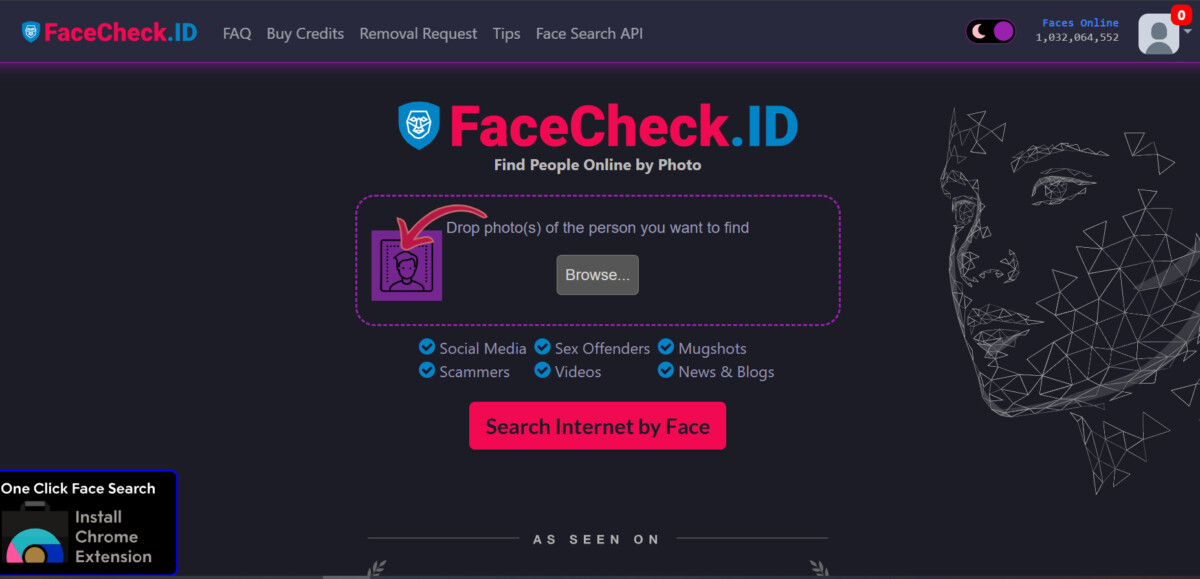
This is its core feature. FaceCheck ID possesses advanced facial recognition algorithms that can check for a match against a database of faces accessed through the web. The pictures don’t have to be taken in identical conditions; they just have to be remotely similar.
In fact, the photos can differ in lighting, background, facial expression, or even angle. Yet the AI still makes accurate matches. This ability stems from FaceCheck ID’s use of deep learning algorithms. These algorithms check for the underlying structure of a face, rather than relying on superficial visual similarities.
The AI notes facial landmarks like the distance between the eyes, the contour of the jawline, nose shape, cheekbone structure, and the symmetry of facial features. It also checks for skin texture patterns, bone structure, and the relative spatial relationships across the face
These features serve as the frame upon which all facial features are built. Given their exact and strict nature, they are hard to forge or replicate. This frame also comes into play when making room for variations.
For example, an ID photo may have been taken earlier and under different conditions. However, FaceCheck ID can still make a recognition by isolating facial landmarks and compensating for changes like aging, hairstyle, and facial hair.
2. Match Quality Score
To provide quantifiable accuracy, FaceCheck ID generates a confidence score, a percentage value that reflects the system’s certainty. The score ranges from 1-100, and typically, a score of 83 and above is a good match.
- 90 to 100: Certain Match
- 83 to 89: Confident Match
- 70 to 82: Uncertain Match
- 50 to 69: Weak Match
3. Red Flags
After running a search, a red flag could pop up if the image matches photos associated with ills like scams, multiple social media profiles with different names, escort services, mugshots, adult content, sex offender registries, and most-wanted criminal lists. FaceCheck ID also raises red flags if the uploaded image is AI-generated.
The red flag is the most notable feature. Although FaceCheck ID touts itself as a tool to find anyone online, it has a huge focus on finding people who want to be sneaky. These are people who avoid leaving an obvious digital trail, most likely due to criminal activity.
In a time when AI scams are rising, faceCheck AI can serve as a defense. Unmatched photos are a source of concern and suspicion.
Also read: AI Love Scam: How a Woman Lost €830,000 to an ‘AI’ Brad Pitt
4. Data Privacy
FaceCheck ID does not store user data or add it to its large database of facial images. Rather, it deletes all entries within 24 hours. Also, users can request the removal of their own face from the existing database.
Using FaceCheck ID
The first thing I noticed was that FaceCheck ID sometimes turns down requests due to a busy server. After repeated attempts, I finally input an image (a picture of a celebrity) into the tool.

Before faceCheck ID could start the match process, the tool asked that I read and agree to its terms of conditions. This was a list of regulations guiding the use of the tool. For instance, I had to affirm that I am 18 years or older and that I possess no intention to use the results for harm.

I noted that my request was queued, probably due to multiple requests being processed. But then I saw that the tool scanned websites and social media for an image match.

As expected, FaceCheck ID turned up a lot of face matches across websites and social media with the associated links.

FaceCheck ID Comparison
| Tool | Starting Price | Free Option | Primary Use Case |
|---|---|---|---|
| FaceCheck ID | $6 (Just a Peek, 36 credits) | No — credit-based, pay per search | Broad face search across social media, news, and public records |
| PimEyes | Paid plans from Open Plus tier (check site for current price) | Yes — one free search to preview matches | Monitoring the web for your own face / reputation defense |
| Social Catfish | Paid plan required for full report (check site for current price) | Yes — free preview search | Verifying identities for online dating and catfishing checks |
| Clearview AI | Not available to consumers | N/A — restricted to vetted law enforcement/government agencies | Law enforcement investigations only |
| Google Reverse Image Search | Free | Yes — fully free | General reverse image lookup, not face-matching optimized |
| TinEye | Free for casual use; paid API for commercial/bulk use | Yes — free for individual searches | Finding where an image has appeared online (not face-matching) |