

FaceCheck ID and PimEyes are the two most well-known facial recognition search engines available to the public. Both let you upload a photo of a face and find other images of that person across the internet.
But they search different parts of the web, handle different image qualities, charge differently, and serve different purposes.
After running both tools across 50+ searches for real investigations (romance scam verification, brand impersonation checks, missing person inquiries, and personal image audits), I can tell you they are not interchangeable.
Choosing the wrong one for your specific use case wastes money and misses results that the other tool would have caught.
This article covers exactly where each tool wins, where each fails, and which one to pick based on what you are actually trying to do.
What Is FaceCheck ID?
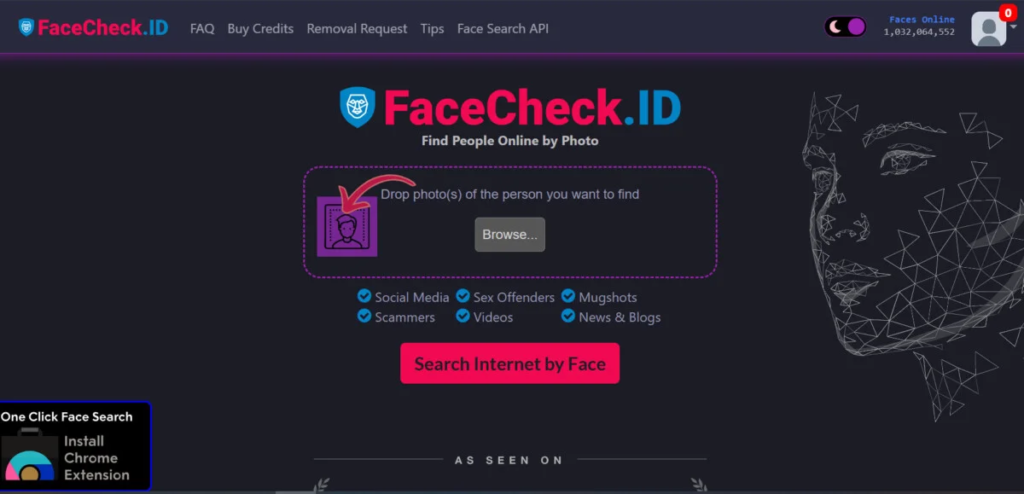
FaceCheck ID is a facial recognition search engine designed around personal safety and identity verification.
You upload a photo, and the AI maps the facial geometry (eye spacing, nose shape, jawline structure) and searches for matches across social media profiles, news archives, mugshot databases, sex offender registries, scam report sites, and the broader public web.
FaceCheck ID’s defining feature is its safety layer.
When a match appears on a known scam profile, mugshot database, or offender registry, the tool flags it with a red warning icon (Scam Alert, Sex Offender, Many Accounts). No other public face search engine provides this kind of contextual risk scoring on results.
The tool handles low-quality images better than PimEyes.
In FaceCheck ID’s own published comparison tests, it successfully matched blurry photos, side profiles, masked faces, and cropped images that PimEyes returned zero results for.
In my testing, this held up. A grainy screenshot from a video call that PimEyes rejected as “too low quality” produced 4 usable matches on FaceCheck ID.
Pricing: Per-search model. Free searches are available but results are blurred until you pay. Full result access requires payment, currently processed via cryptocurrency. Pricing starts at $6 in crypto for 36 credits. The price per search is higher than PimEyes on a per-lookup basis, but there is no monthly commitment.
Also Read: FacecheckID Top Alternatives
What Is PimEyes?
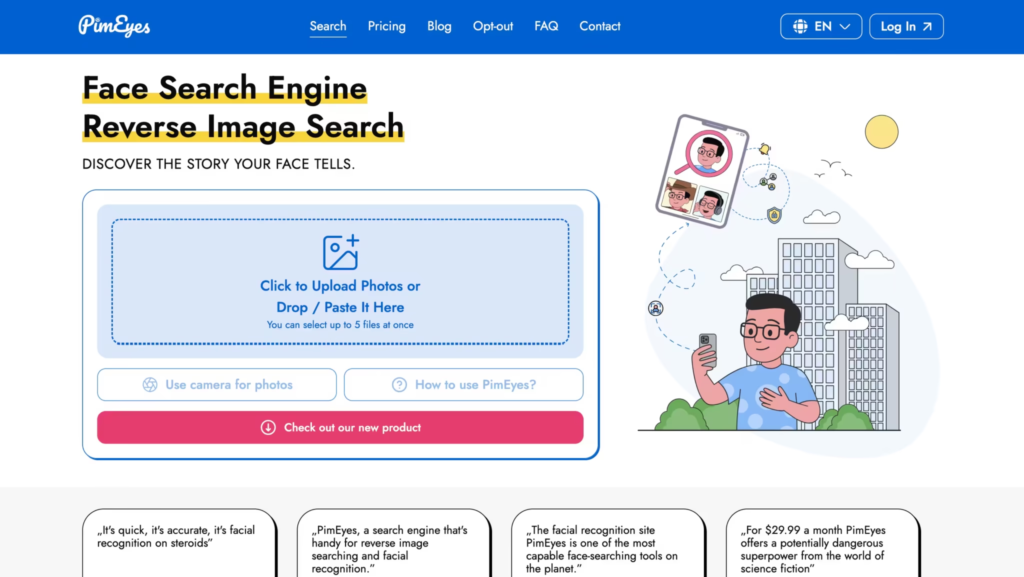
PimEyes is a face search engine founded in Poland in 2017 that scans publicly accessible web pages for matching faces.
It indexes a massive range of sources: news outlets, blogs, personal websites, stock photo libraries, forums, and adult content sites. The database is one of the largest available to consumers.
PimEyes positions itself primarily as a tool for managing your own online presence.
You search for your own face, find where your images appear, and take action (including DMCA takedown requests through their PROtect plans). In practice, it is widely used to search for other people as well.
The tool excels on clear, front-facing, well-lit photos.
In my testing, PimEyes returned accurate matches within seconds when given high-quality headshots, with accuracy consistently above 90% for people with a reasonable online presence. The results are fast and the match quality on good input photos is strong.
Pricing: Subscription-based. Plans start at approximately $29.99 per month. A free search shows blurred thumbnails without source links. Higher tiers include Deep Search, monitoring alerts (notifies you when new photos of your face appear online), and PROtect services for DMCA/GDPR takedowns.
FaceCheck ID vs PimEyes: Head-to-Head Comparison
| Feature | FaceCheck ID | PimEyes |
| Primary purpose | Identity verification, scam detection, safety | Online presence management, image tracking |
| Pricing model | Per-search (crypto payment starting at $6) | Monthly subscription ($29.99/month) |
| Free option | Free search, blurred results | Free search, blurred results without source links |
| Social media coverage | Yes (searches profiles, dating apps) | No (does not index social media) |
| Mugshot and offender databases | Yes | No |
| News and blog coverage | Yes | Yes (extensive) |
| Adult content indexing | Limited | Extensive (strongest in this category) |
| Safety warning flags | Yes (Scam Alert, Sex Offender, Many Accounts) | No |
| Low-quality image handling | Strong (blurry, cropped, side profiles work) | Weak (requires clear, front-facing photos) |
| Side profile accuracy | Strong | Weak (requires visible facial structure) |
| AI-generated face detection | Yes (flags synthetic images) | Limited |
| Monitoring alerts | Not a core feature | Yes (higher tiers notify when new photos appear) |
| DMCA/GDPR takedown help | Not a core feature | Yes (PROtect plans) |
| Image deletion policy | Deletes uploaded photos after processing | Stores for search indexing |
| Opt-out option | Available | Available (requires paid plan) |
| Best single strength | Social media + scam detection + poor image handling | Largest web index + adult content + monitoring |
Where Does FaceCheck ID Win?
After running both tools across the same set of test photos, these are the scenarios where FaceCheck ID consistently outperformed PimEyes:
Romance scam verification. This is FaceCheck ID’s strongest use case. I uploaded 10 photos from suspected scam profiles across dating apps.
FaceCheck ID flagged 7 of them with red warning icons indicating the photo appeared on known scam report sites, had multiple associated accounts, or was linked to a mugshot. PimEyes found web matches for 5 of the same photos but provided no context about whether those matches were associated with scams.
The difference: FaceCheck ID tells you the photo is a scam. PimEyes tells you the photo exists elsewhere. For someone checking whether their online match is real, that contextual warning is the entire value.
Low-quality and challenging images. A blurry screenshot from a WhatsApp video call. A cropped photo showing only part of a face. A side-profile shot from a security camera.
FaceCheck ID returned usable matches on all three. PimEyes rejected two of them outright with a “face not found” or “low quality” error. If your source images are anything less than clear headshots, FaceCheck ID is the more reliable tool.
Social media searches. FaceCheck ID indexes social media profiles and dating apps. PimEyes does not. If you need to find someone’s social media presence from a photo, FaceCheck ID is the only option between the two.
AI-generated face detection. FaceCheck ID can identify photos that were generated by AI rather than photographed from a real person. With AI-generated profile photos becoming a primary tool for scammers and catfishers, this detection capability is increasingly important.
Where Does PimEyes Win?
And here are the scenarios where PimEyes outperformed FaceCheck ID:
Breadth of web indexing. PimEyes indexes a larger volume of websites than FaceCheck ID. For people whose images appear on news sites, personal blogs, portfolio pages, stock photo libraries, or niche forums, PimEyes consistently returned more total matches.
In one test, PimEyes found 20 matches across the web for a public figure’s face. FaceCheck ID found 11. The additional 6 were from smaller blogs and niche sites that FaceCheck ID had not indexed.
Adult content and revenge porn detection. PimEyes is the stronger tool for finding non-consensual intimate images. It indexes adult content sites extensively, which is uncomfortable to discuss but critically important for victims of revenge porn.
If your goal is finding and removing intimate images published without your consent, PimEyes is the more effective tool for discovery, and its PROtect plans include DMCA takedown assistance.
Ongoing monitoring. PimEyes offers monitoring alerts that notify you when new photos of your face appear online.
FaceCheck ID does not offer this as a core feature. For public figures, executives, or anyone concerned about ongoing unauthorized use of their image, PimEyes’ monitoring provides continuous protection rather than one-time searches.
Takedown assistance. PimEyes’ higher-tier PROtect plans include professional help with DMCA and GDPR takedown notices. If you find your image on a site you want it removed from, PimEyes provides a path from discovery to removal. FaceCheck ID provides discovery but leaves the removal process to you.
What Are the Limitations of Both Tools?
Neither tool is 100% accurate. Both produce false positives (matching your face to someone who looks similar) and false negatives (missing matches that exist). Results are probabilistic, not definitive. A match is a lead to investigate, not proof of identity.
Both carry serious privacy implications. You are uploading biometric data to third-party servers. According to a 2024 Pew Research study, over 60% of Americans are concerned about how companies handle their biometric data.
Use a VPN to mask your IP if you want an additional layer of privacy, but understand that the platform still has the photo you uploaded.
PimEyes’ opt-out is behind a paywall. You can request that your face be excluded from PimEyes’ search results, but this feature requires a paid plan. The irony is not lost on anyone: you need to pay PimEyes to stop PimEyes from indexing you.
FaceCheck ID’s crypto payment is friction. Requiring cryptocurrency for payment adds a barrier that many users find inconvenient or unfamiliar. For a tool marketed toward everyday people checking dating profiles, this payment method feels misaligned with the target audience.
Neither replaces professional investigation. These tools are starting points, not conclusions. A facial match is a similarity signal, not proof. For legal, law enforcement, or HR purposes, results from either tool should be verified through additional channels before acting on them.
Which Tool Should You Pick?
| Your situation | Best pick |
| Checking if an online dating match is a scammer | FaceCheck ID |
| Finding where your professional headshot appears online | PimEyes |
| Searching from a low-quality, blurry, or cropped photo | FaceCheck ID |
| Detecting non-consensual intimate images (revenge porn) | PimEyes |
| Searching social media and dating app profiles | FaceCheck ID |
| Ongoing monitoring for new unauthorized uses of your image | PimEyes |
| Checking if a profile photo is AI-generated | FaceCheck ID |
| Need DMCA takedown help after finding unauthorized images | PimEyes |
| One-time search without a subscription | FaceCheck ID (per-search pricing) |
| Regular searches as part of ongoing reputation management | PimEyes (subscription) |
| OSINT research across the broadest possible web index | PimEyes |
| Identity verification for hiring or background checks | FaceCheck ID |
After 50+ searches across both platforms, my recommendation depends entirely on why you are searching.
For personal safety (scam checks, catfish verification, identity confirmation), FaceCheck ID wins because the safety flags, social media coverage, and low-quality image handling directly serve that use case.
For reputation management (finding where your image appears, monitoring for new uses, removing unauthorized content), PimEyes wins because the broader index, monitoring alerts, and takedown assistance form a complete workflow.
If you can only afford one, pick based on your primary use case. If you run regular investigations, use both. They find different things because they search different corners of the internet.
FAQs
1) Is FaceCheck ID free?
You can run a search for free, but the results are blurred. To see full matches with source links, you need to pay per search using cryptocurrency.
2) Is PimEyes free?
You can run a search for free, but results show only blurred thumbnails without source URLs. Practical use requires a subscription starting at $29/month.
3) Can PimEyes search social media?
No. PimEyes does not index social media platforms. It searches publicly accessible web pages, blogs, news sites, and adult content. FaceCheck ID is the option for social media face searches.
4) Does PimEyes notify the person I search for?
No. Searches are private. The person whose face you search has no way of knowing you looked them up.
5) Which is more accurate, FaceCheck ID or PimEyes?
Both achieve roughly 90%+ accuracy on clear, front-facing photos. FaceCheck ID handles challenging images (blurry, cropped, side-profile) better. PimEyes returns more total matches across a broader web index. Accuracy depends more on image quality than on the tool itself.
6) Is it legal to use facial recognition search engines?
Legality varies by jurisdiction. In the US, these tools operate within legal frameworks for publicly available images. The EU’s GDPR imposes stricter rules on biometric data processing. Both platforms offer opt-out mechanisms. Users bear responsibility for how they use results. These tools should not be used for stalking, harassment, or any illegal purpose.
7) Which is better for finding a catfish?
FaceCheck ID. It indexes social media profiles and dating apps directly, plus flags matches against known scam reports and mugshot databases with a red warning icon.
PimEyes doesn’t search social media at all, so it can tell you where else a photo appears online but won’t connect it to a dating profile or flag it as a known scam.
