


I’ll tell you what.
We tested and compared the best AI slide tools available so you don’t have to.
Thanks to recent advances in AI, you can now make beautiful, professional slides fast.
These smart platforms aren’t all about choosing pretty colours, they serve you by brainstorming ideas, arranging your thoughts and designing pretty presentations in minutes, not hours.
But since there are so many options to choose from, which one is right for you?
TL;DR
| Tool Name | Best For | Key Features | Free Trial | Starting Price |
| thinkcell | Consultants, bankers, and strategy professionals | Data-driven charts (Mekko, waterfall, Gantt), live Excel-PowerPoint linking | 30 Days | $28.60/user/month |
| Plus AI | Professional presentations | Native PowerPoint & Google Slides integration, AI slide editing, live data updates | 7 days | $10/month |
| SketchBubble AI | Business and Educational presentations | Business and Educational presentations | Free version available. | $15/month |
| Twistly | Educators & Students | AI add-in natively made for PowerPoint | Free Trial | $10/month |
| Adobe Express | Cross-format brand consistency | AI-generated decks, shared templates across content types | Free version available | $9.99/month |
| Beautiful.ai | Fast, polished design | 500+ smart templates, real-time collaboration, AI-driven formatting | 14 days | $12/month |
| Gamma | Content-heavy presentations | AI content extraction, design suggestions, team editing | Free version available | $8/month |
| SlideSpeak | Document-to-slide conversion | Summarizes content, PowerPoint-ready slides, branding focus | Free version available | $29/month |
| MagicSlides | Google Slides users | Smooth Google Slides integration, fast slide generation | No | $6.7/month |
| Pitch | Team collaboration | Collaborative editing, template library, easy sharing | Free version available | $20/month |
| Prezi | Dynamic, interactive decks | Zooming presentations, AI slide creation, multimedia support | Free version available | $15/month |
1. thinkcell
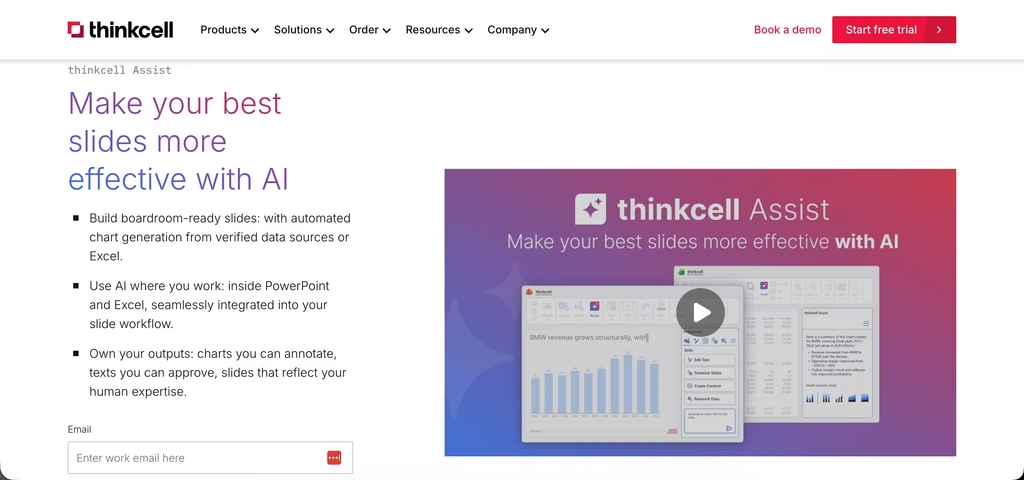
thinkcell has long been the leading presentation creation software for professionals across top-tier industries like management consulting, investment banking, and business strategy.
Since the introduction of its ai-powered presentation software, thinkcell provides everything professional PowerPoint and Excel users need to create presentations for high-stakes boardrooms that demand immaculate, error-free slides and data visualizations.
Over 1,300,000 professionals across 30,000+ companies worldwide rely on thinkcell and its AI presentation workflows that streamline and automate their slide creation, without compromising on the quality and accuracy needed to drive business decisions.
Key Features
- Integrated presentation AI tools (thinkcell Assist): thinkcell Assist gives professionals the power of AI directly inside Excel and PowerPoint, enabling them to analyze datasets via chat, automatically build thinkcell charts, refine copy, generate slide action titles, and quickly translate entire presentations into over 70 languages.
- Advanced data-driven charting: Users can generate over 40 highly complex chart types that are central to high-stakes decision-making, including Mekko, waterfall, Gantt, and stacked bar charts, all with automated annotations, linked to Excel and customizable to the users’ needs.
- Live Excel data syncing: thinkcell lets users establish bidirectional, robust links between Excel and PowerPoint, meaning that any spreadsheet update can be automatically reflected in a PowerPoint chart, text box or other object. The slide matches the data and users don’t have to worry about copy-paste errors.
Pros
- Provides AI tools that are purpose-built for professionals and work with traceable, formula-based tables so that all on-slide charts are based on robust, verifiable data.
- Automatically calculates and displays complex chart annotations such as Compound Annual Growth Rates (CAGR), absolute difference arrows, and percentage totals, without requiring manual formulas or adjustments when data changes.
- Eliminates the need for grueling manual adjustments to text formatting, arrow shifting, or dimension scaling, saving hours per deck.
Cons
- While slides built with thinkcell can be viewed using Microsoft Office web apps, editing presentations with thinkcell is only possible in the desktop versions of PowerPoint and Excel.
- Because thinkcell’s automation is purpose-built for business slides, non-professional users may find the enforcement of standardized, consulting-grade slide layouts somewhat restrictive.
Who should use it?
thinkcell is explicitly engineered for professional environments where data accuracy and presentation turnaround speeds are paramount.
thinkcell is the undisputed industry standard for management consultants, investment bankers, and corporate strategy analysts who frequently build performance reports, market evaluations, and financial pitches.
Additionally, business intelligence specialists and project managers who regularly track timelines in Gantt views or report on complex metrics will find thinkcell indispensable for ensuring clear communication with their stakeholders.
Pricing
thinkcell utilizes a transparent, tiered annual leasing structure, based on the total volume of individual user licenses required by an organization.
| Number of users | Estimated cost per user/month |
| Basic (1 – 4 users) | $28.60 |
| 5 users | $25.40 |
| 10 users | $24.20 |
| 25 users | $22.10 |
| 50 users | $20.60 |
| Enterprise tiers (50+ users) | Custom quote |
Commercial tier: Standard commercial access starts at $28.60 per user per month, and is billed on an annual cycle. Multi-seat volume discounts are available for larger deployments.
Academic tier: The platform provides free, fully functional software licenses to validated university students and teaching staff through its dedicated portal.
2. Plus AI

Plus AI is created for working professionals who prefer to improve their current PowerPoint and Google Slides experience. Rather than replace your favourite presentation software, it sits in them to give them powerful AI-procured features that save time and help creativity.
Key Features
- Native integration with PowerPoint and Google Slides, so you don’t have to switch apps.
- AI slide editing: Rewrites and polishes your slide text automatically.
- Live data updates: Connects charts and tables to live data sources for real-time accuracy.
- Slide generation: Creates new slides from text prompts or documents in seconds.
- Smart formatting: Automatically adjusts layouts and designs for a professional look.
Pros
- Seamless integration which means no steep learning curve.
- Great for data-driven presentations with live updates.
- Helps polish and improve slide content, not just design.
- Saves hours on editing and formatting.
Cons
- Some features may require a bit of time to master.
- Occasionally, add-ons can cause minor glitches in PowerPoint or Google Slides.
Who Should Use It?
If you’re a business professional, analyst, or educator who relies heavily on PowerPoint or Google Slides and wants to speed up slide creation without sacrificing quality, Plus AI is a perfect fit.
Pricing
- Free version for 7 days available with limited features.
- Paid plans start at $10 per month, offering access to AI tools and integrations.
3. SketchBubble AI
SketchBubble AI is built for professionals, educators, and researchers who want to generate presentations in minutes and work smarter in PowerPoint and Google Slides. Instead of replacing your favorite tools, it integrates seamlessly to create complete decks from text or documents, convert PDFs into editable PPTs, and export in PowerPoint or open directly in Google Slides. With AI-driven smart layouts, great themes, and automatic refinements, it saves hours of effort while delivering polished, professional results — whether for business meetings, educational lectures, research projects, thesis defenses, financial reports, or healthcare presentations.
Key Features
- Generate presentations in minutes from text prompts, documents, or outlines.
- PDF to PPT conversion using AI to turn static files into editable, professional slides.
- Export flexibility – download in PowerPoint format or open directly in Google Slides.
- AI-powered content enhancement that rewrites, polishes, and improves slide text.
- Smart layouts & formatting to automatically structure content for clarity and flow.
- Professional themes & design suggestions for visually appealing, consistent slides.
- Auto-structuring of presentations to convert raw ideas into logical, well-organized decks.
Pros
- Download as PowerPoint or open in Google Slides.
- Cuts down hours of manual slide creation.
- Improves both content quality and visual presentation.
- Minimal learning curve for professionals.
Cons
- Advanced AI outputs may still need light manual editing.
- Some features may be best used after experimenting a bit.
Who Should Use It?
If you’re a business professional, consultant, educator, or analyst who spends hours creating presentations and wants AI support to handle structure, text, and design, SketchBubble AI Presentation Maker is a perfect fit.
Pricing
- 500 free AI credits for new users.
- Paid plans start at $15 per month.
4. Twistly
Twistly is the fastest AI add-in natively made for PowerPoint. It particularly appeals to students, teachers, and other education professionals who want to craft professional presentations fast. Twistly works inside Microsoft PowerPoint and uses ChatGPT to create slides from a single prompt, text, video or files.
Key Features
- Generates complete presentations from text prompts, PDFs, DOCs, or YouTube videos
- Creates custom AI images or lets pick from millions of stock images
- Automatically adds speaker notes and translates content into multiple languages
- Offers templates that adapt to your content style and tone
- Enhances text with one-click edits like bullet points
Pros
- Integrates seamlessly with PowerPoint for no learning curve
- Creates full presentations in under 30 seconds
- Supports diverse inputs for easy repurposing of ideas or videos
- Boosts accessibility through AI PPT translator
- Saves time on notes and visuals for busy workflows
Cons
- Relies on PowerPoint
- Free version limits slides to seven with a watermark
- Advanced edits demand a stable internet connection
Who Should Use It?
Twistly fits educators and students best. It suits those who frequently deal with PowerPoint presentations and want them ready fast.
Pricing
A free trial lets users test with seven slides and basic tools.
Paid plans start at $10 per month. They unlock unlimited slides and full features.
5. Adobe Express
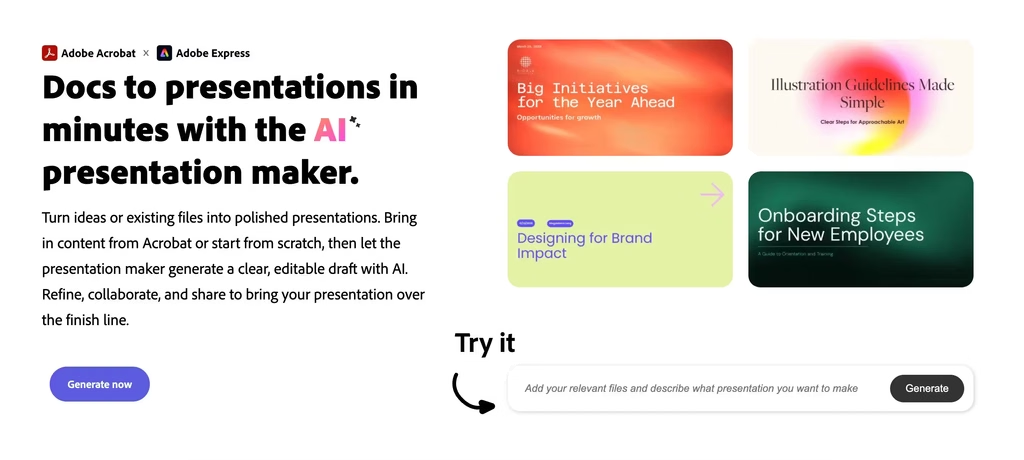
Adobe Express is a design platform that turns presentation creation into one part of a bigger content workflow. Its AI presentation maker builds a structured deck from a topic or outline in minutes, pulling from the same templates, fonts, and brand assets you’d use for social posts or videos.
Key Features
- Turns a topic or outline into a structured deck automatically.
- Shared asset library: Access to Adobe’s fonts, icons, and templates across all content types, not just slides.
- Brand consistency: Decks can match branding already used in other Adobe Express content.
- Export flexibility: Download or share finished presentations in standard formats.
Pros
- Decks stay visually consistent with other content made on the same platform.
- Backed by Adobe’s font and template library.
- Straightforward editor with a low learning curve.
Cons
- Deep manual layout control is more limited than in presentation-first tools.
- Advanced brand and asset features require a paid plan.
Who Should Use It?
Adobe Express is a good fit for teams or individuals who also produce social graphics, video, or other branded content and want their presentations to stay visually consistent with everything else they make.
Pricing
- Free plan available with limited templates and assets.
- Paid plans start around $9.99 per month.
6. Beautiful.ai

Beautiful.ai is one of the top AI slide tools popular with users who are looking to make great presentations easily but without the necessary design skills. Its AI-powered platform provides smart templates that adjust to your content, making every slide look polished and professional.
Key Features
- 500+ smart templates that adjust layouts dynamically based on your text and images.
- Real-time collaboration for teams to work together seamlessly.
- Branding tools to maintain consistent colours, fonts, and logos across slides.
- AI-driven formatting that handles alignment, spacing, and design balance automatically.
- Cloud-based platform accessible from anywhere, no software installation needed.
Pros
- Extremely user-friendly, ideal for beginners.
- Saves time by automating design decisions.
- Strong collaboration features for teams.
- Ensures brand consistency effortlessly.
Cons
- Customization options can be limited if you want very specific design tweaks.
- Performance may slow down with very large presentations.
- Some advanced features require a paid subscription.
Who Should Use It?
Beautiful.ai is perfect for business teams, marketers, and anyone who needs fast, attractive presentations without the hassle of manual design.
Pricing
- A free plan for 14 days is available with basic features.
- Paid plans start at $12 per month, unlocking premium templates and collaboration tools.
7. Gamma

Gamma is a presentation tool that automates and accelerates the entire process of creating slides with the help of AI.
It’s a robust alternative to legacy contenders, such as PowerPoint and Google Slides, and builds professional-grade presentations from scratch, simply by inputting a prompt or uploading a document.
Entry-level users and professionals will appreciate Gamma’s intuitive UI and smart AI functionality, producing slick and engaging decks in a matter of minutes.
Key Features
- AI-powered content and layout generation: Just input your ideas or bullet points, and Gamma creates well-organized slides with relevant text, designs, and graphics automatically.
- Flexible card system: Instead of rigid slides, Gamma uses “cards” to break down complex ideas into digestible sections, improving audience engagement and flow.
- One-click polish: Instantly applies professional design elements, formatting, and consistent styling to your presentation.
- Customizable templates: Choose from a variety of modern templates that can be tailored to your brand or style.
- Real-time collaboration: Work with your team simultaneously, with live editing, commenting, and feedback.
- Interactive elements: Easily add videos, charts, diagrams, and math tools to make presentations dynamic.
- Multiple export options: Download presentations as PowerPoint, PDF, or publish as interactive web pages.
- Built-in analytics: Track audience engagement to refine your presentations over time.
- Web-based accessibility: No software installation is needed; accessible from any device.
Pros
- Saves significant time by automating content creation and design.
- Produces visually appealing, well-structured presentations that follow best practices.
- Great for content-heavy presentations like sales pitches, project updates, or educational material.
- Supports interactive and multimedia elements to keep audiences engaged.
- Regular updates improve AI capabilities and template options.
- Free plan available with generous features for casual users.
Cons
- Theme variety is somewhat limited compared to other tools.
- Advanced features may have a learning curve for new users.
- Occasional lag when working on very large presentations.
Who Should Use It?
Gamma is ideal for professionals, educators, and teams who want to create high-quality, content-rich presentations quickly without wrestling with design details. It’s especially useful if you want to convert text-heavy documents or ideas into engaging slides effortlessly.
Pricing
- Free plan available with essential features.
- Premium plans with advanced collaboration and AI content generation start at around $10 per month.
8. SlideSpeak

SlideSpeak is an intelligent AI that turns content you already have, reports, articles and notes, into professional PowerPoint presentations at the click of a button.
With SlideSpeak, you don’t have to create a new slide from scratch. Just let it summarize and structure your content, and you are free to dedicate more time to better organize your speech.
It’s particularly popular with educators, consultants, and students who want to articulate detailed information in a clear, professional manner.
Key Features
- Document-to-slide conversion: Upload Word files, PDFs, or text, and SlideSpeak automatically generates a slide deck that highlights key points.
- AI-powered summarization: Extracts the most important information and structures it logically across slides.
- Branding and style options: Customize colours, fonts, and logos to match your brand or personal style.
- Editable slides: After generation, you can tweak text, images, and layouts to fit your exact needs.
- Export options: Download presentations in PowerPoint format for easy sharing and offline use.
- User-friendly interface: Designed to be accessible for users with any level of tech experience.
Pros
- Huge time-saver for turning long documents into presentations.
- Maintains strong branding and professional design standards.
- Easy to edit and customize after AI generation.
- Suitable for academic, business, and training presentations.
Cons
- Limited free usage; full features require a paid subscription.
- Less creative freedom compared to fully manual design tools.
- AI summarization may occasionally miss nuanced details, so review is necessary.
Who Should Use It?
If you often need to present reports, research papers, or detailed documents and want a fast way to create slides without losing important information, SlideSpeak is a great choice.
Pricing
- Free tier available with limited conversions.
- Paid plans starts at $29/month
9. MagicSlides

MagicSlides is one of the top AI slides tools specifically made for Google Slides users who want to make a presentation with ease and promptly.
It’s great at turning basic prompts or outlines into complete slides and is a favourite of people who prefer working in the Google Workspace universe.
MagicSlides enables you to avoid the boring part of making slides and instead focus on your message.
Key Features
- Seamless Google Slides integration: Works directly inside Google Slides as an add-on, so no need to switch platforms.
- AI slide generation: Create slides from text prompts, outlines, or bullet points in seconds.
- Template variety: Offers a range of modern, customizable templates to suit different presentation styles.
- Easy editing: Generated slides are fully editable, allowing you to tweak content and design as needed.
- Collaboration-friendly: Since it’s within Google Slides, real-time collaboration with teammates is simple and smooth.
- Fast turnaround: Ideal for last-minute presentations or quick brainstorming sessions.
Pros
- Native Google Slides integration means familiar interface and easy access.
- Speeds up slide creation dramatically with AI assistance.
- Flexible editing lets you maintain creative control.
- Great for users already comfortable with Google Workspace tools.
Cons
- Lacks some advanced design features found in standalone AI presentation tools.
- Pricing varies and some features may require paid plans.
- Limited offline functionality since it depends on Google Slides.
Who Should Use It?
MagicSlides is perfect for educators, students, and professionals who rely on Google Slides and want to save time creating presentations without sacrificing quality.
Pricing
- Starts at $6.7/month
10. Pitch

Pitch is a modern presentation platform built with team collaboration at its core. It offers modern design tools and AI-powered features to make collaboration and the creation of presentations easy for everyone on the team.
Key Features
- Real-time collaboration: Multiple team members can edit, comment, and give feedback simultaneously.
- AI-assisted slide creation: Generate slide content and layouts quickly using AI suggestions.
- Extensive template library: Choose from a variety of professionally designed templates tailored for different industries and purposes.
- Version control: Track changes and revert to previous versions easily.
- Easy sharing: Share presentations with clients or colleagues via secure links or export to PDF and PowerPoint.
- Integrations: Connects with tools like Slack, Google Drive, and Notion to streamline workflows.
Pros
- Excellent for teams needing smooth collaboration.
- Intuitive interface with powerful design capabilities.
- AI features speed up content creation without sacrificing quality.
- Strong version control and sharing options.
Cons
- Some advanced features require paid subscriptions.
- May have a learning curve for users new to collaborative platforms.
- Offline access is limited.
Who Should Use It?
Pitch is ideal for startups, agencies, and businesses where teamwork and fast iteration are essential. If your presentations are a group effort, Pitch offers the tools to keep everyone on the same page.
Pricing
- Free plan available with basic features.
- Paid plans start at $20 per user per month for advanced collaboration and customization.
11. SlidesGo

SlidesGo is a popular AI-powered platform offering a vast collection of free and premium templates for Google Slides and PowerPoint.
Its goal is to make it easy and fast for users to create stunning presentations like a pro in under 20 minutes, without being an expert designer.
Key Features
- Extensive template library: Thousands of editable templates categorized by theme and purpose, including business, education, marketing, and more.
- AI-powered design suggestions: Helps enhance your slides with smart layout and style recommendations.
- Customization tools: Easily modify colours, fonts, images, and layouts to fit your brand or personal style.
- Compatibility: Fully compatible with Google Slides and PowerPoint for easy editing and sharing.
- Online editor: Create and edit presentations directly on the platform without downloading software.
- Additional resources: Access to premium icons, images, and animations from Freepik and Flaticon.
- Real-time collaboration: Work with teammates on presentations simultaneously.
- Export options: Download presentations in multiple formats, including PPTX and PDF.
Pros
- Wide variety of templates suitable for many industries and presentation styles.
- User-friendly interface that’s great for beginners.
- Affordable premium plans with valuable perks like unlimited downloads and no attribution required.
- Regular updates with fresh content and new templates.
- 100% compatibility with Google Slides and PowerPoint.
Cons
- Free plan limits downloads and access to premium templates.
- Occasional formatting issues when switching between platforms.
- No live customer support on free plans; priority support reserved for premium users.
Who Should Use It?
SlidesGo is ideal for students, educators, marketers, and business professionals who want a rich selection of templates and easy-to-use tools to create polished presentations quickly. Its affordability and educational discounts make it especially attractive for schools and universities.
Pricing
- Starts at $5.99 per month (or about $23.99 annually).
The Bottom Line
Presentations don’t have to be uninspired and boring.
And now, due to the world’s most advanced top AI slides tools, everybody, from students to business people, can create beautiful, engaging, and polished slides in record time.
And these tools don’t just save time, they unlock creativity with the help of intelligent design recommendations, automated content generation and easy-to-use teamwork features that make working together a breeze.
The best AI slides tool is the one that solves your specific needs.