
Your remote team spans time zones, yet prospects, candidates, and investors still notice one shared brand—the faces on your website, Slack, and LinkedIn.
A crisp headshot amplifies that first impression. LinkedIn reports that profiles with a professional photo draw 21 times more views than those without.
Flying everyone to a studio is costly, so a new wave of AI headshot generators promises studio-quality images from a few selfies.
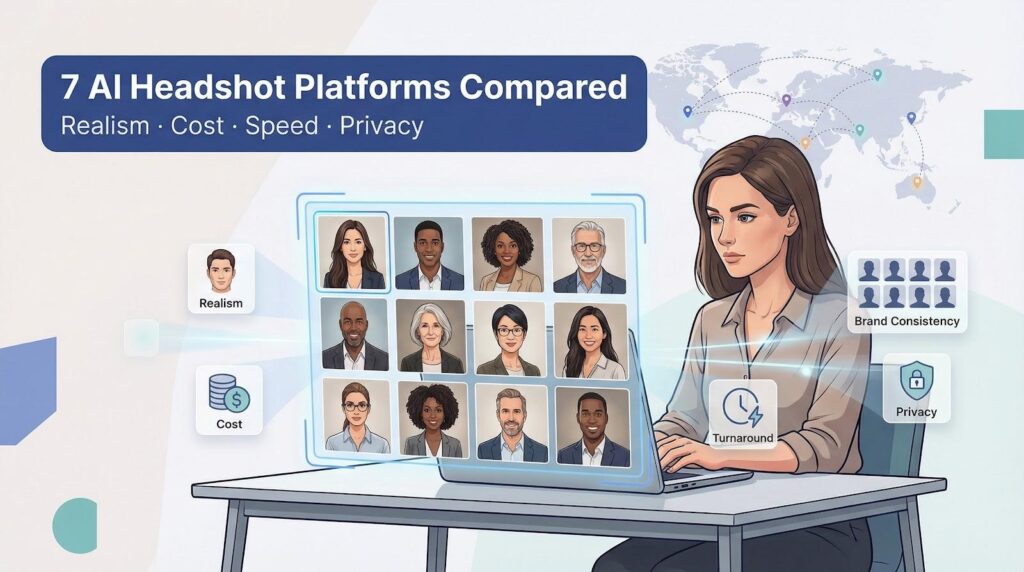
We tested seven leading platforms, weighing realism, cost per employee, turnaround, brand-consistency tools, and data safeguards. Here’s what we found.
How we compared these platforms
We approached this review the same way an operations leader vets any SaaS tool: we lined up apples to apples and let the numbers speak.
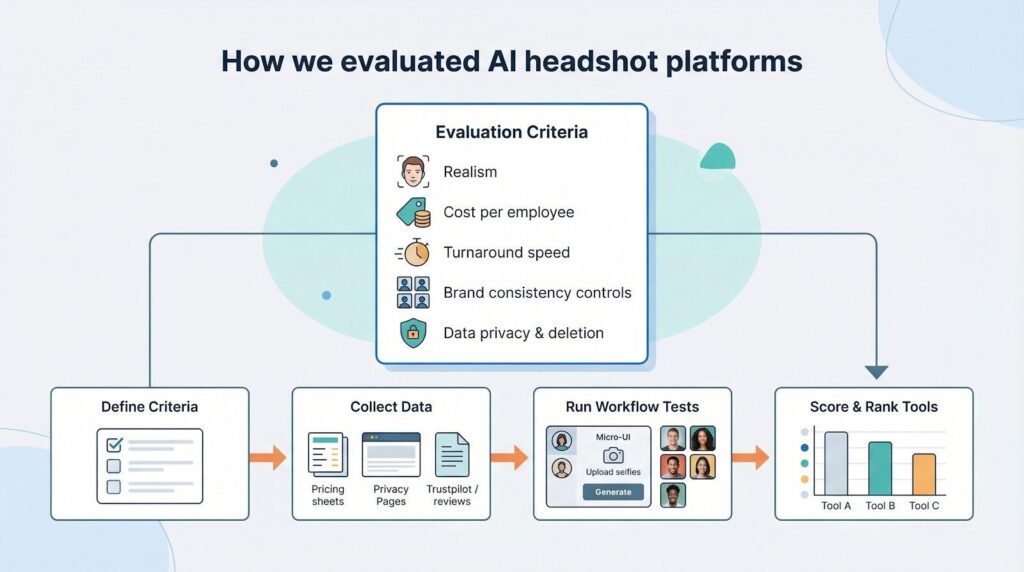
First, we set five must-haves for a remote-team headshot service: realism, cost per employee, turnaround speed, admin controls for brand consistency, and clear data-privacy language. If any of those fall short, the risk shifts to HR.
Next, we gathered current pricing sheets, privacy pages, Trustpilot scores, and dozens of real output samples. Independent benchmark tests added context. In one January 2026 comparison published on TeamShotsPro’s blog, the service produced usable headshots in about sixty seconds while slower rivals needed hours.
We then stress-tested each workflow from a manager’s view. How many selfies does the tool need? Can you invite twenty new hires with one link? Does the platform lock a background so everyone looks like they visited the same studio?
Finally, we graded every service on the five criteria, giving the most weight to realism because a perfect-looking photo that fails to resemble the teammate is worthless. The outcome is a ranking you can share with leadership.
Seven platforms at a glance
Before we dig into each service, here is the landscape.
Scan this table to compare price, speed, and HR-friendly features, then share it with your team.
| Platform | Cost per person* | Turnaround | Photos delivered | Selfies needed | Team-friendly feature | Privacy signal |
| InstaHeadshots | $44 (10-seat team) | ~15 min | 50–100 | 10 | Pay-after-approval, manager dashboard | “Delete on request” policy |
| TeamShotsPro | $20 (25-seat team) | 60 sec | 10 | 3 | Locks background for brand unity | SOC-2 in progress |
| HeadshotPro | $39 | 30 min–2 hr | 30–70 | 3 | Money-back guarantee | Auto-delete after 30 days |
| BetterPic | $49 | 1–2 hr | 20–120 4K | 12 | Human retouch included (top plan) | GDPR location, manual review |
| Aragon AI | $45 | 15–45 min | 40–100 | 6 | Industry-style presets | Data wiped post-generation |
| EasyHeadshots | $8.99 | 5 min | 50+ | 12 | One-link self-serve signup | No third-party APIs |
| The Multiverse AI | $29 | 30 min | 120 | 15 | Text-prompt “Magic Editor” | Cloud storage, manual delete |
*Prices reflect published rates for a roughly ten-person remote team in February 2026. Larger head counts enjoy deeper discounts.
The numbers spell out the trade-offs. Some tools target speed or budget, while others aim for print-quality images. Next, we explore how these stats feel in practice.
1. InstaHeadshots: fast and flexible for distributed teams
InstaHeadshots turns a handful of selfies into a polished set of fifty to one hundred headshots in about fifteen minutes. Each employee gets a private link, uploads ten casual photos, and waits while the system works.
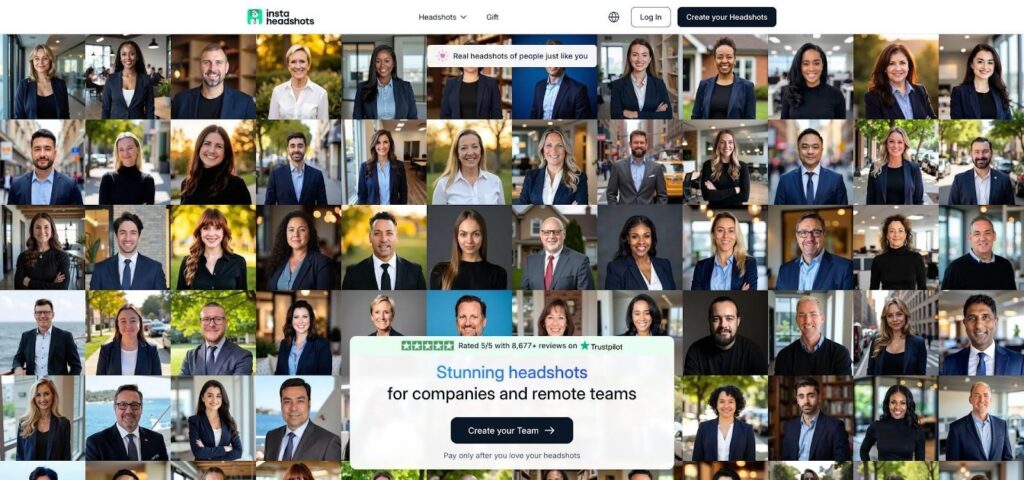
InstaHeadshots AI headshot generator for distributed teams website screenshot
The stand-out feature is cost control: you pay only for the shots your team chooses to download. That approve-before-purchase policy removes risk and keeps finance happy.
Image quality holds up under close review. Skin texture looks natural, facial proportions stay true, and the mix of formal and casual backgrounds covers LinkedIn, Slack, and the company site in one pass.
From an admin seat, onboarding is painless. A dashboard tracks who has uploaded, locks a common background if you need uniformity, and lets you invite the next hiring wave in seconds.
Pricing starts around forty-four dollars per person for a ten-seat team, then drops as head count climbs. For peace of mind that every new hire leaves with a photo they like, the math works.
Privacy language is direct. InstaHeadshots deletes source images on request and pledges not to reuse them for training. Remote teams in regulated sectors can breathe easier knowing selfies do not linger in a hidden archive.
All told, InstaHeadshots is a low-friction first step into AI photography: quick, risk-aware, and built for growing remote teams.
2. TeamShotsPro: lightning speed and iron-clad consistency
TeamShotsPro is built for moments when you need headshots yesterday. Upload three selfies, press generate, and ten ready-to-use portraits appear in about sixty seconds. It was the only service in our test that finished before the coffee maker beeped.
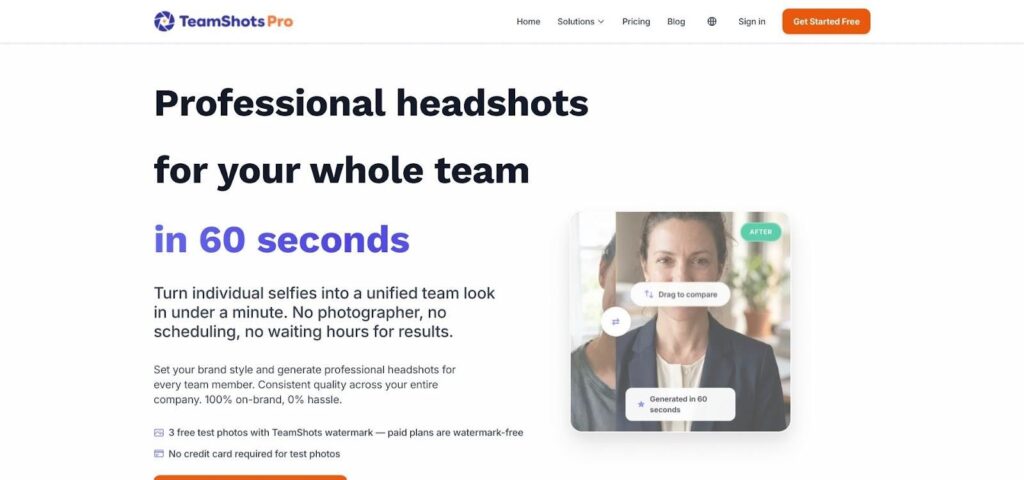
TeamShotsPro AI headshots for fast, consistent onboarding website screenshot
The platform focuses on bulk onboarding. A people-ops manager can paste a CSV of work emails, set one background color, and watch a live dashboard as images arrive. Because lighting, framing, and backdrop are locked, no one slips off brand.
Speed does not sacrifice quality. Faces stay recognizably human: no plastic skin, no mismatched eyes. Resolution tops out at standard HD, which suits profiles and ID badges. If you need billboard clarity, choose a different tool; if you need one hundred uniform avatars by Friday, stay here.
Cost drops as head count rises. A ten-person team pays about thirty dollars per seat, while groups of twenty-five come in near twenty. Enterprise pricing falls into the low teens, beating a traditional photographer by roughly ninety percent.
Security matters too. Files move through encrypted channels, auto-delete after fulfillment, and the company is working toward SOC-2 certification.
Bottom line: TeamShotsPro is the fastest path to a wall of consistent faces. Trade a little artistry for sheer speed and you will not regret it.
3. HeadshotPro: veteran workhorse with loads of options
HeadshotPro has produced AI portraits since the category’s early days, and that history shows in both volume and stability.
The workflow is straightforward. After one to three selfies pass the quality check, you pick a package, and thirty to seventy headshots arrive within two hours. Most users see results in about thirty minutes on the speed tier, quick yet calm.
HeadshotPro shines in variety. Each teammate receives shots in multiple outfits, angles, and backdrops. A marketer can choose a relaxed outdoor pose for social media while finance sticks to a dark blazer on gray. No one feels boxed in.
The trade-off is consistency. Because employees browse unique carousels, backgrounds rarely align across the org chart. If design wants perfect uniformity, plan for extra selection time.
Quality is solid overall. A few frames may soften features or nudge jawlines, but the generous output lets you discard misfires. A money-back guarantee lowers risk for skeptical colleagues, and the platform deletes source images after thirty days to cover basic privacy concerns.
Pricing holds at about thirty-nine dollars per person for a ten-seat team. It is not the cheapest, yet the high image count keeps the cost per usable photo appealing.
For teams that value individual choice over lock-step branding, HeadshotPro remains a reliable, time-tested option.
4. BetterPic: premium clarity with a human safety net
BetterPic targets the boardroom, not the break room.
Its workflow blends AI with a final pass from human retouchers on the top plan, producing 4K files that suit magazine spreads and trade-show banners. Turnaround remains quick by studio standards, about one hour on the flagship tier, even with the manual polish.
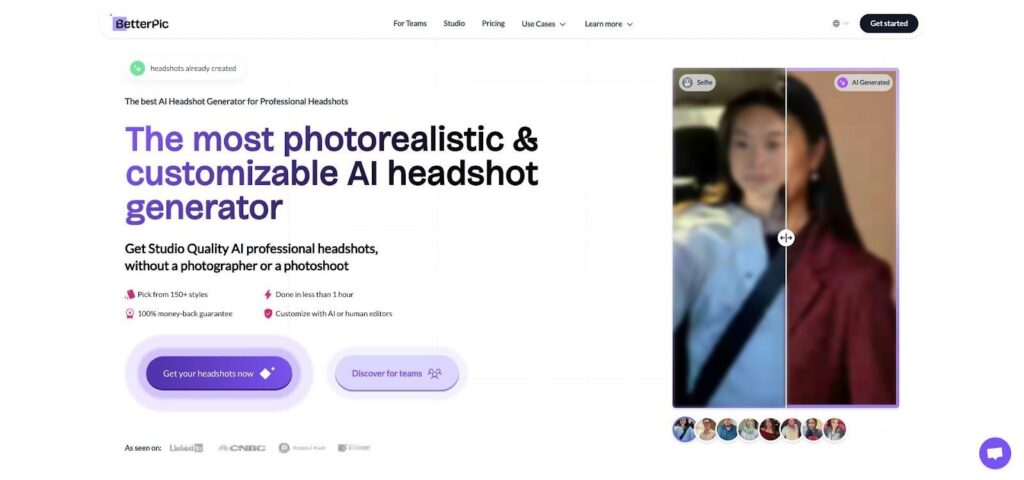
BetterPic premium 4K AI headshots with human retouching website screenshot
Uploading takes more effort: plan to gather a dozen high-quality selfies. The return is precision. Skin texture stays natural, suit fabric looks tangible, and lighting feels like it came from a soft box instead of an algorithm.
Brand managers will appreciate the extras. You can lock a company Hex color for every background, add a subtle logo watermark, or request black-and-white conversions, all included in the price. That keeps design teams out of post-production limbo.
Cost mirrors the craft. Expect roughly forty-nine dollars per person for small teams, dropping to the mid-thirties at enterprise scale. Compared with a local photographer plus retouch fees, the math still favors BetterPic, especially once travel and scheduling headaches disappear.
Privacy remains solid. Files are stored on GDPR-compliant servers, and human reviewers sign confidentiality agreements before touching any image.
Choose BetterPic for leadership portraits, investor decks, or printed conference materials that demand pixel-perfect credibility. It is overkill for casual Slack avatars but ideal when nothing less than crystal clarity will do.
5. Aragon AI: granular control for brand storytellers
Aragon AI serves teams that avoid one-size-fits-all imagery.
Instead of a single “professional” preset, Aragon offers industry personas such as doctor, attorney, or startup founder and lets you tweak attire, hair, and backdrop before you click generate. Six input photos teach the model a face, and about twenty minutes later forty to one hundred variations arrive, each tuned to your chosen style.
That flexibility shines for marketing-focused companies. A health-tech startup can give clinicians lab-coat portraits while its sales team opts for smart-casual shots, all under one subscription.
The trade-off is complexity. More sliders mean more chances for misalignment. Unless a brand manager locks a template, teammates may drift into mismatched backgrounds and lighting. Quality stays high overall, though a few frames may show artifacts around hands or accessories, so expect to drop the occasional dud.
Pricing begins near forty-five dollars per person, reflecting the creative freedom. The platform deletes source images right after generation, which helps with compliance.
Choose Aragon when different roles require distinct visual identities but you still want everything created in one, well-governed workspace.
6. EasyHeadshots: trim budgets, not professionalism
EasyHeadshots cuts the process to its essentials and passes the savings to you.
Share one signup link, ask teammates for twelve selfies, and let the system work. About five minutes later each person downloads a folder of more than fifty portraits. No upsells or complex style dials, just quick, clean headshots suited to a LinkedIn thumbnail.
At eight dollars and ninety-nine cents per user, the price feels like a typo. For a ten-person startup, the total still comes in below one studio session for a single executive. It is the fastest way to swap vacation photos on your About page without draining runway.
Image quality sits in the “good enough” range. Faces stay recognizable and colors stay natural, though textures may soften and backgrounds can repeat. Internal directories and sales decks will be fine, while print campaigns may need the extra polish of a higher-end tool.
Security promises are basic but clear. The company runs its own inference stack, avoids third-party APIs, and deletes images soon after generation.
Choose EasyHeadshots when you want every remote teammate looking presentable by lunch and the budget is tight.
7. The Multiverse AI: volume over virtuosity
The Multiverse AI focuses on sheer quantity. A single payment of twenty-nine dollars returns about one hundred standard headshots plus twenty stylized extras. A built-in “Magic Editor” lets you type commands such as “change suit to navy” or “set background to soft blue” and refine favorites without opening Photoshop.
Plan to upload fifteen selfies, the heaviest lift here, because the engine needs varied angles to keep faces consistent across many outputs. About thirty minutes later a large gallery appears. Some images look overly airbrushed, but patient sorting uncovers solid choices.
Uniformity is the challenge. Unless a team lead reviews each gallery, backgrounds and lighting can vary widely. The Multiverse works best when colleagues enjoy choosing their own style rather than following a strict brand template.
Privacy coverage is basic. Files remain in cloud storage until you delete them, so teams in regulated industries may want tighter controls.
Use The Multiverse AI when you crave experimentation, have time to curate, and need the lowest cost per usable photo.
Cost vs. quality: finding your sweet spot
Budget and polish rarely align, so here is where each platform sits on the spectrum.
Independent testers at Headshots.com compared sixteen generators in 2026 and found that only a few produced faces that looked genuinely lifelike; many showed plastic skin or identity drift.
Match those findings with the prices above and three clear clusters appear:
- BetterPic and Aragon hold the quality high ground. Expect to pay more than forty dollars per person, but the files withstand print-magazine scrutiny.
- InstaHeadshots and TeamShotsPro achieve near-premium realism at mid-market rates, especially once volume discounts apply.
- EasyHeadshots and The Multiverse AI win on price, yet you trade some consistency and must spend time curating the best frames.
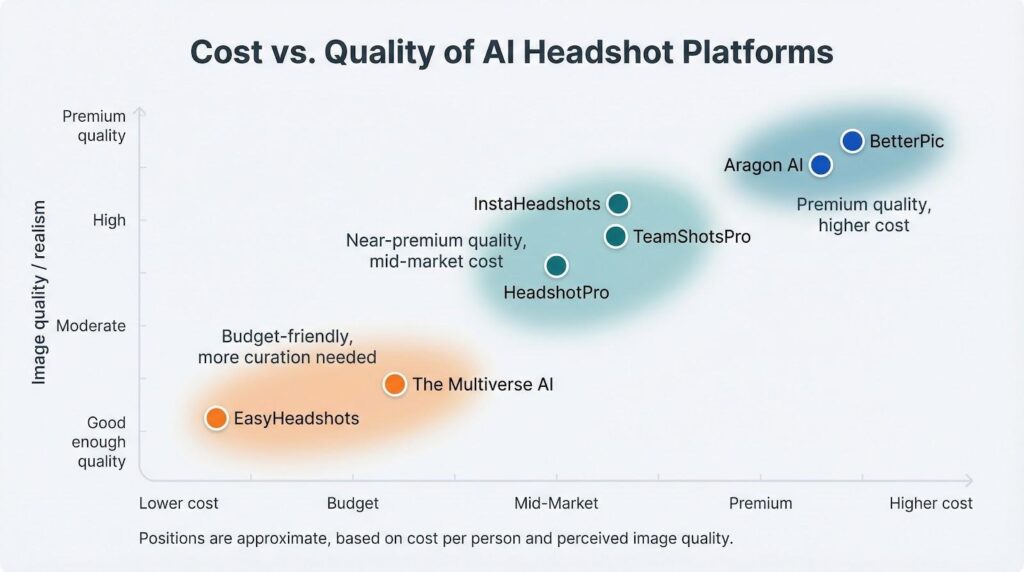
The takeaway: decide where extra polish stops adding value for your use case. An investor deck benefits from BetterPic’s 4K sharpness, while an internal org chart looks fine with EasyHeadshots’ nine-dollar efficiency.
Match spend to visibility, and you will not overpay for pixels.
Quick recap: pros, cons, and best-fit scenarios
After hours inside each dashboard, one truth stands out: no single generator wins every category. The right choice depends on what success looks like for your team.
InstaHeadshots marries strong realism with a no-risk pay model, perfect when colleagues worry about looking fake.
TeamShotsPro combines speed with brand control, ideal for high-growth companies racing through onboarding.
HeadshotPro offers broad variety and a generous refund promise but leaves background consistency to the user.
BetterPic delivers studio-grade clarity and human edits, worth the premium for leadership portraits.
Aragon AI provides granular styling for role-based storytelling yet requires careful governance.
EasyHeadshots smashes cost barriers; quality stays “good enough” for internal or social use.
The Multiverse AI offers a huge gallery at bargain rates, provided someone curates the winners.
Match these strengths to your visibility needs and budget limits, and the decision comes into focus.
Putting it all together: how to choose with confidence
Start with purpose. If your headshots will headline investor decks or keynote slides, lean on BetterPic or Aragon where every pore and pixel holds up on a 4K projector.
Launching a careers page and need twenty new faces by Friday? TeamShotsPro delivers uniform portraits before lunch, while InstaHeadshots lets each hire approve their image so no one feels misrepresented.
Working with tight budgets or volunteer teams? EasyHeadshots upgrades every avatar for about the cost of a coffee. When personal flair matters more than strict brand rules, The Multiverse AI offers plenty of variety; plan extra time to prune the gallery.
Whatever you pick, set two guardrails:
- Nominate a style owner. One point of contact, usually design or marketing, should lock backgrounds and approve finals. That step stops a rainbow of mismatched poses from sneaking onto your site.
- Record the data policy. Keep the provider’s deletion timeline and any compliance certificates on file so legal questions never slow a launch.
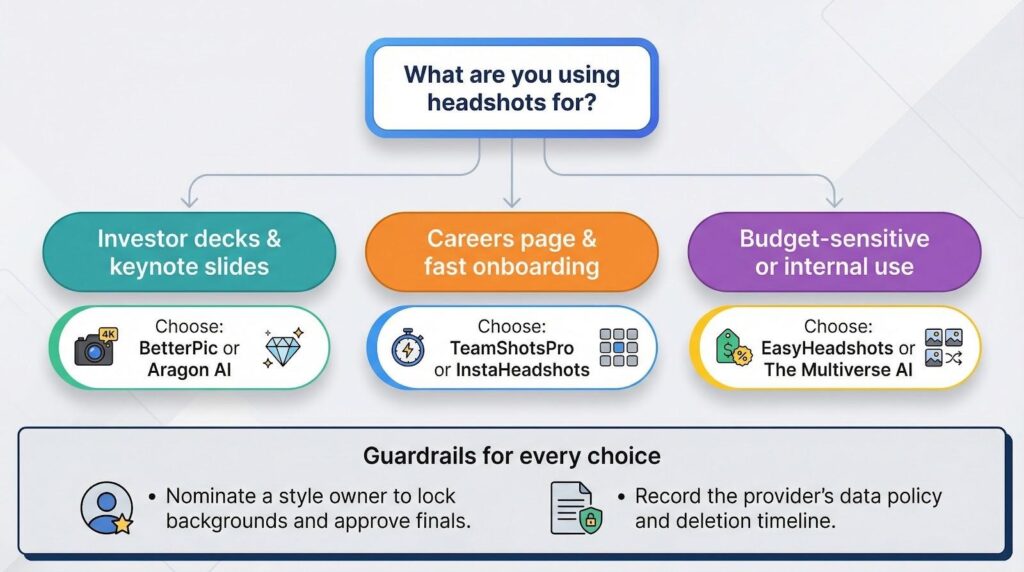
Follow those steps and your remote workforce will present a unified, professional image that earns trust from the first click.
Great headshots once meant booking studios on three continents. Today they are a fifteen-minute workflow and a line item smaller than team swag. Choose the platform that matches your quality bar and watch engagement climb.