

Here’s the simplest way to think about HeyGen: it’s what happens when you remove every single reason you’d need a production crew.
No camera. No lighting setup. No voiceover talent. No video editor. You type your script, pick (or build) a digital avatar, and HeyGen renders a professional-quality video, in whatever language you need, with the avatar’s mouth actually synced to the audio.
HeyGen was founded in 2020 by Joshua Xu and Wayne Liang (originally under the name Surreal, then Movio), relocated its HQ to Los Angeles in 2022, and launched the HeyGen app publicly in September 2022.
It has since grown to over 100,000 business users – including Zoom, SAP, and Reuters. G2 named it the #1 Fastest Growing Product of 2025, with a 4.8/5 rating from over 1,000 verified reviews.
Let’s break down what you actually get inside the platform.
Key Features
1. Avatar System
HeyGen’s avatar system is the heart of the platform, and it comes in three distinct flavors depending on how much realism and personalization you need.
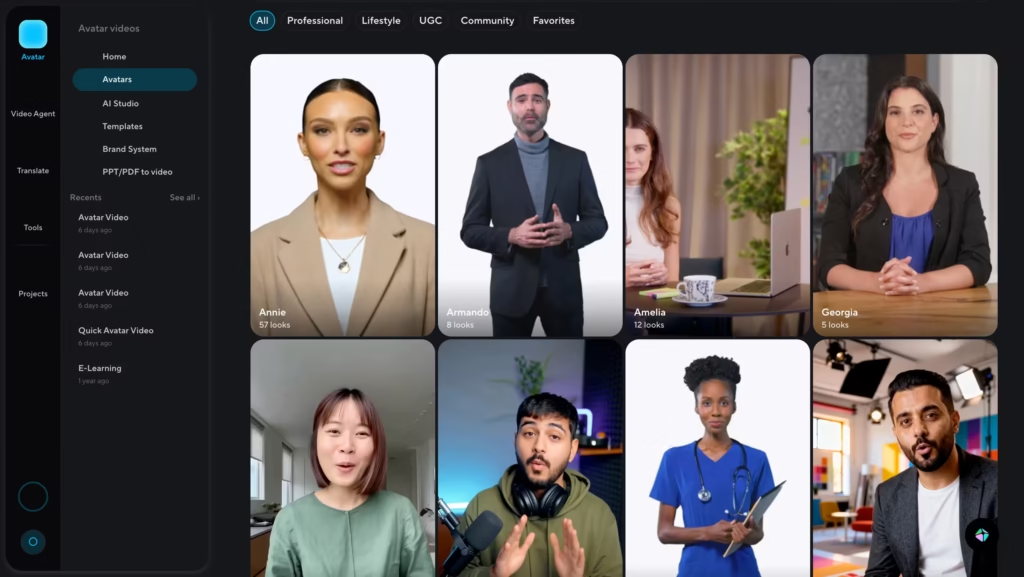
Public Avatars (700+) are pre-built digital presenters organized by ethnicity, age, gender, industry, and use case. You get hundreds of options – professional, lifestyle, UGC-style, etc.
Filtering is fast, quality is consistent, and they’re ready to use the moment you open a project. These are the right choice for internal training, explainer content, and any project where a polished presenter matters more than a personalized one.
Digital Twins are HeyGen’s most powerful avatar option. Record two minutes of yourself (or any presenter) on video, submit it through HeyGen’s guided consent process, and the platform generates a custom AI avatar that looks, moves, and speaks like the original person.
From there, that avatar can deliver any script in any language without anyone stepping in front of a camera again. One Digital Twin is included from the Creator plan; additional twins are a paid add-on.
This is the feature that makes HeyGen genuinely transformative for executives, founders, and L&D team.
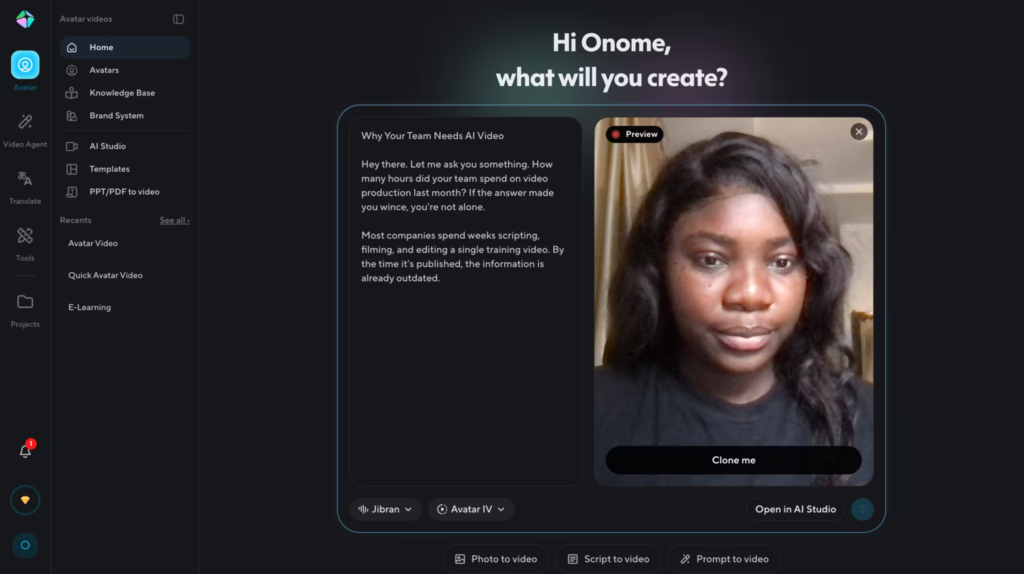
Photo Avatars let you animate a single still image to speak.
Upload a headshot or any portrait, pair it with a script, and HeyGen produces a talking video with lip-sync and natural expression.
It works best with clean, front-facing photos. The output quality is impressive for a still image and is particularly useful for quick social content, historical figure storytelling, or lightweight product demos.
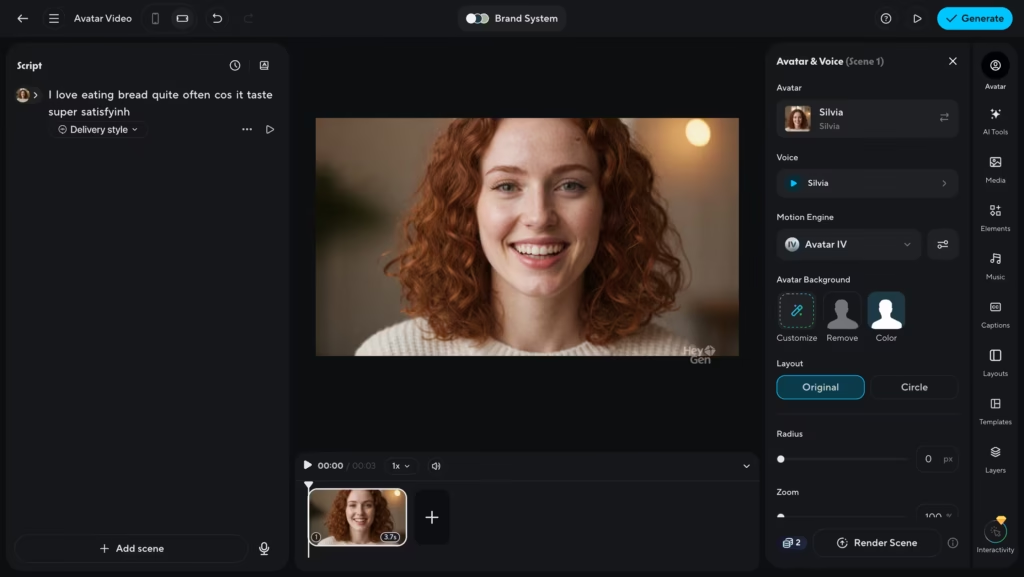
Avatar IV is HeyGen’s flagship avatar model, launched in August 2025. It represents a meaningful step up from previous generations.
Key improvements include full-body motion that responds to the emotional tone of the script, micro-expressions that add the subtle facial nuance that separates “AI presenter” from “convincing video,” and gesture sequencing – you can prompt specific gestures at specific moments (wave at the start, emphasize a point mid-script).
The system also auto-selects the best rendering mode depending on whether you’ve added motion prompts, removing the guesswork entirely. Avatar IV is a premium feature on the Creator plan and fully unlocked from the Pro plan upward.
2. AI Studio
AI Studio is where all the actual production happens and the main video generator features HeyGen offers.
The interface is built around a text-based editor, you edit the script like a document, and the video updates to match.
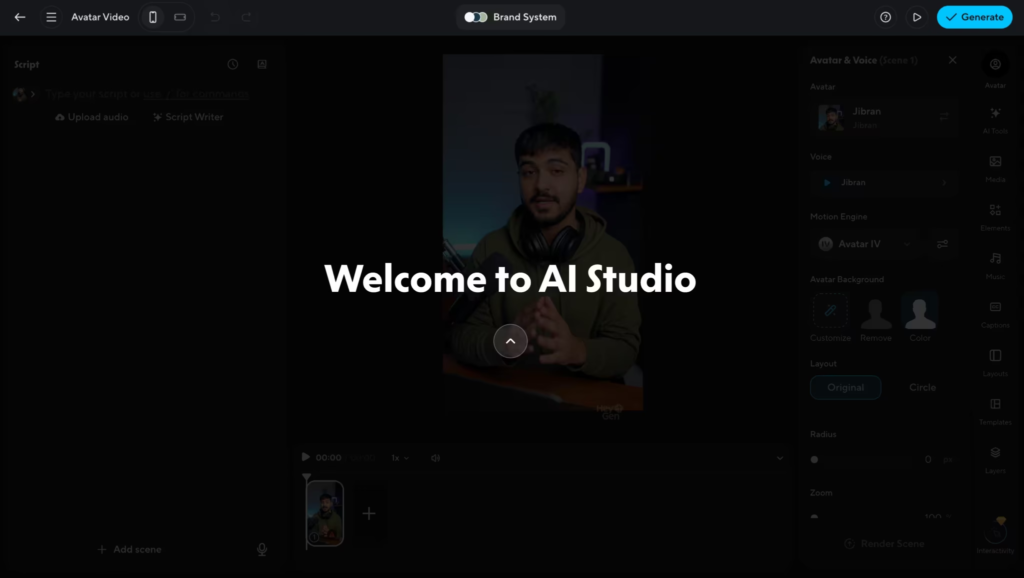
What makes AI Studio stand out from a basic video editor are its voice and motion controls:
Voice Director lets you control emphasis and intonation on individual words and phrases within the script.
Voice Mirroring takes it further. Upload a short audio recording of yourself reading a few lines, and HeyGen uses it to calibrate your Digital Twin’s pacing, emotion, and vocal energy to match yours.
Gesture Control maps natural physical movements to specific points in the script. You can trigger a gesture (hand movement, nod, turn) at any moment without it looking choreographed. Combined with Avatar IV, this makes the final video feel genuinely dynamic rather than static.
Realistic Previews solve one of the most frustrating parts of AI video creation: not knowing how the output will look until after rendering.
AI Studio shows you a preview of avatar movement before you hit generate, so you can catch problems early and avoid wasting credits on re-renders.
Auto Captions pull directly from your script, add them to the video with customizable fonts, sizes, and colors, and sync them automatically.
Brand Kit lets you upload logos, color palettes, fonts, and images once, and they apply automatically across every video your team creates. Useful for agencies and larger teams maintaining brand consistency across high-volume output.
B-Roll and Scene Transitions are built in. You get access to Getty stock images, background music, scene transitions, and overlay elements directly in the editor. You never have to leave the platform to add visual texture to a video.
3. Video Agent
Video Agent, publicly launched in September 2025, is the platform’s most ambitious feature.
Give it a prompt and it builds the entire video for you: it writes the script, selects visuals, animates the avatar, adds voiceover, applies transitions, and delivers a polished output, all without you touching a timeline.
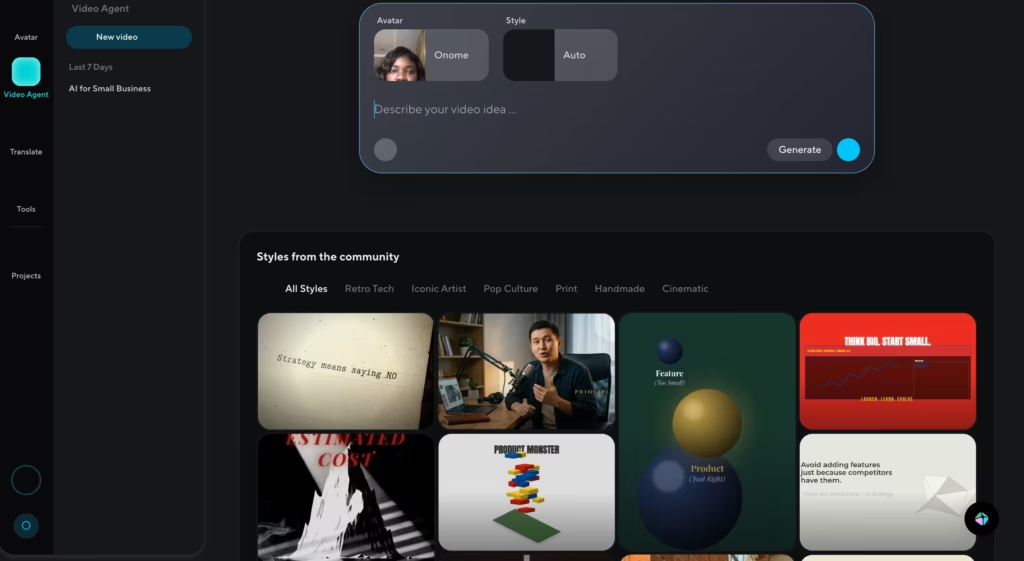
What separates Video Agent from a basic “AI writes your video” tool is what happens after generation.
Every element stays editable post-render. Text, positioning, colors, timing, and layout can all be modified directly in AI Studio without regenerating the whole video.
Video Agent also handles motion graphics, visual overlays, and B-roll alongside the talking-head avatar. It produces a cohesive multi-element video, not just a presenter reading at a camera.
4. Video Translation
This is the one feature that consistently surprises people when they first try it, and it’s also the one that most clearly separates HeyGen from everything else in the market.
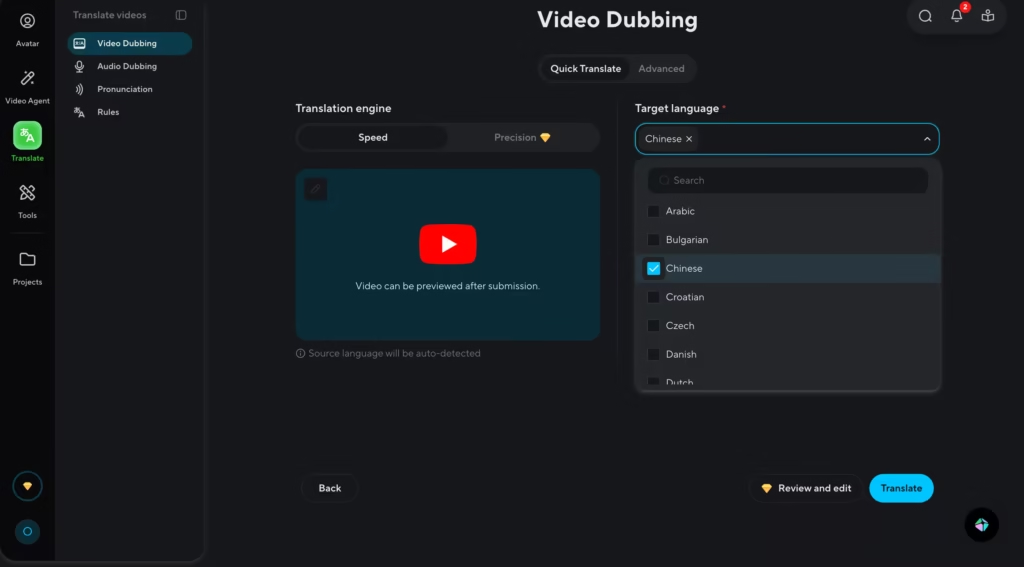
Upload any video (or paste a YouTube link), select a target language, and HeyGen translates it with matched lip-sync.
The avatar’s mouth movements recalibrate to the translated audio frame by frame. The output doesn’t look or sound dubbed. It looks like the original presenter is fluent in that language.
HeyGen supports 175+ languages and dialects, Voice cloning preserves the original speaker’s tone and pacing in the translated audio. Auto-generated subtitles are included and editable before final export.
Two translation modes were added in November 2025: Speed Mode for fast turnaround on high-volume workflows, and Precision Mode for sensitive or high-stakes content where accuracy matters more than speed.
5. LiveAvatar
Launched in October 2025, LiveAvatar moves HeyGen out of the pre-recorded video space entirely. It creates real-time, conversational AI avatars that can hold two-way interactions with a live user.
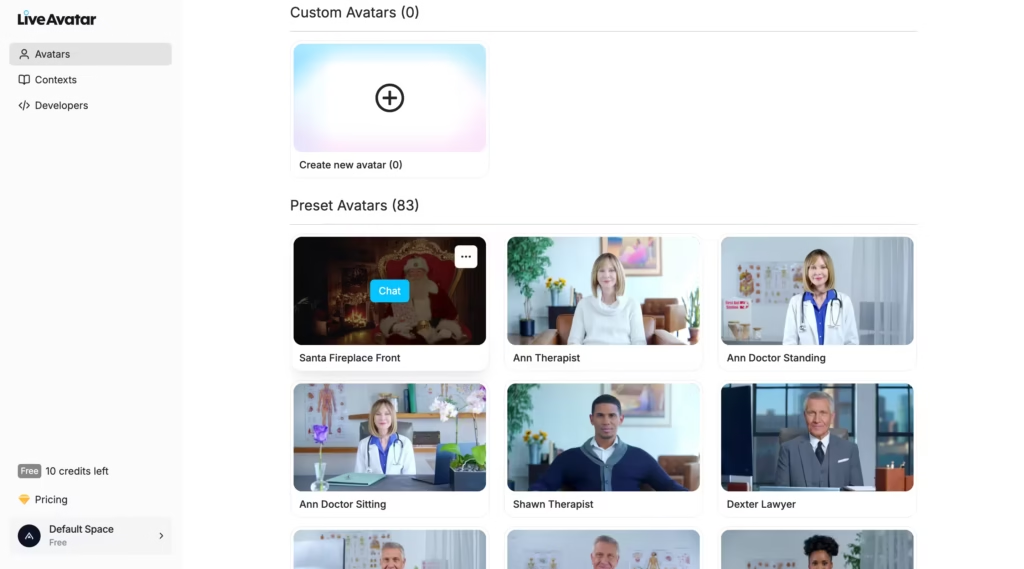
Access is via HeyGen’s Streaming API, which means this is primarily a developer and enterprise feature.
Businesses are using it for always-on customer support agents, interactive onboarding, live coaching, and language practice applications.
The avatar can be built from a Digital Twin, meaning it can represent a real person responding dynamically rather than playing back a recording.
6. Face Swap
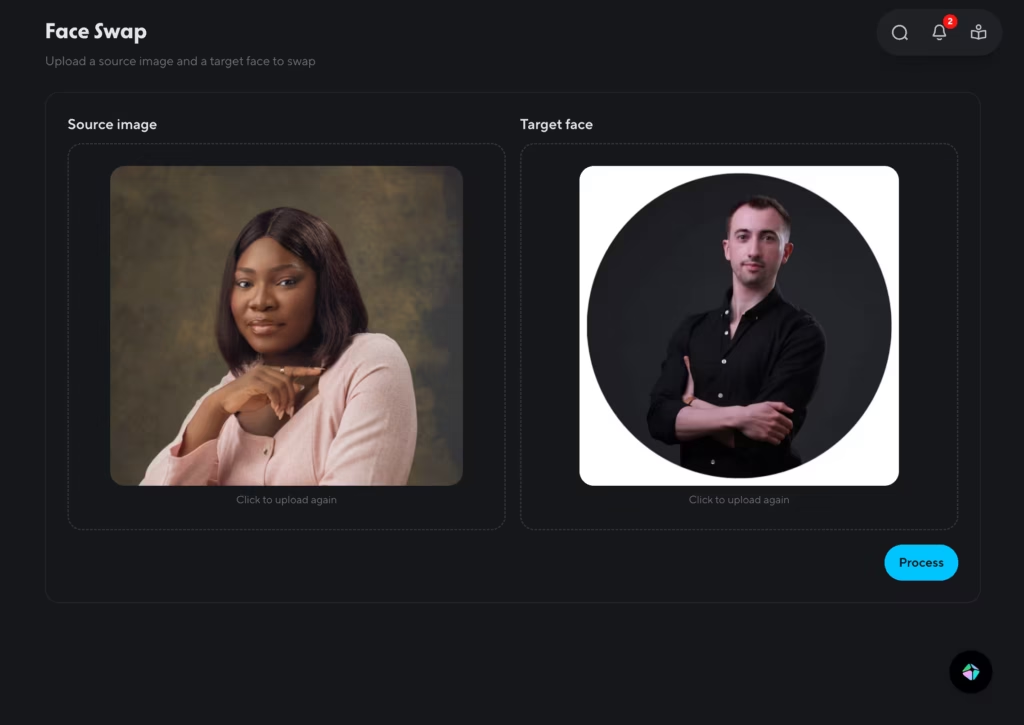
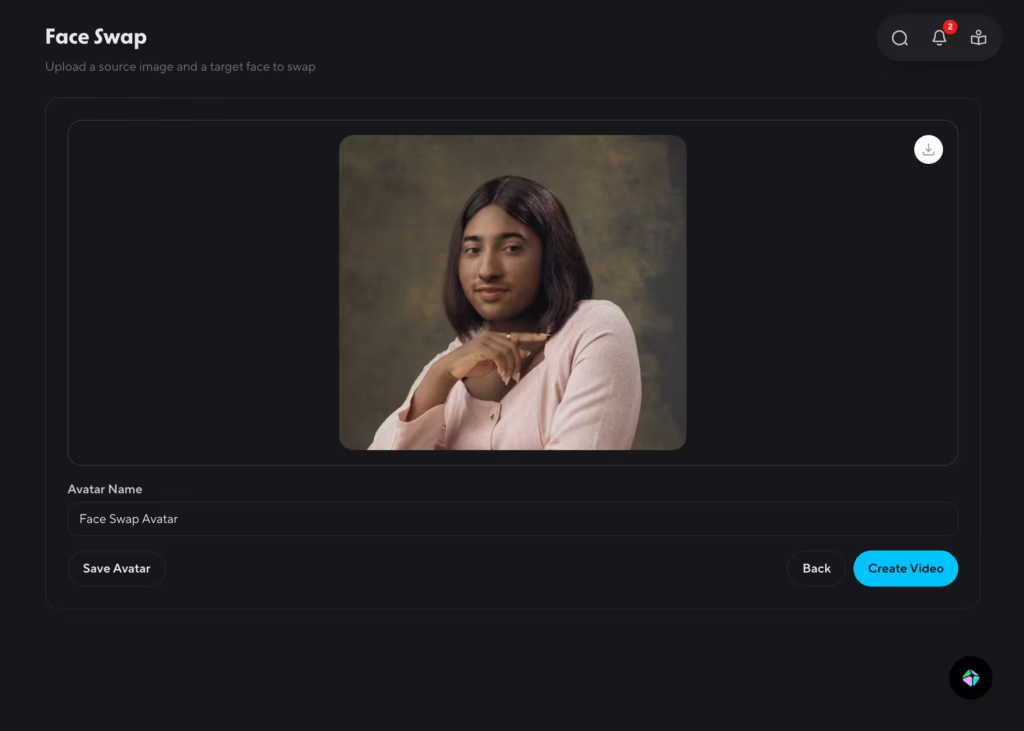
A standalone app inside HeyGen that replaces a face in a photo or video with a different person’s face. You upload a source image and a target face.
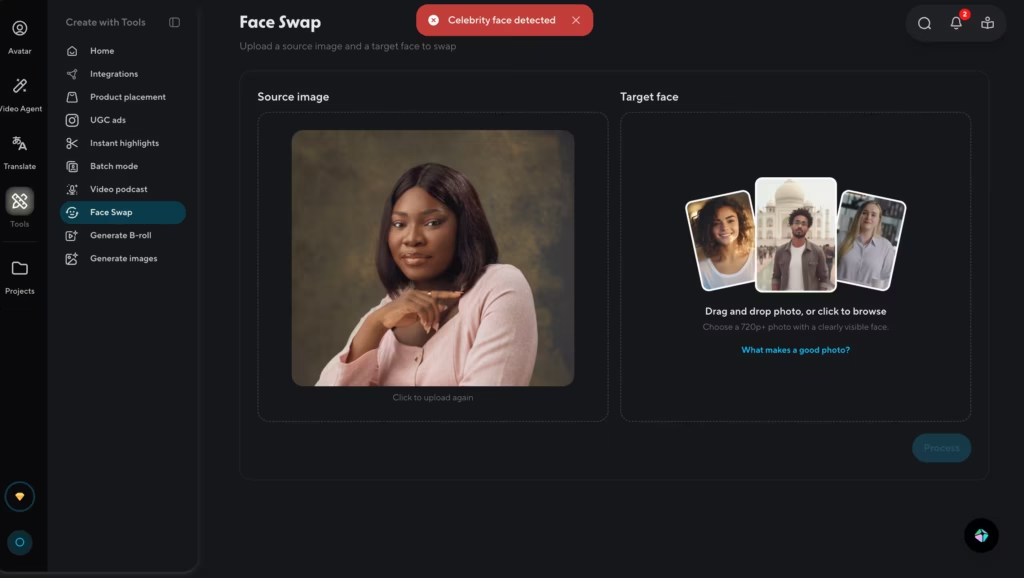
You get an error message if you try swapping with a celebrity face though.
Practical use cases of this featire include swapping a stock avatar face for your own, personalizing template videos for different regional markets, or generating creative variations for A/B ad testing, without rebuilding videos from scratch.
7. Product Placement and UGC Ads
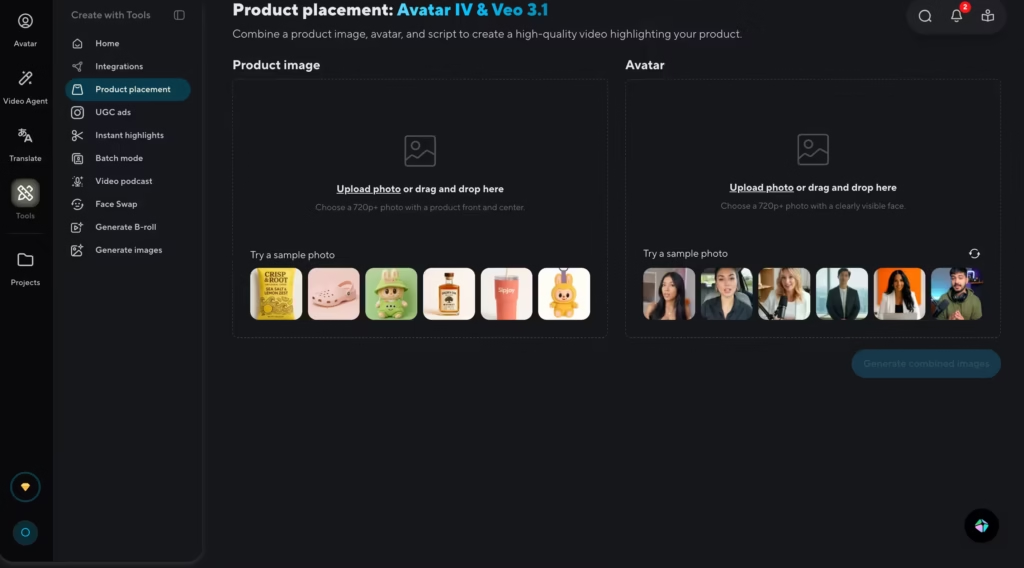
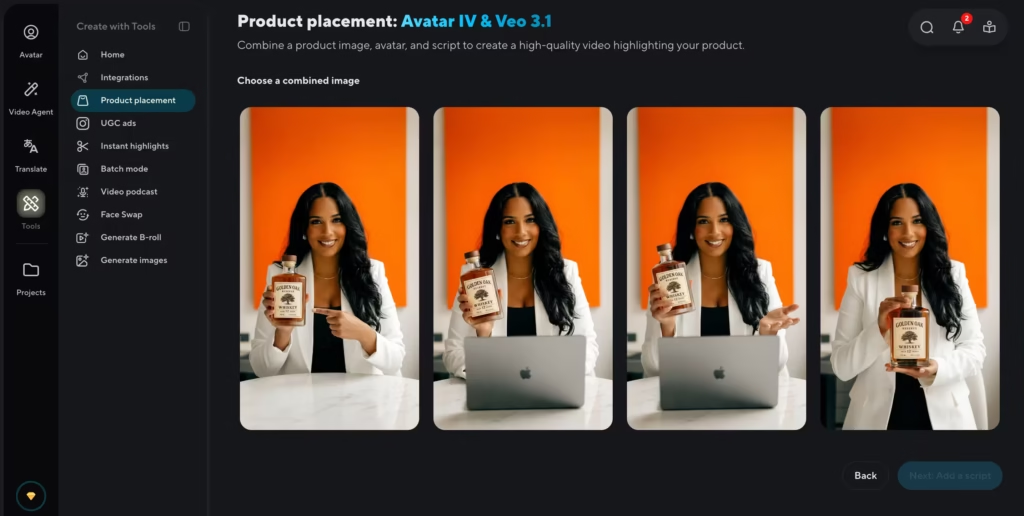
Product Placement lets you upload a product image and a script, and HeyGen places the product in the avatar’s hands as part of the video. The avatar holds, gestures with, and presents the product naturally.
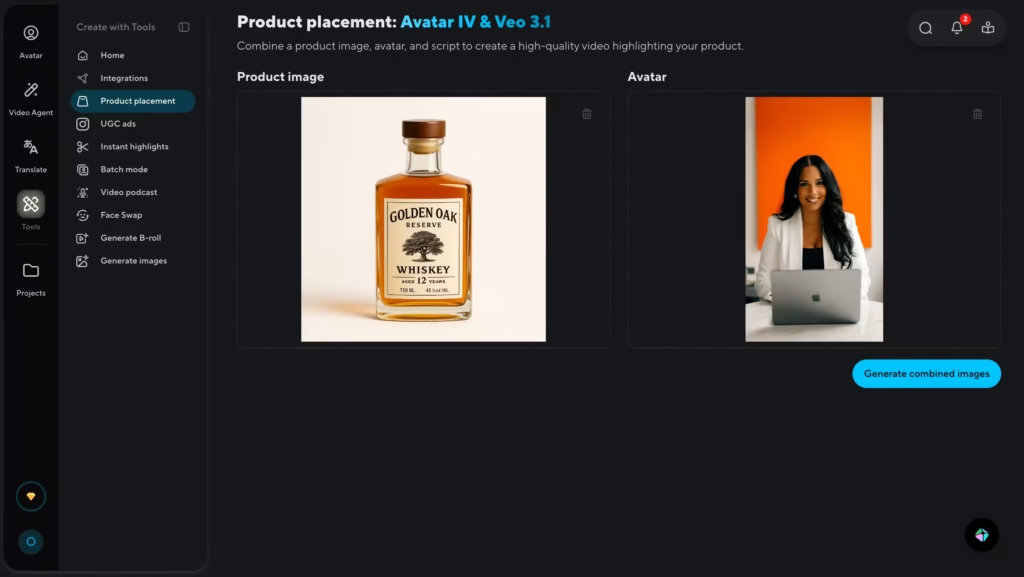
This is built specifically for TikTok, Instagram, and Amazon content where showing the physical product matters but shipping samples or booking shoots doesn’t scale.
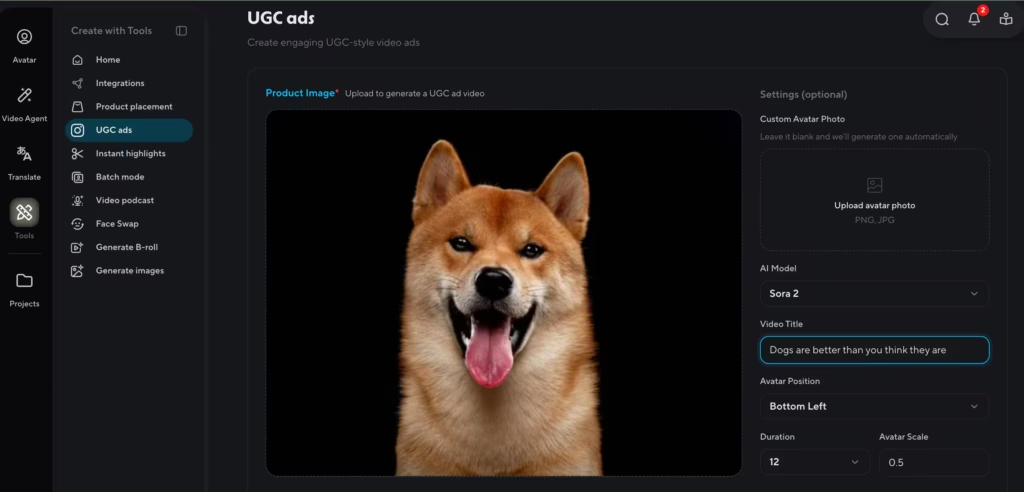
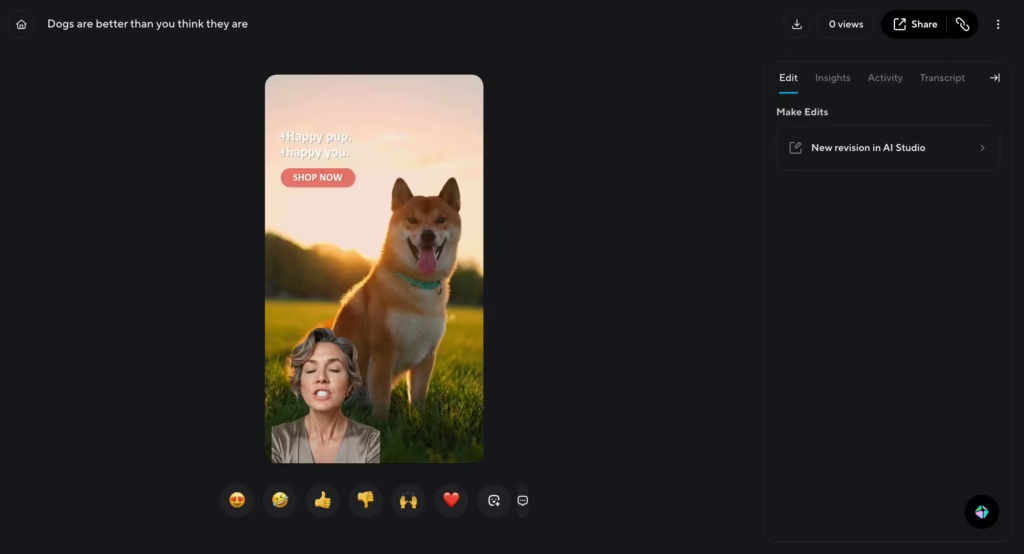
UGC-Style Ads generate reaction videos, review-style content, and talking-head social media clips that feel organic and creator-made rather than corporate-produced.
For brands running performance marketing at volume, this is a way to produce scroll-stopping creative at scale without hiring a roster of UGC creators.
8. AI Models
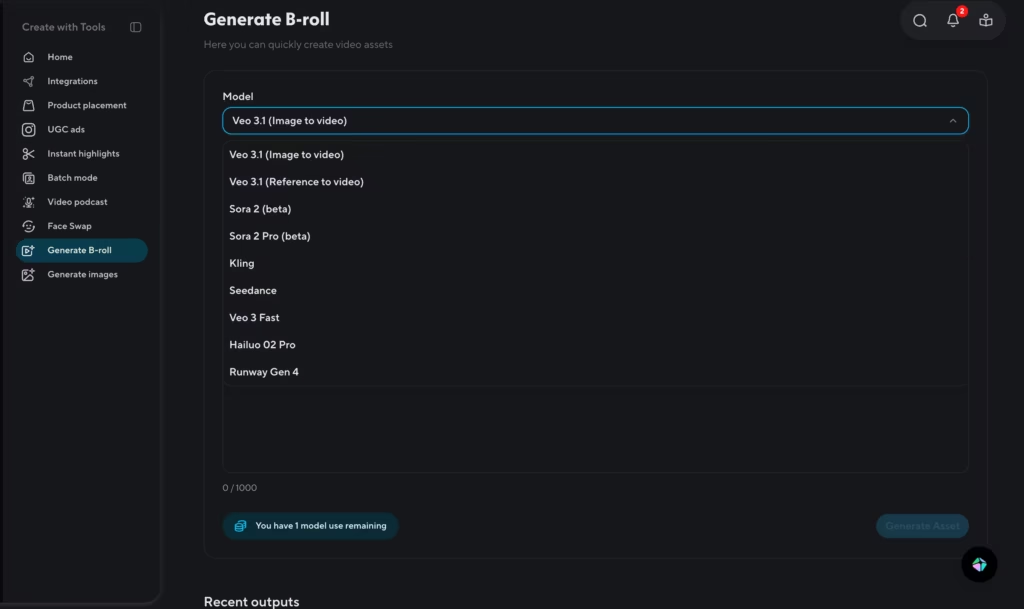
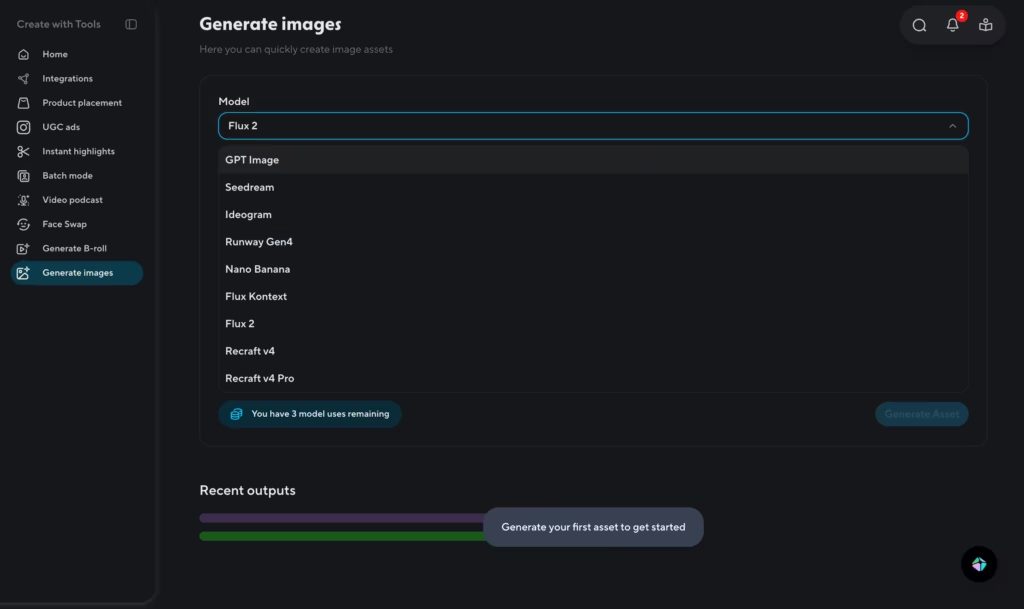
HeyGen integrates the most powerful generative AI models on the market directly into the platform.
For video B-roll and cinematic scene generation: OpenAI Sora 2, Google Veo 3.1, Kling, etc.
For image generation: Flux 2 and some others.
For voice: ElevenLabs (ultra-realistic AI speech, available as a voice option inside the editor).
These integrations are premium features though.
9. Security and Compliance
HeyGen is certified across five major compliance frameworks: GDPR, SOC 2 Type II, CCPA, EU AI Act, and the Data Privacy Framework (DPF).
For businesses operating in regulated industries or across multiple legal jurisdictions, this matters, it’s what makes HeyGen approvable through an enterprise procurement process.
On the ethics side, HeyGen requires explicit verbal consent from anyone whose likeness is used to create a Digital Twin. Human moderators review flagged content alongside automated filters.
The platform prohibits political and election content, deepfakes of non-consenting individuals, and other misuse categories.
Competitors Comparison
| Feature | HeyGen | Synthesia | Pictory | InVideo AI | D-ID |
|---|---|---|---|---|---|
| Primary Use Case | Avatar video + translation + interactive | Enterprise avatar video production | Text/blog-to-video repurposing | Text-to-video for social & marketing | Talking photo avatars + conversational AI agents |
| Avatar Quality | Very high (Avatar IV) | High (240+ avatars, 160+ languages) | No avatars | No avatars | Good; smaller library; photo animation is their signature strength |
| AI B-roll Generation | Yes (Sora 2 + Veo 3.1) | Yes (Veo 3.1 + Sora 2) | Stock footage only (Storyblocks/Getty) | Yes (Sora 2 + Veo 3.1, from Oct 2025) | No |
| Free Plan | Yes (1 video/month, 720p, watermarked) | Yes (10 min/month, 9 avatars, watermarked) | No (14-day trial only, no permanent free plan) | Yes (2 mins/week, watermarked) | No (14-day trial only, 3 min, watermarked) |
| Starting Price | $24/month | $18/month | $25/month | $28/month | $4.70/month |
| Best For | Marketing, L&D, global content teams | Enterprise comms, corporate training | Content marketers repurposing long-form, see our Heygen vs Pictory comparison | Fast text-to-video for social content | Affordable talking photo videos; conversational AI agents |