


Phind is an AI search tool that doubles as an assistant. It has live access to the internet and therefore has access to updated information. Phind also features Claude and GPT-5 for more advanced reasoning. As a tool, it intends to help with deep research, coding, and debugging tasks.
Key Features
1. Search Engine
Phind is essentially a search engine with AI capabilities. It’s live, direct access to the internet means it can pull information from multiple sites to synthesize befitting responses. And unlike other one-off search engines, it permits follow-up questions that build on the context of the original query. This is thanks to its conversational AI.
2. Coding
This tool can generate blocks of code that are not only accurate but also functional. In the pro plan, it integrates an interactive code generation sidebar for debugging and iterations.
3. Deep Analysis
Due to its live access to the internet, Phind can run through multiple sources to either confirm or dispel facts. This includes original research, systematic reviews from top-rated journals, and other academic and organizational sources. It then cites them in its responses.
Use Cases
1. General Query and Research
I used the prompt “Were Neanderthals smarter than humans?” Phind went ahead to break down the prompt into sub-queries, which it listed. I like that each sub-query expressed the concepts contained in the original query.
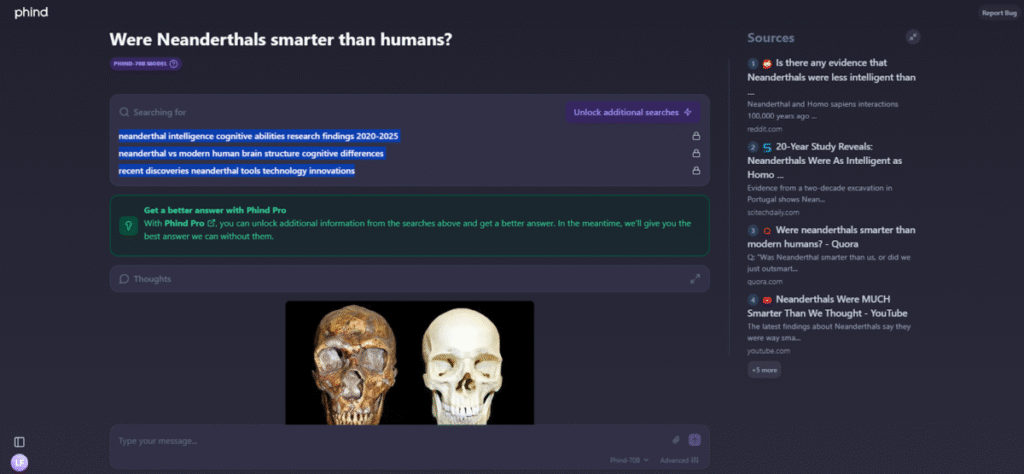
The sub-questions;
- Neanderthal intelligence cognitive abilities research findings 2020-2025
- Neanderthal vs modern human brain structure cognitive differences
- Recent discoveries neanderthal tools technology innovations
The first tackled the point of intelligence and will reveal what we know about the cognitive abilities of Neanderthals. The second highlights the similarities with modern human brains. Finally, the last sub-query reveals what we continue to find out about their civilizations.
This approach by Phind is akin to examining the query with a magnifying lens to quell the desire to know if we’re indeed the smartest species to ever exist. What follows is a list of sources and a structured answer that covers the misinformed root of the query and what the evidence says. The response also covers expert opinions and weigh-ins and ends with prompts to dive deeper.
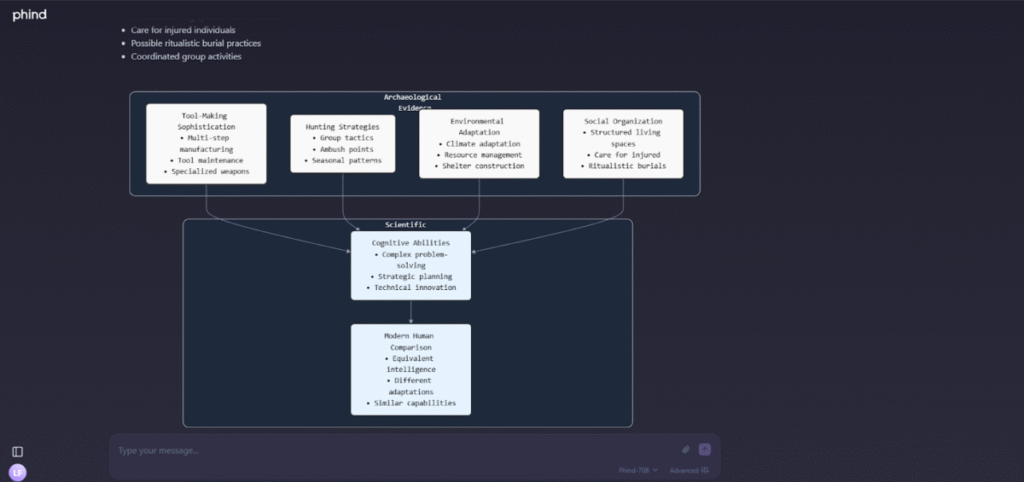
Although substantial, I did find the response rather short. This is, however, remedied in the deep dive, which also provides an added visual representation of the information.
2. Coding
I prompted Phind with “Build a QR code generator in browser and run it.”
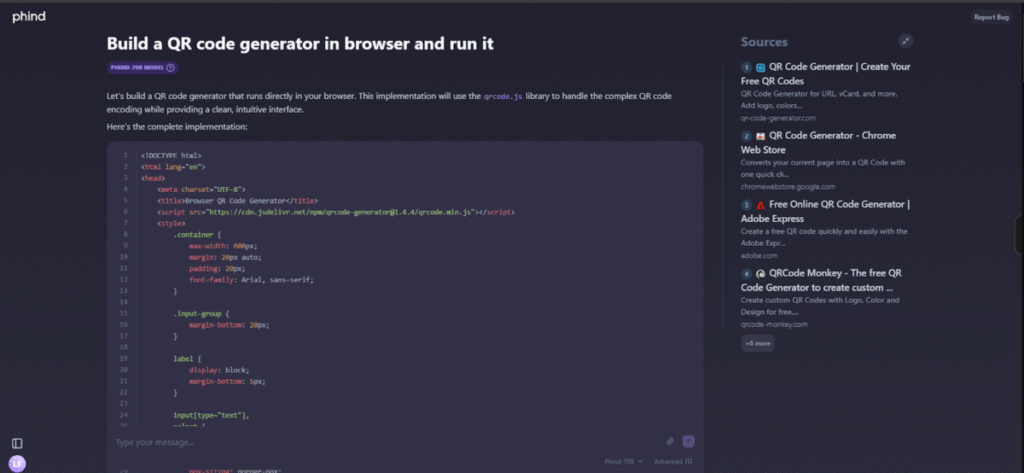
Phind generated a block of code with instructions on how to turn it into an html file.

Even when I ran into difficulty with carrying out the steps, Phind AI was able to give me further instructions to proceed with the task. After double-clicking the html file, it opened up in a browser.

Then, I pasted a URL in the content box and selected a QR code type. However, when I tried to generate a code, the webpage froze. This was even after reloads, retrials, and different browsers. Therefore, I went back to the drawing board, Phind.
Phind generated a new code, this time with improved performance and error handling.
After a while, the QR code was generated. However, my lack of prior knowledge about QR code sizing resulted in a very large image. It took up my entire screen, even after zooming out to the maximum.

So, I decided to regenerate the QR code, this time with a much smaller size of 20, which is way below the default of 200. The QR code still appeared big, but could now be scanned.

When I scanned with my phone, it worked.

Note: Phind has an Interactive Code Generator sidebar. It can build, refine, and debug code in a tight feedback loop without leaving the browser.
3. Fact-Checking
Phind can verify if something is currently true because it has live access to the internet. It can therefore get the most updated information. This is much more reliable than LLMs that do a glorified “guesswork.”
I entered the prompt “Verify this statement using 10+ reputable sources: ‘Most people should drink 8 glasses of water a day.’ Compare evidence for and against. Provide citations.”
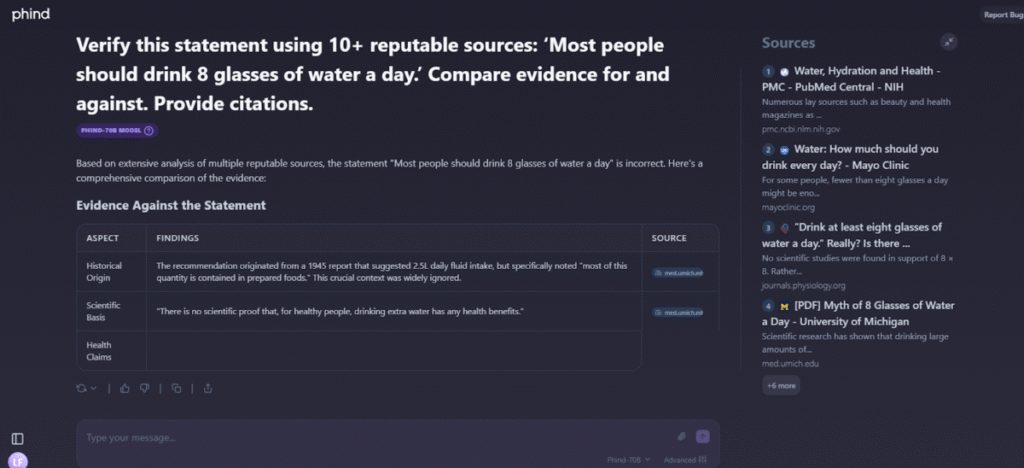
The results left me slightly surprised. Apparently, such a commonly held belief has its roots in a misunderstood 1945 report. This is evidenced by the listed sources Phind provided.
Phind vs ChatGPT
Phind’s Major Strengths
- Phind is excellent for coding, especially front-end, JavaScript, Python, and C/C++. This is enhanced by an Interactive Code Runner, which makes it great for debugging and rapid prototyping.
- As a search tool, Phind compares information from multiple sources. Then, it uses advanced reasoning to extract the most accurate and relevant information. This makes it ideal for synthesising information, even conflicting points, into a consensus.
Phind’s Weaknesses in Comparison to ChatGPT
- Phind is weak in communication, creativity, and writing when pitted against ChatGPT.
- It also lacks a context window as big as ChatGPT. When subjected to long conversations filled with refinements, Phind gets less coherent and may falter. Its responses then become fractured.
- Although a good coding assistant, it is not strong for large, multi-file real-world projects due to restrictions on its environment.
Phind vs Perplexity
A Perplexity Comparison
Perplexity is a dedicated search tool for research, factual responses, and summaries. It is great for deep dives and thorough research. Perplexity, however, falls short in responding to technical niche questions and lacks coding abilities. This makes it primarily a search tool without the ability to commit to technical multi-level thinking.
By comparison, Phind excels in that area with its higher reasoning capabilities and permission of refinement and iterations.
Also read: SearchGPT vs Perplexity vs Google: Which is the Best?
The Bottom Line
Phind is a great tool for sourcing accurate information and coding support. Its dense capabilities make it an excellent contributor to professional workflows.