
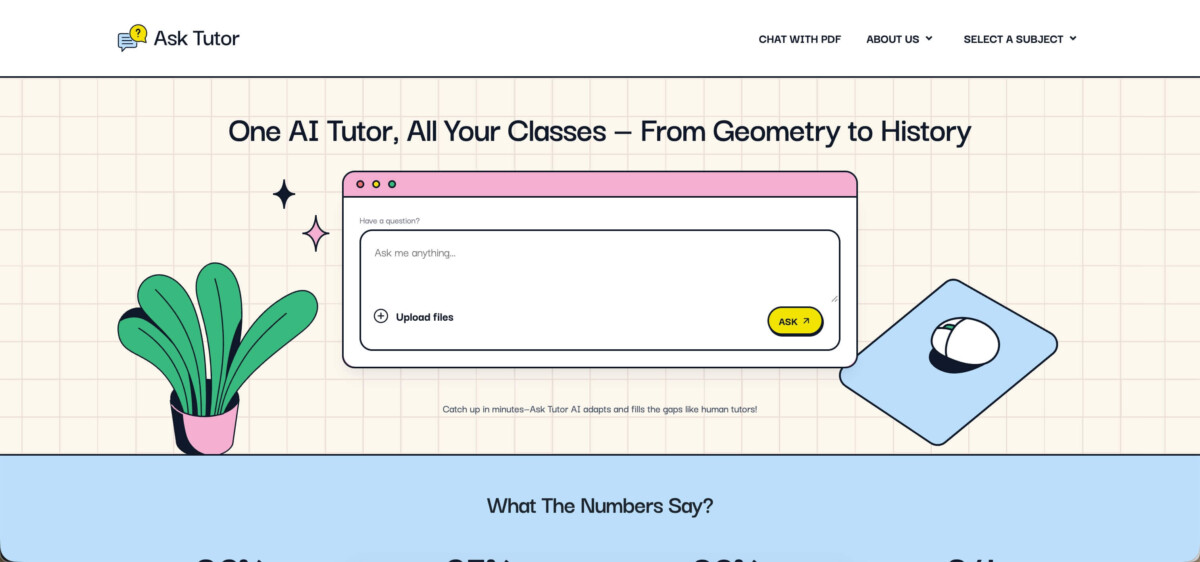

Asktutor.ai behaves like the student you wish you had in your study group: the one who doesn’t just say “the answer is 12,” but shows how they got there, and points out what you should watch for next time. That matters most in STEM because marks often depend on method, not only the final result.
It also matches how students actually study in 2025: a mix of typed prompts, photos of handwritten work, and PDFs (lecture slides, past papers, textbook excerpts). Asktutor.ai explicitly supports “chat with PDF” style workflows and describes features such as summarizing documents, navigating large files, and pulling answers from within the document context.
Key Features
1) Learning-first answers
The main “feel” is explanation-driven support—step-by-step solutions that aim to teach the process. Independent review coverage also frames it this way, especially for STEM problems and equations.
2) Photo and document analysis
If your real problem is “my worksheet is on paper” or “my teacher posted a PDF,” Asktutor.ai is built for that. Their PDF feature page describes uploading a PDF and asking questions, getting summaries, and navigating content quickly.
Review coverage also mentions PDFs and photos of handwritten notes as a practical part of study routines.
3) Strong STEM support
Asktutor.ai positions itself as working across STEM and humanities, but the strongest, most consistent use case is STEM: math, science, and problem-based subjects where steps matter.
4) No-signup access
This is a huge practical edge for short study sessions. Plenty of tools want your email before you even know if you like the output; Asktutor.ai is frequently described as usable without an account for basic access.
Use Cases
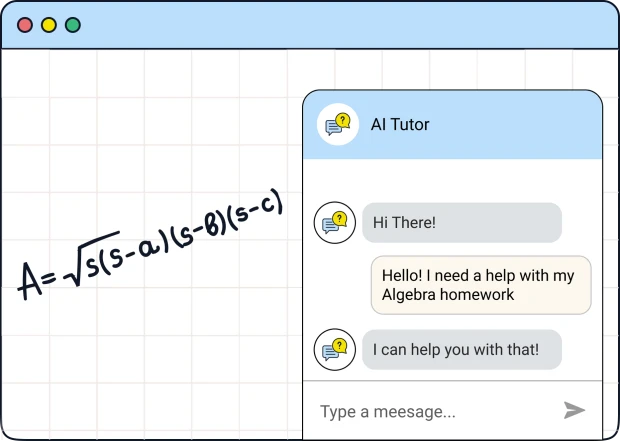
1) Homework rescue (math)
Scenario: you’re stuck on algebra, calculus, or statistics and you don’t even know what to do next.
With a step-by-step tutor flow, the useful part isn’t “the answer,” it’s the first correct step—the moment you see which rule applies. Asktutor.ai’s positioning and review coverage suggest this is where it performs best: complicated equations come back with structured steps.
How I’d use it in a real routine:
- paste the problem first (fastest)
- if formatting breaks, upload a photo
- ask one follow-up: “Why did you choose this rule?”
- then redo the same problem on paper to lock it in
2) STEM concept refresh (physics/chemistry)
Scenario: you remember the topic name, but the meaning is fuzzy (moles, stoichiometry, Newton’s laws, vectors).
Asktutor.ai has subject-focused pages (for example, chemistry tutoring) that emphasize clear explanations that “keep things simple” and break down complex concepts
What this looks like in practice:
- ask for a short explanation in plain language
- then request a worked example
- finally, ask for 3 practice questions (with answers hidden at first)
3) History and reading-heavy subjects
Scenario: you need quick clarity on an event, cause/effect chain, or timeline, and your notes are messy.
Asktutor.ai describes support across humanities and lists history/geography as examples, which makes it useful as a “clarify this paragraph” tool—especially when you feed it lecture notes or a PDF handout.
A simple workflow:
- paste your notes
- ask for “key points + 5 dates/names that matter”
- ask for a short quiz to self-check
4) Exam prep without chaos
Scenario: you’re revising across multiple subjects and need quick help without opening ten tabs.
This is where the no-signup + file support combo matters. You can keep momentum: upload a past paper PDF, ask targeted questions, then swap to a different topic without resetting your flow.
A practical plan:
- Week 1–2: use it after each topic to create a mini “error log”
- Week 3: focus only on the error log + past-paper questions
- Final week: timed practice, then use Asktutor.ai only for post-test review
Asktutor.ai Major Strengths
- Learning clarity: Step-by-step explanations are the core value, not an extra setting.
- Real student inputs: Photos + PDFs fit how homework actually shows up.
- Low friction: No signup makes it easy to test and easy to use in short sessions.
- Inclusive by design: Multi-format input + simpler explanations help non-native speakers and students who struggle with dense textbook language.
Weaknesses and Reality Checks
- Possible errors happen. This is not a moral failure; it’s a normal AI limitation. You still need to verify important work (especially graded submissions).
- Ambiguous prompts can derail results. If a photo is blurry or a question is underspecified, you may get a confident-but-wrong answer. (Best fix: re-upload a clearer image or add one sentence of context.)
Asktutor.ai vs Competitors
Asktutor.ai vs ChatGPT
ChatGPT is extremely flexible and can explain almost anything conversationally, but it’s a generalist. For students, that can mean drifting into long explanations, extra fluff, or answers that feel “right” but miss small grading details. Asktutor.ai’s advantage is focus: step-by-step tutoring and study workflows (photo/PDF) are central, and no signup removes friction for quick help.
Best pick:
- Asktutor.ai for quick STEM walkthroughs, worksheet-style work, and “show me the steps.”
- ChatGPT for broad brainstorming, writing help, and longer tutoring conversations.
Asktutor.ai vs Photomath / Wolfram|Alpha
Photomath is famously strong for math steps; Wolfram|Alpha is strong for computation and symbolic math. The gap: both are less “all-subject” compared to a tutor-style assistant, and they’re not always built around PDFs/notes the way Asktutor.ai markets its document workflow.
Best pick:
- Asktutor.ai when you need math and science and a reading subject in the same study block.
- Photomath/Wolfram|Alpha when the task is narrowly “solve this math problem perfectly” and you want heavy math tooling.
Asktutor.ai vs Perplexity / Google
Perplexity and Google are excellent when the goal is information discovery (sources, summaries, research-style results). But for coursework, students often need “teach me the method,” not “show me 10 articles.” Asktutor.ai is aimed at the method-first use case, especially in STEM.
Best pick:
- Asktutor.ai for homework steps and exam practice.
- Perplexity/Google for research and citation-heavy work.
The Bottom Line
Asktutor.ai is best described as a practical, no-friction study assistant: quick to open, easy to use, strong for STEM, and genuinely helpful when you need to see how an answer works. Its biggest advantage over many competitors is the combination of step-by-step tutoring plus real-world input support (photos and PDFs) without forcing signup. Just keep one rule in your routine: treat it as a tutor you verify, not a source you blindly copy.