

Manus AI is what happens when the AI stops waiting for your next message and starts doing things on its own.
The name comes from the Latin word for “hand.”
The idea is that it’s the hand that turns your thoughts into real, completed work.
Manus launched in March 2025 from a startup called Butterfly Effect, originally founded in Beijing and later relocated to Singapore. Their first product, Monica.im, built a solid following.
But Manus was the big swing, and it connected hard. The demo video went viral overnight. Invite codes sold on secondary markets. The waiting list hit millions of users.
In just eight months, the platform crossed $100M in annual recurring revenue. By December 2025, Meta came knocking with a $2B+ acquisition offer.
Key Features
1. Autonomous Task Execution
This is what makes Manus different from every other AI tool you’ve probably tried. You don’t prompt it back and forth.
You give it a goal – something like “find the top 10 SaaS tools for HR teams, compare their pricing, and put it in a spreadsheet” – and Manus figures out the steps, does the research, and hands you the finished file.
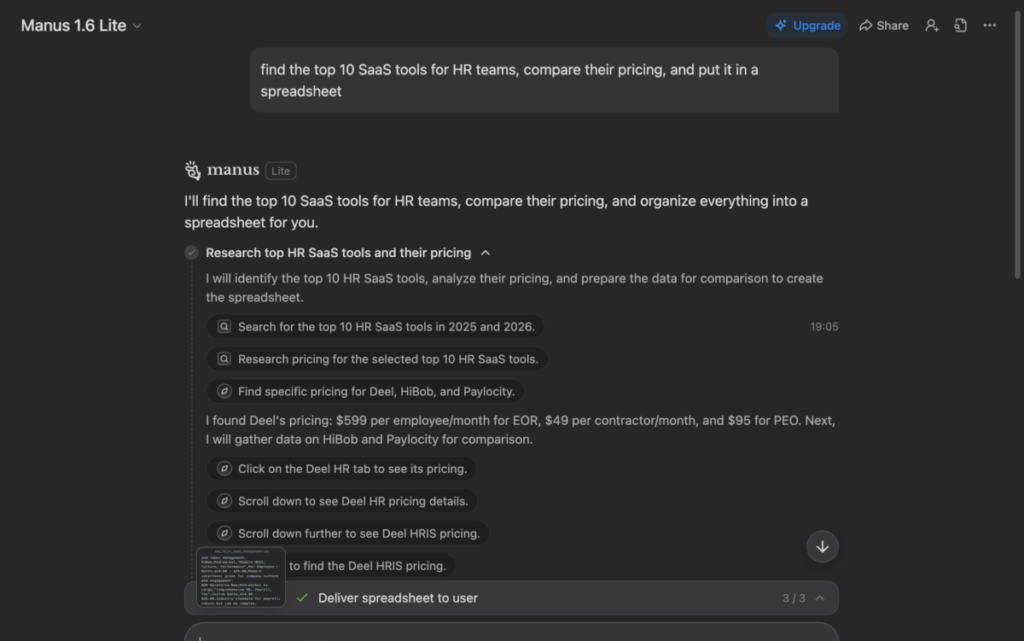
The whole process runs asynchronously too, which means you don’t have to sit and watch.
Start a task, go do something else, and check back when it’s done.
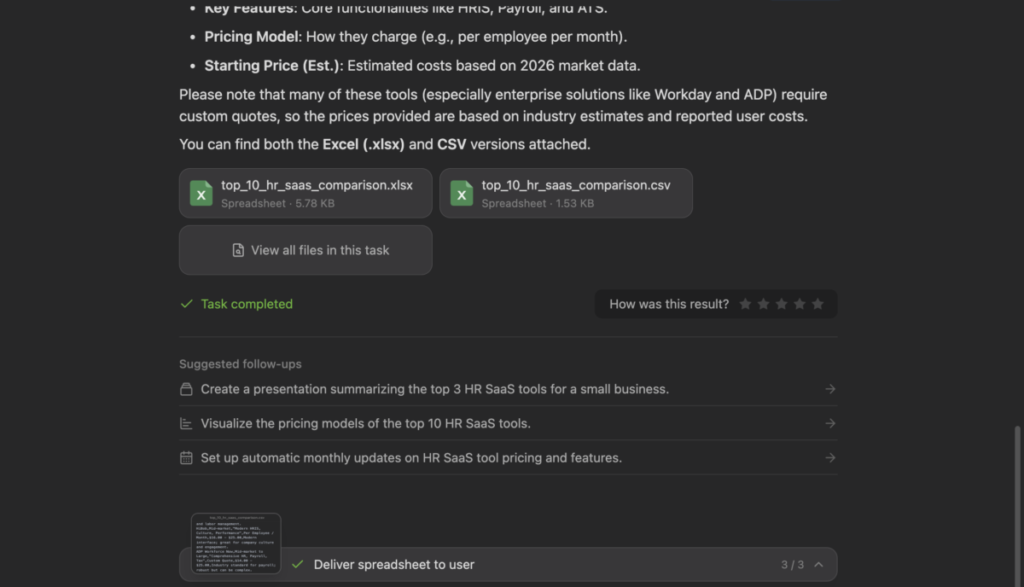
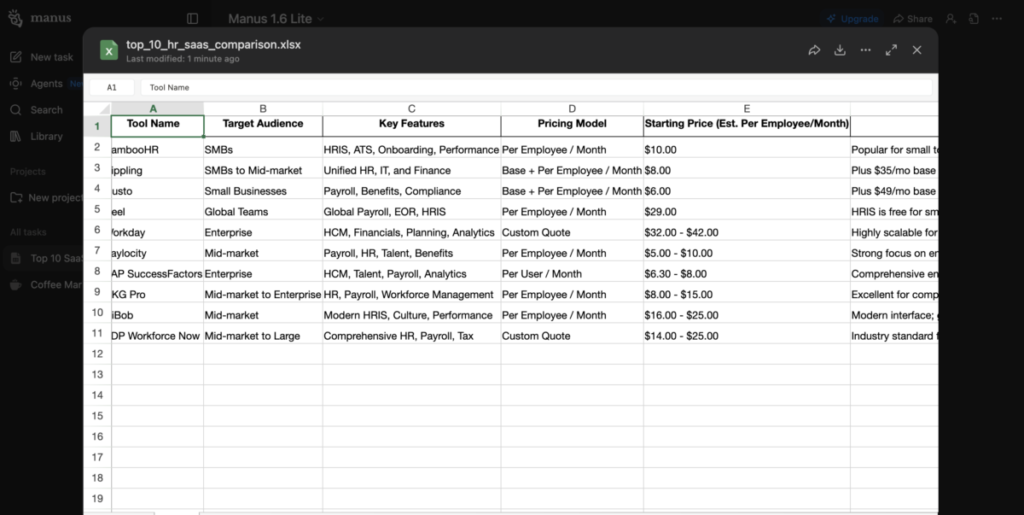
For anyone who spends hours on repetitive research or data work, that’s a genuine time-saver- not just on paper, but in practice.
2. Live Replay
Most AI tools are black boxes.
You put something in, something comes out, and you have no idea what happened in between. Manus flips that completely with its “Manus Computer” feature – a live view that shows you every single step the AI takes while it works.
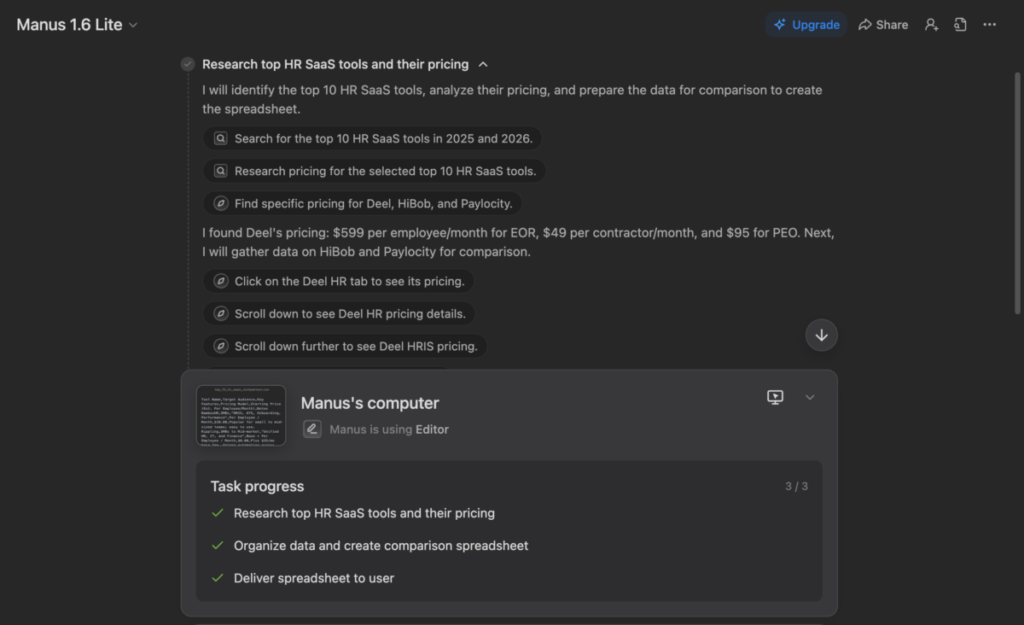
You can see which websites it visited, what searches it ran, what files it created, and what assumptions it made along the way. If something looks off, you can jump in mid-task and redirect it.
This level of transparency is rare, and it makes the tool feel trustworthy in a way that most autonomous agents don’t. You’re never just hoping it got it right – you can actually verify it.
3. File Generation
One of the most underrated things about Manus is that it doesn’t just give you text. It gives you files. Word documents, PDFs, spreadsheets, slide decks – actual downloadable deliverables you can use straight away or hand off to someone else.
Ask it to research coffee market trends, and it doesn’t just paste bullet points into the chat.
It builds a structured report and gives you a .doc file with the findings organized inside.
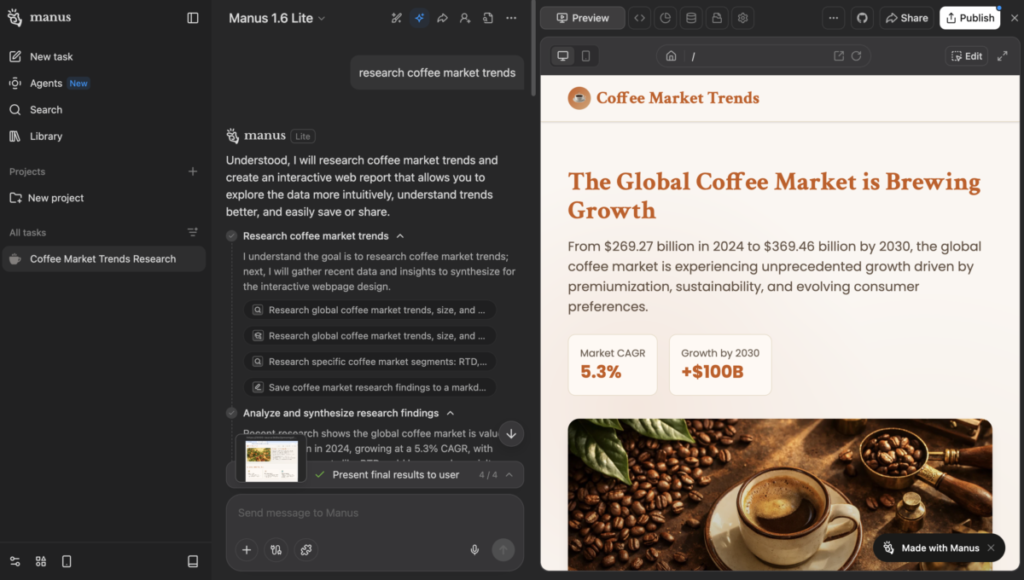
That last-mile step – turning research into something usable – is where a lot of AI tools fall flat. Manus actually does it.
4. Web Research
If there’s one thing Manus genuinely excels at, it’s gathering information from the open web.
Give it a research task and it browses multiple sources, cross-references what it finds, and pulls it all together into something coherent.
The key caveat: it works best on publicly available information. If the data sits behind a login, a paywall, or a private database, Manus can’t get to it.
But for anything freely accessible on the web, it’s fast, thorough, and saves hours of manual digging.
5. Scheduled Automations
Manus isn’t just for one-off tasks. You can schedule recurring automations – weekly competitive reports, daily news summaries, regular data pulls – and let Manus handle them in the background on autopilot.
This is where it starts to feel less like a tool and more like an actual digital employee.
For small business owners or solo operators who do the same research tasks week after week, this feature alone can reclaim a surprising amount of time. Set the task up once, and Manus takes it from there.
6. Website Building
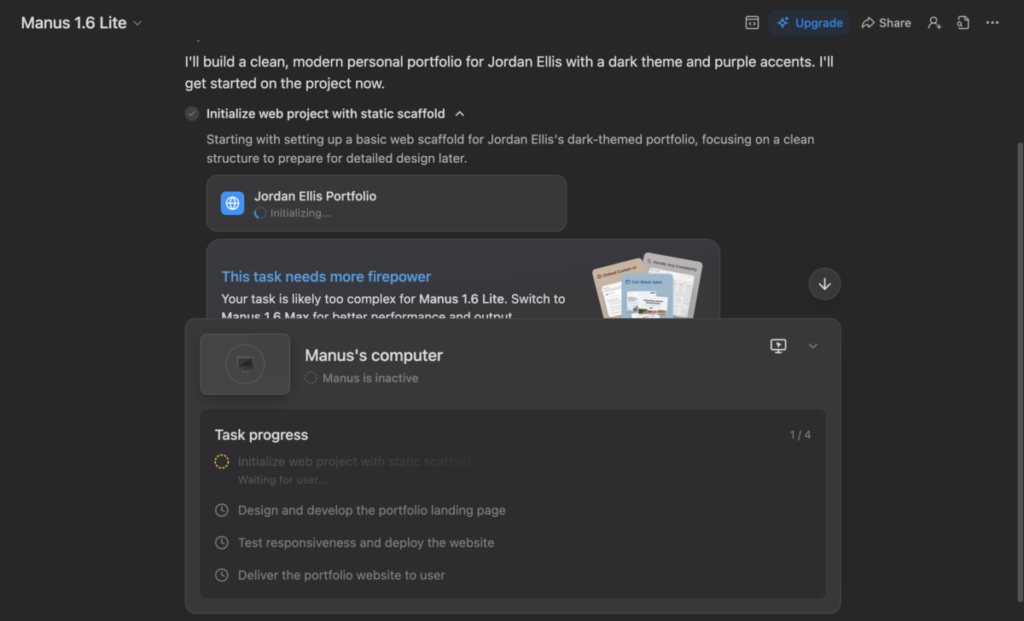
Manus can build basic websites and landing pages from scratch.
Users have spun up working Linktree-style pages, simple portfolio sites, and product landing pages in under 30 minutes.
The results are functional and clean – better than you’d expect from an AI doing it autonomously.
A caveat though, you’ll need to pay for an upgrade to enjoy this feature.
Is it going to replace a professional web designer? No. The output sometimes needs a style pass or a few tweaks.
But for a non-technical person who needs something live quickly, it gets the job done without requiring you to touch a line of code
Competitor’s Comparison
| Category | Manus AI | Lindy | Relevance AI | CrewAI | MultiOn |
|---|---|---|---|---|---|
| Core Focus | Autonomous AI agent that plans and executes multi-step tasks | Workflow automation with broad integrations | No-code AI agent builder for business workflows | Developer framework for building custom AI agents | AI browser agent for web automation |
| Best For | Founders, analysts, product teams, execution-heavy roles | Busy professionals automating inbox & calendar | Business teams that want customization without code | Developers who want full control | Teams needing web automation (even gated/login sites) |
| Ease of Setup | Moderate learning curve | Very easy, plug-and-play | Easy (visual builder) | Advanced (requires coding) | Moderate (browser-based setup) |
| Customization Level | High | Medium | High (no-code flexibility) | Very high (code-level control) | Medium to High |
| Web Browsing Capability | Yes (task-based browsing) | Limited | Limited | Depends on implementation | Strongest in browser automation |
| Integrations | Growing ecosystem | Broad work app integrations | Extensive integrations (CRM, tools, APIs) | API-based, customizable | Focused on browser interaction |
| Pricing Model | Credit-based + tiered plans | Flat subscription pricing | Tiered subscription | Tiered (often dev-focused pricing) | Usage-based / tiered |
| Biggest Strength | End-to-end task execution | Simplicity & everyday automation | No-code flexibility for business use | Full developer control | Handles real-world web tasks |
| Main Limitation | Premium pricing & learning curve | Not built for complex strategy tasks | Can scale in cost with usage | Not beginner-friendly | Browser edge cases (2FA, dynamic sites) |