

If you’ve ever felt lost juggling different chats and files across Google’s AI tools, relief just arrived.
Google announced on April 8, 2026, that its Gemini chatbot is rolling out a new “notebooks” feature.
It’s designed to pull all your scattered research, conversations, and documents into one neat, reusable space.
What Are Gemini Notebooks?
Credit:Google
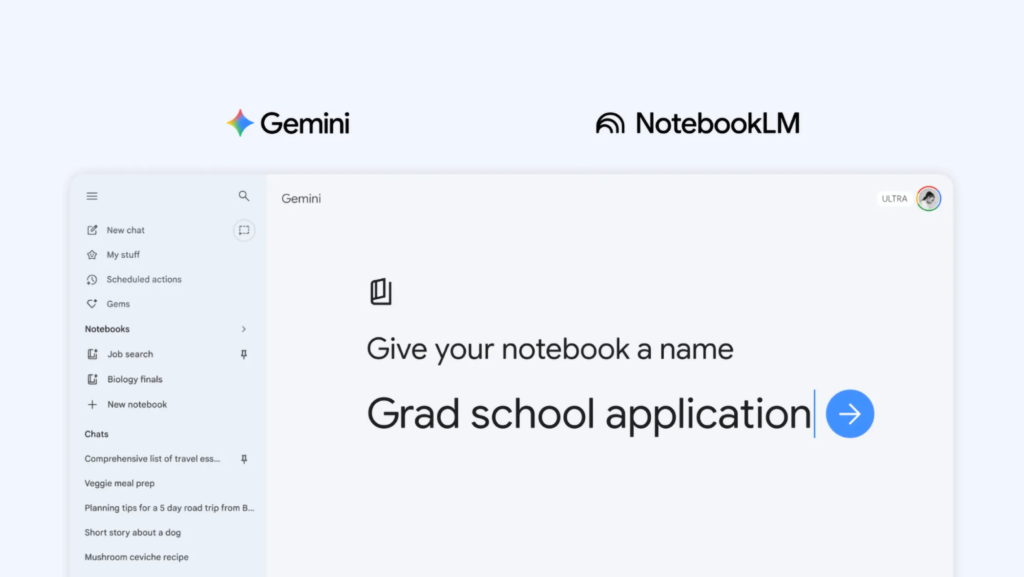
Think of notebooks as personal project folders that live inside Gemini.
You can toss in files, past chats, website links, and even custom instructions. Once everything is in a notebook, Gemini draws on all of it when answering your questions.
That means smarter, more relevant replies, without you having to repeat yourself every time you start a new chat.
Google describes notebooks as “personal knowledge bases shared across Google products.”
Right now, that sharing starts with Gemini and NotebookLM, Google’s AI-powered research tool.
How the NotebookLM Sync Works
Here’s where things get interesting.
Any source you add inside a Gemini notebook automatically shows up in NotebookLM too. The reverse is also true.
So if you start a project in Gemini, you can hop over to NotebookLM and use its unique tools, like Video Overviews and Infographics, on the exact same material.
Google gave a handy example.
A student could upload class notes to a notebook, then create a video summary in NotebookLM. The next day, they could open Gemini and ask it to draft an essay outline based on those same notes. No copying files back and forth. Everything stays in sync.
Sounds Familiar? ChatGPT Has Something Similar
If this reminds you of OpenAI’s ChatGPT Projects feature, you’re not wrong.
ChatGPT launched Projects way back, letting users group files and conversations around a single topic. Gemini’s notebooks serve a very similar purpose.
The key difference is the tight link with NotebookLM, which gives Google users access to extra research and media features that ChatGPT doesn’t currently offer.
Still, the race between these AI tools keeps heating up. Each new feature seems to push the other side to respond quickly.
Who Gets Access – and When?
Gemini notebooks started rolling out this week on the web. For now, they’re available to paid subscribers on Google’s AI Ultra, Pro, and Plus plans.
Mobile access, expanded European availability, and support for free-tier users are all expected in the coming weeks.
One thing to note: the number of sources you can add to a notebook depends on your subscription level.
Google hasn’t shared exact limits yet, but higher-tier plans will naturally support bigger projects.
Also, notebooks aren’t available for users under 18 or on Workspace and Education accounts at this stage.
Why This Matters for Everyday Users
AI chatbots are great at answering one-off questions. But real-world projects don’t fit into a single chat.
Whether you’re planning a trip, studying for exams, or managing a side business, you need a way to keep all your materials in one place. Notebooks aim to solve that problem.
By letting Gemini remember your context across sessions, Google is making its chatbot feel less like a forgetful stranger and more like an actual assistant that knows your work.
It’s a smart move, and one that makes the entire Gemini ecosystem more useful over time.
