


TurboScribe was built by Leif, a former Meta AI engineer who spent nearly a decade working on AI systems before launching the product.
It’s a lean operation, no massive corporate team, no VC-backed marketing machine, and that shows in the product’s focus: do one thing (batch transcription) and do it well.
The platform runs on OpenAI’s Whisper large-v3 model, which is the same open-source speech-to-text engine that powers most AI transcription tools on the market.
What differentiates TurboScribe isn’t the underlying model – it’s the pricing structure and the workflow built around it. Truly unlimited transcription at $20/month with no per-minute charges, no monthly hour caps, and no file count restrictions is rare.
Customers regularly transcribe hundreds of hours per month on the Unlimited plan without hitting any ceiling.
How TurboScribe Works
The workflow is straightforward.
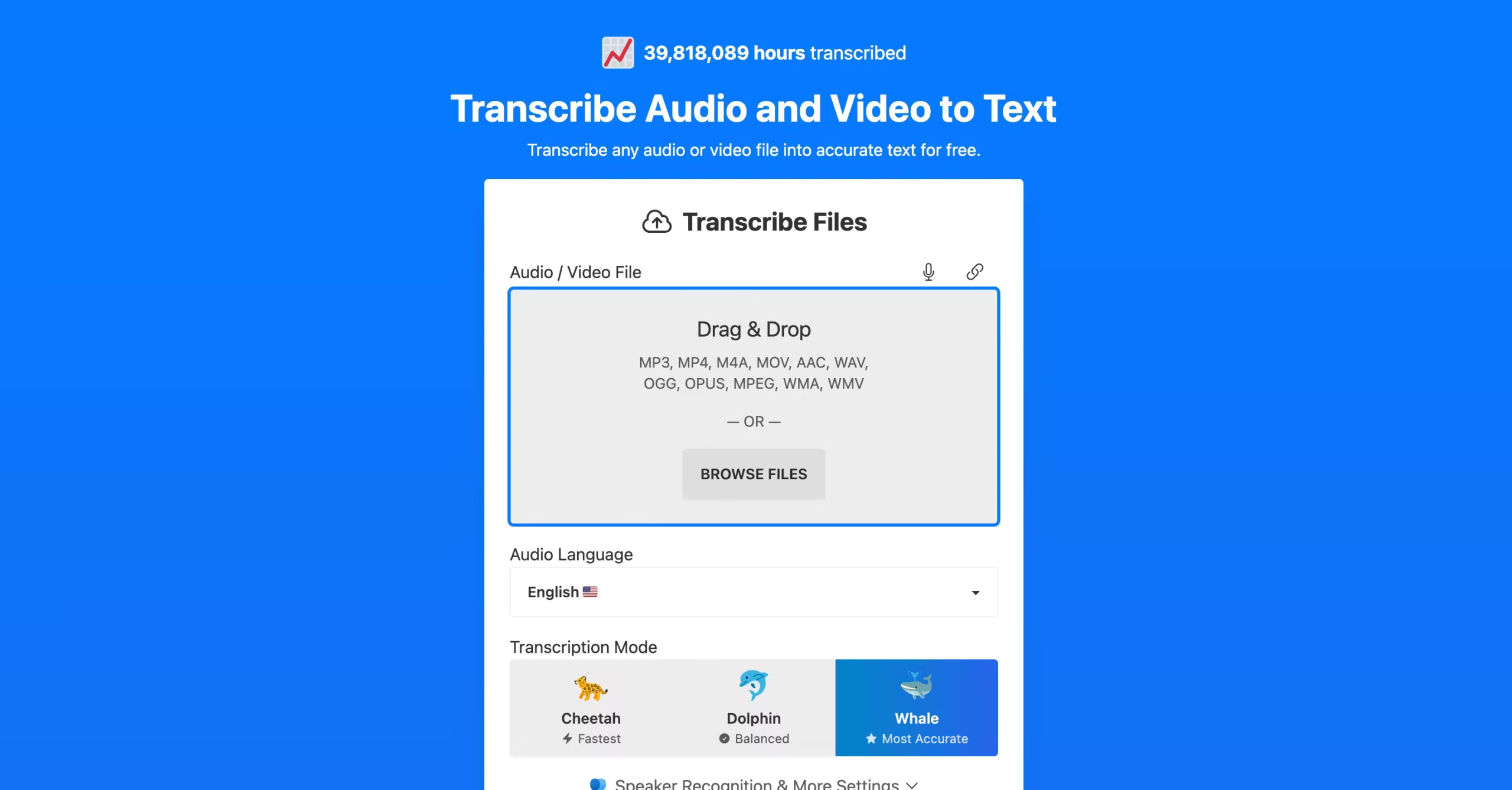
You upload an audio or video file (MP3, WAV, MP4, MOV, and most other common formats), pick a transcription mode, select the language, and hit transcribe.
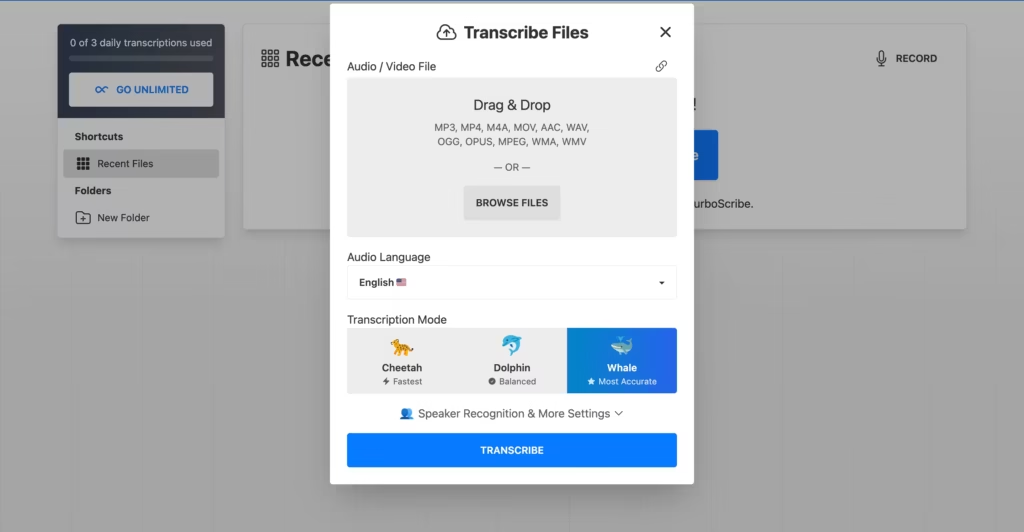
There are three modes:
- Whale – maximum accuracy, slower processing. This is the default and the one I used for most testing.
- Dolphin – balanced speed and accuracy. Good for drafts you’ll edit anyway.
- Cheetah – fastest processing, lower accuracy. Useful when you need a rough transcript immediately and don’t mind more errors.
You can also paste a YouTube link and TurboScribe will pull the audio directly.
TurboScribe YouTube Downloader: Transcribe Any Video by Link
One of the most searched features is the TurboScribe YouTube downloader, and it works exactly as you’d hope.
You paste a YouTube URL into the upload field, TurboScribe extracts the audio automatically, and transcribes it without you ever downloading the video file to your computer.
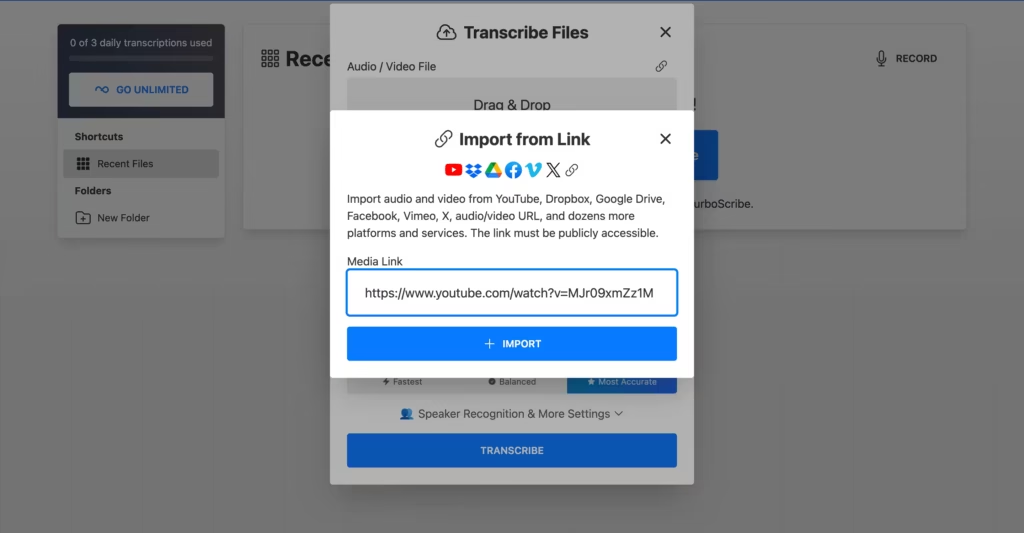
I tested it with a 15min youtube video.
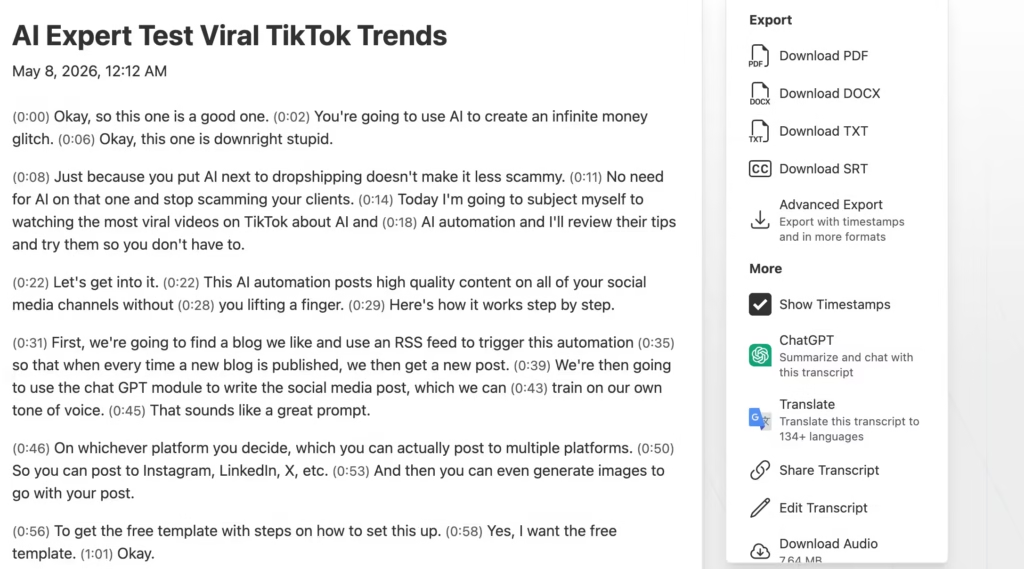
And it transcribed successfully. It took less than 2 minutes to process in Whale mode and the output was comparable in accuracy to uploading a local file directly.
This also works with Google Drive and Dropbox links on the paid plan – you don’t need to download files locally first.
For researchers who need to transcribe dozens of YouTube lectures or journalists pulling quotes from published interviews, the TurboScribe YouTube downloader eliminates the extra step of using a separate video downloading tool and then re-uploading the audio file.
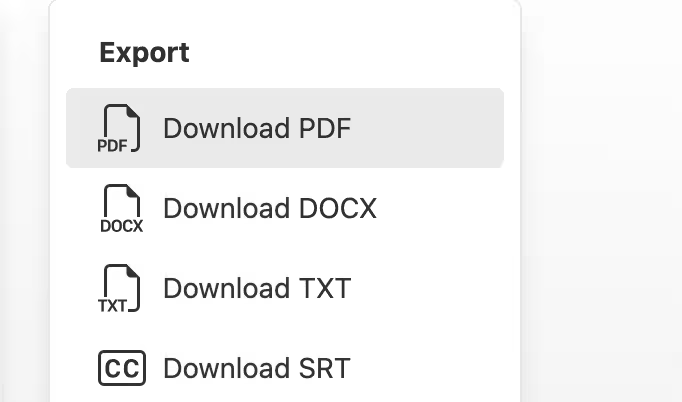
After transcription, you get an editable transcript with timestamps and speaker labels. You can make corrections directly in the browser, then export to DOCX, PDF, SRT (for subtitles), VTT, or plain text.
The ChatGPT-powered summary feature generates a quick overview of the transcript’s key points, which I found useful for long interview files where I just needed the highlights.
What I Tested
I ran TurboScribe through five audio types over two weeks:
Clean podcast recording (single speaker, studio mic): A 45-minute solo episode recorded in a treated room. TurboScribe nailed this – accuracy sat around 97–98%, punctuation was mostly correct, and the only errors were proper nouns it hadn’t encountered before. Processing took about 90 seconds in Whale mode.
Two-person interview (separate mics, clean audio): A 30-minute journalist-style interview. Speaker labels (“Speaker 1” / “Speaker 2”) were assigned correctly throughout. Accuracy stayed above 95%. The AI occasionally merged short responses into the previous speaker’s block, but it was easy to fix in the editor.
Five-person team meeting (single room mic, some crosstalk): This is where things dropped off. Accuracy fell to roughly 85–90%, speaker attribution became unreliable after the first 10 minutes, and overlapping speech produced garbled output.
Crosstalk – two people talking at once – consistently confused the model. If multi-speaker meetings are your primary use case, Otter.ai or Fireflies.ai handle this significantly better because they integrate with meeting platforms and capture individual audio streams.
Noisy environment recording (phone recording in a coffee shop): Background chatter and espresso machine noise degraded accuracy to around 80–85%. TurboScribe’s noise reduction helped somewhat, but the transcript still required heavy manual editing. Not the tool’s strength.
Foreign language recording (Spanish, single speaker): A 20-minute monologue in Castilian Spanish. Accuracy was strong – roughly 93–95% – though it occasionally substituted Latin American Spanish vocabulary where the Castilian original used different terms. Translation to English was functional but read more like a rough draft than a polished localization.
What’s Good
The unlimited model changes how you think about transcription.
Before TurboScribe, I’d hesitate before transcribing anything longer than 15 minutes because per-minute pricing made it expensive.
With the $10/month plan, I started transcribing everything – client calls, podcast research, voice notes, even casual brainstorm recordings.
Processing speed is impressive. A 60-minute file in Whale mode (highest accuracy) completed in about 3 minutes. Cheetah mode cut that to under a minute. For bulk processing – uploading 10 or 20 files at once – the queue moves quickly enough that you’re not waiting around.
The free plan is genuinely useful, not just a teaser.
Three files per day at 30 minutes each gives you 90 minutes of free transcription daily. For students transcribing lectures, that covers most use cases without ever paying.
Export flexibility covers the major formats.
DOCX for documents, SRT and VTT for subtitles, PDF for sharing, plain text for pasting into other tools. No missing formats that would force you into a workaround.
The YouTube downloader feature also removes friction from a common workflow.
Instead of using a separate tool to download a YouTube video, extracting the audio, and then uploading it, you paste the URL and TurboScribe handles everything.
It’s a small detail, but for anyone who regularly transcribes published video content, it saves a surprising amount of time across dozens of files.
What Needs Work
No real-time transcription is the biggest functional gap. TurboScribe only processes uploaded files. You can’t use it during a live meeting, lecture, or interview. You have to record first, then upload after. For anyone who needs live captions or real-time transcription, Otter.ai is the clear alternative.
Speaker identification degrades in group settings. In clean two-person audio, it works. In meetings with three or more speakers – especially with crosstalk – the labels become unreliable. TurboScribe doesn’t learn or remember voices across files either, so you’re re-labeling “Speaker 1” and “Speaker 2” every time.
No calendar or meeting platform integration exists. Tools like Otter.ai and Fireflies.ai connect to your Google Calendar, join Zoom calls automatically, and transcribe in real time. TurboScribe requires you to manually record, save the file, and upload it. That’s an extra 2–3 steps in your workflow every single time.
The $20/month monthly price loses its edge. At that price, you’re in the same range as Sonix ($22/month with stronger editing tools) and Happy Scribe ($17/month with GDPR compliance). The $10/month annual plan is where TurboScribe’s value proposition lives – if you’re not willing to commit annually, the competitors offer more.
No HIPAA compliance documentation means medical professionals handling patient audio should look elsewhere. The platform encrypts data in transit and at rest, and you can delete files at any time, but there’s no formal compliance certification for healthcare use.
Competitors Comparison
| Feature | TurboScribe | Otter.ai | Sonix | Happy Scribe | Descript |
|---|---|---|---|---|---|
| Starting Price | $20/mo | $16.99/mo | $22/mo | $17/mo | $24/mo |
| Free Plan | Yes (3/day, 30 min) | Yes (limited) | Yes (30 min trial) | Yes (10 min) | Yes (limited) |
| Unlimited Transcription | Yes (paid plan) | No (capped by plan) | No (per-minute or capped) | No (capped by plan) | No (capped by plan) |
| Real-Time Transcription | No | Yes | No | No | No |
| Max File Length | 10 hours / 5GB | 4 hours | 2 hours | 5 hours | 4 hours |
| Languages | 98+ | 18 | 49 | 62 | 23 |
| Translation | 134+ languages | No | 39 languages | 15 languages | No |
| Meeting Platform Integration | No | Zoom, Meet, Teams | No | No | Zoom |
| Bulk Upload | 50 files at once | No | 25 files | 10 files | No |
| Best Use Case | Cheapest unlimited batch transcription | Live meetings and real-time collaboration | Professional accuracy with human review option | GDPR-compliant European transcription | Editing audio/video by editing text |