

Kittl launched in 2020 under the name “Heritage Designer,” a niche tool dedicated to vintage fonts and ornate lettering.
In 2022, it rebranded as Kittl and broadened its scope to cover general graphic design while keeping that strong emphasis on text-driven, retro-inspired styles.
That origin story matters because it explains why Kittl’s typography tools feel so much more polished than its general design features – text was the foundation, and everything else was built around it.
Key Features
1. The Kittl Design Editor
The editor loads in your browser and feels clean from the first click.
Canvas on the left, layers and properties on the right, toolbar across the top. I opened Kittl for the first time and had a finished t-shirt graphic within 2 minutes.
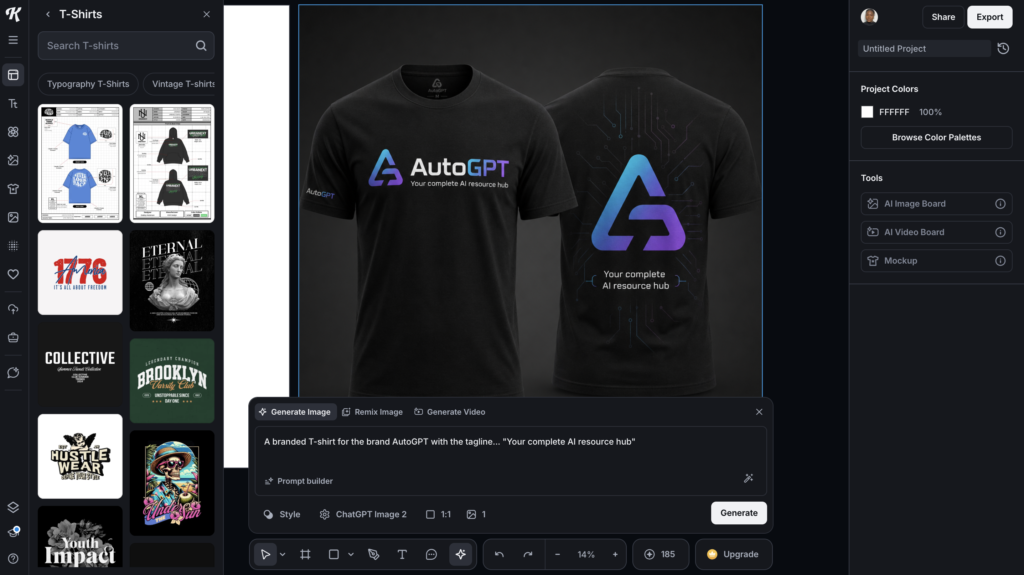
The drag-and-drop interface is intuitive enough for beginners but includes enough depth (vector path editing, non-destructive layer workflows, precision alignment tools) that experienced designers don’t feel restricted.
Where Kittl design pulls ahead of Canva is text manipulation.
You can warp text along curves, apply distressed vintage textures, stack multiple effects on a single text layer (shadow + outline + texture clip), and control letter spacing and line height with granular precision.
2. AI Tools
Kittl’s AI suite includes an image generator, illustration generator, logo generator, background remover, and Magic Recoloring (one-click color palette swaps).
The AI features are credit-based: Pro users get 30 credits per day, Expert users get 80.
The logo generator was the strongest AI feature in my testing. I prompted “4 minimalist coffee shop logo ideas with a steaming cup icon and hand-lettered script. Brand name is brew” and got four variations in about 15 seconds.
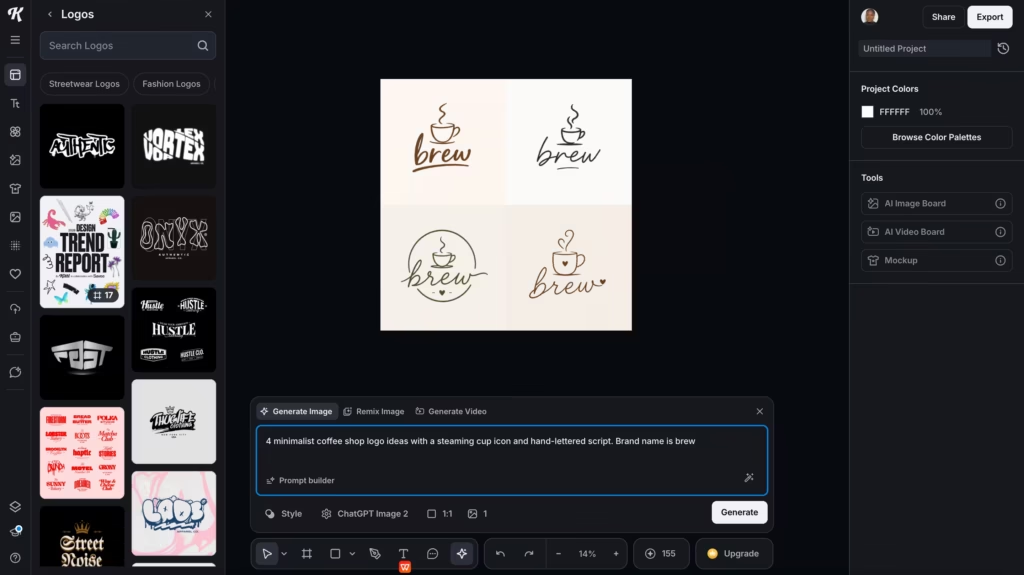
Two of the four were genuinely usable as starting points – the hand-lettered style matched the prompt, and the cup icon was clean enough to work at small sizes.
The image generator was less impressive. Results varied wildly depending on the prompt. Simple compositions (a mountain landscape, a floral pattern) turned out well.
Complex or specific prompts (“a vintage motorcycle with American flag details in a distressed print style”) produced muddy, over-processed results that I wouldn’t use.
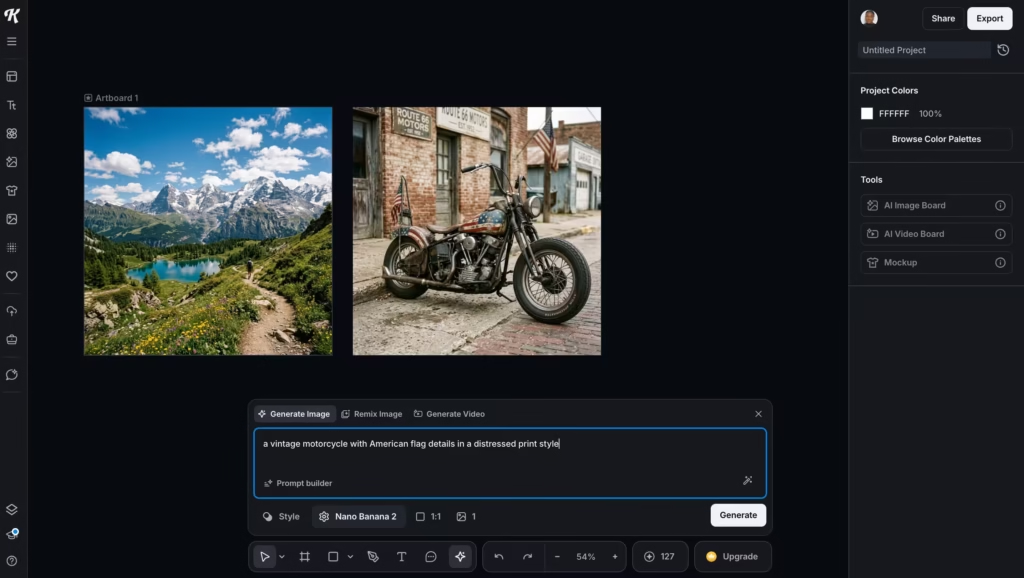
Dedicated image generators like Midjourney or Nano Banana produce noticeably better output for complex visual compositions. Kittl’s image AI works best as a starting point for simple backgrounds and pattern fills, not as a standalone illustration tool.
3. Templates and Assets
Kittl offers hundreds of thousands of templates across categories like social media, posters, logos, merchandise, and marketing materials. Each template is fully customizable – swap fonts, change colors, replace graphics, and adjust layouts without restrictions.
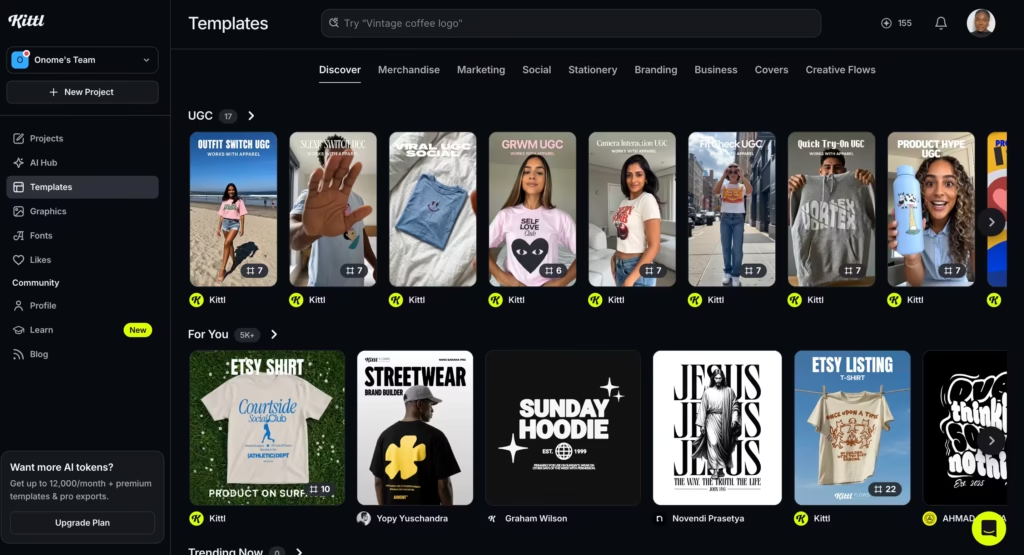
The template quality is high, especially for typography-driven designs.
Where Canva’s templates lean toward clean, corporate, and modern, Kittl’s templates lean toward bold, textured, and retro.
If your brand aesthetic involves vintage lettering, hand-drawn elements, or distressed textures, Kittl’s template library will feel more aligned than Canva’s.
The gap? Volume. Canva has millions of templates. Kittl has hundreds of thousands. For niche categories (specific holiday themes, industry-specific layouts, presentation slides), Canva almost always has more options.
4. Mockups
Kittl’s mockup tool applies your designs to realistic product shots – t-shirts, hoodies, mugs, tote bags, posters, phone cases, and packaging. Perspective and lighting adjust automatically.
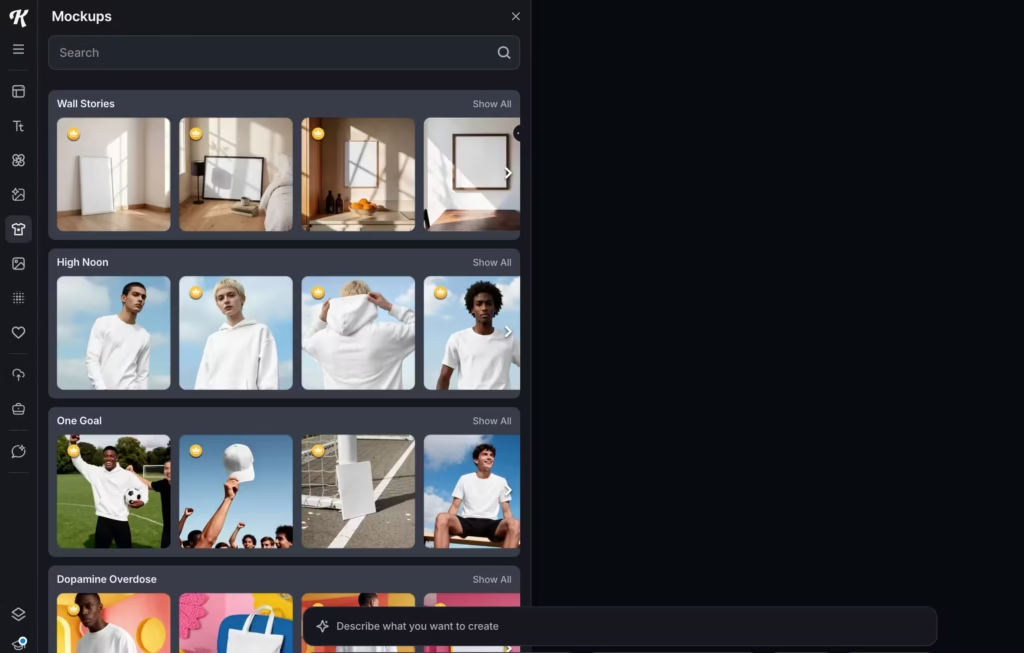
I tested a simple logo graphic across six product mockups and had all six ready in about 4 minutes. The quality is comparable to Placeit, which is notable given that Placeit charges separately for this feature.
What’s Good About This Kittl AI Design Tool
The typography engine is the standout feature, full stop. No other tool in this price range gives you this level of control over text effects, warping, and styling.
I’ve used Canva Pro for three years and Illustrator on and off for longer – Kittl handles 90% of the text-heavy design work I’d normally open Illustrator for, at less than half the price.
The vector export pipeline matters for anyone selling physical products. SVG and high-res PDF output means your designs go directly to screen printers, DTG machines, or POD platforms without conversion issues.
Canva’s vector export is limited even on Pro – Kittl treats it as a core feature.
The price-to-value ratio is hard to beat. At $12/month, you’re getting commercial licensing, 1,400+ premium fonts (including Monotype), vector exports, Brand Kits, and daily AI credits.
Adobe Illustrator alone costs $22.99/month, and you’d still need separate font and stock graphic subscriptions on top. Kittl bundles all of that.
What Needs Work
The free plan’s 800px/72 DPI export cap makes it nearly useless for real work. You can design something beautiful and then discover you can’t export it at a usable resolution without upgrading.
Canva Free exports at much higher quality – this is Kittl’s weakest competitive point against its biggest rival.
The AI image generator is inconsistent. Simple prompts work. Complex or highly specific prompts produce results that look over-processed and generic.
If you’re expecting Midjourney-quality illustrations from Kittl’s AI, you’ll be disappointed. Use it for simple backgrounds and pattern fills, not hero images.
Performance lags on complex projects. Multiple reviewers on G2 and SoftwareSuggest report slowdowns when working with high-resolution files or designs with many layers.
I experienced this on a poster design with 15+ text layers and multiple texture clips – the editor stuttered noticeably when moving elements. There’s no desktop app to offload processing.
The template library, while high-quality, is smaller than Canva’s by a significant margin. If you need a template for a very specific niche – a dental clinic Instagram story, a real estate open house flyer – Canva is more likely to have exactly what you’re looking for.
Competitors Comparison
| Feature | Kittl | Canva | Adobe Illustrator | Placeit | Creative Fabrica |
| Starting Price | $12/mo (annual) | $13/mo (annual) | $22.99/mo | $7.47/mo (annual) | $3.99/mo |
| Free Plan | Yes (limited) | Yes (generous) | No (7-day trial) | Yes (limited) | Yes (limited) |
| Typography Depth | Best in class | Basic | Professional | Minimal | Basic |
| Text Effects | Advanced (warp, texture, stacking) | Basic (limited warp) | Full control | None | Basic |
| Vector Export (SVG/PDF) | Yes (Pro+) | Limited (Pro) | Yes (native) | No | Yes |
| AI Image Generation | Yes (credit-based) | Yes (Magic Studio) | Yes (Firefly) | No | Yes |
| Mockups | Built-in | Limited | No | Core feature | Limited |
| Template Volume | Hundreds of thousands | Millions | None (asset marketplace) | Thousands | Hundreds of thousands |
| Commercial License | Pro+ (500K reproductions) | Pro+ | Full | Yes (subscription) | Yes (subscription) |
| Best Use Case | Typography-first merch and branding | General-purpose design | Professional illustration | Quick product mockups | Budget POD graphics |