
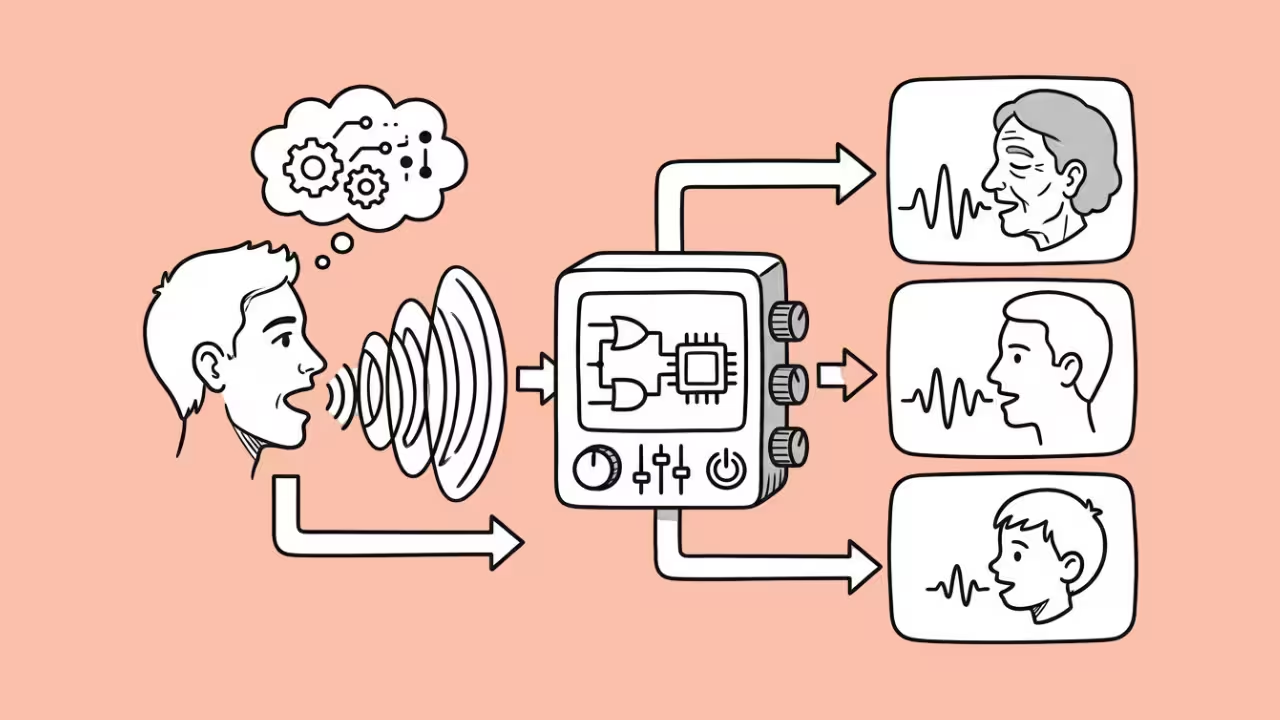

If those AI-voiced-over videos on social media tell us anything, it’s that AI voice technology is a fast-moving commodity. Creators, developers, and businesses are hunting for reliable tools that actually deliver.
Fish Audio has surfaced as a worthy option. And after some time spent testing, cloning voices, burning through credits, and pushing the API, I can tell you whether it should be considered.
This Fish Audio review covers everything: core features, real audio quality findings, pricing specifics, and how to manage your account effectively.
Overview and Key Features
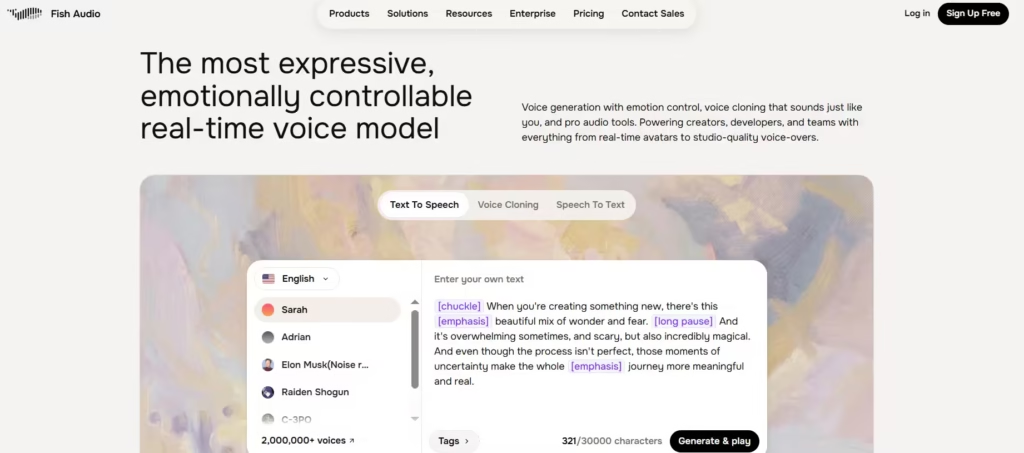
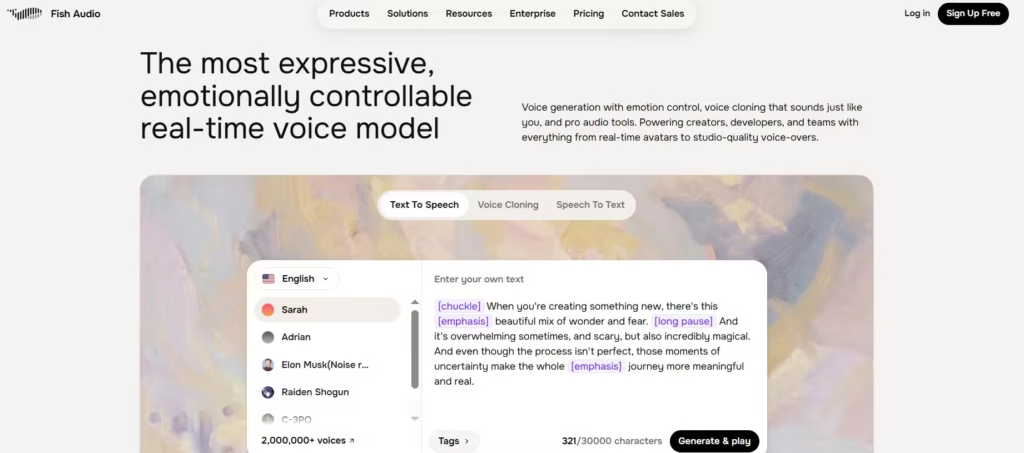
Fish Audio is an AI voice generation platform. It lets users clone voices, generate realistic speech, and tap into a library of over 500,000 community-created voice models. The platform targets a large audience of content creators, game developers, podcasters, and software engineers.
Fish Audio has two offers: either use the web interface or opt for the well-documented API if you need programmatic access. After creating three custom voice models over the past two weeks, I found the training process typically takes between two and five minutes, depending on audio length and server load. That kind of turnaround is useful in a production workflow.
1. Voice Cloning Technology
Voice cloning is its main feature. Users upload audio samples and train a custom model in minutes. In my testing, a clean 30-second recording produced a voice model that was convincing enough for YouTube voiceovers immediately. Fish audio really imitated the tonal quality of the voice sample, even producing similar speech elements like the accent, tempo, and likely words.
2. Voice Model Library
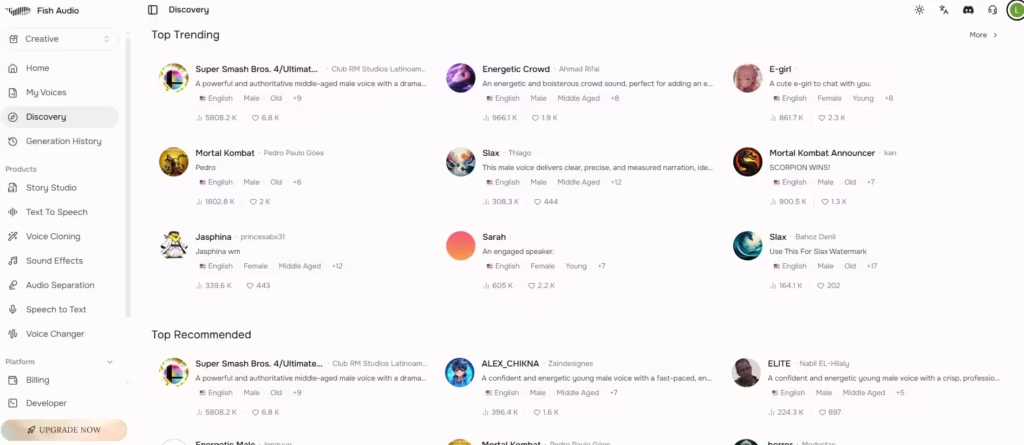
Fish Audio hosts over 500,000 community-shared voice models. Users can browse, preview, and deploy them instantly. The range spans anime characters, professional narrators, regional accents, and character voices. For most content projects, there is something usable right out of the library.
3. Text-to-Speech Engine
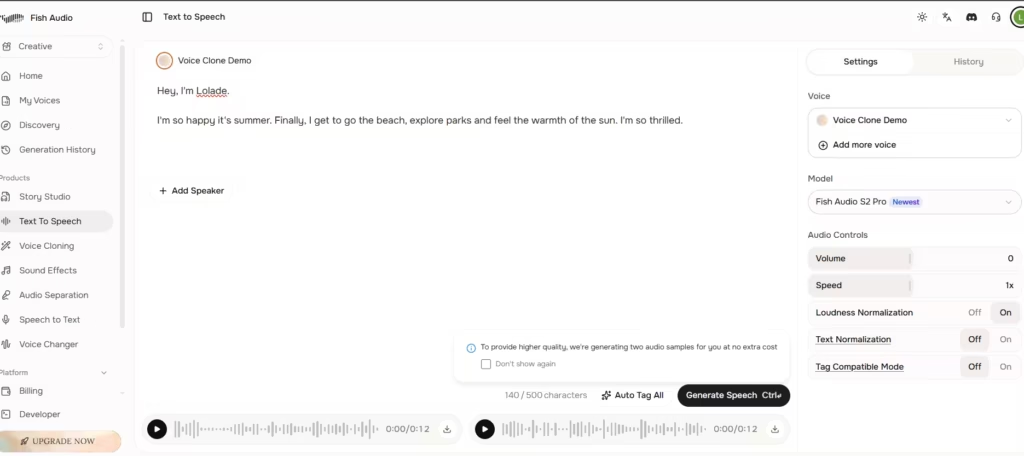
The TTS engine converts written text into natural-sounding speech. It supports over 20 languages and multiple regional accents. Output flows naturally, and the pacing rarely feels robotic; that’s an improvement many cheaper alternatives lack.
I tested this by typing in a few sentences and using the voice sample from earlier. I did like how it turned out; the vocal qualities mirrored the original voice. The only caveat was the subtle robotic undertone.
4. API Access for Developers
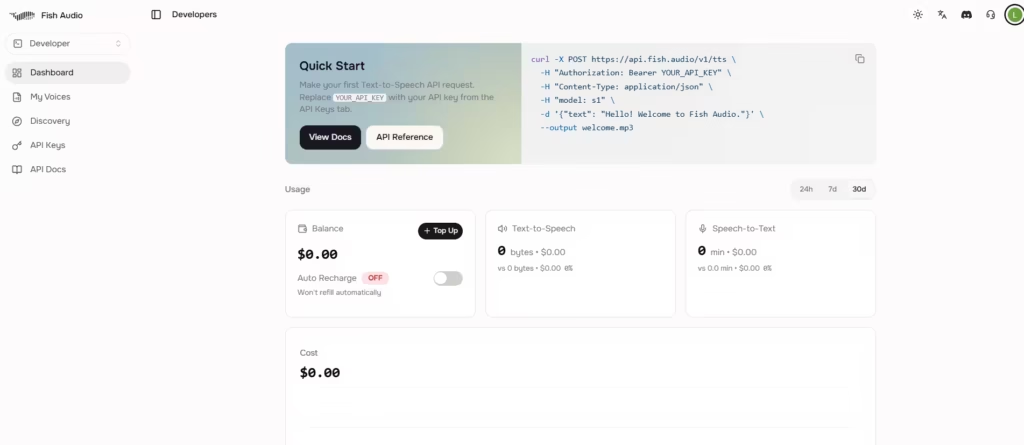
Developers can integrate Fish Audio directly into their applications. The API is well-documented and fast. Typical response latency averages under 800 milliseconds for standard TTS requests, which is efficient for real-time applications.
5. Multilingual Features
Fish Audio handles over 20 languages. This makes it easy for global teams and international creators to switch between languages within the same project without rebuilding their voice models from scratch.
There are other voice tools: sound effects, speech to text, story studio, audio separation, and voice changer.
Audio Quality
The audio quality is the make-or-break factor for any voice platform. In my testing, Fish Audio’s voices are convincing enough for YouTube voiceovers, podcast intros, and game character dialogue.
However, they still trail ElevenLabs for high-end commercial work where subtle emotional range matters. The gap is narrowing, but it exists. Also, quality depends heavily on your training audio.
I tested voice cloning with a 30-second podcast clip that had minimal background music.
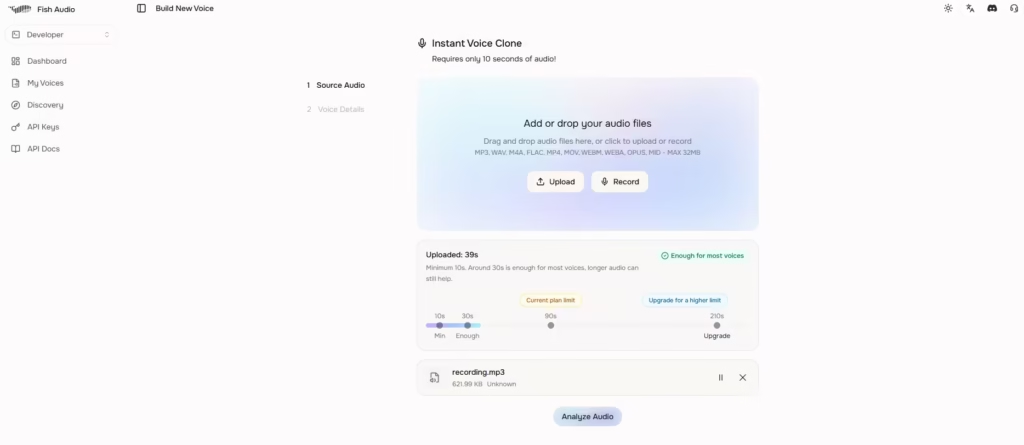
The resulting voice was flagged as having multiple speakers despite having only one. AI re-record was the remedy.
I can sum up that clean input makes the difference between a usable model and a frustrating one. The TTS engine itself is more consistent. It avoids the flat, mechanical delivery that undermines many competitors, and emotional inflection is better than average for the price point.
Also read: HeyGen Voice Cloning
Fish Audio Pricing and Credits
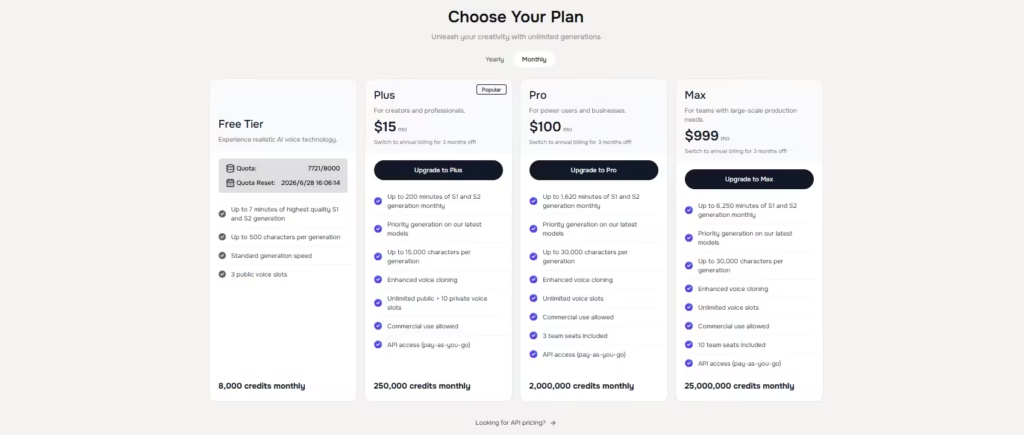
Fish Audio uses a credit-based system. The free tier provides 8000 credits per month, enough for light experimentation but limiting for regular use.
The Plus plan runs approximately $15 per month for 250,000 credits. The Pro plan at $100 per month offers 500 credits. By comparison, ElevenLabs’ Starter plan costs $6 per month. ElevenLabs Starter plan is a lower-cost entry point ($6) that’s more heavy-handed on studio project management and dubbing tools. It is, therefore, a better pick for anyone restricted by free tiers and wanting to experiment.
How to Get More Credits on Fish Audio
1. Upgrade Your Subscription Plan
This is a no-brainer, but the actual fastest solution is upgrading to a higher tier. Each plan level multiplies your monthly credit allocation significantly. For users who generate audio regularly, the jump from Starter to Pro pays for itself quickly.
2. Purchase Credits Directly
Fish Audio allows one-time credit top-ups through the billing section of your account. This suits users who hit an occasional spike in demand without needing a permanent plan upgrade. Navigate to billing, select the top-up option, and choose your amount.
3. Refer New Users
Fish Audio runs an active referral program. Inviting new users earns bonus credits for both parties. Check your account dashboard for your personal referral link, as bonus amounts are updated periodically.
4. Participate in Platform Promotions
Fish Audio runs seasonal promotions and community events. Participants can receive bonus credits. Following their official social channels and checking the announcements page keeps you ahead of these opportunities.
5. Publish Voice Models to the Community
Contributing high-quality voice models to the community library earns credits passively. Models that attract significant usage generate ongoing credit rewards. This takes more upfront effort, but it compounds over time, especially for well-crafted, niche voice models that fill gaps in the library.
Fish Audio for Developers
The Fish Audio API is one of its strong points. Latency averaged under 800 milliseconds in my testing, authentication is simple, and the documentation covers real-world use cases clearly rather than just listing endpoints.
Streaming support is included, which matters for applications that need audio delivered in real time rather than after full generation. Free tier rate limits are restrictive. Therefore, plan accordingly if you are prototyping anything beyond casual testing. Paid plans offer substantially more generous allowances.
Fish Audio vs. Competitors
Fish Audio is not the best voice platform in every category, but it earns a place on the shortlist.
ElevenLabs is still the better pick for emotional nuance and ultra-realistic delivery for premium commercial projects.
If subtle vocal expression is your top priority, ElevenLabs is the way to go. Fish Audio closes the gap significantly for standard content work. If you need thousands of ready-made voices without building your own, Fish Audio’s 500,000-model library is a decisive advantage.
Murf AI targets enterprise users with a polished interface, but its API is less developer-friendly and more expensive at scale.
My recommendation: if you are a content creator or indie developer who wants solid quality at a fair price, ElevenLabs is the right starting point. If you are a high-volume producer, then Fish Audio’s generous credit allowance would be a better fit.
How to Delete Your Fish Audio Account
According to their terms, if an immediate self-service delete button isn’t visible in your dashboard, you can trigger a valid account/data deletion request by emailing their team directly at [email protected].
Before emailing, understand what you will permanently lose.
All saved voice models are deleted. All project data is removed. Any unused credits are forfeited with no refund. Fish Audio retains certain data for a limited period under its privacy policy, so review those terms beforehand.
If permanent deletion feels too final, downgrading to the free tier is a smarter intermediate step. It preserves your models and data without any ongoing cost.
Pros and Cons of Fish Audio
Pros:
- Voice cloning produces usable results from 60-second clean audio recordings, which is practical
- 500,000+ community voice models that cover nearly every content niche immediately
- API latency under 800ms makes it viable for real-time applications
- Multilingual support across 20+ languages without rebuilding voice models
- Larger credit allowance for larger generations
Cons:
- Background noise in training audio produces noticeable artifacts; a clean recording is non-negotiable
- More expensive than ElevenLabs.
- Emotional nuance in cloned voices still trails ElevenLabs for premium commercial projects
Final Verdict
Fish Audio is recommended for content creators, indie developers, and teams building voice features into products. It has the credit allowance to support the amount of testing required. The voice cloning works well with clean audio, the model library is vast, and the API is fast enough for production use.
It is not the right choice if subtle emotional performance is your primary requirement. For that, ElevenLabs remains the leader.
