



PicWish launched in August 2021 from Wangxu Technology and has grown into one of the most popular consumer AI photo editing tools on the market.
It holds a 4.5/5 rating on G2, 355 reviews on Trustpilot (majority positive), and strong ratings on both the App Store and Google Play. The platform is available on web (picwish.com), as a desktop application (Windows and Mac), and as mobile apps for iOS and Android.
The core promise is speed over creative control.
PicWish doesn’t try to be Photoshop.
It handles the five or six things most people actually need from a photo editor – remove the background, make it sharper, upscale the resolution, remove an unwanted object, fix a face – and does them in seconds with one or two clicks.
If your photo editing needs go beyond those basics into layer compositing, color grading, or detailed retouching, PicWish isn’t the tool. If those basics cover 90% of what you do, PicWish will save you hours every week.
After testing PicWish across 40+ images – product photos for an Etsy listing, headshots for a team page, old family photos for colorization, and social media graphics – my honest take is this: PicWish delivers the strongest background removal I’ve tested at this price point for e-commerce use.
Key Features
Picwish AI Background Removal
This is the feature that built PicWish’s reputation, and it’s the reason most people sign up.
Upload any image – product photo, portrait, pet, graphic – and the AI isolates the subject and removes the background in about 3-5 seconds. You get a clean transparent PNG or the option to add a solid color, gradient, or AI-generated background.
I tested background removal across 15 images: jewelry on a textured surface, a model with curly hair against a busy street, a white ceramic mug on a white table, and a cat sitting on a patterned rug.
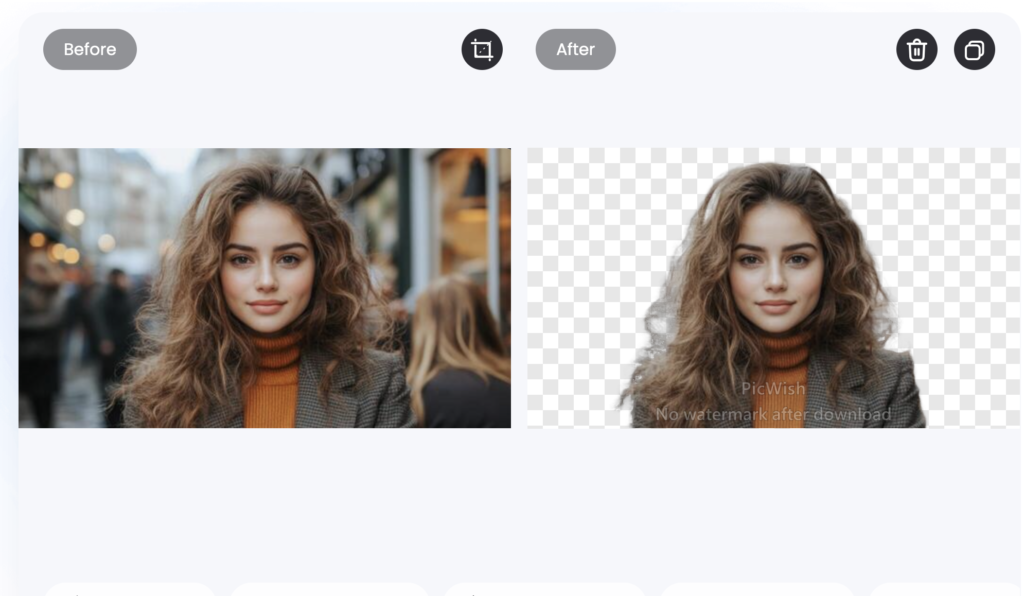
The curly hair test was the most impressive – PicWish preserved individual curls and flyaway strands that Canva’s background remover completely erased.
The white-on-white mug test was the weakest – the AI struggled to distinguish the white mug handle from the white tabletop and left a visible artifact along the bottom edge.
The Smart Refine tool lets you manually adjust edges after the AI does its pass. For the mug, two minutes of manual refinement fixed the issue entirely. For the other 14 images, the AI output was clean enough to use without any manual touch-up.
PicWish Batch Processing
This is where PicWish saves the most time for e-commerce sellers.
The desktop app processes up to 100 images at once.
The mobile app handles 30 at a time. You drag and drop your product photos, select background removal (or any other edit), and let the AI run through the entire batch.
I tested batch removal on 25 product photos for a jewelry Etsy store. All 25 processed in about 3 minutes. Twenty-two came out clean and usable without edits.
Three needed minor Smart Refine adjustments – all involving reflective metal surfaces where the AI misread the reflection as part of the background.
For a solo Etsy seller processing a new product line of 50+ items, this feature alone saves an entire afternoon compared to editing each photo individually in Photoshop or Canva.
Image Enhancement and Upscaling
The AI enhancer sharpens blurry images, reduces noise, adjusts contrast, and improves overall clarity. The upscaler increases resolution by 2x or 4x while preserving edge detail. Both work with a single click.
I tested the enhancer on a blurry smartphone photo of a storefront sign.
It didn’t do as great on the Standard plan but got better with the Ultra HD Plan (which is a paid feature)
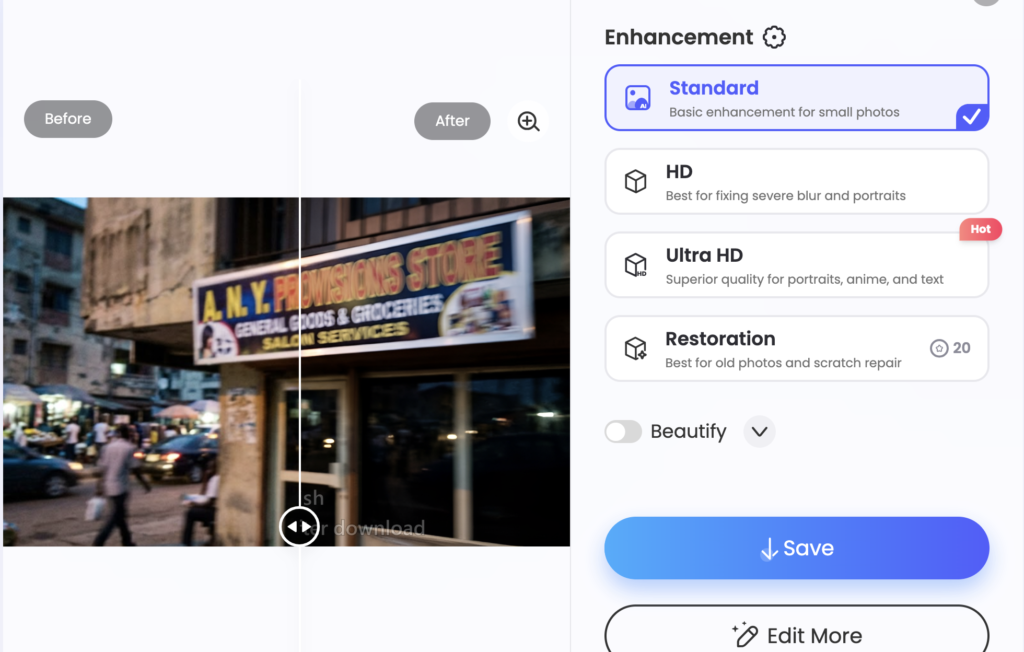
Photo Colorization
Upload a black-and-white photo and PicWish adds color using AI. I tested this on a close-up of a vintage car.
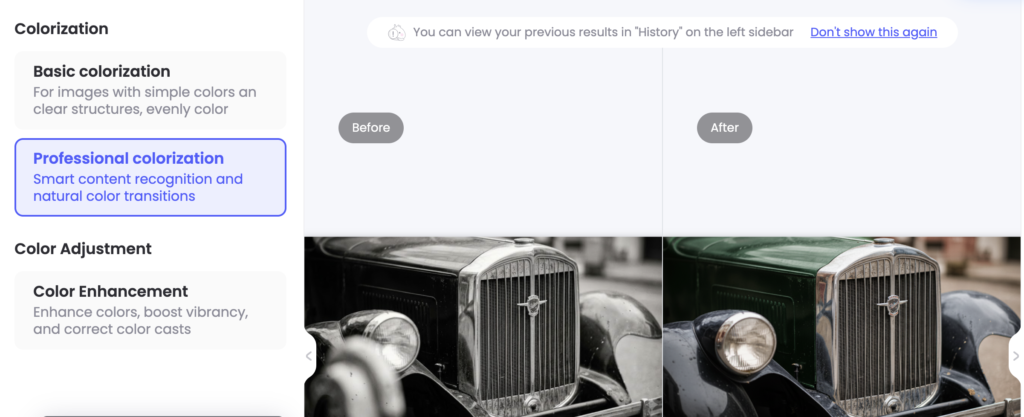
Colorization is a nice-to-have feature, not a core strength. For portraits and people, it produces solid results. For landscapes, objects, and vehicles, treat the output as a rough draft that may need manual color correction.
Object Removal
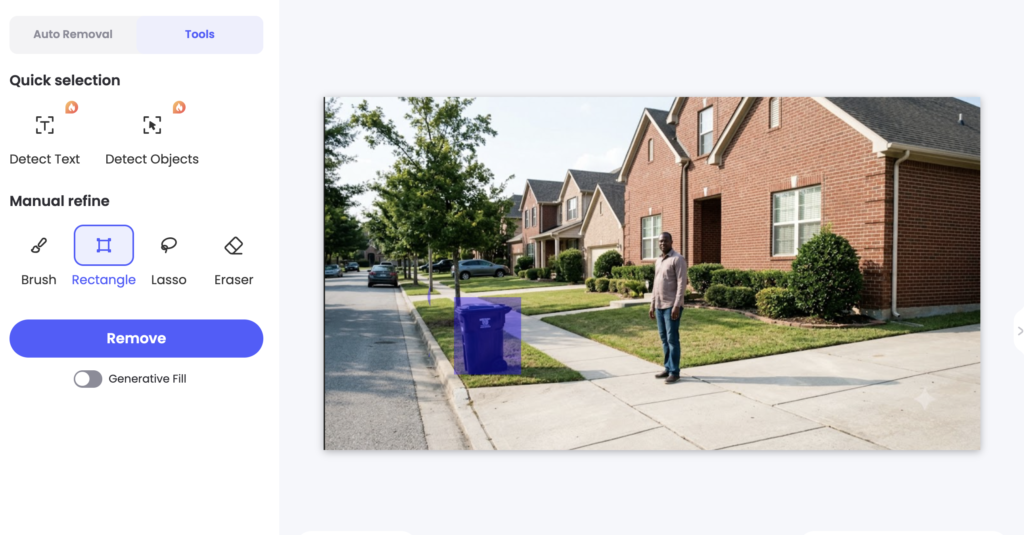
Select an unwanted element – a person in the background, a power line, a watermark – and PicWish fills the area using content-aware AI. Simple removals on clean backgrounds work well.
Complex removals on textured or detailed backgrounds produce visible artifacts about 30% of the time.
I removed a trash can from a real estate listing photo. The grass and sidewalk fill looked a little seamless but with some smudge.
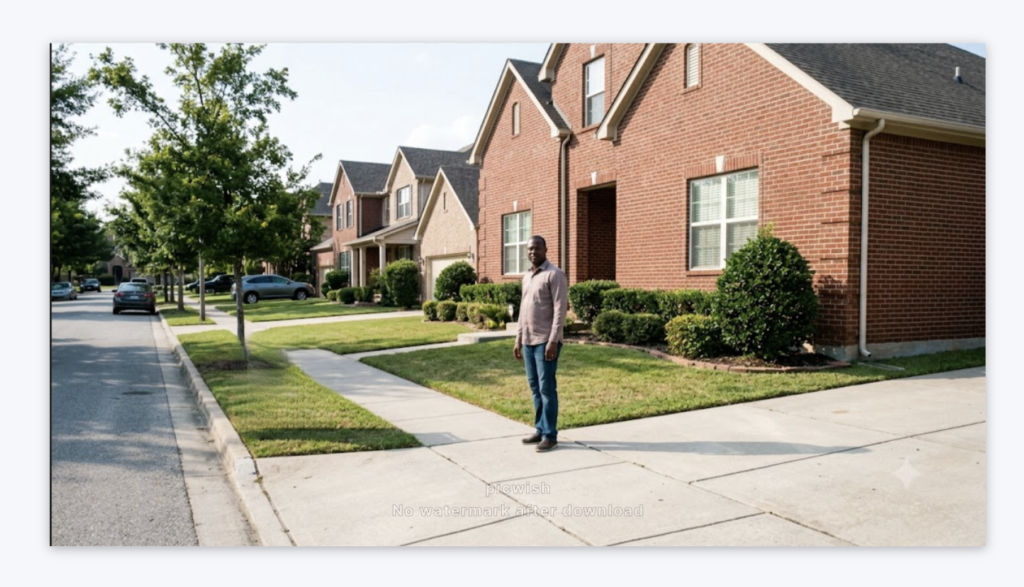
I then tried removing a person standing in front of a brick wall. There was a visible smudge where the person had been.

Photoshop’s Content-Aware Fill handles this better, but for quick fixes on simple backgrounds, PicWish gets the job done.
ID Photo Creator
PicWish offers templates for passport photos, visa applications, and official documents.
You upload a selfie, the AI removes the background, applies the correct background color (white, blue, or red depending on the country’s requirements), and crops to the specified dimensions. Common sizes like 2×2 inches for Driver’s licenses are pre-loaded.
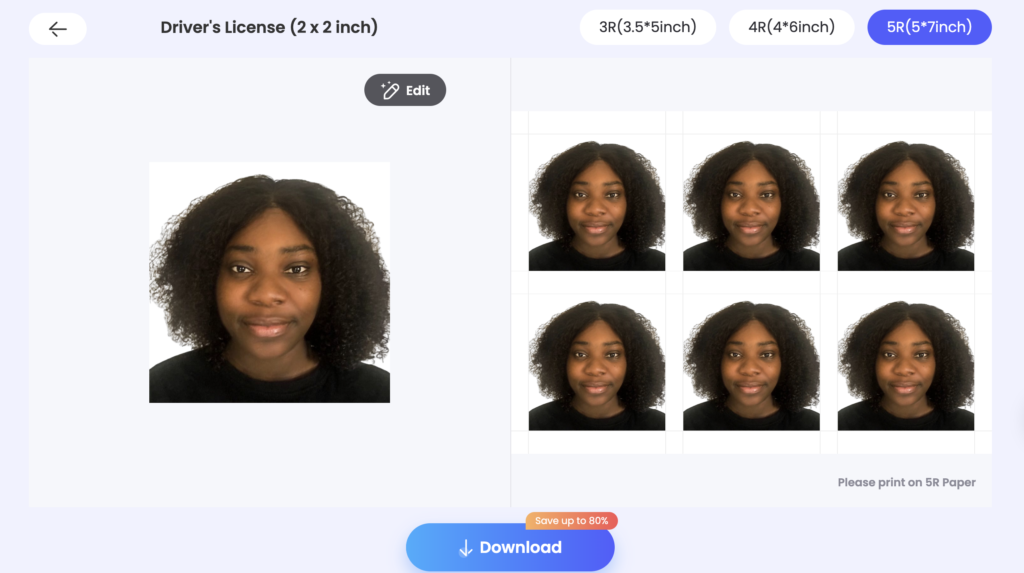
This is a small feature that saves a surprising amount of money. A pharmacy passport photo costs $10 -15. PicWish handles it for free.
Competitors Comparison
| Feature | PicWish | Remove.bg | Photoroom | Slazzer | Cutout.pro |
| Starting Price | $4.99/mo | $9/mo | $9.99/mo | $0.20/credits | $0.058/credit |
| Free Plan | Yes (limited, watermarked) | Yes (1 free preview) | Yes (watermarked) | Yes (100 credits/mo) | Yes (limited) |
| Background Removal Quality | Excellent | Best in class | Excellent | Excellent | Very good |
| Batch Processing | Up to 100 (desktop) | Yes (paid, per-image) | Yes | Up to 1,000 (desktop) | Yes |
| Image Enhancement | Yes (sharpen, upscale) | No | Limited | Yes (upscale, enhance) | Yes |
| Photo Colorization | Yes | No | No | Yes (De-Oldify) | Yes |
| Object Removal | Yes | No | Yes | No | Yes |
| AI Background Generator | Yes (basic) | No | Yes (strong) | Yes | Yes |
| ID Photo Creator | Yes | No | No | No | No |
| Platforms | Web, Desktop, iOS, Android | Web, Desktop | Web, iOS, Android | Web, Desktop, iOS, Android | Web |
| API Access | Yes | Yes | Yes | Yes (500 images/min) | Yes |
| Best Use Case | Budget e-commerce photo editing | Premium background removal | Lifestyle product mockups | High-volume API-driven batch processing | Budget alternative with video support |