

Pippit AI is an AI-powered creative platform built by the team behind CapCut and backed by ByteDance.
It turns product URLs, uploaded images, text prompts, and reference videos into finished marketing videos, product photos, avatar presentations, and social media ads.
It earned #1 Product of the Week on Product Hunt and landed on their 2025 annual leaderboard in both the Design Tools and AI categories.
After days on the paid Starter plan, generating over 30 videos and 20+ images for real e-commerce and social media content, here is my full assessment: Pippit AI is the fastest product-to-content pipeline I have tested.
The video generation alone justifies the subscription for any e-commerce seller producing social media ads at volume.
But the output is social-media-grade, not brand-campaign-grade. Know that distinction before you buy.
What Is Pippit AI and Who Built It?
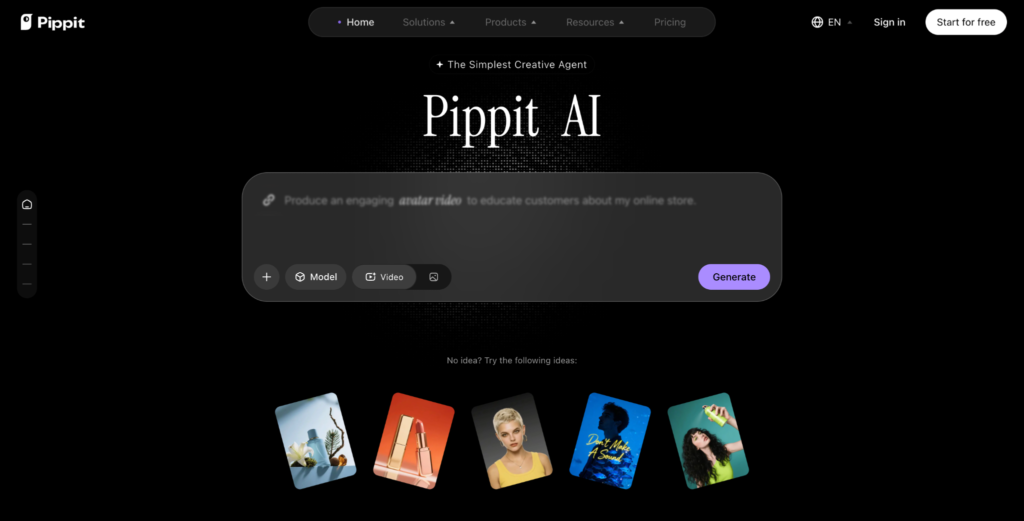
Pippit is CapCut’s AI marketing platform, purpose-built for e-commerce sellers, social media marketers, content creators, and agencies.
It runs on the same video technology stack that powers CapCut (which has over 1 billion users), and it integrates directly with TikTok, TikTok Shop, and Shopify.
The platform is not a general-purpose video editor. It is a creative agent. You describe what you want (or paste a product link), and Pippit handles the script, visuals, voiceover, captions, transitions, music, and formatting. You review, tweak if needed, and publish directly to your social channels from the same dashboard.
The AI models running under the hood include, ByteDance’s Seedream, Seedance, and Nano Banana Pro and GPT image.
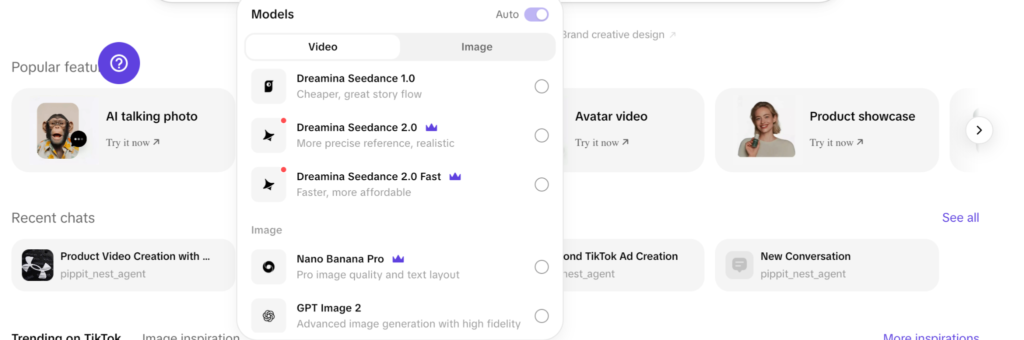
Having access to multiple generative models from a single interface is a significant technical advantage that most competing platforms do not offer.
What Does the Pippit AI Paid Plan Include?
Starter Plan
Best for: Individual creators, small businesses, ecommerce sellers and marketers looking to create content more consistently and unlock additional AI features.
Save with annual billing: Annual plans are available and can offer savings compared to paying monthly.
Includes:
- Monthly or annual subscription options
- Additional credits
- Faster content generation
- Advanced AI models
- Remove watermarks
- Upscale content up to 4K
- Video avatar creation
- Unlimited photo avatars
- Product and content management
- 500GB storage
- More concurrent tasks
Plus Plan
Best for: Active creators, social media managers and growing businesses producing content regularly across multiple campaigns and channels.
Save with annual billing: Annual subscriptions are available at a reduced effective monthly cost compared to monthly billing.
Includes everything in Starter, plus:
- Higher monthly credit allowance
- Additional video avatar creation
- Faster generation speeds
- Increased capacity for content production
- More concurrent tasks and workflow flexibility
Pro Plan
Best for: Agencies, professional creators, brands and businesses producing content at scale.
Save with annual billing: Annual plans provide savings versus monthly subscriptions while offering the highest content creation allowances.
Includes everything in Plus, plus:
- Enhanced scalability for teams and high-volume content production
- Highest credit allocation
- Fastest generation speeds
- Additional video avatar allowances
- Unlimited storage
- Early access to beta features
Key Features
1. URL-to-Video
This is the feature that separates Pippit from every competitor I have tested.
You paste a Shopify or Amazon product URL with a prompt.
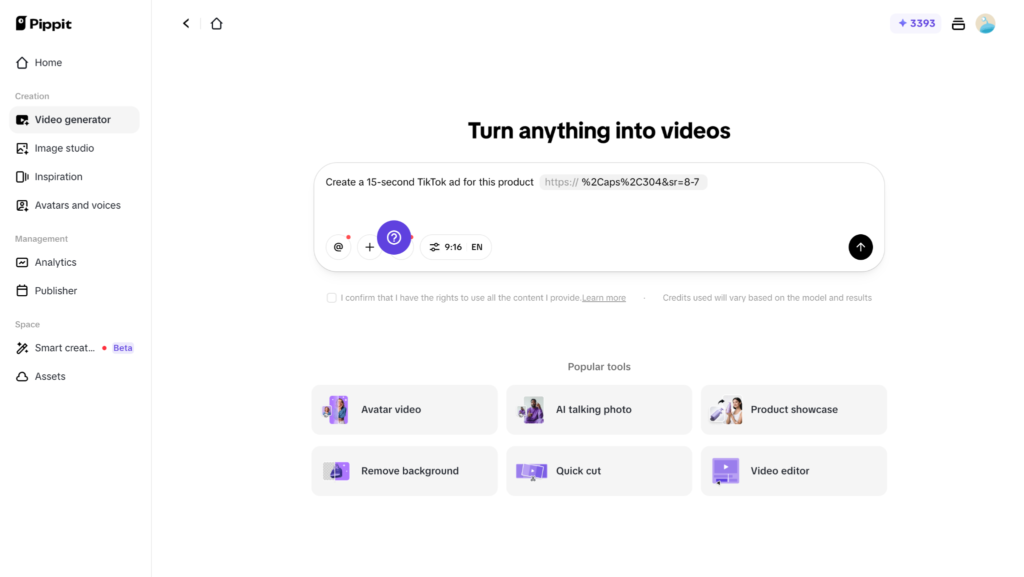
Pippit scrapes the product title, description, images, and price. Then it generates a complete marketing video with product shots, AI voiceover, captions, transitions, and background music. The entire process takes under 3 minutes.
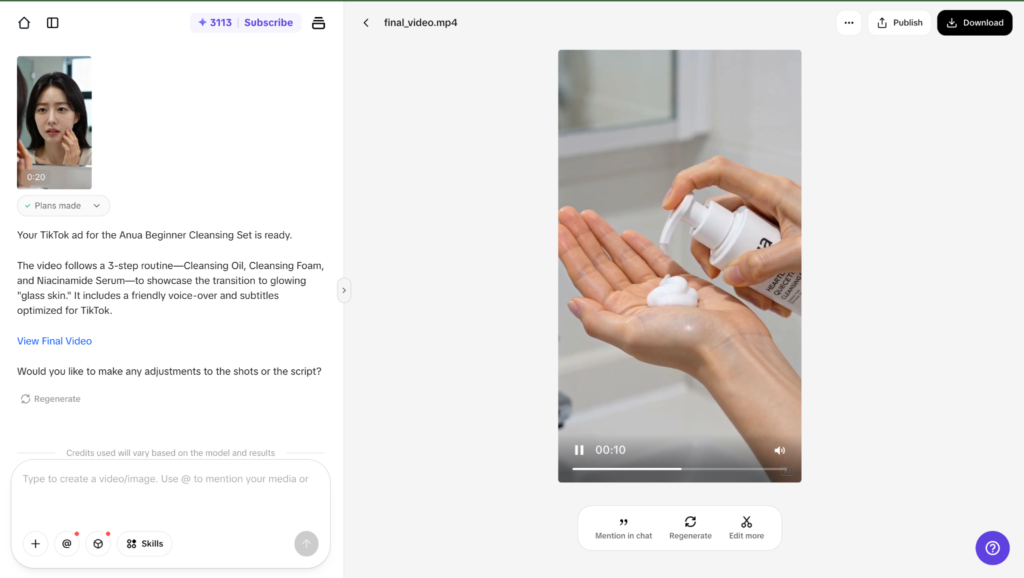
I tested this with 10 different product URLs across fashion, electronics, and home goods. Roughly 6 out of 10 produced videos I could publish directly to TikTok or Instagram with zero edits.
The other 4 needed minor tweaks (swapping a clip, adjusting caption timing).
For a solo seller running a Shopify store, this feature alone replaces hours of manual video production per week.
2. Video Generator
The Video generator goes beyond URL-to-video. You can feed it any link (a blog post, a news article, even a competitor’s product page), upload any file or media, and describe the video you want.
The agent interprets your intent, selects or generates visuals, writes a script, adds voiceover and music, and delivers a finished video.
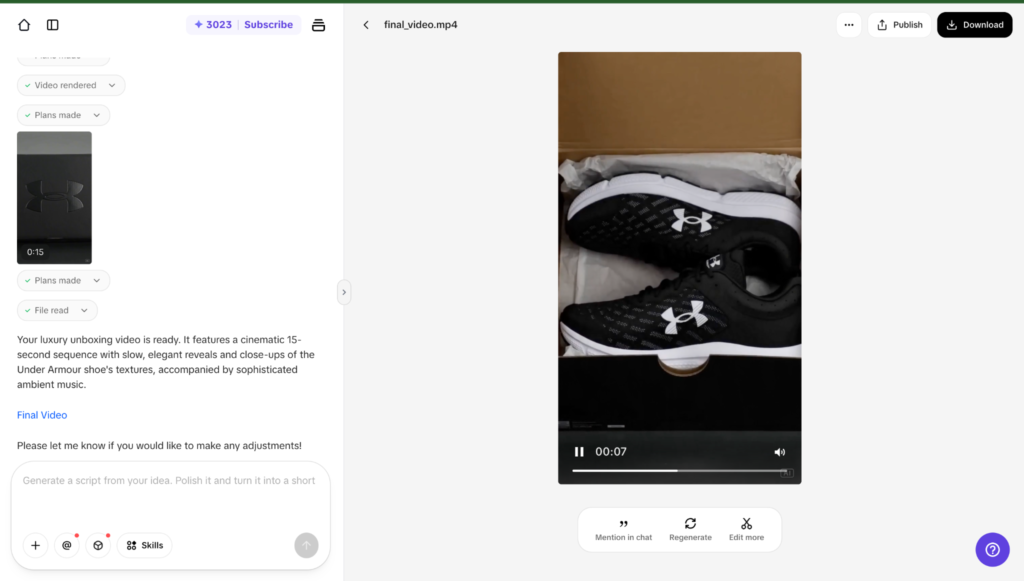
I tested it by uploading a product photo and typing “create a luxury unboxing video of this product for Instagram Reels, 15 seconds, minimal text, ambient music.”
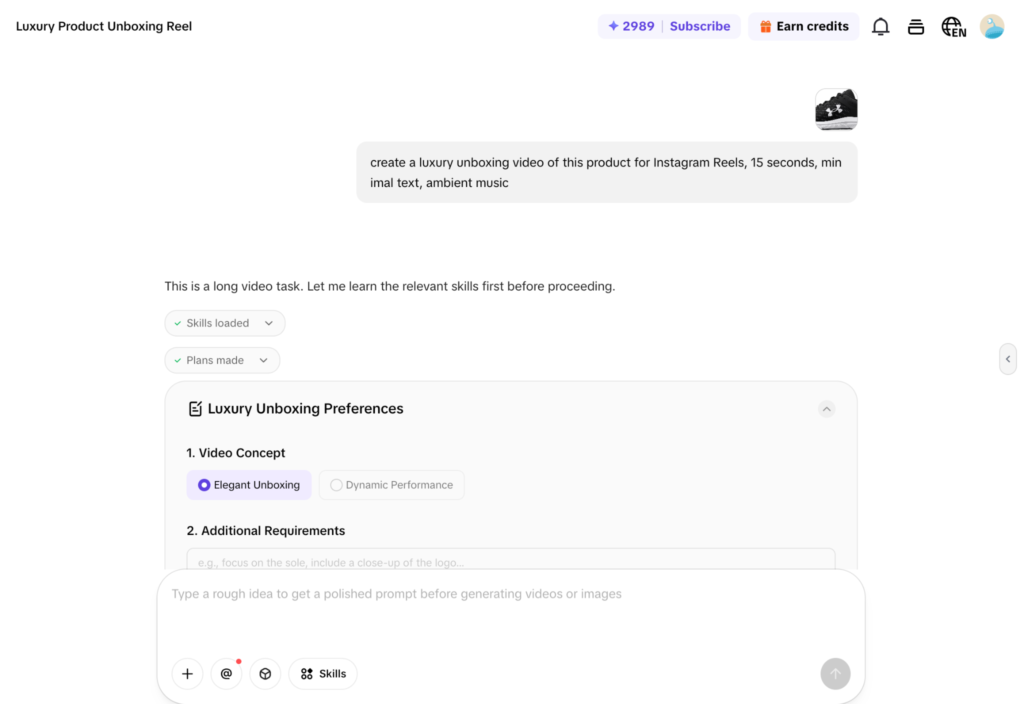
The result was a polished vertical video with smooth transitions and a premium feel. It was not perfect (the music choice was generic), but it was 90% of the way there in under 2 minutes.
3. Reference Video
This feature lets you paste a link to a trending TikTok or Instagram Reel.
Pippit analyzes the video’s script structure, narrative arc, pacing, and visual style, then generates a new video for your product using the same format.
For social media marketers who need to jump on trends fast, this is a legitimate competitive advantage.
I referenced a trending video format using this prompt and uploaded my product photo: “Create a similar video for my product using this trending format. Use my product image instead.”
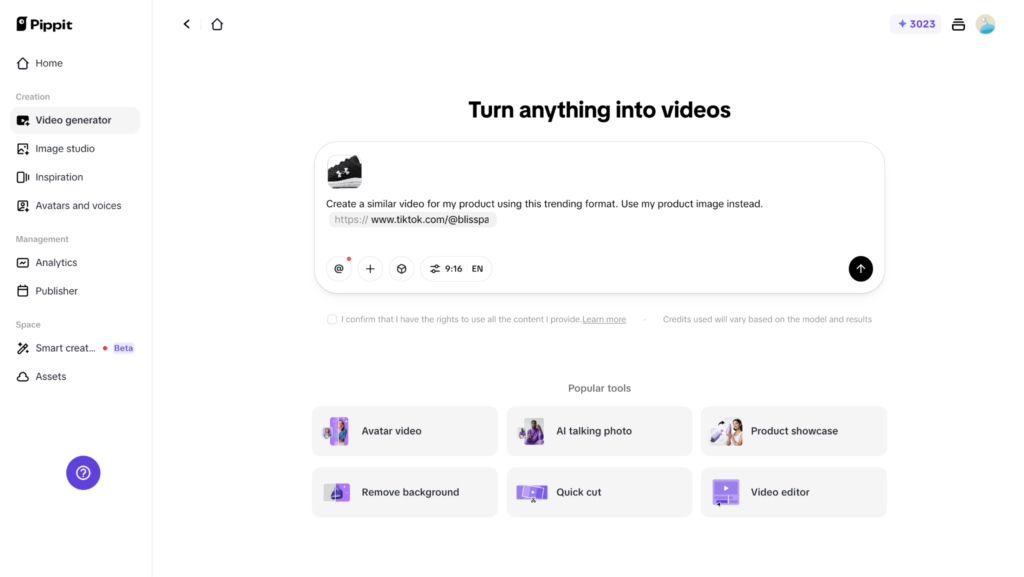
Got a trend-matched video ready in 90 seconds.
Doing this manually in CapCut would have taken 30 to 45 minutes.
4. Custom Avatars
The paid plan unlocks custom avatar creation.
You upload photos of yourself (or anyone with consent), and Pippit generates a digital twin that can deliver scripted messages in multiple languages.
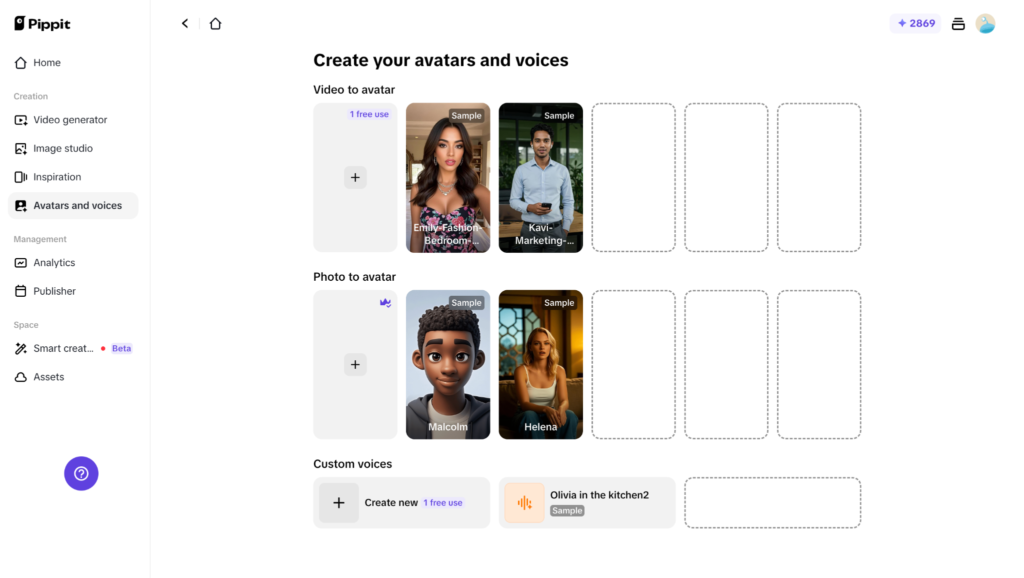
I created a custom avatar from 2 photos and tested it on a product walkthrough script.
The result was good enough for social media product demos and e-commerce landing pages. It would not pass for a corporate training video (the lip-sync is solid but not HeyGen-level).
For the price point, the quality is fair.
HeyGen charges $99 for a comparable custom avatar on top of its subscription. Pippit includes it in the Starter plan.
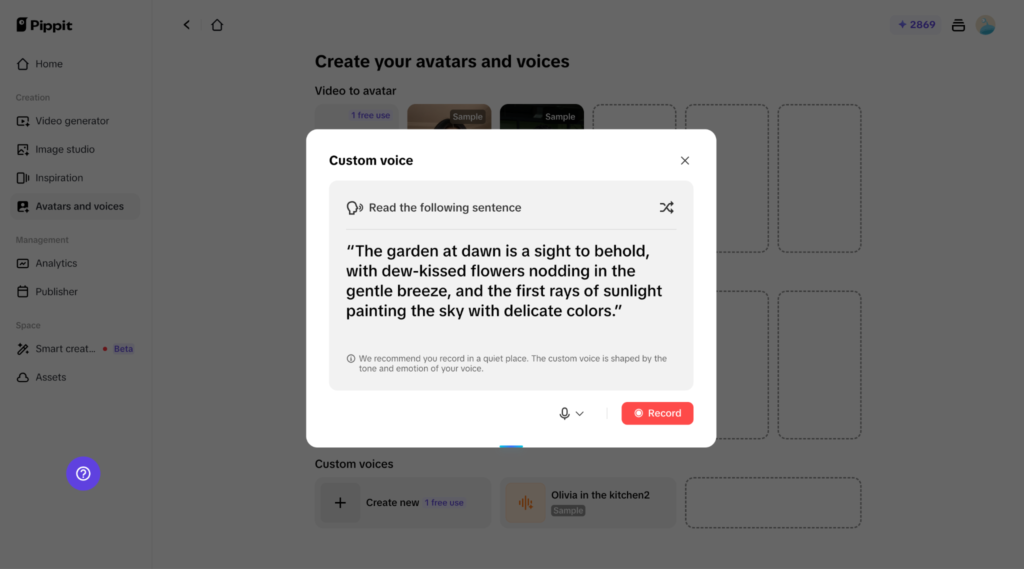
You can also create a custom voice. Though I got just 1 free trial on the starter plan for this.
5. Batch Generation
The Starter plan lets you generate multiple variations of the same content in one session.
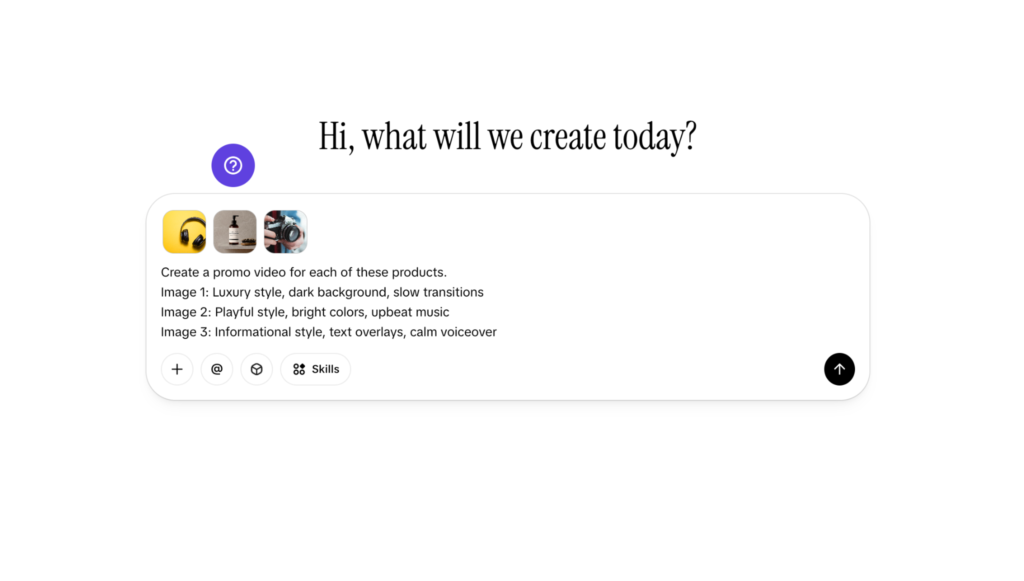
I uploaded 3 product images and generated 3 video variants for each in different styles. That produced 9 videos in about 10 minutes.
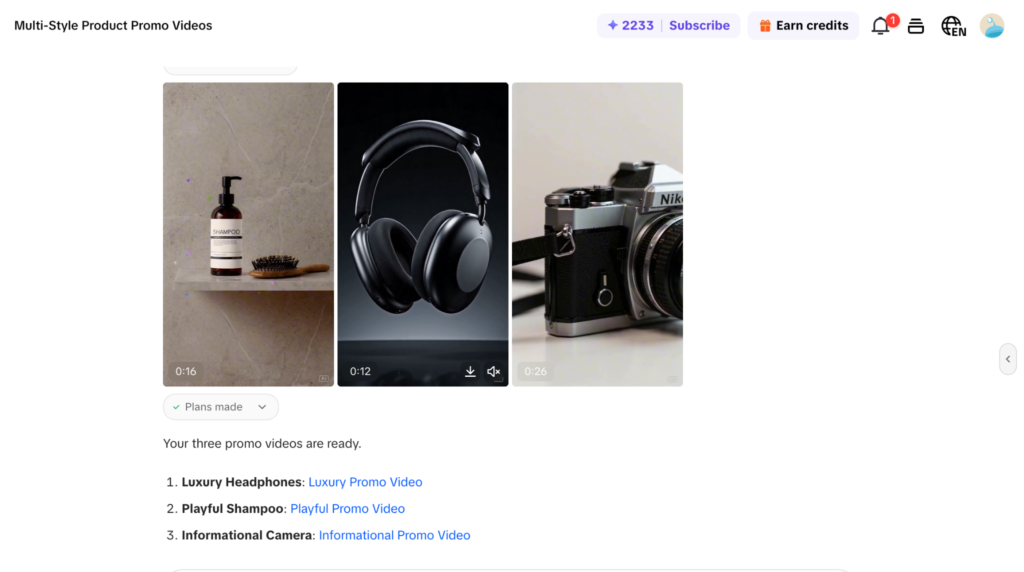
Manually, this would have taken a full day.
For e-commerce sellers running multiple SKUs or agencies managing multiple client accounts, batch generation turns Pippit from a convenience into a necessity.
Where Did Pippit AI Fall Short?:
Output quality is social-media-grade. The videos look great on a phone screen scrolling through TikTok. They do not hold up on a desktop monitor or in a formal presentation.
The AI-generated transitions, text placements, and music selections follow social media conventions, not broadcast or brand standards. If your content needs to feel premium (think Apple product launch, not TikTok haul), Pippit is not the right tool.
The credit system runs out faster than expected. The Starter plan gives you 21,600 credits per year, which sounds like a lot. But generating a single video with advanced models (Veo 3.1 or Sora 2) can consume 50 to 200 credits depending on length and resolution.
Heavy users will hit the ceiling fast.
AI model selection is confusing. Pippit offers Seedream, Seedance, and Nano Banana Pro and GPT image, but the platform does not clearly explain which model to use for which task.
I defaulted to Seedance for most videos because it was fast and the results were consistent. But I suspect I was not getting the best output because I did not always know which model matched my use case. Clearer guidance or automatic model selection would help.
Music and voiceover choices feel generic. The AI picks background music and voiceover styles that are competent but predictable. After generating 30+ videos, the music started repeating.
The voiceover quality is functional for social media ads but lacks personality. If voice and audio quality are priorities, you will want to replace them manually.
The TikTok ecosystem bias is real. Pippit is optimized for vertical video (9:16) and TikTok-style content. If you need horizontal video (16:9) for YouTube, webinars, or presentations, the tool feels less natural.
It can produce horizontal content, but the templates, pacing, and design choices all default to short-form social.
How Does Pippit AI Compare to Alternatives?
| Feature | Pippit AI | InVideo AI | HeyGen | Canva |
| Core strength | E-commerce product-to-video pipeline | General video creation from prompts | AI avatar presenter videos | Design-first with video add-on |
| URL-to-video | Yes (Shopify, Amazon, any link) | No | No | No |
| Reference video (trend matching) | Yes | No | No | No |
| AI models | Veo 3.1, Sora 2, Seedream, Seedance, Nano Banana | Sora 2, Veo 3.1, Kling 3.0 | Avatar IV (proprietary) | Proprietary |
| Custom avatars | Yes (included in Starter) | No | Yes ($99 add-on) | No |
| Batch generation | Yes | Limited | No | Yes (Magic Design) |
| Direct TikTok/Shopify integration | Yes (native) | No | No | Limited |
| Schedule posting + analytics | Yes (built-in) | No | No | Yes (content planner) |
| Video quality tier | Social media grade | Social media to mid-tier | Professional grade (avatars) | Social media grade |
| Starting paid price | $24.17/month (annual) or $36.25/month | $17/month (Plus) | $24/month (Creator) | $13/month (Pro) |
| Best for | E-commerce sellers, TikTok marketers | YouTube creators, general marketing | Sales teams, corporate presenters | General design + social content |
Who Should Pay for Pippit AI?
| Your situation | Recommendation |
| E-commerce seller needing TikTok/Instagram product ads at volume | Buy Starter. The URL-to-video feature alone is worth it. |
| Social media manager producing daily content across platforms | Buy Starter. Batch generation + schedule posting saves hours weekly. |
| Agency managing multiple e-commerce client accounts | Buy Plus/Pro for collaboration and higher credit limits. |
| YouTuber or podcaster needing long-form horizontal content | Skip Pippit. Use InVideo AI instead. |
| Corporate team needing professional avatar presenters | Skip Pippit. Use HeyGen or Synthesia instead. |
| General designer who occasionally needs video | Skip Pippit. Use Canva instead (broader design tools at lower price). |
| Casual creator who posts once a week | Stay on free. 150 credits/week covers light use. |
My honest take after days of testing: Pippit AI is the single best tool I have tested for turning e-commerce products into social media content at speed.
The URL-to-video and reference video features do not exist in any competitor at this price point. If you sell products online and need video ads for TikTok, Instagram, or Shopify, the Starter plan at $24.17/month pays for itself within the first week.
But do not buy it expecting broadcast quality, YouTube-grade content, or corporate presentation polish. Pippit is built for the scroll. It does that job exceptionally well and does not pretend to do more.
FAQs
Is Pippit AI free?
Yes, there is a free plan with 150 credits per week (roughly 2 minutes of video or 75 images). There is also a 7-day free trial with 400 credits and full feature access, no credit card required. For real production work, you need the Starter plan at $24.17/month billed annually or $36.25/month billed monthly..
Is Pippit AI the same as CapCut?
Pippit is built by the CapCut team and runs on CapCut’s video technology, but it is a separate product. CapCut is a general-purpose video editor. Pippit is an AI creative agent specifically designed for marketing content creation, e-commerce video ads, and social media publishing.
Can I use Pippit videos commercially?
Yes. The Starter plan and above include commercial usage rights. Free plan outputs are watermarked and not cleared for commercial use.
Does Pippit integrate with Shopify?
Yes. Pippit integrates directly with Shopify and TikTok Shop. You can pull product listings automatically and generate promotional videos without manually uploading product details.
How many videos can I make on the Starter plan?
The Starter plan includes 21,600 credits per year. A standard short video (30 to 60 seconds) costs roughly 50 to 100 credits. At that rate, you can produce approximately 200 to 400 videos per year, or 15 to 35 per month. Using premium models (Veo 3.1, Sora 2) consumes more credits per generation.
What AI models does Pippit use?
Pippit integrates Google’s Veo 3.1, OpenAI’s Sora 2, ByteDance’s Seedream 5.0 Lite and Dreamina Seedance 2.0, and Nano Banana Pro. Model selection is available in the generation interface, though the platform does not always explain which model fits which use case.
