
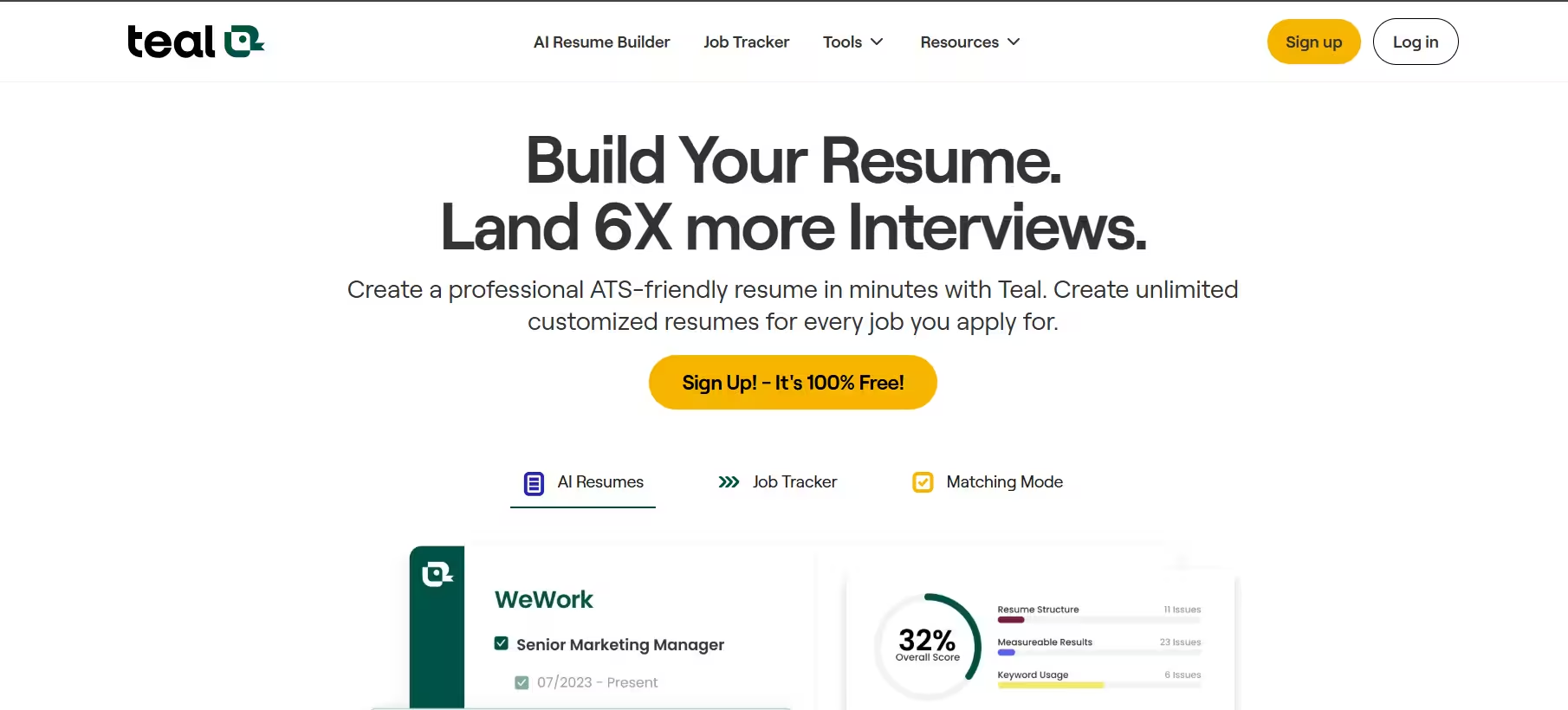

Teal launched as a resume builder. Today, it combines three core functions: resume creation, job tracking, and AI-assisted writing.
For example, users can attach a specific job posting to a resume, then use Teal’s matching tool to see how well their content aligns with that listing.
I’d rather have a template that passes ATS screening than one that looks impressive but never reaches a human recruiter, and Teal’s single-column, plain-text-friendly templates are built exactly for that trade-off.
Key Features
1. Resume Builder
Building multiple resumes used to mean juggling different files and losing track of edits. Teal solves that: users can create unlimited resume versions and export them as needed. Each version can be tailored to a specific role, so nothing gets lost when applying to multiple jobs at once.
When I tested the tool, I uploaded a sample resume and edited it using the Resume builder tools. This let me update the content and design, analyze it for suggestions, get matched to jobs and create a cover letter. The cover letter feature cuts down time spent on drafting a message that lets recruiters see how good of a fit I am.
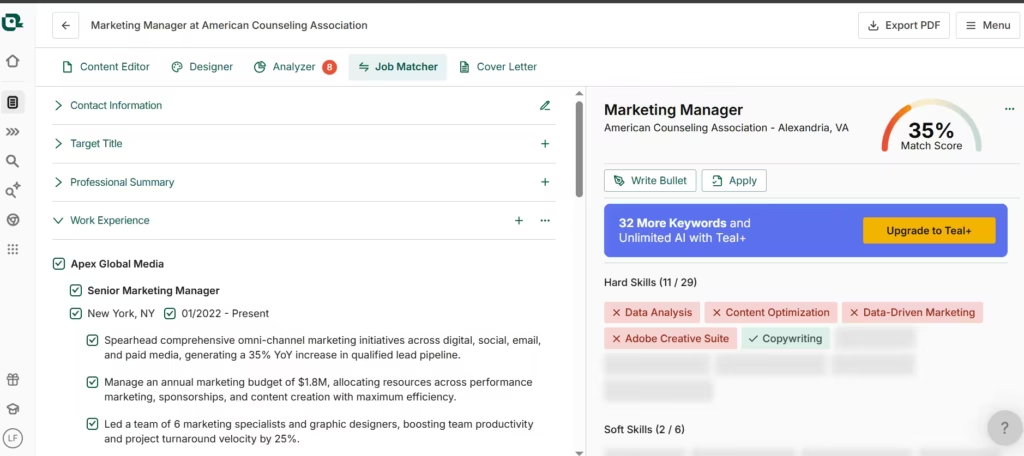
The job description matcher proved most useful: it flagged the exact keywords and skills missing from my draft, so I could fix gaps before hitting submit instead of guessing.
Building a resume is only half the job search battle; keeping track of where you’ve sent it matters just as much.
2. Job Tracker
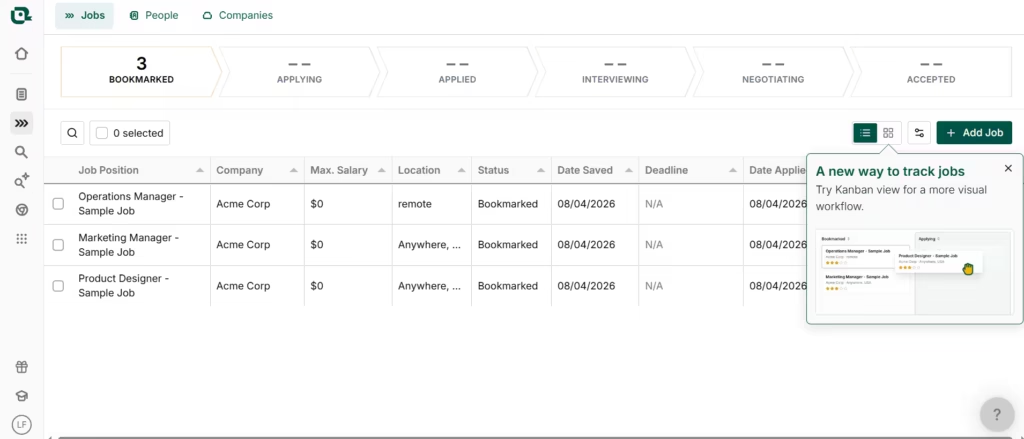
This helps to track numerous applications and see at a glance how many have moved down the job search funnel. That’s something I would have lost in email threads otherwise.
It presents as a spreadsheet dashboard, and one look at it tells me where I’ve applied to, who I’m interviewing with, who I’m negotiating with, and any offers I’ve received.
Beyond tracking applications you’ve already sent, Teal also helps you find new ones worth tracking in the first place.
3. Job Search and AI Job Search
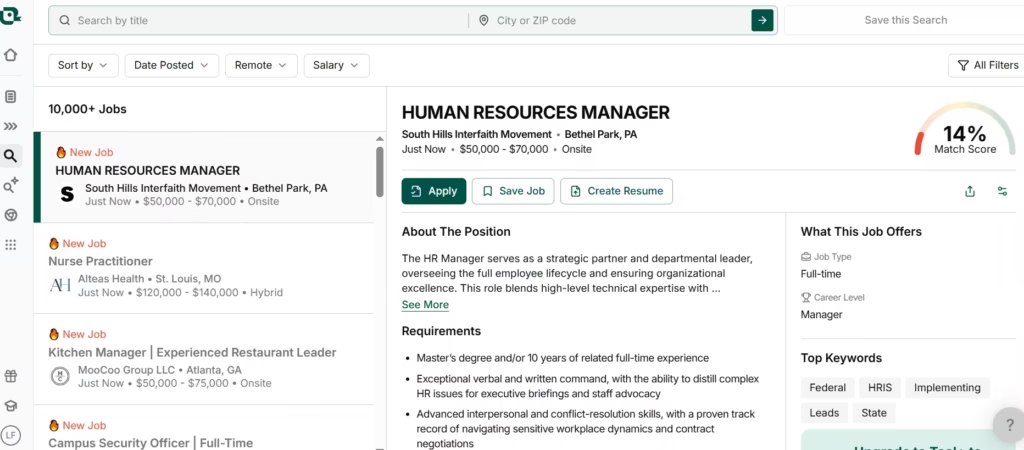
This is a job board that lets candidates sift through and apply to job ads they’re better matched with. Each job I checked out had a match score, which I loved. That made it easier to tell where I had a chance and where I shouldn’t waste my time.
Based on the CV (marketing-focused) I uploaded earlier, a job listing in Human Resources returned a low match score (13%), as expected. Marketing roles showed higher match scores, as expected (over 39%).
When sifting through jobs, I found that I could tailor my resume directly from the job ad. Just one click contrasted my CV with the job role and highlighted keywords and suggestions for a better application.
Finding the right jobs is one thing; following the right companies is another.
4. Company Tracker
I could manually add a company or import its details straight from LinkedIn, so I’d know when new openings surfaced without digging through each company’s careers page myself.
Companies don’t hire themselves, though; people do, which is where the contacts tracker comes in.
5. Contacts Tracker
If you’ve previously spoken with hiring managers and would like to follow up, this is the feature to use. All I had to do was save contact information ready for use for later.
The most unexpected feature turned out to be Work Styles, a self-assessment I didn’t know I needed.
6. Work Styles
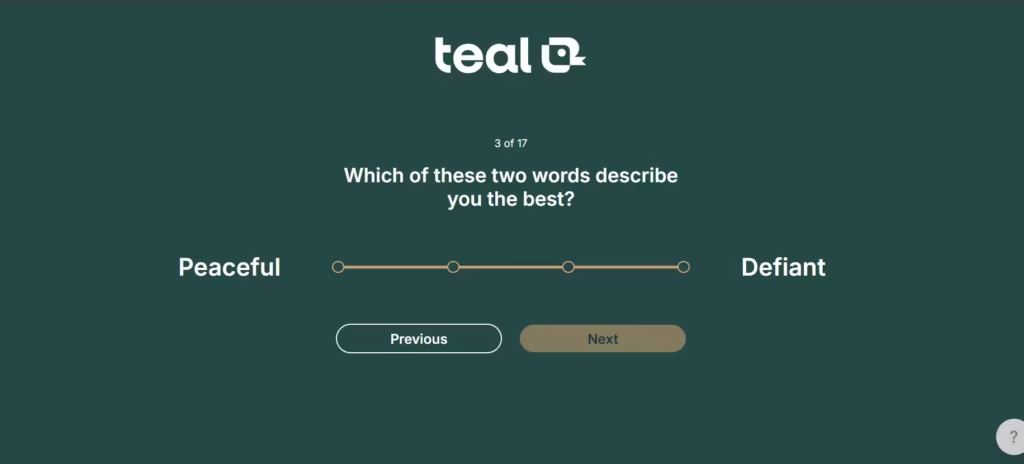
Teal had me take a quiz that essentially involved choosing a point on a spectrum of two opposing work traits. For instance, I had to pick a point between being ‘convincing’ and being utterly ‘agreeable.’ There were many others like that as well.
This struck me as a work personality test that reveals my strengths and any areas of improvement I have.
Should You Use Teal?
Use Teal if you’re managing applications to over 10 roles and need to tailor resumes fast. Skip it if you’re applying to 1-2 dream jobs where you’d rather invest time in a visually polished design from Canva or Enhancv.
Should you Use Teal?
Use Teal if you’re managing applications to 10+ roles and need to tailor resumes fast. Skip it if you’re applying to 1-2 dream jobs where you’d rather invest time in a visually polished design from Canva or Enhancv.