
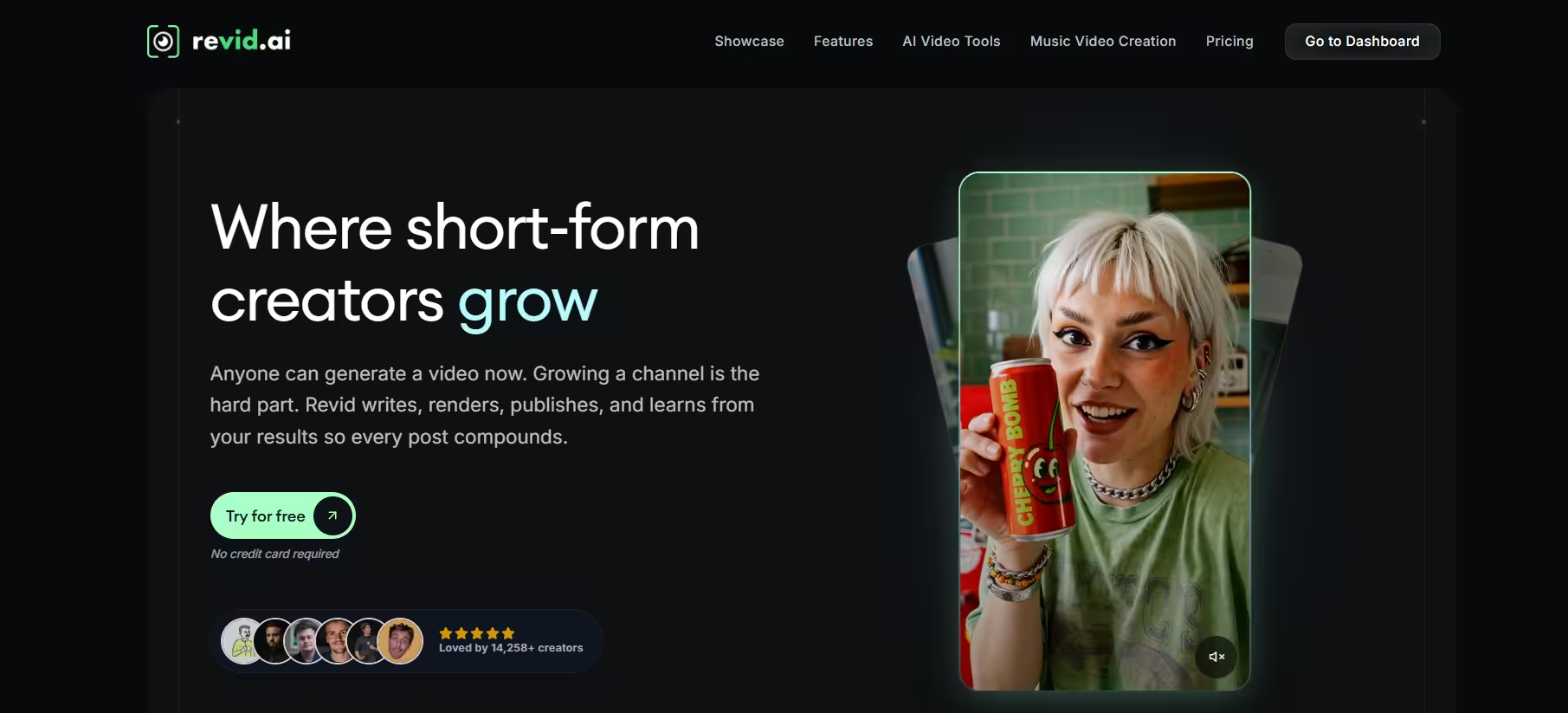


Revid AI launched as a pivot from an earlier tool called Typeframes. Tibo, who had already co-founded Tweet Hunter and Taplio, rebuilt it to help creators mass-produce short-form video without a full production team. Today, the company reports more than 240,000 videos generated by over 14,000 creators across 68 countries.
You provide a script, prompt, URL, or audio file, and Revid AI handles the script, visuals, voiceover, and captions from there. In my tests, a 30-second script-to-video generation took about six minutes, well under the hour or more a manual edit usually demands. That speed doesn’t always carry over to consistency, though,several outputs needed a full regeneration before they were usable.
Because the tool leans on AI-generated visuals, output quality varies between generations. Several G2 reviewers described inconsistent results, especially when reusing the same AI character across multiple scenes. Consequently, retries are common, and retries cost credits.
Still, the tool has wide coverage. It supports over 100 specialized tools, ranging from brainrot-style videos to real estate walkthroughs. That’s why most creators find at least one workflow that fits their niche.
Key Features
Most of Revid’s 100+ tools are niche, but these nine features actually determined whether the platform was worth the credit cost in my testing.
1. Multi-input video generation:
You can start from a typed prompt, an instrumental, a script, lyrics, a recording, a URL, an uploaded audio clip, or an existing social post. Revid AI then drafts a script and matches visuals automatically.
In my testing, I text-prompted the AI to make a vlog-style AI video. The video I got was more like a slideshow with a voiceover. Not bad, but different from what I wanted.
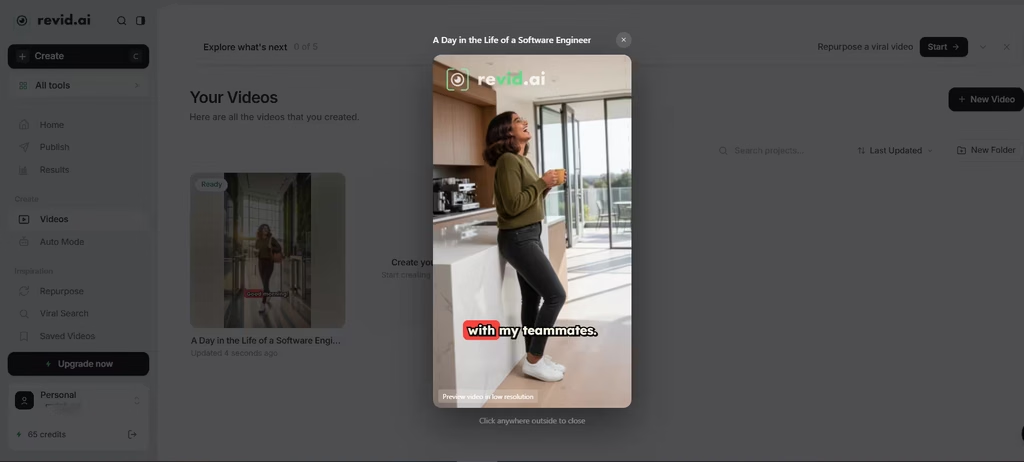
I liked that I had the option to edit the video manually or use AI. Just like any video editing timeline, I could adjust the script, shorten or lengthen scenes, and insert or delete scenes.
2. AI video and image models:
The platform integrates Google Veo3, OpenAI Sora 2, and tiered internal models (Base, Pro, and Ultra), so you can trade cost for quality depending on the project. Sora 2 renders look noticeably sharper than the Base model, but the credit jump makes it hard to justify for short-form volume work.
3. 70+ language voiceovers:
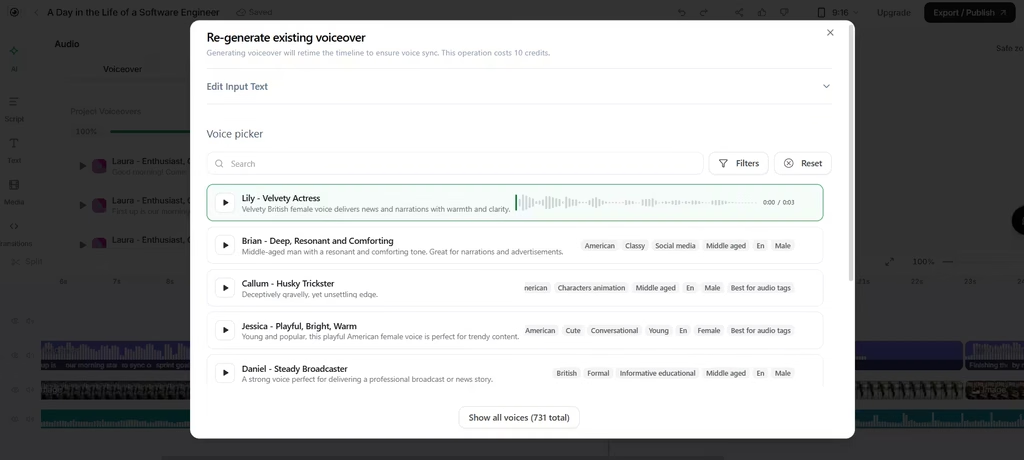
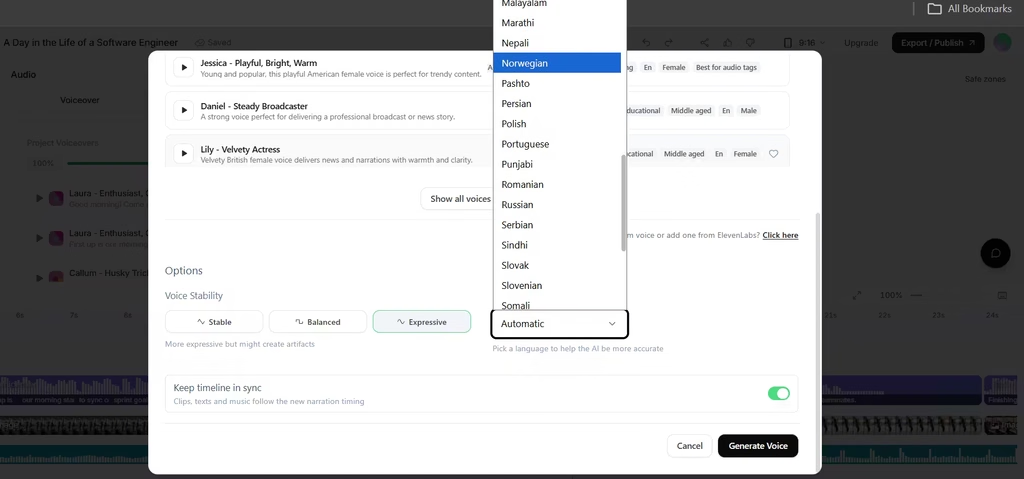
Powered by ElevenLabs, this feature lets you adjust gender, age, accent, speed, balance, and stability of the voice (731 options). I even had the option to make any voice expressive. This makes it flexible enough to use for content targeting a diverse range of audiences, especially international ones. The English voices sound close to natural, but a few of the less common languages I tested came across noticeably more robotic.
4. AI avatars:
These tools generate a presenter-style video without appearing on camera. However, this is a heavier-weight task and costs 149 credits.
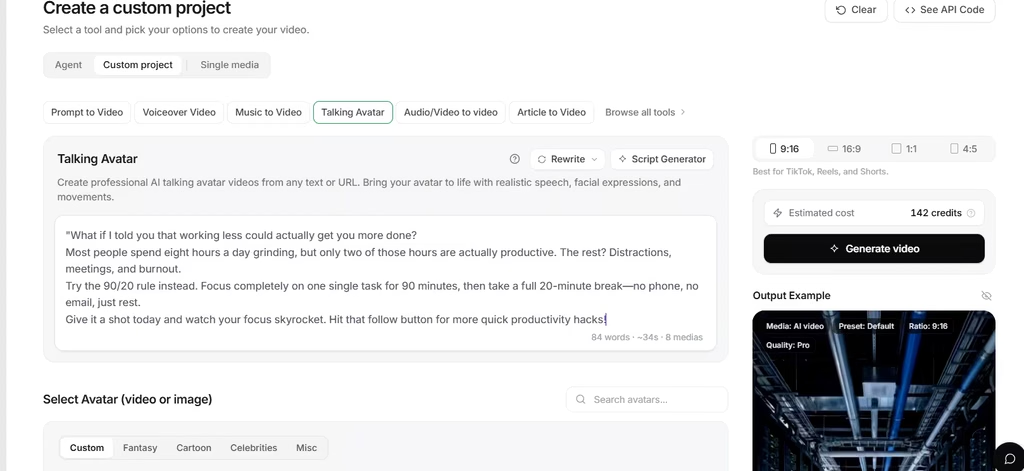
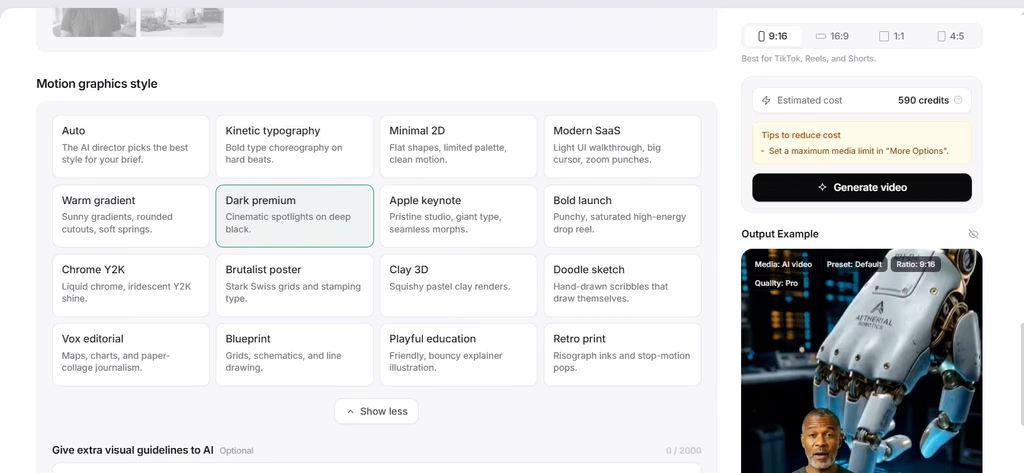
Add-ons like motion graphics move the cost to about 590 credits. As a rule of thumb, double-check before clicking generate to avoid excessive post-generation editing. The 149-credit base cost makes avatars impractical for daily use on lower-tier plans unless you’re willing to buy credit packs.
5. Music video generation:
Upload a song, and Revid AI syncs lyrics, visuals, and optional motion effects. However, character consistency across scenes remains a known limitation, based on multiple independent reviews.
6. Auto-Mode Workers:
This automation layer runs on autopilot, generating (and optionally publishing) new videos daily. Growth and Elite plans include 3 and 5 workers respectively, while Ultra includes 10. For caution, I would still include human oversight at the initial stage before I trust the AI to truly work alone.
7. Direct publishing:
Once a video is ready, you can publish straight to TikTok, YouTube, or Instagram, or schedule it for later. As a result, you skip a separate scheduling tool entirely. Scheduling worked reliably in my tests, though the posting window options are more limited than a dedicated tool like Later or Buffer.
8. Built-in timeline editor:
Every generated video opens in an editor where you can adjust pacing, swap clips, regenerate scenes, and switch caption styles. It won’t replace Premiere Pro, but it covers most short-form editing needs. It’s serviceable for trims and caption swaps, but frame-accurate adjustments still take more clicks than I’d like.
9. Developer access:
A public REST API, an MCP server, and an npm CLI let developers or AI agents render videos programmatically. This is unusual among consumer-facing video tools, so it’s a good differentiator for technical teams. This is an advantage for technical teams, though most solo creators will never touch the API.
Should You Use Revid AI?
Revid AI is a good pick for creators who publish short-form video regularly and don’t mind managing a credit budget. One thing I really liked about Revid AI is how each feature/editing control branches out to others.
This gives granular control over the outcome. Also, if the options are too much to deal with, you can switch to AI and ask it directly for the edit you want. The main caveat here is the credit system, which doesn’t give room for much experimentation given how high costs could soar.
Heavy users on lower tiers often burn through their allotment faster than expected, and retries after inconsistent generations add up quickly. Compared to Pictory and InVideo, which charge less for basic text-to-video output, I don’t think Revid’s credit pricing is unfair, it’s just built for a different job, and you’re paying for the avatar, music-video, and automation depth those tools don’t offer.
For most solo creators and small teams, the Growth plan is the sweet spot , it covers the automation and voiceover range that make Revid AI worth using. If you’re an agency managing multiple clients, go Ultra; the extra Auto-Mode workers offset the higher monthly cost. If character consistency matters more to you than speed or automation, skip Revid AI entirely and use Synthesia instead.