


thinkcell has long been the leading presentation creation software for professionals across top-tier industries like management consulting, investment banking, and business strategy.
Since the introduction of its ai-powered presentation software, thinkcell provides everything professional PowerPoint and Excel users need to create presentations for high-stakes boardrooms that demand immaculate, error-free slides and data visualizations.
Over 1,300,000 professionals across 30,000+ companies worldwide rely on thinkcell and its AI presentation workflows that streamline and automate their slide creation, without compromising on the quality and accuracy needed to drive business decisions.
thinkcell saves users time by automating many manual processes and bringing generative AI directly into the presentation environment where professionals work.
By combining generative AI with proprietary algorithms, thinkcell creates a workflow that minimizes mouse-clicks, cuts bottlenecks, and eliminates app-switching. thinkcell has been proven to increase productivity and save experts up to 70% of their time, freeing up bandwidth for more impactful analysis and critical thinking.
Key Features
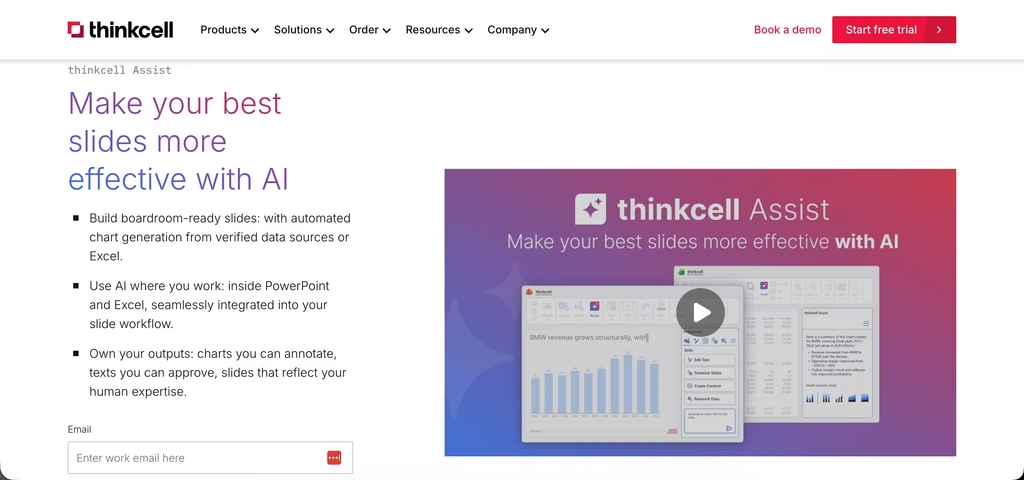
- Integrated presentation AI tools (thinkcell Assist): thinkcell Assist gives professionals the power of AI directly inside Excel and PowerPoint, enabling them to analyze datasets via chat, automatically build thinkcell charts, refine copy, generate slide action titles, and quickly translate entire presentations into over 70 languages.
- Advanced data-driven charting: Users can generate over 40 highly complex chart types that are central to high-stakes decision-making, including Mekko, waterfall, Gantt, and stacked bar charts, all with automated annotations, linked to Excel and customizable to the users’ needs.
- Live Excel data syncing: thinkcell lets users establish bidirectional, robust links between Excel and PowerPoint, meaning that any spreadsheet update can be automatically reflected in a PowerPoint chart, text box or other object. The slide matches the data and users don’t have to worry about copy-paste errors.
- Extensive presentation library: thinkcell helps professional teams start building faster by letting them easily share and instantly find their best slides, as well as providing access to over 250 consulting-grade slide templates and millions of high-quality stock photos and icons.
- Automated layout: When text boxes expand or new categories are added to a chart, thinkcell’s intelligent layout system ensures that surrounding shapes, tables, and labels automatically resize and snap to perfect alignments.
- Strict corporate brand compliance: Organizations can upload customized style configuration files to enforce standard company fonts, color palettes, and geometric restrictions that are automatically distributed across all teams.
Pros
- Provides AI tools that are purpose-built for professionals and work with traceable, formula-based tables so that all on-slide charts are based on robust, verifiable data.
- Automatically calculates and displays complex chart annotations such as Compound Annual Growth Rates (CAGR), absolute difference arrows, and percentage totals, without requiring manual formulas or adjustments when data changes.
- Eliminates the need for grueling manual adjustments to text formatting, arrow shifting, or dimension scaling, saving hours per deck.
- Works as a fully integrated tool within PowerPoint and Excel where professionals do their best work. Users never have to leave the presentation environment or break their established workflow to use thinkcell features.
- Ensures compatibility across platforms and Windows/Mac operating systems, with presentations created with thinkcell remaining accessible as standard PowerPoint slides for any clients or colleagues who do not have thinkcell installed.
Cons
- While slides built with thinkcell can be viewed using Microsoft Office web apps, editing presentations with thinkcell is only possible in the desktop versions of PowerPoint and Excel.
- Because thinkcell’s automation is purpose-built for business slides, non-professional users may find the enforcement of standardized, consulting-grade slide layouts somewhat restrictive.
Who should use it?
thinkcell is explicitly engineered for professional environments where data accuracy and presentation turnaround speeds are paramount.
thinkcell is the undisputed industry standard for management consultants, investment bankers, and corporate strategy analysts who frequently build performance reports, market evaluations, and financial pitches.
Additionally, business intelligence specialists and project managers who regularly track timelines in Gantt views or report on complex metrics will find thinkcell indispensable for ensuring clear communication with their stakeholders.
Pricing
thinkcell utilizes a transparent, tiered annual leasing structure, based on the total volume of individual user licenses required by an organization.
| Number of users | Estimated cost per user/month |
| Basic (1 – 4 users) | $28.60 |
| 5 users | $25.40 |
| 10 users | $24.20 |
| 25 users | $22.10 |
| 50 users | $20.60 |
| Enterprise tiers (50+ users) | Custom quote |
Commercial tier: Standard commercial access starts at $28.60 per user per month, and is billed on an annual cycle. Multi-seat volume discounts are available for larger deployments.
Academic tier: The platform provides free, fully functional software licenses to validated university students and teaching staff through its dedicated portal.
