
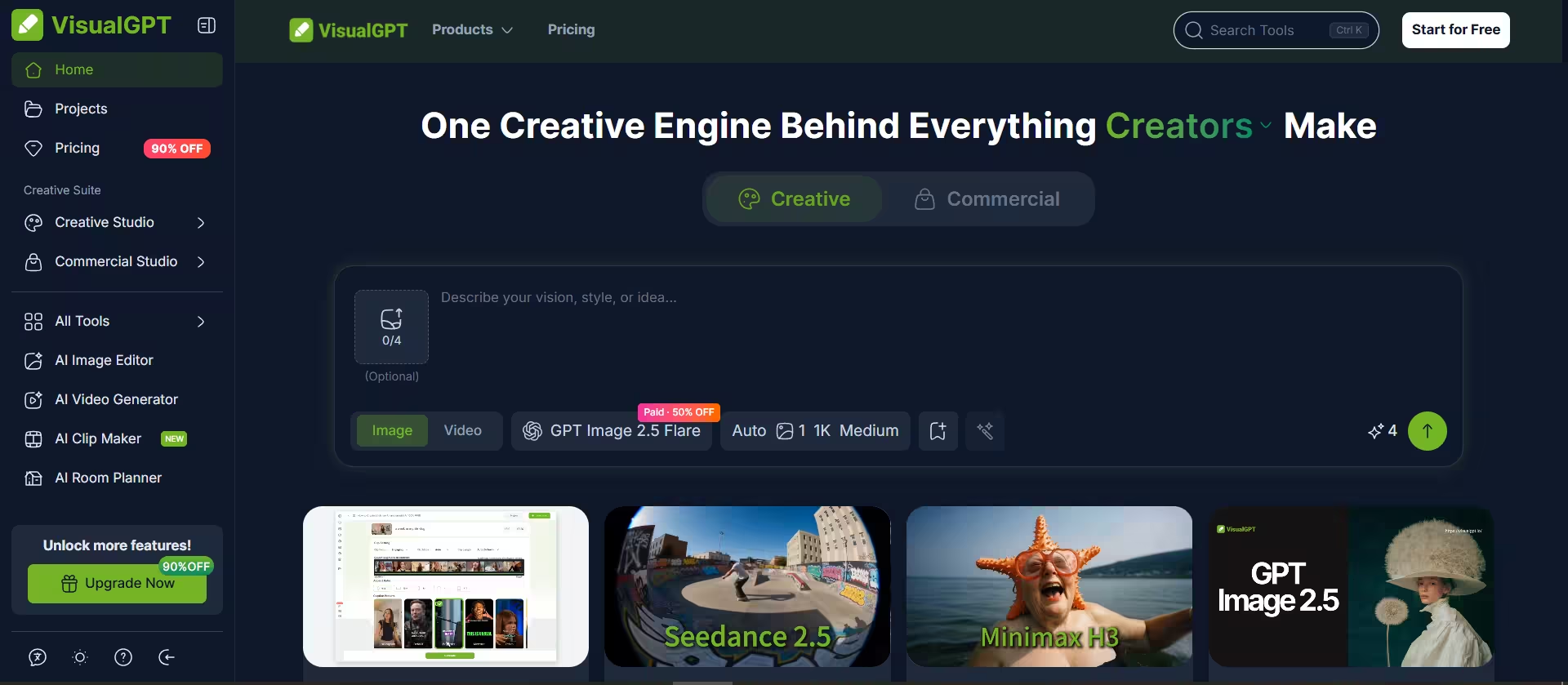


VisualGPT is a credit-metered aggregator that employs third-party AI models. It then routes your text or image prompts to third-party AI image and video models. It has access to models such as GPT Image 2, Nano Banana Pro, Seedance, Seedream, Kling, Midjourney, Flux 2 Pro, Veo 3.1, and Wan 3.0.
One login gives you many models without a separate subscription for each. Credit charges vary based on the nature of the prompt and the AI model involved. As a result, you can pick a cheaper model for drafts and a pricier one for final renders.
Key Features
1. AI Image Editor and Generator
One storefront prompt burned 80% of my free daily allowance, so budget your credits before you start. I picked a model, Seedream 5 Pro and typed in a prompt for an e-commerce storefront.
That cost me 8 credits out of my daily 10-credit allowance (each model carries its own price). Nano Banana costs 4 credits per image, Nano Banana Pro costs 15 or 25, and Seedream 5 costs 8. The same 8 credits would have bought two Nano Banana images at 4 credits each.
Furthermore, GPT Image 2.5 costs less on paid plans. A high-quality 1K image costs 12 credits on free versus 6 on paid.
The output matched my prompt closely.
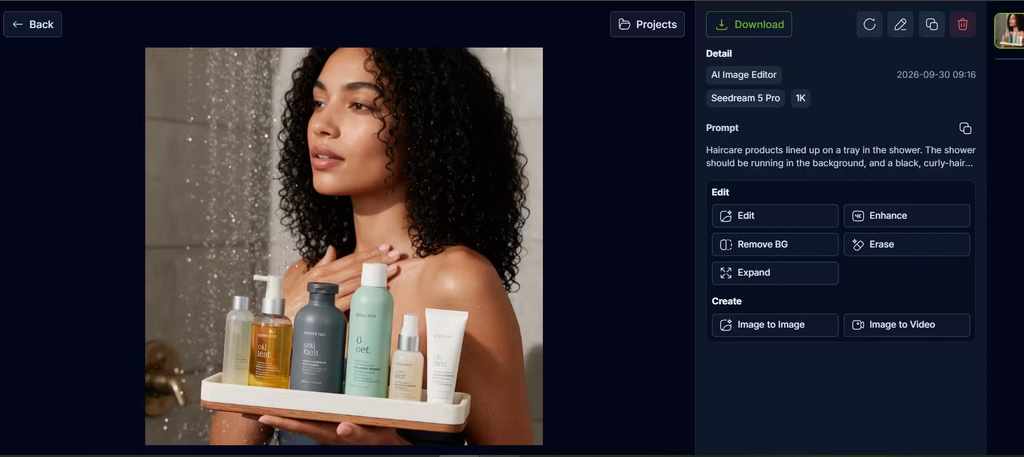
The AI captured every detail I had included in the prompt, with options to edit and upscale the image. There were also no obvious AI giveaways, making it an image that wouldn’t look out of place on an online store’s homepage.
2. Utility Tools
Cleanup edits are among VisualGPT’s cheapest features, so I tested them next. Background removal and upscaling cost just 1 credit per image. Object removal runs 1 to 4 credits, and watermark removal runs 1 to 2.
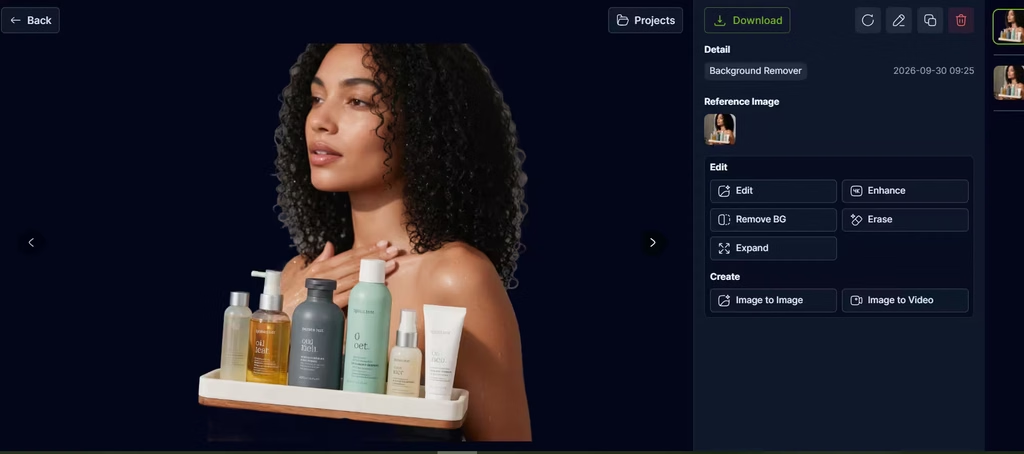
Ten free daily credits cover ten background removals, which makes cleanup the most practical way to spend a free allowance. I tested background removal, which can be tricky for many AI generators when hair is involved, since hair strands appear to blur into the background.
However, VisualGPT handled this task well, which is a great result for just 1 credit. It produced a crisp cut of the image subjects without intrusion of background elements.
Also read: The Best Tools for AI Photo Editing
3. Portrait Tools
Portrait results can vary with angle and lighting, according to AI Imagine’s review. The suite includes a Hairstyle Changer, Clothes Changer, Pose Generator, and Headshot Generator. The Hairstyle Changer costs 4 credits per image.
Although, it’s not uncommon for the AI to glitch and produce seams across hairstyles in the Hairstyle changer. Given that, I’d treat it as a preview tool, not a finishing tool.
4. Room and Design Tools
This category covers room design, exterior design, landscaping, kitchen planning, and paint color previews. Most cost 4 credits per image. One Product Hunt reviewer praised the style variety, yet asked for furniture measurements.
I agree with the Product Hunt reviewer that the lack of furniture dimensions makes it hard to translate the renders into actual purchases. That’s because a render you can’t size is hard to shop from.
5. Video Generation
VisualGPT bills video per second. Kling 3.0 at 720p costs 10 credits per second without audio and 16 with audio. Therefore, a 10-second silent clip costs 100 credits, which equals the Starter plan’s monthly allowance.
In my view, that pricing makes video impractical for free users, since a full day of free credits buys about one second of 720p Kling video. For a benchmark, Runway’s free plan includes 125 one-time credits. However, credits aren’t interchangeable across platforms, so compare cost per second, not credit totals.
6. AI Clip Maker
Paste a video link or upload a recording. The tool then cuts vertical clips, adds captions, and scores each clip. You control Clip Focus, Clip Mode, Clip Length, and caption style. Five aspect ratios are available: 9:16, 16:9, 3:4, 1:1, and 4:5.
7. Free Visual Tools
AI Visual Card, Mind Map Maker, Flowchart Generator, and Infographic Generator currently cost no credits. Still, the credit policy says exemptions follow product strategy, so they may change.
8. Batch Editing and Commercial Rights
Paid plans process 10 images per task. Paid outputs may be used commercially, subject to VisualGPT’s Terms and model restrictions. Those rights remain valid after you cancel.
Is VisualGPT a Great Pick?
Yes. I’ll choose VisualGPT over alternatives like Replicate and Leonardo.ai because it gives me more picks of AI models for image-focused and project-based work. One login reaches models such as Seedream, Nano Banana, and Flux, and credit packs let you skip a fixed monthly bill.
In my testing, the storefront render and the background removal both came out usable. VisualGPT wins when one project needs several image models, and you don’t want a monthly bill, since lifetime credits never expire and paid outputs carry commercial rights.
Skip it if you make video often. A 10-second silent Kling 3.0 clip at 720p costs 100 credits, which equals the entire monthly Starter allowance. The free allowance is also small, and the tools offer little control for precise, local edits. For video-first work, Runway is the stronger fit, since it offers its own Gen-4.5 video models.
If that trade-off works for you, start with the free credits. Then buy a subscription for steady use or a credit pack for occasional bursts.