
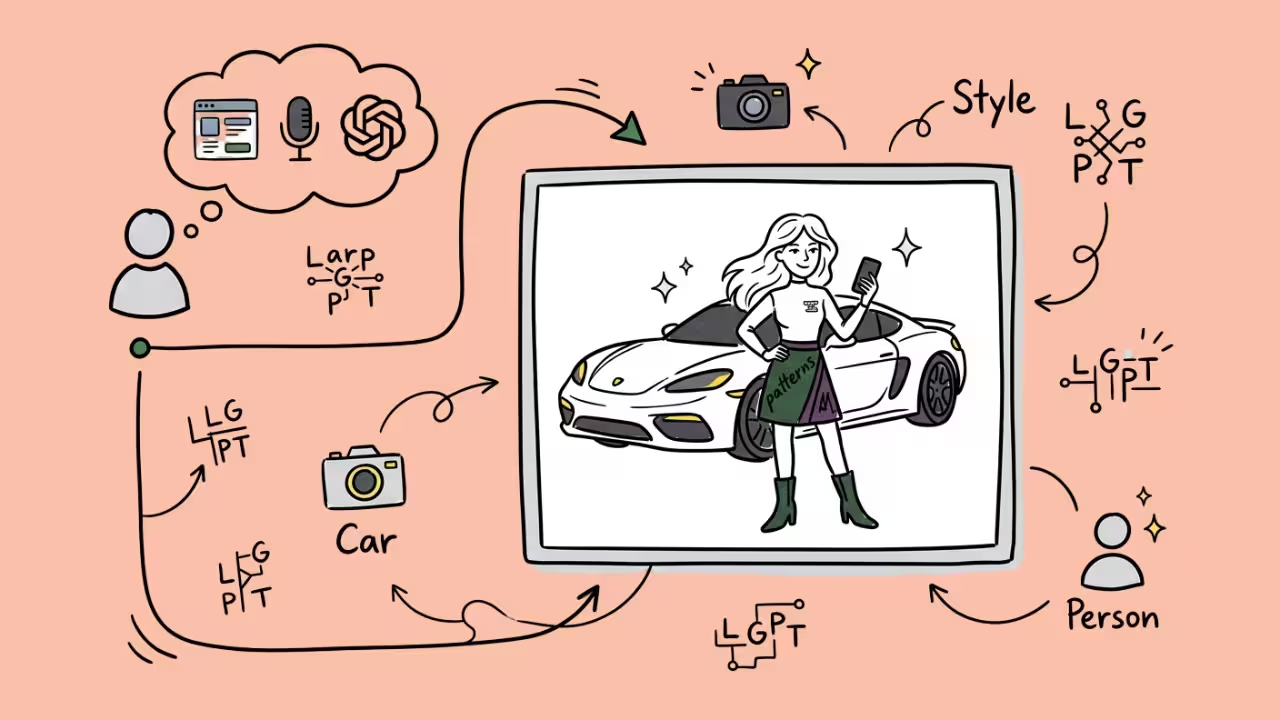

LarpGPT turns an ordinary selfie into a luxury ‘flex’ photo. Picture yourself leaning on a Lamborghini or boarding a private jet, when really you never left the couch. So how does LarpGPT work? This guide walks through the process step by step. It also covers the AI behind it, the Gemini prompt version of the trend and associated risks.
What Is LarpGPT?
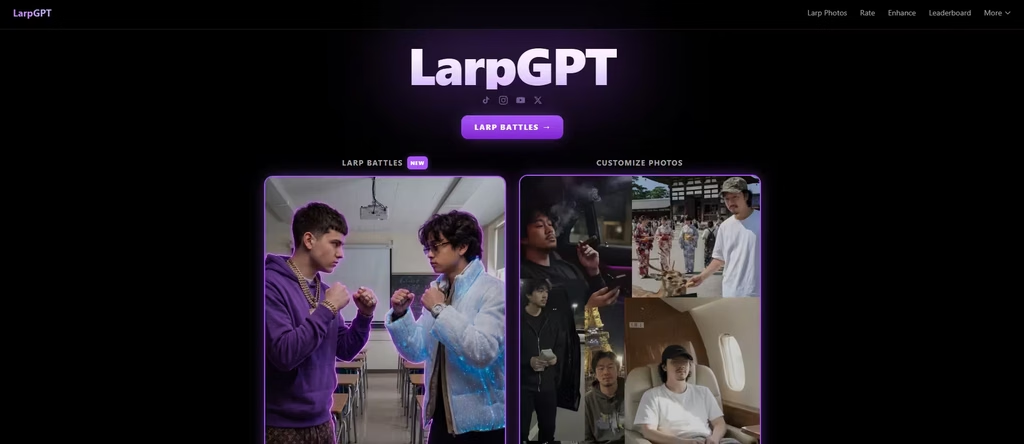
LarpGPT is an AI photo tool. You choose a preset scene, upload a selfie, and get a finished image of yourself in that setting. The app’s own terms describe it as an application that generates face-swapped images and videos by placing your likeness into pre-designed scenes.
What ‘Larp’ Means Online
The word has two meanings. LARP originally stands for live action role-playing, a game where participants physically act out their characters. Online, the meaning shifted. As slang, ‘larp’ describes someone who is fake or performative, much like a ‘poser.’ LarpGPT borrows that slang. You play a richer version of yourself, and the AI supplies the scenery.
Other Tools
Several products use ‘LarpGPT,’ so searchers often land on the wrong one. There are three examples:
The photo app. This is the selfie-and-scene tool at larpgpt.com, and it is the main subject of this article.
A browser game. A separate site called LarpGPT is a browser-based game where you earn fantasy ‘larp bucks’ by running hustles and spend them on cars and watches. That game has nothing to do with selfies.
A tabletop helper. ‘NERO LARP GPT’ is a custom GPT that parses rules data for the NERO live-action role-play system, and it requires ChatGPT Plus. It is unrelated to luxury photos.
SeaArt also runs its own LarpGPT template page. That page lets you copy scene prompts, upload a selfie, and generate results inside SeaArt’s tools. It is a separate product from larpgpt.com.
How Does LarpGPT Work, Step by Step?
1. Choose a Scene
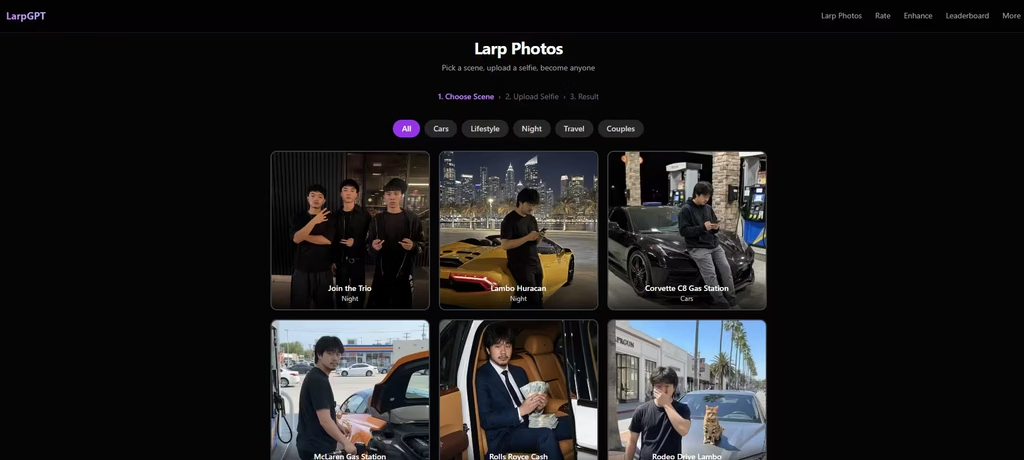
First, you browse the catalog. Scenes fall into Cars, Lifestyle, Night, Travel, and Couples. Popular examples include a Lamborghini Huracán night shot, an NYC helicopter ride, a penthouse party, and a Colosseum night view. As of September 30, the homepage displays 12 featured scenes with a library link labeled ‘160+ more scenes,’ giving a total of roughly 170 templates.
2. Upload a Clear Selfie
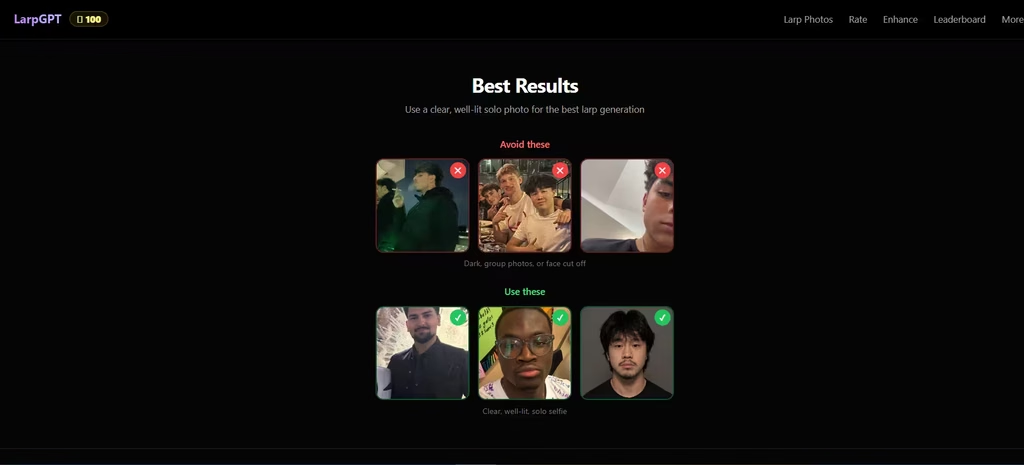
Next, you upload one photo of yourself, and the app is blunt about what works: a clear, well-lit, solo selfie. Dark photos, group shots, and cropped faces all tend to go badly. The app may struggle with side-profile selfies, producing warped facial proportions. So, follow its image advice. The AI can only match a face it can see.
3. Generate and Save
Then the AI builds the image. It places your likeness into the chosen scene. After uploading a clear selfie, the generation will take about 15 seconds on SeaArt’s version, and it downloads without watermarks. That claim belongs to SeaArt, not to larpgpt.com. Also note that LarpGPT features require a paid subscription.
What Technology Powers LarpGPT?
1. Reference Photos Plus Text Prompts
These tools combine two inputs. One is a reference photo of you. The other is a written description of the scene. SeaArt’s templates show this, and each one tells the AI to use the uploaded selfie as the face reference, then places the person in a detailed setting such as Rodeo Drive beside a Lamborghini.
Modern image models reflect this. Google’s Gemini 2.5 Flash Image, nicknamed ‘nano-banana,’ can blend multiple images and keep a character consistent across scenes. Its developer documentation shows a model receiving a text prompt and an image together. LarpGPT’s workflow follows the same logic: one face, many scenes.
2. AI Model
LarpGPT’s public pages never name the model behind the app, so any answer takes some digging. The terms only call the output ‘face-swapped’ content. SeaArt is more specific. Its page says its version is powered by GPT Image and uses face-swap technology. Treat any claim about larpgpt.com’s model as unconfirmed.
Also read: SeaArt AI Review (2026)
Why the Photos Look Real
The prompts describe wealth but also imperfection. SeaArt’s templates repeatedly request a natural iPhone look, a candid pose, and slightly messy lighting, and they ask for something that does not look like a studio photo.
Many scenes also pair a luxury item with an ordinary setting, such as an exotic car at a gas station. That contrast sells the effect: polished images look staged, and casual snapshots look believable.
How Does the Gemini and ChatGPT Prompt Version Work?
Before LarpGPT became an app, young creators were already larping in Lambos with shared Gemini prompts. According to Social Growth Engineers, one creator then packaged the idea into an AI wrapper called LarpGPT. That report dates to March 2026.
The do-it-yourself method involves uploading your photo to Gemini and pasting a scene prompt that specifies the location, clothing, and lighting. Content creators quickly hopped on the trend and spread prompts and how-tos.
TikTok search results for ‘larp gpt prompts’ show videos tagged #gemini that promise free prompt collections. The wrapper apps save you the prompt writing. You pick a scene, and the prompt is already built.
Can People Tell the Photos Are AI?
Sometimes they can, and sometimes they can’t. I showed my friends an unlabelled LarpGPT image and asked if it looked real. Most believed it, but a few spotted the AI artifacts.
Although impressive, AI models are imperfect. Replicate’s model page notes that small faces and fine facial details can lack precision in Gemini 2.5 Flash Image. Crowded group shots make this worse.
AI images can also be detected because hidden labels exist, but they don’t always survive. Google says every image created or edited with Gemini 2.5 Flash Image carries an invisible SynthID watermark. OpenAI likewise uses SynthID watermarks alongside C2PA Content Credentials on images from ChatGPT, Codex, and its API. However, metadata can disappear.
OpenAI’s help center says platforms, editing tools, or file conversions can sometimes remove C2PA data. That’s the catch: a clean-looking file tells you nothing, and a repost or a file conversion can erase the label entirely.
Regulations and Associated Risks
1. Permitted and Prohibited Use
LarpGPT bans deepfakes for fraud, deception, or impersonation. It bans using another person’s likeness without permission. It also bans presenting AI-generated content as real photographs. In my view, that last rule sits awkwardly next to a trend built on photos that look real, and it puts the burden on you to keep the joke obvious. In practice, use your own face only. Do not pass the results off as genuine.
2. Disclosure
The terms recommend clearly disclosing when shared content is AI-generated. A short ‘made with AI’ caption protects your credibility. It also keeps the joke a joke.
3. Photo Privacy
Users keep ownership of uploaded photos and grant a limited license to process them only for generating face-swapped content. The terms also say photos are not used to train AI models, and users can delete their accounts and data from profile settings. Those are the company’s own statements. Read the full terms before uploading your face to any AI service.
4. Age Limits
The app requires users to be at least 17.
So, How Does LarpGPT Work?
You select a luxury scene, upload a clear selfie, and let an AI image model place you inside it. Carefully written prompts add the casual, phone-snapshot realism that makes the results convincing.
In my view, LarpGPT is a harmless flex-culture joke right now. But it also normalizes the idea that photos are negotiable, and that has consequences once people stop questioning what they see. Enjoy the trend if you like, but protect your privacy. Label your images as AI-made, and never use them to fool people.
FAQs
1. Is LarpGPT Free?
It depends on the platform. SeaArt says it gives users free stamina to try its tools. LarpGPT’s terms state that some features require a paid subscription. Check the current pricing page before you commit.
2. Does LarpGPT Work with Group Photos?
Not well. The official guidance lists group photos among the inputs to avoid.
3. Is LarpGPT the Same as a ChatGPT Prompt?
No. The prompt method uses a general chatbot. However, the core idea is the same: a reference photo plus a scene description. LarpGPT packages scenes, uploads, and battles into one app.
