
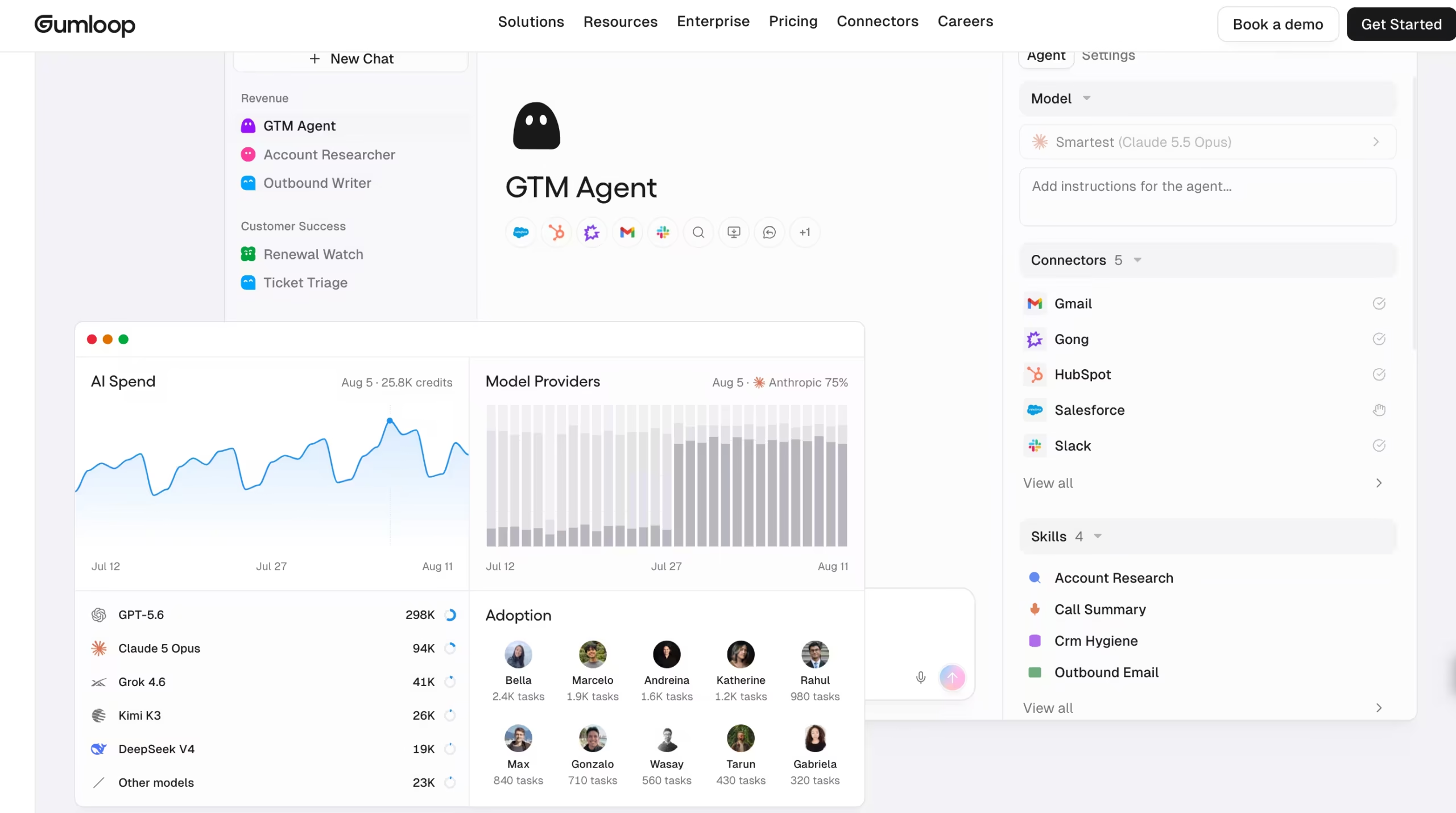

I signed up for the Pro plan with the 14-day trial and built five agent tasks over two weeks: a competitive research brief, an SEO brief generator, a candidate screening agent, a support ticket classifier, and a Google Drive file processing trigger.
The first thing you notice is Gumball, not a canvas or flowchart editor.
The homepage is a chat interface flanked by your calendar, recent tasks, and connected apps.
Gumball has its own email address ([email protected]), a phone number for SMS, and Slack integration.
Built-in routines like Daily Chew (a morning briefing across your connected apps) and Meeting Prep (pre-meeting context pulled from email, Slack, and CRM) run automatically. The platform wants you to talk to an agent, not draw a flowchart.
The building blocks are Skills, Connectors, and Brain. Skills are reusable plain-language instructions that tell Gumball how to handle a task type.
You create them by chatting with the Skill Creator, uploading reference files, or writing instructions manually. Connectors hook into your apps.
Brain indexes your company knowledge across Notion, Google Drive, Slack, GitHub, Confluence, and 180+ other sources so agents can search it and cite where answers come from.
Gumloop was founded in San Francisco and raised a $50M Series B led by Benchmark. Customers include Gusto (which reported $1.5M+ in additional ARR within three months), Instacart, Samsara, and Shopify.
The platform is SOC 2 Type II certified, GDPR and HIPAA compliant, with ISO 27001, PCI, and FedRAMP on Enterprise.
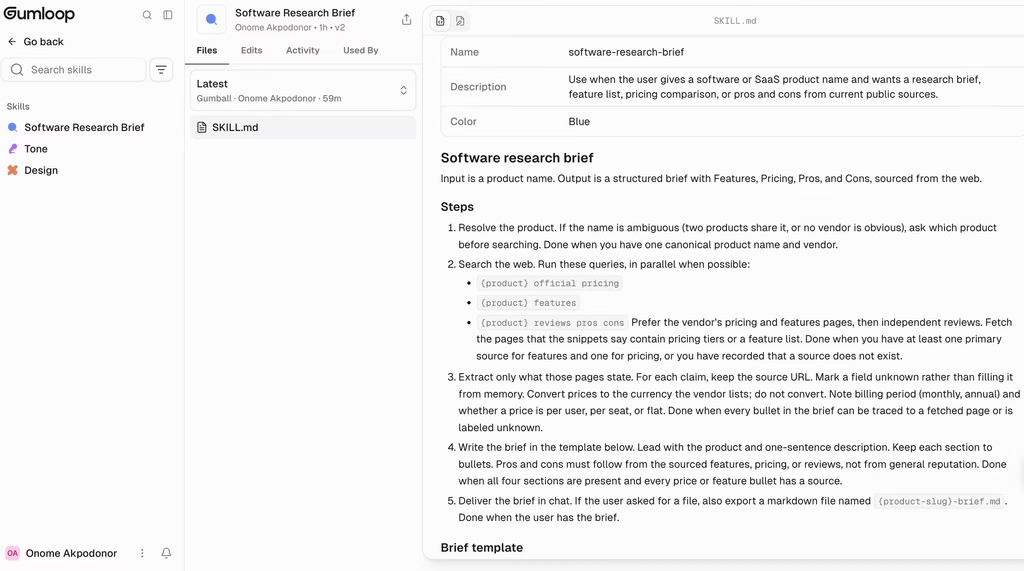
To test the Skill Creator, I asked it to build a competitive research skill: take a software name, research its product, pricing, pros and cons, and return a structured brief.
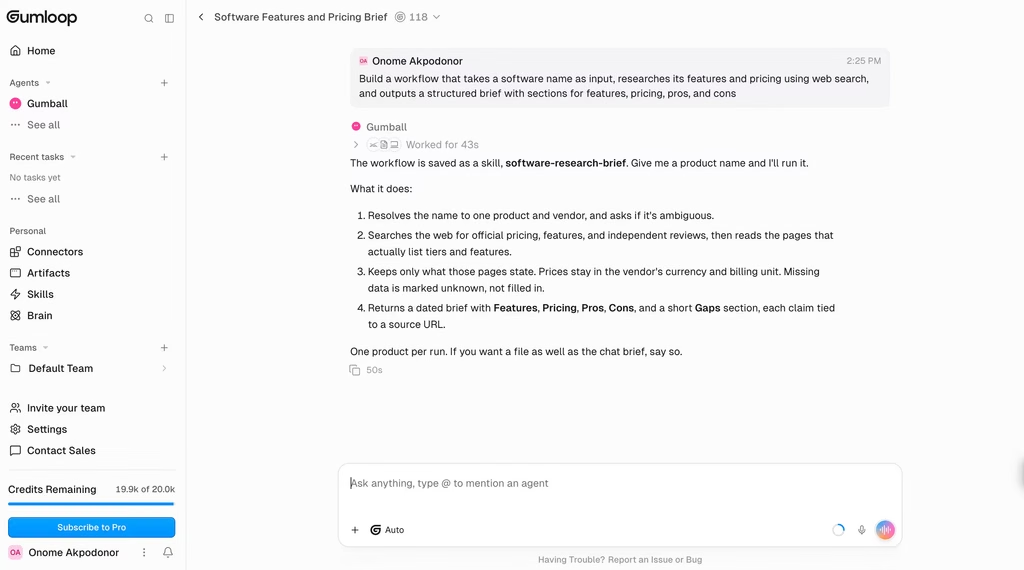
It used Grok 4.7 under the hood, asked me clarifying questions about output format and depth, and produced a working skill that ran for about 27 credits on its first try.
My five tasks consumed a combined 4,200 credits over two weeks, with the candidate screening agent eating 1,800 credits due to advanced model usage.
Execution times ranged from 4 seconds for classification to 90 seconds for multi-step research with web scraping.
Key Features
1. Agent-First Interface with Gumball
Gumball is the central agent you interact with from the moment you log in. It operates in the cloud continuously, meaning it can work while you are offline. You reach it through the Gumloop app, Slack, email, or SMS.
It pulls context from your connected apps, calendar, and knowledge base to handle tasks proactively.
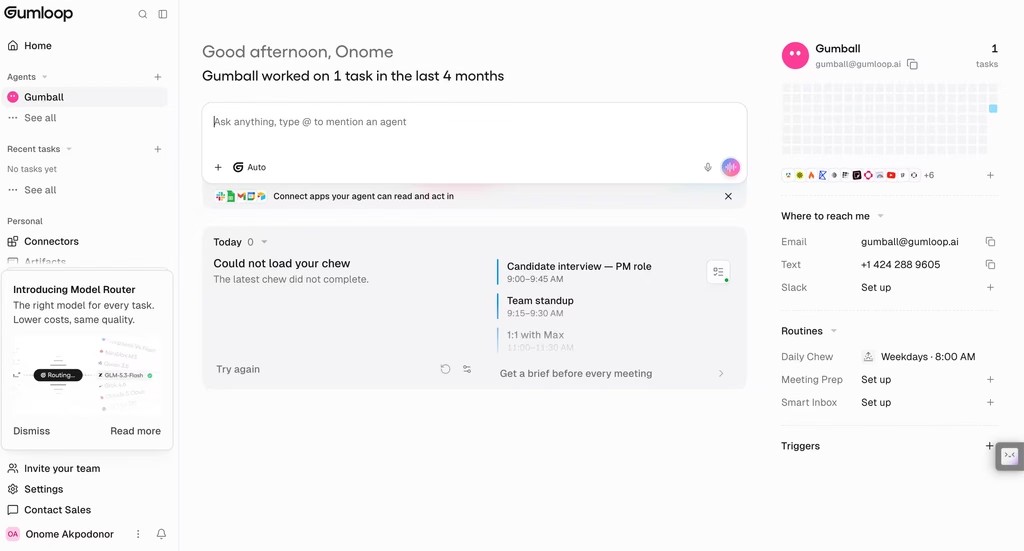
The Daily Chew routine delivers a morning summary of what happened across your tools overnight. Meeting Prep scans your calendar and assembles context briefs before each call.
Smart Inbox labels incoming emails and drafts replies matching your communication style. The pitch is that Gumball should feel less like a tool you open and more like a coworker who already read everything before you sat down.
2. Skills: Reusable Agent Playbooks
Skills replaced the old node-based workflow builder as the primary way to define what Gumball does.
Each skill is a set of plain-language instructions that tells the agent how to complete a specific task type.
You create them three ways: conversationally through the Skill Creator (the agent asks clarifying questions and builds the skill with you), by uploading reference files the agent learns from, or by writing instructions manually in a name-description-instructions form.
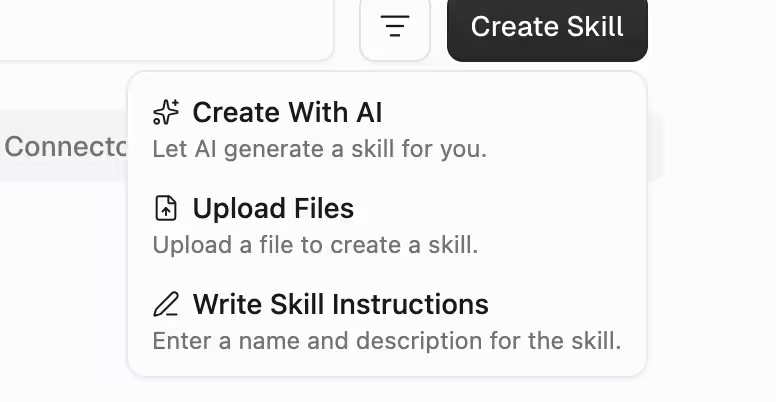
Agents can also write, edit, and improve their own skills over time, reviewing their work and suggesting refinements for human approval.
Skills support permission levels (edit, view, use-only) for team-wide sharing, and the platform tracks version history with timestamps, attribution, and diffs.
3. Multi-Model AI Integration
Gumball selects from 35+ models across OpenAI, Anthropic, Google, DeepSeek, and others.
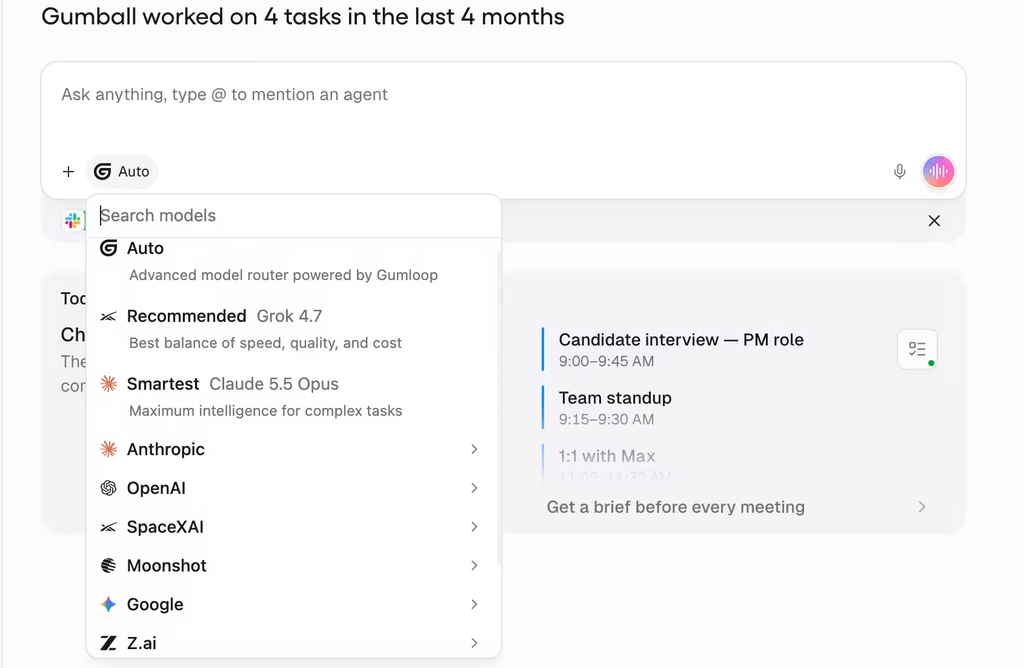
The Model Router automatically picks the optimal model for each subtask based on complexity, optimizing for both performance and credit cost.
During my testing, I watched Gumball switch between Grok 4.7 for skill creation and other models for research and classification within the same session.
You can override the automatic selection and pin a specific model when you need predictable credit consumption.
Having access to Claude, GPT, Gemini, and Grok within the same agent without switching platforms or managing multiple API keys is a real convenience.
4. Brain: Centralized Knowledge Indexing
Brain connects to your team’s knowledge sources and makes them searchable by agents. It supports Notion, Google Drive, Slack, GitHub, Confluence, Zendesk, and 180+ other connectors.
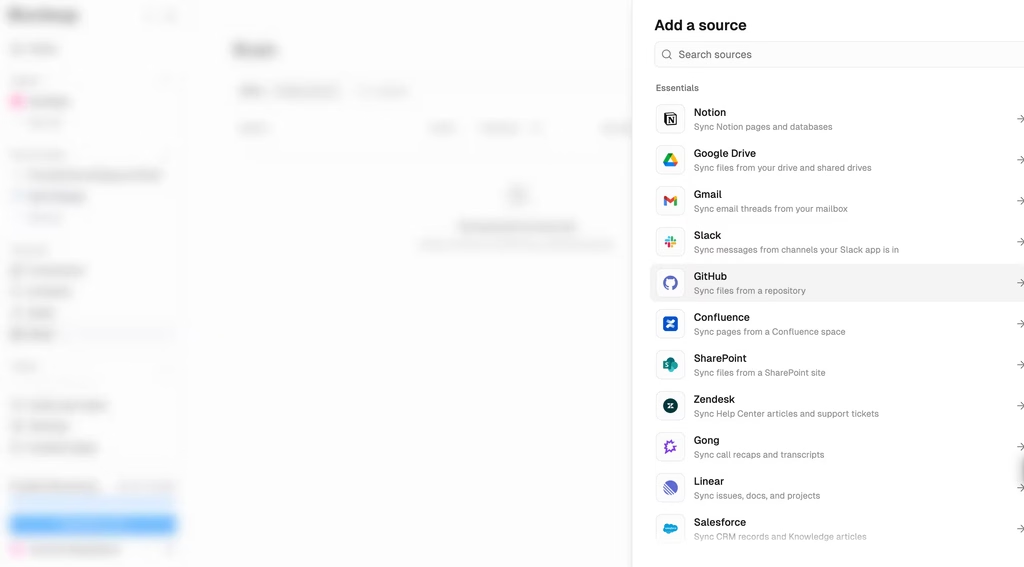
The system indexes content using semantic search (meaning-based, not just keyword matching) and keeps sources synchronized.
When Gumball answers a question using Brain, it cites the specific source document.
Sources can be set at organization, team, or personal levels.
The feature includes a 3D interactive map visualization of indexed content, and you can access it through the chat, REST API, Python SDK, CLI, or MCP tools. Credit costs for indexing are estimated upfront before you commit.
5. Enterprise Security and Governance
SOC 2 Type II, HIPAA, GDPR, PCI, and ISO 27001 certifications cover the compliance basics. Enterprise tier adds VPC deployment, SCIM/SAML SSO, audit logs, org-wide connector policies, managed tunnels for private servers, and custom data retention.
Role-based access control supports Owner, Editor, Viewer, and Use Only roles, which means you can give a client access to run a skill without seeing or editing its internals.
The agent delegation feature lets Gumball route specialized tasks to department-specific agents (finance, sales, legal) with their own connector access and skill sets.
Competitors Comparison
| Feature | Gumloop | Zapier | Make | n8n | Relevance AI |
|---|---|---|---|---|---|
| Native integrations | ~140 | 7,000+ | 1,500+ | 400+ (self-hosted) | ~50 |
| AI model access | 35+ models, auto-routed | Via code steps | Via HTTP/API | Via code/community | Multi-model native |
| Free tier | 14-day trial only | 100 tasks/mo | 1,000 ops/mo | Self-hosted unlimited | Limited |
| Starting paid price | $37/mo | $29.99/mo | $10.59/mo | $24/mo (cloud) | $19/mo |
| Batch processing | Native | Limited | Yes | Yes | Yes |
| BYOK for AI | Yes (1 credit/call) | N/A | N/A | Self-managed | Yes |
| Proactive agent | Yes (Gumball) | No | No | No | Yes |
| Knowledge base | Yes (Brain) | No | No | No | Yes |
| Enterprise security | SOC 2, HIPAA, VPC | SOC 2, HIPAA | SOC 2, GDPR | Self-hosted option | SOC 2, GDPR |