


This Cutout Pro review starts with a split verdict. The editing tools are cheap and fast, but the company’s security record and Trustpilot score are hard to ignore.
Cutout.Pro is a credit-based AI editor for background removal, photo enhancement, object removal and video upscaling. Subscriptions start at $5 a month. Whether that’s a bargain depends on what you upload.
What Is Cutout Pro? Overview and Who Uses It
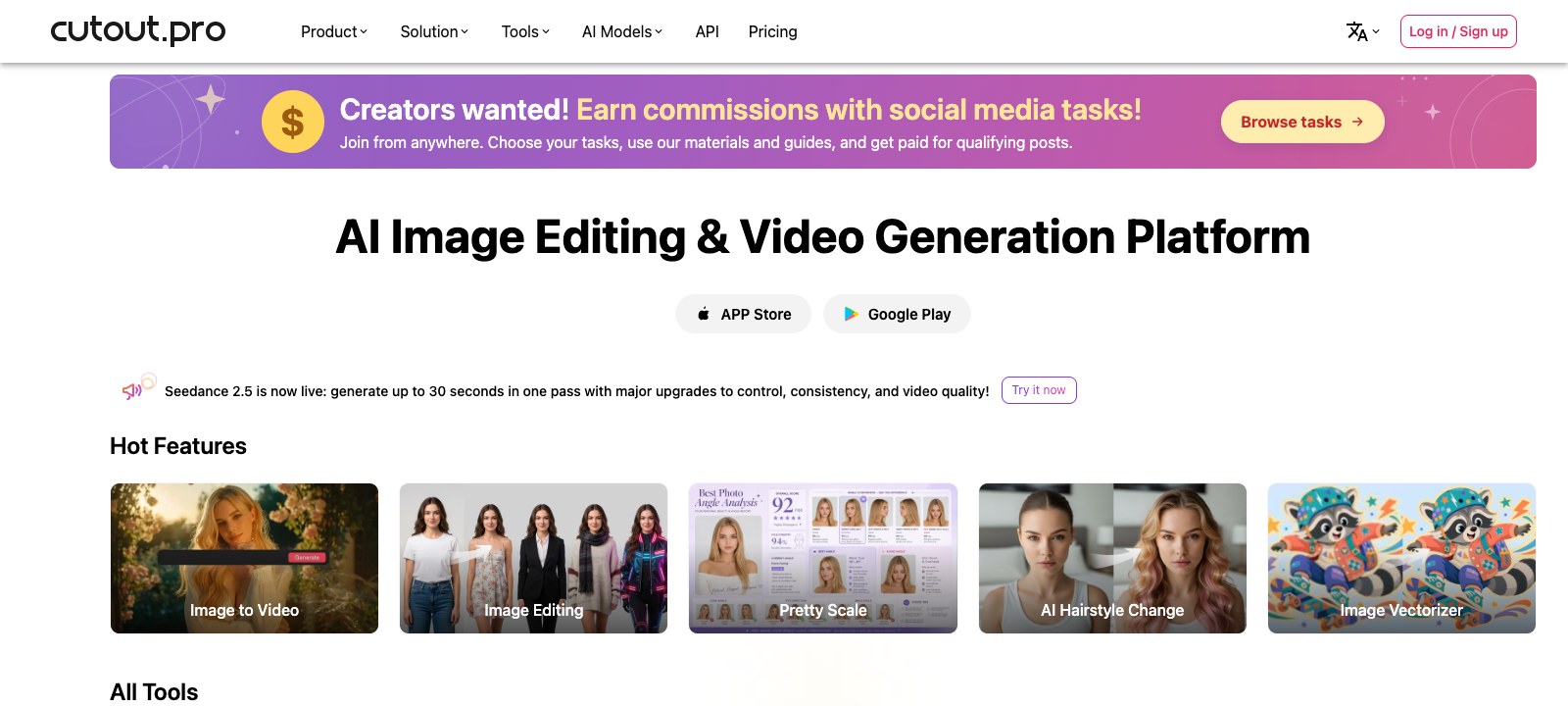
Cutout.Pro launched in 2018 and runs from a Hong Kong office. Its homepage claims 25K+ business customers, mostly e-commerce sellers, print-on-demand shops, photographers and video agencies.
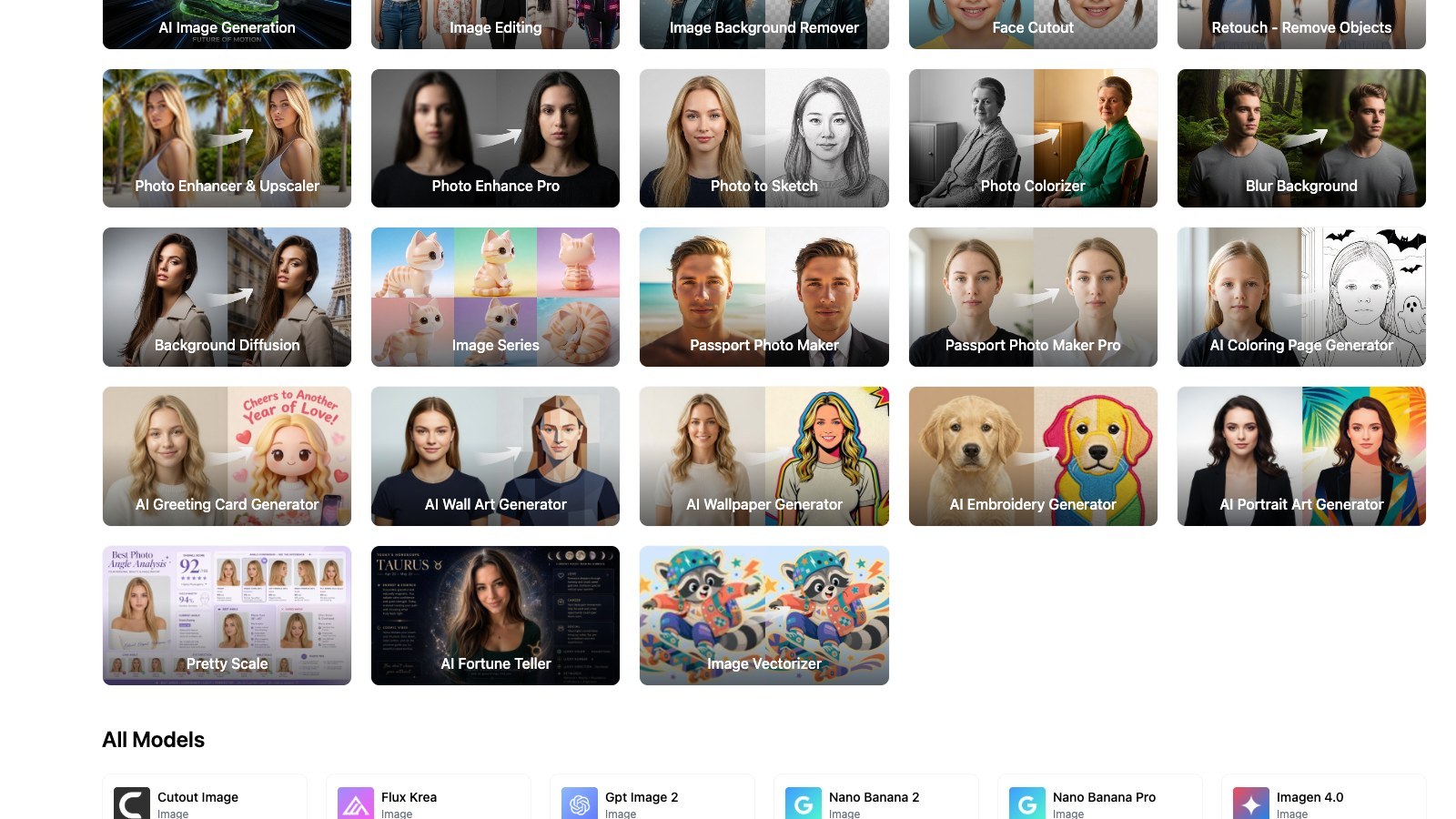
The product started as a background remover and grew into a sprawling catalog. The current menu lists image editing, passport photos, an AI poster generator, product staging, digital humans and a text-to-speech tool.
It also bundles third-party generation models, including Seedance 2.5, which the homepage says can produce up to 30 seconds of video in one pass. That’s a long way from where it began.
Access comes through the browser, a desktop app, mobile apps on the App Store and Google Play, a Shopify plugin and an API. The free tier gives you unlimited low-resolution previews and 5 credits for HD downloads.
My read: this is a utility for volume work, like catalog cutouts and quick upscales. It isn’t a design suite, and it doesn’t pretend to be one.
Key Features: Background Remover, Photo Enhancer, Object Remover and Video Tools
Background Remover: The Core of This Cutout Pro Review
Background removal is the flagship. Reviewers report it costs 1 credit per HD image, and the free preview lets you judge the edge quality before spending anything.
It handles standard product shots well. TechRaisal’s 2026 review flags fine hair and glass as weak spots, and limited manual control to fix them.
That matches my expectation for an automatic tool at this price. For a catalog of 500 sneakers, it’s fine. For a wedding portrait with flyaway hair, plan on cleanup elsewhere.
Photo Enhancer and Upscaler
The enhancer sharpens and upscales low-resolution photos, and a separate Photo Enhance Pro tier sits beside it. Per aitoprating, enhancement costs 2 credits per image, double a cutout.
On the $5 plan, that means roughly 40 enhanced photos a month. Colorizer, cartoon selfie and passport photo tools also cost 2 credits each.
Object Remover and Retouch
The Retouch tool erases unwanted objects, such as a stray tourist or a price sticker. It’s billed at 1 credit per HD image, the same as background removal.
Brush-based object removal is a crowded category now. Cutout Pro’s version is competent but unremarkable, and I wouldn’t pick the platform for this feature alone.
Cutout Pro Video Enhancer and Video Background Remover
The Cutout Pro video enhancer upscales footage up to 4K. Filmora’s comparison page lists a 2GB upload cap, MP4-only exports and a 3-second watermarked preview on the free version.
Video is pay-as-you-go, billed by the second. Vmake reports $9 for a one-minute pack, which works out to $0.15 per second, and $39 for five minutes.
That gets expensive quickly. Upscaling ten one-minute product clips would cost $90, which is more than a year of the cheapest photo plan.
The video background remover is the stronger video pitch. Testimonials on the homepage describe dropping green screens for campaign footage, though that’s the vendor’s own selection of quotes.
AI Generation Models, API and Apps
The newer generation hub offers models like Nano Banana, Seedream, Veo 3.1 and Sora 2.0. SaaS CRM Review notes Cutout.Pro doesn’t publish a credit rate per generation model.
I think that’s a real gap. If you can’t predict the cost of one render, budgeting for a team is guesswork.
The API is cleaner. The same review lists 1 credit per image, 0.25 credits for a 500×500 preview and 5 simultaneous requests per second.
Cutout Pro Pricing, Credits and Safety: Breach Reports, Support and Trustpilot Rating
What Credits Actually Cost
Cutout Pro pricing is credit-based. Monthly image plans, as reported by SaaS CRM Review, AI Ignitions and SaaSZap in 2026, run from $5 to $69. The homepage was showing a 43% off banner, so check live prices.
Unused subscription credits roll over up to 5x your monthly allowance while the plan stays active. Pay-as-you-go packs, starting at $4.99 for 30 credits, don’t expire.
Aitoprating found only monthly billing for image plans, with no annual discount. Older reviews list different tiers, such as 40 credits for $5, so stale numbers circulate widely.
Is Cutout Pro Safe? Breach Reports, Support and Trustpilot
This is the weak point. Cybernews researchers reported in early 2023 that open Elasticsearch servers exposed 9 GB of user data, including emails and IP addresses.
In February 2024, a hacker using the handle KryptonZambie posted 5.93 GB on BreachForums, allegedly covering over 41 million Cutout.Pro records. Both incidents are cited on the Trustpilot page and in UniFab’s review.
Trustpilot users describe dark-web alerts and billing disputes. UniFab’s review says the rating slid from 1.8 to 1.6 out of 5, with an unclaimed company profile.
Softwarecurio’s 2026 write-up lists charges continuing after cancellation and unanswered support tickets. The homepage lists only email addresses for support, with no live chat or phone.
One caveat: UniFab sells a competing video enhancer, so its review has a motive. The breach claims, though, trace back to independent security reporting.
My view: treat Cutout Pro as a place for public, low-stakes images only. Never upload IDs, client work under NDA or personal photos. Use a throwaway password and a card with a spending limit.
Cutout Pro vs Competitors: Remove.bg, Photoroom, Canva, Adobe Express and UniFab
Cutout Pro competes on breadth and price. Specialists beat it on polish, trust or video quality.
Remove.bg is the obvious comparison, and Cutout.Pro even advertises itself as an alternative to it. Remove.bg’s Lite plan gives 40 credits for $9, half of what $5 buys at Cutout Pro.
Photoroom suits sellers who shoot on a phone and need staged backgrounds. Canva and Adobe Express make sense if you already pay for them, since background removal is included in their paid tiers.
UniFab is the pick when footage is sensitive. It processes video on your own machine, so there’s no upload risk and no per-second bill.
Is Cutout Pro Worth It? Yes for Cheap Public Images, No for Anything Private
For price alone, Cutout Pro is hard to beat. At $5 for 80 HD cutouts, it undercuts Remove.bg and Photoroom on per-image cost.
The video enhancer is a different story. At $9 a minute, it’s priced for one-off clips, not regular production.
I think the trust record decides this. Two reported data exposures, a 1.6 Trustpilot score and email-only support are red flags for any account holding payment details.
Use the free 5 credits to test your own images. If you pay, start with the $5 plan or a small pay-as-you-go pack, and avoid the $49 and $69 tiers until you’ve tried cancelling.
Anyone handling client files or personal photos should pick Remove.bg, Photoroom or a local tool like UniFab. The savings aren’t large enough to justify the risk.