


This MindVideo AI review starts with a blunt description. MindVideo is a reseller of other companies’ video models, wrapped in one credit balance. That is its biggest selling point and its biggest risk.
What Is MindVideo AI?
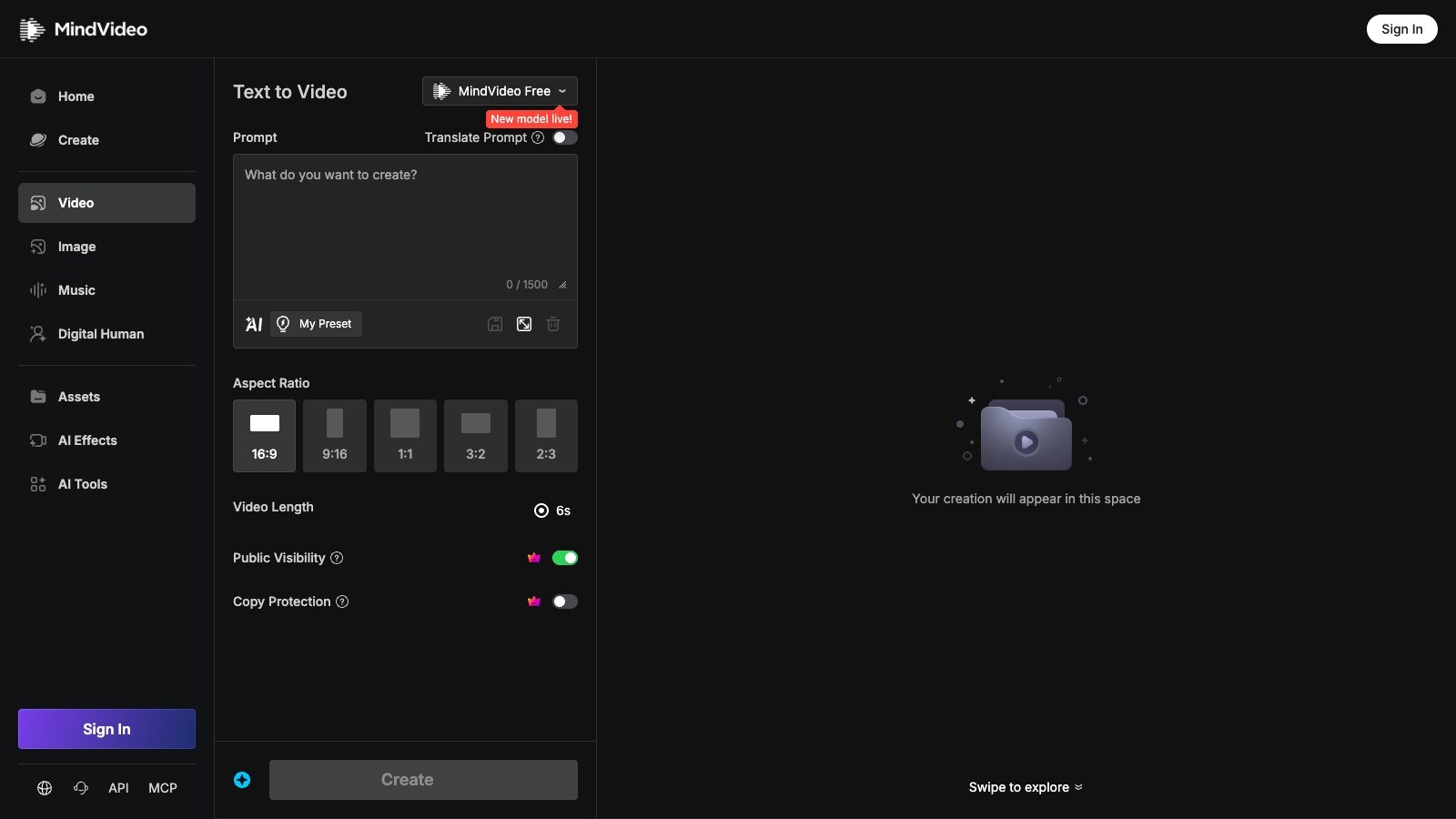
MindVideo AI (mindvideo.ai) is a browser-based hub that routes your prompts to third-party generators. The roster includes Veo 3.1, Sora 2, Kling, Seedance, Hailuo, PixVerse, Luma, Vidu and Wan.
It launched in early 2025, according to the comparison site Shhots, and grew on a simple hook: free Sora 2 access without an invite code.
Video is only part of the catalogue. The same balance also pays for image generation (Nano Banana and GPT Image among them), upscaling, effects templates and AI music.
I think the pitch is sensible. Anyone who has juggled separate Runway, Kling and Pika subscriptions knows how quickly balances strand themselves in the wrong app.
The catch is that you are buying access, not a model. When a Veo or Kling generation fails, you are dealing with a middleman.
Key Features
MindVideo’s tool list is long, so the sections below follow the order most people would meet it in: generate, stylise, repair, add sound, then export.
MindVideo AI Review: Model-Hopping Text-to-Video and Image-to-Video
The core feature is the model menu. You write one prompt or upload one still, then pick which engine renders it.
That matters because the engines have different personalities. Kling is known for motion, Veo for polish, and each has its own quirks and costs. Switching without a new account is the real convenience here.
Native output is 1080p, Shhots reports, and paid plans allow three tasks to run in parallel. Free users get one.
Effects Templates and Mimic Motion
For social content, MindVideo leans on viral templates such as AI hug, face swap, lip sync and talking pet, as listed by Shhots and Pixo.
Filmora’s review also points to Mimic Motion, which transfers movement from a reference video onto your subject. It suits dance clips and character animation more than corporate explainers.
Video Enhancer, Extender and 4K Upscaling
Filmora’s write-up lists a video enhancer for clarity and a video extender that stretches clips beyond their original length. Photo upscaling sits in the same toolbox.
One detail is easy to miss. Shhots says the “4K” label belongs to a separate upscaling tool, not to native generation, which tops out at 1080p.

AI Music, Voiceover and Image Tools
Music is where the all-in-one claim gets tested. Filmora notes you can generate custom background tracks for social posts inside the same account, and the platform also offers synchronised voiceovers.
Images run through models such as GPT Image. SeeGen reports separate GPT Image 2 credit packs, from $3.90 for about 100 images to $19.90 for about 2,300.
Those packs are valid for a year but cannot be spent on video. That is a sharp edge in an otherwise single-balance system.
What MindVideo AI Lacks
There is no timeline. MindVideo generates clips; it does not trim, layer or caption them the way Filmora or CapCut would. Expect to export and finish elsewhere.
Reliability is the bigger worry. Shhots cites a 2.5 Trustpilot score dominated by one-star reviews about failed generations and billing disputes.
The same source flags an anonymous operator, email-only support, and free-tier videos that are published publicly by default. I would treat each of those as a real cost, not a footnote.
Credit-Based Pricing and Real Cost per Video
MindVideo sells three subscriptions, and the monthly and yearly prices below are consistent across SeeGen, Filmora, Toolso and Pixo. Yearly billing is charged upfront.
Older reviews quote $9.90 and $25 tiers. Those figures predate the current structure, so ignore them and confirm the live numbers on the pricing page before paying.

Paid plans remove watermarks, unlock 1080p and include commercial-use rights, per Goenhance’s plan table. Free output is watermarked and for personal use only.
Free credits exist but are thin. Filmora says you can top up a balance through daily check-ins and invites, while Pixo notes no free plan appears on the pricing page itself.
As for cost per clip, SeeGen’s figures for Seedance 2.5 at 720p are the clearest I found. They run $1.14 per second on Lite, $0.81 on Pro and $0.75 on Max at monthly prices.
By my arithmetic, a 5-second clip costs about $5.70 on Lite and $4.05 on Pro. Yearly billing roughly halves Pro and Max to $0.43 per second, or about $2.15 per clip.
Remember that SeeGen sells a rival credit pack, so read its comparison with that in mind. The bigger problem is real: plan cards publish credit totals, not per-model burn rates, as Toolso points out.
Failed renders make it worse. Refund windows are short, reported at 24 hours on monthly plans and 72 hours on annual ones.
My advice is to start monthly on Pro, keep a log of credits spent per usable clip, and only then consider a yearly commitment.
MindVideo AI vs Competitors
The table compares entry-level paid plans at USD list prices reported by Higgsfield, Techsifted and AI Tools Bakery in 2026. Vendors change tiers often, so treat them as a snapshot.
On sticker price, MindVideo is the most expensive way in. Its Lite plan costs $6.90 more than Kling’s Standard and for fewer credits, though those credits stretch across several engines.
Runway answers a different question. If you want to shape a clip after generating it, its editing layer is worth the extra, and MindVideo has nothing equivalent.
Kling and Pika are the thrifty picks when you already know your engine. MindVideo only earns its premium if you actually switch models, and plenty of people will not.
Is MindVideo AI Worth It? Who Should Use It and Who Should Skip It
MindVideo AI is worth it for a narrow group, and I would not recommend it as a default. Its value is access to many engines, and that value disappears if you only ever use one.
Use it if you are:
- A social media manager testing Veo, Kling and Seedance outputs for one brand. Pro at $29.90 monthly is the sensible tier.
- An agency building mood boards and pitch visuals. A failed render costs a click, not a deadline.
- A small seller turning product photos into short ads, where 1080p is enough and a finished edit happens elsewhere.
Skip it if you fall into one of these camps:
- You need an editor. Runway or a standalone editor handles trimming and captions; MindVideo does not.
- You need predictable budgets. Unpublished per-model credit costs make monthly spend hard to forecast.
- You need support you can chase. An anonymous operator, email-only help and a 2.5 Trustpilot score are hard to ignore on client work.
If you do try it, pay monthly, not yearly, for the first cycle. That 24-hour monthly refund window is short, but a one-month commitment limits the damage if the platform disappoints.