

Factory Reset Protection is designed to secure Samsung devices after a reset. Yet many genuine users get stuck when they can’t recall synced Google credentials. Traditional bypass methods fail because FRP behavior varies across models and Android versions. Moreover, AI-powered tools now eliminate the dangerous guesswork involved in manual unlocking.
Advanced software like Dr.Fone Screen Unlock identifies your specific system version. Hence, in this guide, we explain why guesswork fails and how intelligent detection improves success rates. You will learn safer ways to bypass Samsung FRP, even without Android information.
Part 1. Why Samsung FRP Bypass Is More Complex Than a Standard Reset
Securing a modern device involves much more than a simple password or pin. Most users expect a factory reset to solve every software access problem. However, Samsung’s security layers make using a basic Android Phone Unlocker difficult. So, let’s explore the key reasons why Samsung FRP is more complex than it looks:
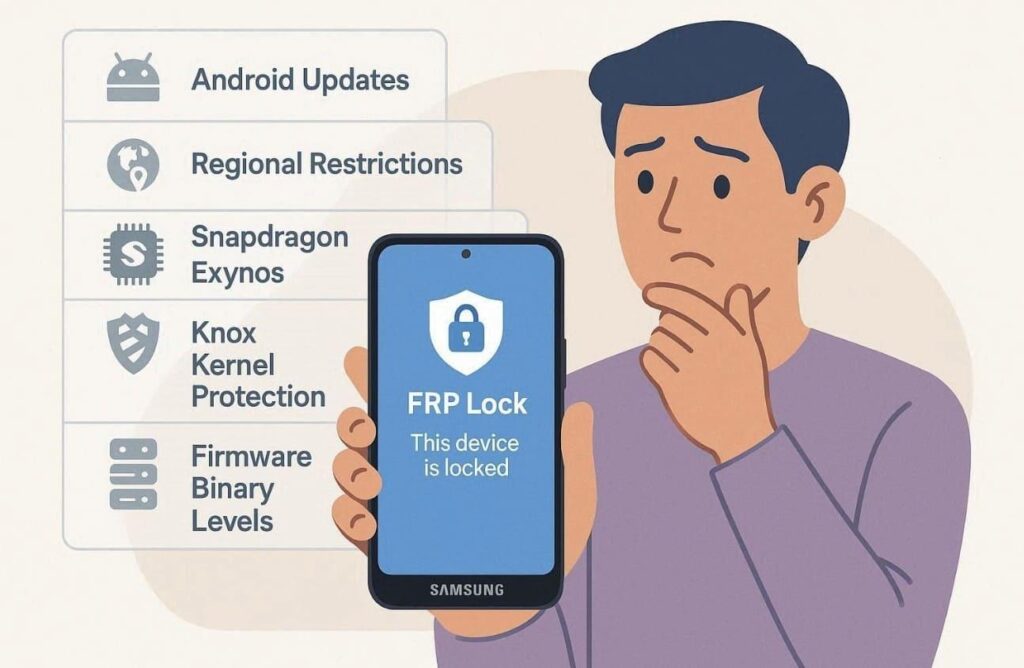
- Android Version: Security patches change between every major Google Android software release cycle. These updates fix previous vulnerabilities that older bypass methods used to exploit.
- Regional Locks: Samsung applies different security protocols depending on the specific global region. A method working in Europe might fail on a device from North America.
- Chipset Diversity: Snapdragon and Exynos processors handle bootloader security differently. Specialized tools must account for these hardware variations to ensure a safe unlock.
- Kernel Security: Knox provides constant monitoring against unknown software modification. Bypassing these triggers requires an approach that avoids tripping internal security.
- Binary Levels: Firmware updates increase the binary version, which prevents rolling back software. You cannot use old firmware files to bypass locks on newer Samsung devices.
Part 2. The Dangers of Using the Wrong Samsung FRP Removal Method
Attempting to bypass security without the right information creates several risks. Thus, selecting a generic FRP bypass tool leads to frustrating software compatibility errors. Most users do not realize that incorrect firmware choices can damage hardware. So, review the table below to understand the potential consequences:
| Danger Category | Technical Consequence | Long-Term Impact |
| System Stability | Incompatible firmware may cause boot loops or recurring crashes. | The phone remains unusable until a full professional reflash. |
| Security Triggers | Incorrect exploits can activate Samsung Knox security flags. | Warranty is void, and secure features may be permanently disabled. |
| Data Corruption | Wrong system paths can damage internal storage partitions. | Local data recovery may become impossible after unlocking. |
| Hardware Bricking | Selecting the wrong CPU variant can permanently brick the motherboard. | The device will no longer power on. |
| Lock Escalation | Repeated failures may flag the device IMEI on Google servers. | Future legitimate unlock attempts may be restricted. |
Part 3. What Makes AI‑Powered Samsung FRP Bypass Tools More Reliable
Modern AI-powered tools provide a much more reliable way to bypass security locks. These intelligent systems even provide solutions for how to bypass FRP on Android 16. Thus, explore the following benefits to see why AI is the superior unlocking choice:

- Smart Detection: AI scans device firmware and chipset layers to detect OS configurations. This automatic mapping eliminates human errors caused by manual unlocking.
- Adaptive Learning: Machine intelligence improves continuously by analyzing real user data. Each update enhances accuracy for newer Samsung models and Android firmware.
- Security Compliance: It ensures legitimate operations without triggering Knox security. Maintaining Samsung’s compliance standards prevents lock escalation and security blocks.
- Error Prediction: AI identifies risky combinations that could corrupt partitions during unlocking. Predictive monitoring prevents process interruptions before any command starts.
- Success Rates: Automated pathways eliminate human error, which leads to higher success rates. Users achieve their desired results faster by following a verified process.
Part 4. How Dr.Fone Screen Unlock Enhances Samsung FRP Bypass Success Rates
Generic methods fail because modern security requires a much more precise technical approach. That’s why using a solution like Dr.Fone Android Phone Unlocker becomes a top choice. This advanced FRP bypass tool uses AI pattern detection to identify device configuration. It even supports the latest Android 16 software and is optimized for Samsung S25 devices.
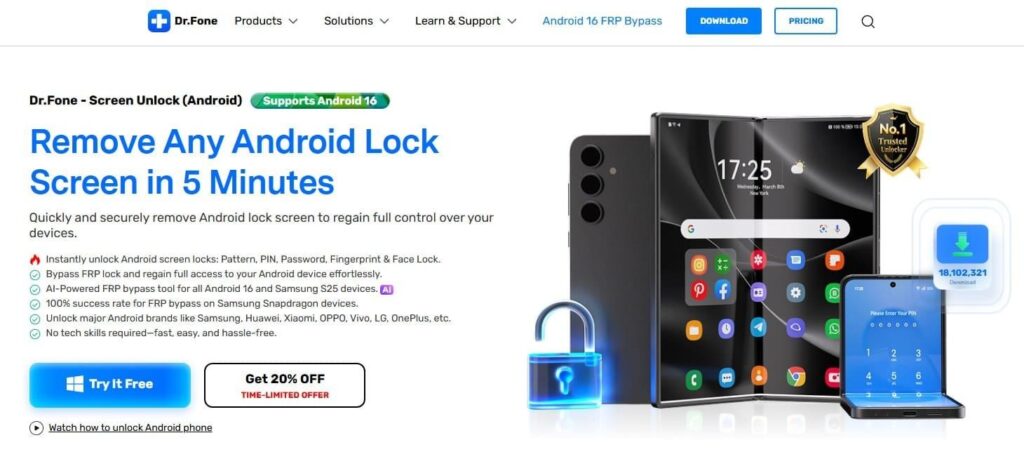
Alongside, users enjoy a 100% success rate on Snapdragon models using intelligent recognition. It also supports MTK chipsets, offering reliable compatibility for MediaTek-powered smartphone models. You can bypass Google FRP, whether you forgot your credentials or purchased a used smartphone. In addition, the process is secure and requires only minimal user input for operation.
Key Features
- One‑Click Removal: Completes FRP bypass using simplified commands for fast user operation.
- Error Prevention: Advanced prediction checks stop potential failures before executing any unlock.
- Online Unlock: Removes FRP via Dr.Fone Online Unlock using IMEI without requiring a PC or data cable.
Part 5. Bypassing Samsung FRP When Your Android Version Is Unknown (Including Android 16)
Many users cannot identify their current firmware version after a full factory reset. Yet, Dr.Fone provides a clear pathway for all devices, even running the latest Android 16. Thus, go through the guide to use this Android Phone Unlocker to remove Samsung FRP:
Step 1. Access Dr.Fone’s FRP Unlock Option
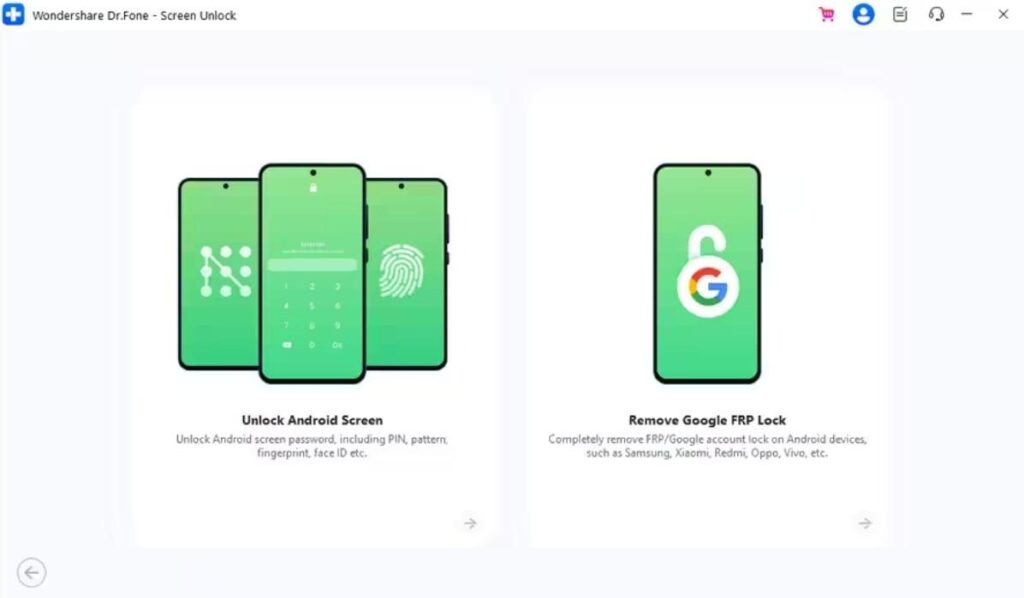
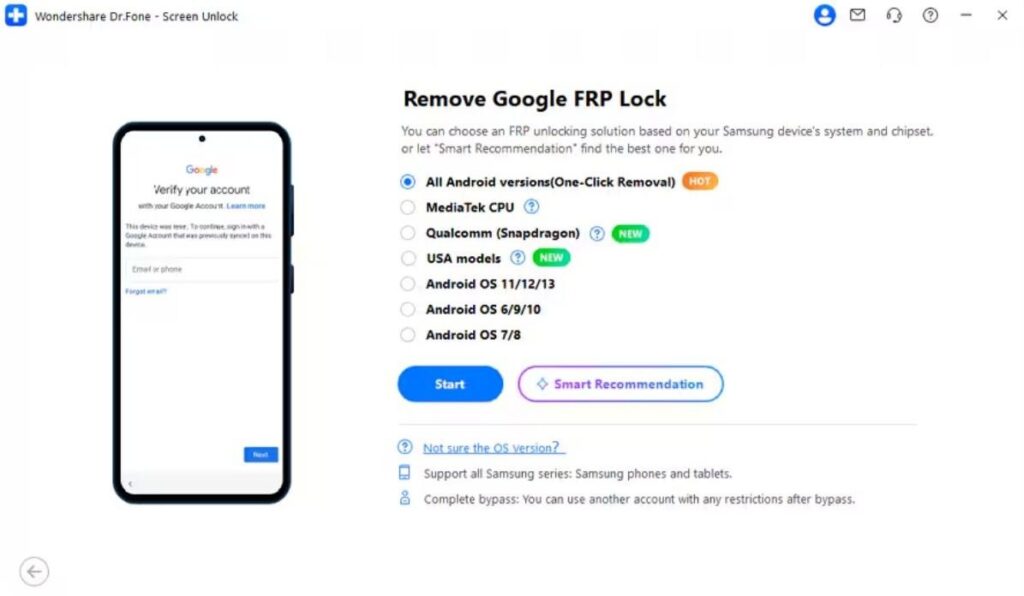
To initiate, access the “Screen Unlock” feature, then select “Android” as the platform. After that, attach your Samsung device to the PC and choose “Remove Google FRP Lock.”
Step 2. Select the One‑Click Unlock Method
From the brand list, you need to pick “Samsung” and click the “Start” button. When the method selection screen appears, choose “All Android Versions (One‑Click Removal).” Upon choosing this bypassing method, press “Start.”
Step 3. Remove FRP Lock from the Samsung Device
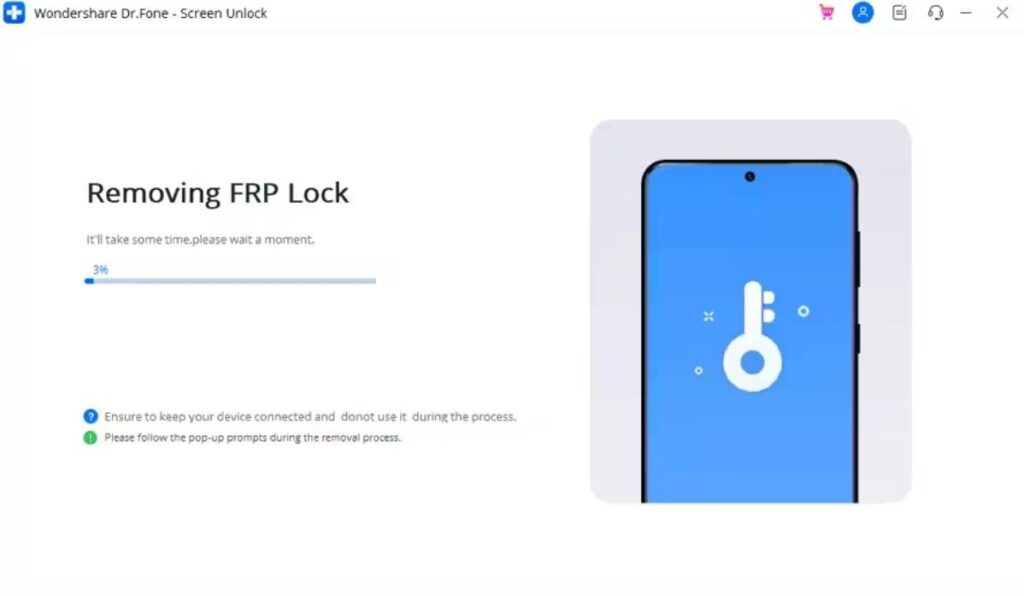
Now, adhere to the visual guide to enable “USB Debugging,” then tap “Authorize.” The tool will begin clearing the Google FRP lock while showing progress.
Conclusion
To conclude, AI-driven FRP solutions make unlocking Samsung devices safer and faster. They provide the most reliable solution for navigating these modern technical challenges. Users can now avoid firmware damage and unnecessary system risk. Even without knowing Android versions, guided workflows ensure safe FRP removal results. So, for a guaranteed success rate, you should utilize the Dr.Fone Screen Unlock software.