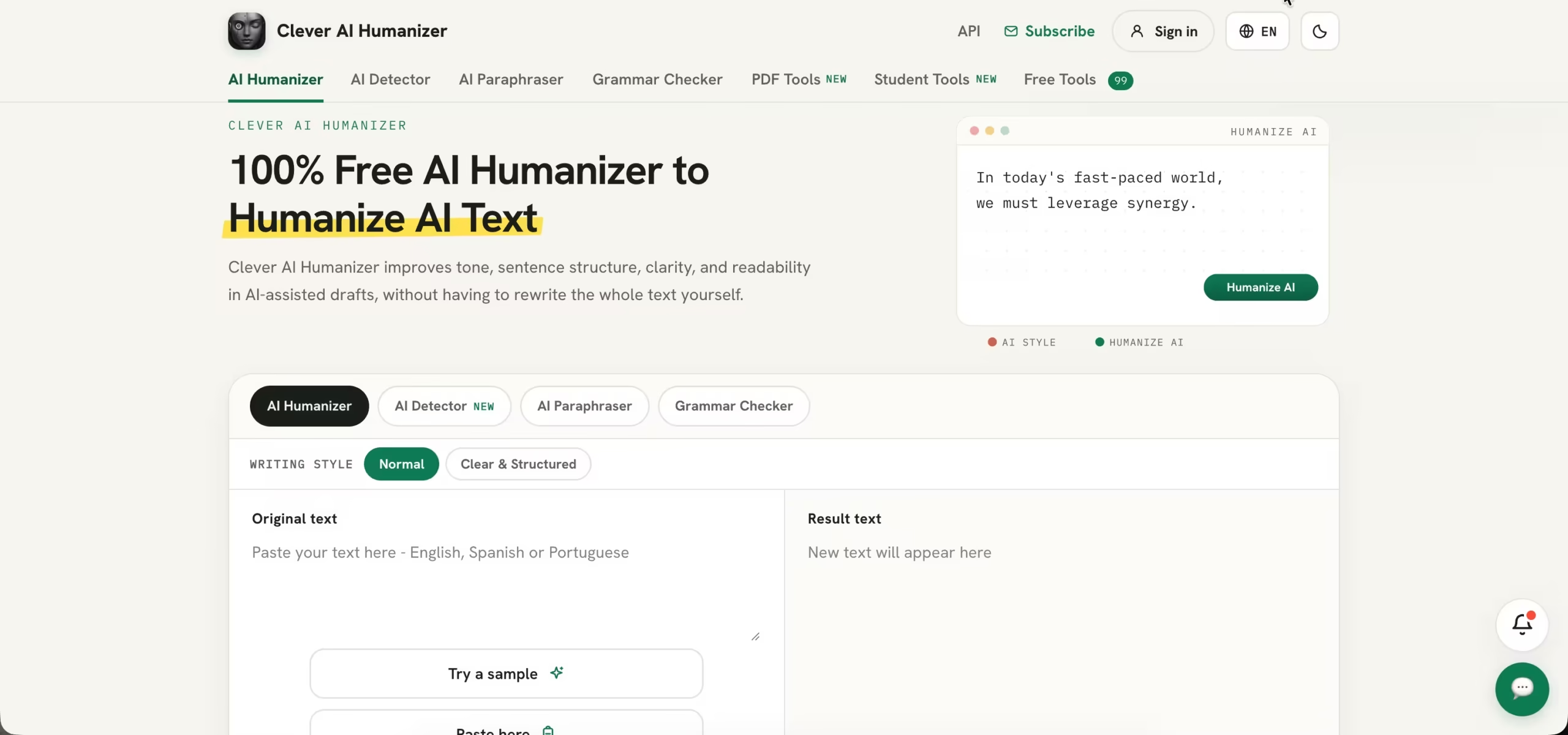

The first thing to understand about Clever AI Humanizer is that it isn’t just a text rewriter. The website has four main writing tools, each with a separate job. The Humanizer revises text, the Detector estimates the likelihood of AI-generated writing, the Paraphraser offers alternative wording, and the Grammar Checker looks for language errors.
That combination covers quite a few common editing tasks. For example, a blogger might use the Humanizer to revise an early draft, the Grammar Checker to catch mistakes, and the Paraphraser to find a better way to phrase a sentence. There’s no need to move between several websites to handle those basic jobs.
Of course, having all these tools in one place doesn’t mean every suggestion should be accepted. Automated editing can miss context or change the meaning of a sentence. The writer still needs to check the facts, make sure the text sounds right, and decide whether the final version is ready to publish.
Key Features
1. AI Humanizer
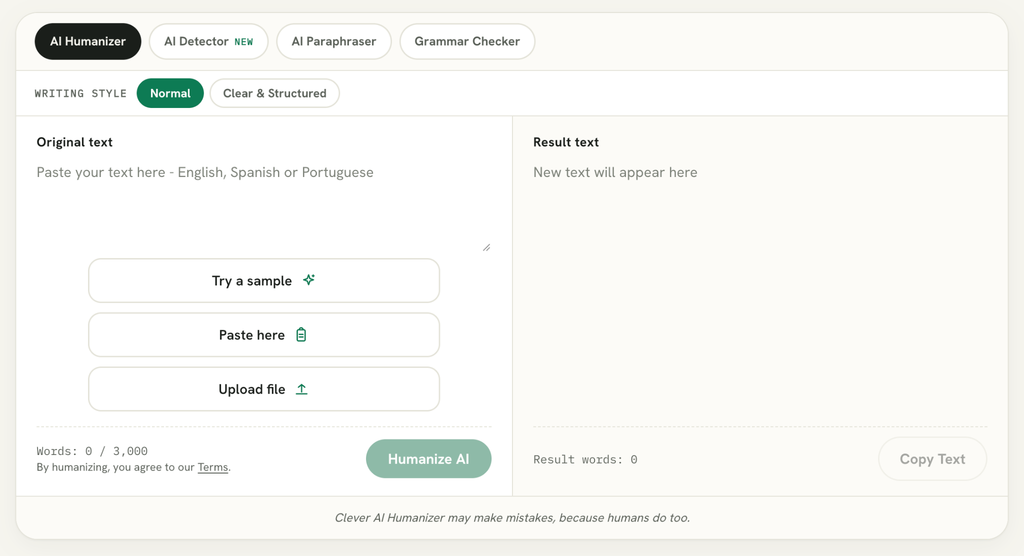
The AI Humanizer is the feature that gives the platform its name. It takes a piece of text and rewrites it, aiming for more natural sentence flow, clearer wording, and better readability. It may be useful when an AI-assisted draft feels stiff or repeats the same sentence patterns.
You can submit up to 3,000 words in one request. The tool supports English, Spanish, and Portuguese, so it isn’t limited to English-language content. For someone working on a blog post or a longer draft, the word limit means there’s room to revise a substantial section at once.
I’d still recommend reading the result carefully before using it. Rewriting tools sometimes replace a precise phrase with something less accurate or remove a detail that matters. That’s especially important with technical articles, product descriptions, and SEO content, where changing a few words can affect the meaning. Treat the output as a draft to review, not a finished piece ready to publish.
2. Clever AI Detector
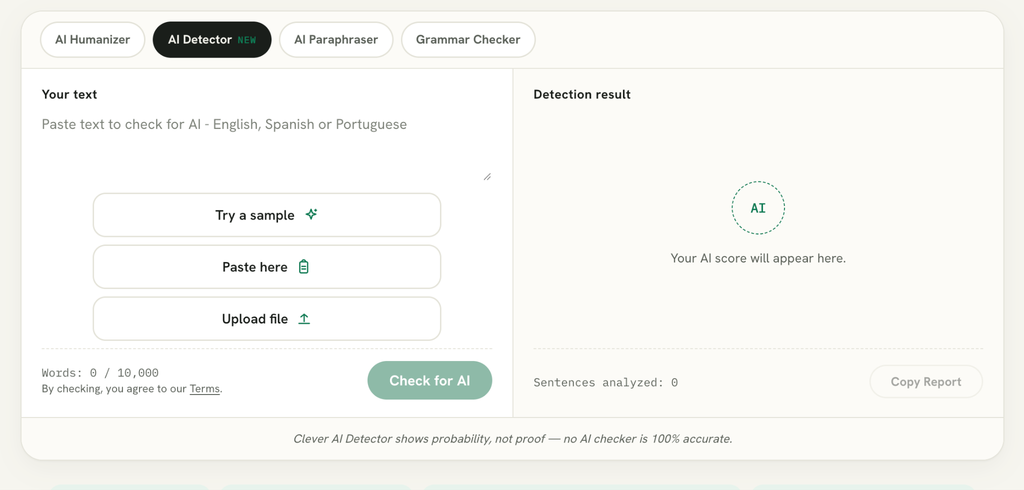
The Clever AI Detector checks submitted text for patterns that may be associated with AI-generated writing. It returns an overall AI probability score and highlights sentence-level signals, giving users a closer look at the parts of a passage that may need attention.
It can process up to 10,000 words in a single check and supports English, Spanish, and Portuguese. The tool is available without signing up, which makes it easy to test a passage without going through a registration process.
There is an important limitation, though: an AI detection score doesn’t establish authorship. Formal language, heavily edited writing, templates, and text written by non-native speakers can sometimes receive misleading results. A high score isn’t proof that someone used AI, just as a low score doesn’t prove that a person wrote every word. It’s best used as a rough indicator rather than the deciding factor in an academic or professional situation.
3. AI Paraphraser
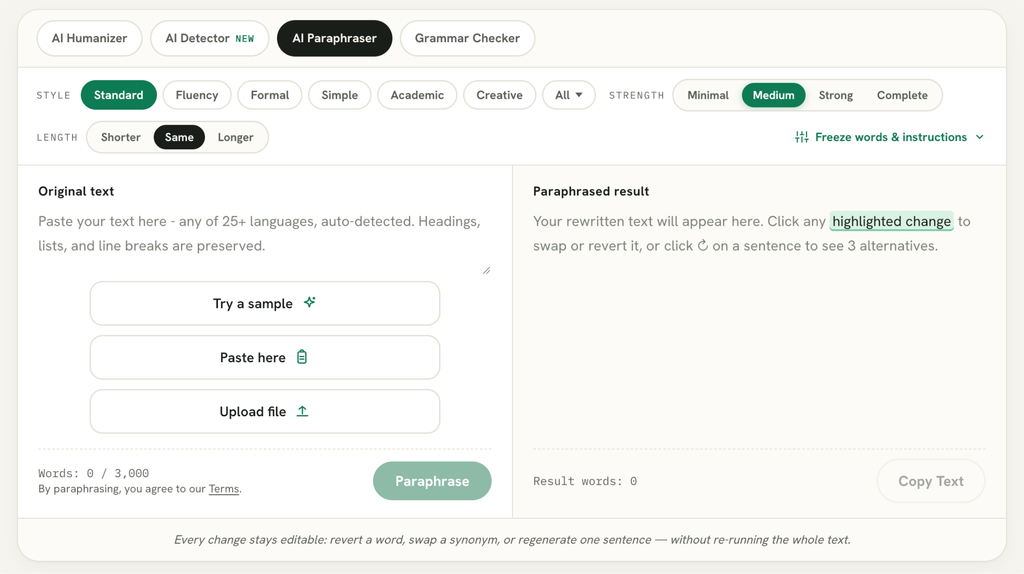
Sometimes a sentence is technically correct but still doesn’t sound quite right. The AI Paraphraser helps users try different wording without having to rewrite the entire passage themselves. It can be useful for simplifying a sentence, changing its structure, or finding a clearer way to express an idea.
Users can choose how much they want the wording to change, from minimal adjustments to a more complete rewrite. There is also an option to protect particular words or phrases, which is handy when working with product names, technical terms, or keywords that need to stay in place. The tool provides alternative versions and allows individual suggestions to be edited or reverted.
Paraphrasing isn’t a shortcut around proper attribution. Changing the wording of someone else’s work doesn’t make the underlying idea yours. If you’re using research, quotations, or information from another source, keep the relevant references and follow the citation rules that apply to your project.
4. Grammar Checker
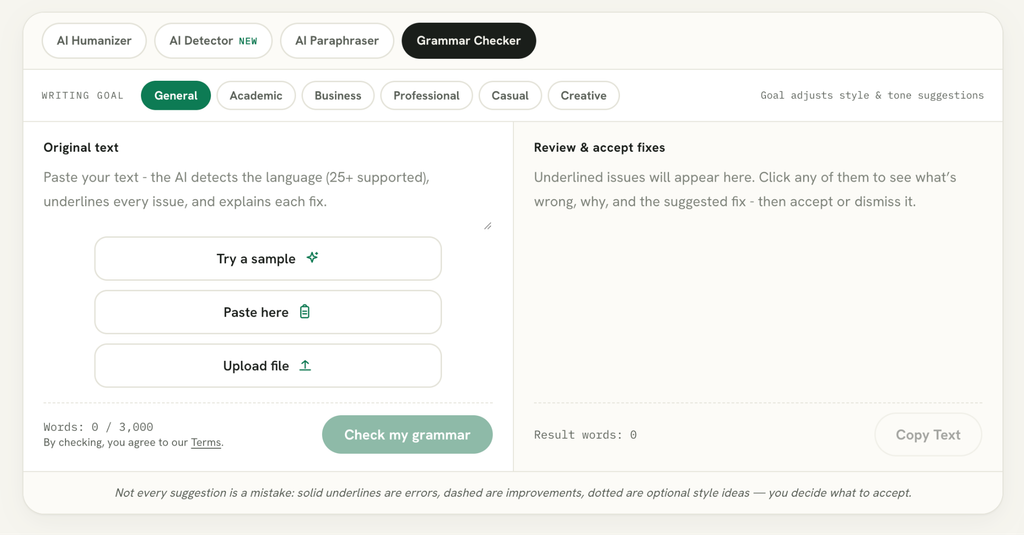
The Grammar Checker is for the less creative but equally important part of editing: catching mistakes. It checks spelling, grammar, punctuation, clarity, style, word choice, and consistency. That makes it handy for a final review of an article, email, essay, or other piece of writing.
Rather than applying every correction automatically, the tool lets users review individual suggestions and accept or reject them. Suggestions are grouped by severity, so it’s easier to distinguish a clear error from a change that’s simply a matter of style.
The checker supports more than 25 languages and accepts up to 3,000 words per request. It can catch plenty of common mistakes, but it won’t always understand the context behind a sentence. Names, specialist vocabulary, and deliberate stylistic choices deserve a second look before you accept a correction.
Free PDF Tools and Student Tools
Clever AI Humanizer’s website also includes tools that have little to do with rewriting. The PDF section, for example, is aimed at everyday document tasks. It includes options for merging and splitting PDFs, compressing files, and converting documents between PDF, Word, and image formats.
These utilities can save time when you only need to make a quick change to a document. You don’t necessarily need to install a separate program just to combine two PDFs or convert a file before sending it to someone.
Students have a separate collection of tools to explore. It includes a GPA calculator, word counter, citation generators, AI summarizer, flashcard generator, text-to-speech tool, and readability checker. They can help with organizing assignments and studying, although students should always check generated material and follow their school’s rules on AI assistance and academic integrity.
How to Use Clever AI Humanizer
You don’t need a complicated setup to get started. Open the website, choose the tool you want, and follow the instructions on its page. For the Humanizer, that means pasting your text into the input field and starting the rewriting process.
Once you have the result, compare it with the original. Check names, figures, technical terms, and any details that need to remain unchanged. If a sentence has become less precise or the tone no longer fits the audience, edit it yourself.
The other tools work in much the same straightforward way: submit text, review the suggestions or results, and decide what to keep. There’s no reason to accept every automated recommendation. A quick human review can make the difference between a useful edit and a sentence that sounds awkward or says something you didn’t intend.
If you’re new to AI writing tools, you can also learn how to Use ChatGPT to create and work with text before editing your drafts.
Pros and Cons
Pros
- The main writing tools are free to use.
- The Humanizer supports up to 3,000 words per request.
- The AI Detector checks up to 10,000 words at a time.
- Separate tools cover rewriting, detection, paraphrasing, and proofreading.
- The website also offers PDF utilities and student resources.
- No subscription is required for the core features reviewed here.
Cons
- The Humanizer supports fewer languages than some of the other writing tools.
- Automated rewriting can change the meaning or tone of a passage.
- AI detection scores aren’t definitive evidence of authorship.
- The output still needs to be checked for accuracy, context, and originality.
Privacy and Responsible Use
Before pasting your work into any online writing tool, it’s worth checking what happens to the text afterwards. According to Clever AI Humanizer’s privacy policy and terms, submitted text isn’t used to train or fine-tune its AI models. The policy also explains how long text may be retained: registered-user submissions may be stored for up to 30 days, while guest submissions have a shorter retention period.
The company says limited staff access may occur for quality checks and troubleshooting. That doesn’t mean you should upload sensitive material without thinking twice. Avoid submitting passwords, confidential business documents, personal records, or anything you wouldn’t want handled by an online service.
There is also a question of how the tools are used. Clever AI Humanizer doesn’t guarantee that its output will avoid AI detection, and its terms prohibit using the service to misrepresent authorship or bypass academic and workplace disclosure rules. Editing a draft is one thing; presenting someone else’s work as your own is another. Users should follow the rules that apply to their school, employer, or publisher.
Clever AI Humanizer vs. Other Writing Tools
One reason to consider Clever AI Humanizer is that it puts several basic writing tools on the same website. Instead of opening one service for paraphrasing, another for grammar, and a third for AI detection, users can handle those tasks in one place.
That convenience may be enough for casual users, students, and people who edit text from time to time. Someone who works with content professionally every day may need more advanced features, integrations, collaboration options, or editorial controls than a free browser-based platform provides.
It’s also important to compare like with like. An AI detector doesn’t replace a plagiarism checker, and a paraphrasing tool doesn’t verify facts or sources. Before choosing a service, consider the task you actually need to complete rather than assuming that every writing tool does the same job.