
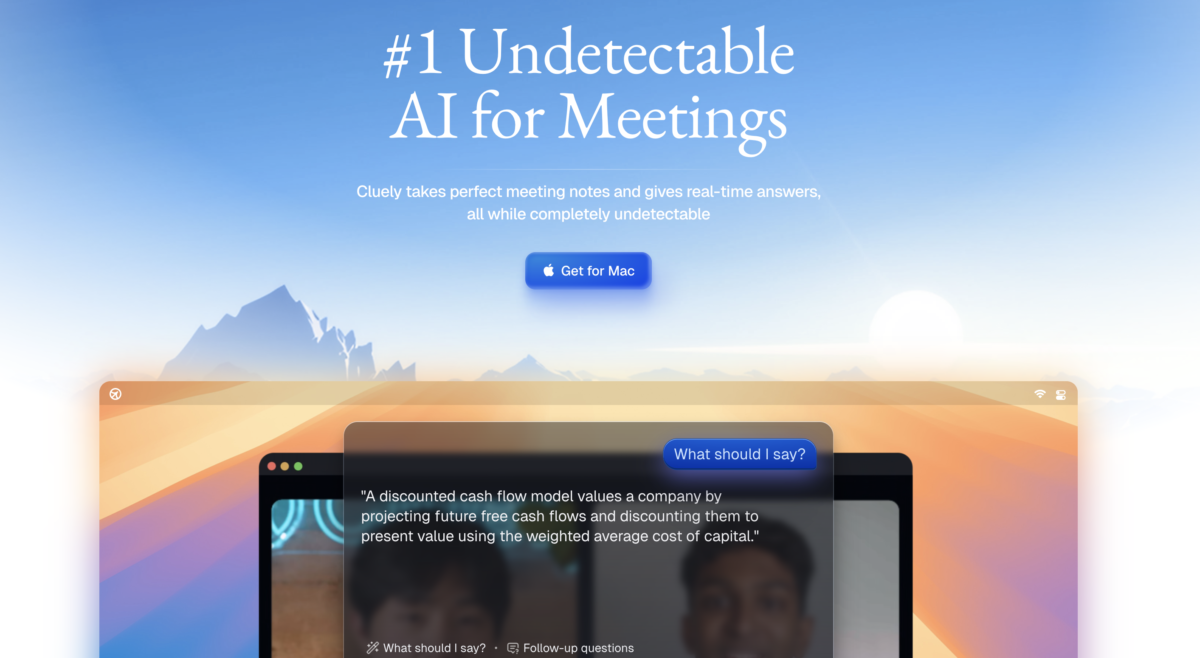


Cluely AI positions itself as a real-time intelligence assistant. Instead of helping you prepare before a conversation, it helps you during the moment.
It listens, processes context, and delivers instant suggestions, fast enough to keep up with live interactions.
But it also raises big questions.
Is this a productivity tool or a shortcut that crosses ethical lines? Is it smart assistance or silent cheating? And who is it actually for?
Let’s break it all down.
Key Features
1. Real-Time Listening
Cluely AI can actively listen to conversations as they happen. It processes spoken words and context instantly, without needing manual input.
This is the foundation of the tool – speed matters here.
2. Instant Response Suggestions

As questions come in, Cluely AI suggests responses in real time. These suggestions are concise, relevant, and tailored to the situation.
Think of it as live coaching, but faster than a human ever could be.
3. Low-Visibility Interface
Cluely AI is designed to be discreet. The interface minimizes distraction and avoids obvious visual cues that might alert others.
This is also what makes the tool controversial.
4. Context Awareness
The AI doesn’t just respond to isolated questions. It tracks the flow of conversation and adapts answers based on tone, topic, and intent.
This makes replies feel natural instead of robotic.
5. Multi-Use Scenarios
Cluely AI can be used across interviews, sales calls, study sessions, practice exams, mock conversations.
However, how it’s used matters more than where it’s used.
6. Learning Feedback Loop
Repeated use helps users understand why answers work. Over time, many users report improved confidence and faster thinking, even without the tool.
Used responsibly, it can be a learning accelerator.
Competitor’s Comparison
| Tool | Best For | Core Use Case | Key Features | Pricing (typical) | Platform Availability |
|---|---|---|---|---|---|
| Cluely AI | Live sales/meeting coaching with stealth assistant | Real‑time sales & meeting copilot | Invisible meeting assistant, real‑time talk tracks, objection handling, battlecards, live answers from docs/KB, automatic notes, summaries, follow‑ups. | Starting at $15/month | Web app; works with major meeting platforms via calendar/meeting integrations. |
| ChatGPT | General AI chat, writing, and explanations | Versatile AI assistant (notetaking via prompts) | Natural‑language Q&A, drafting summaries and notes, code and content generation, explanations; can process pasted transcripts but does not auto‑join calls. | Starting at $20/month | Web, mobile apps, APIs via multiple providers. |
| Read AI | Automated meeting reports & team analytics | Post‑meeting summaries and reports | Auto‑joins calls, records and transcribes, AI summaries, action items, “meeting reports”, engagement and sentiment analytics, team workspace. | Starting at $19.75/month | Web app; connects to Zoom, Meet, Teams, etc. |
| Otter.ai | Live transcription and collaborative notes | Real‑time transcription & shared notes | Live captions, speaker ID, searchable transcripts, shared notebooks, imports, collaboration tools for teams and education/business use. | Starting at $8 | Web, iOS, Android; integrates with major meeting platforms. |
| Fireflies.ai | Call recording plus conversation intelligence | Meeting recording, summaries, and analytics | Auto‑join bot, recording and transcription, AI summaries, soundbites, topic trackers, analytics, CRM and workflow integrations. | Starting at $10 | Web dashboard; works with Zoom, Meet, Teams, dialers, etc. |