
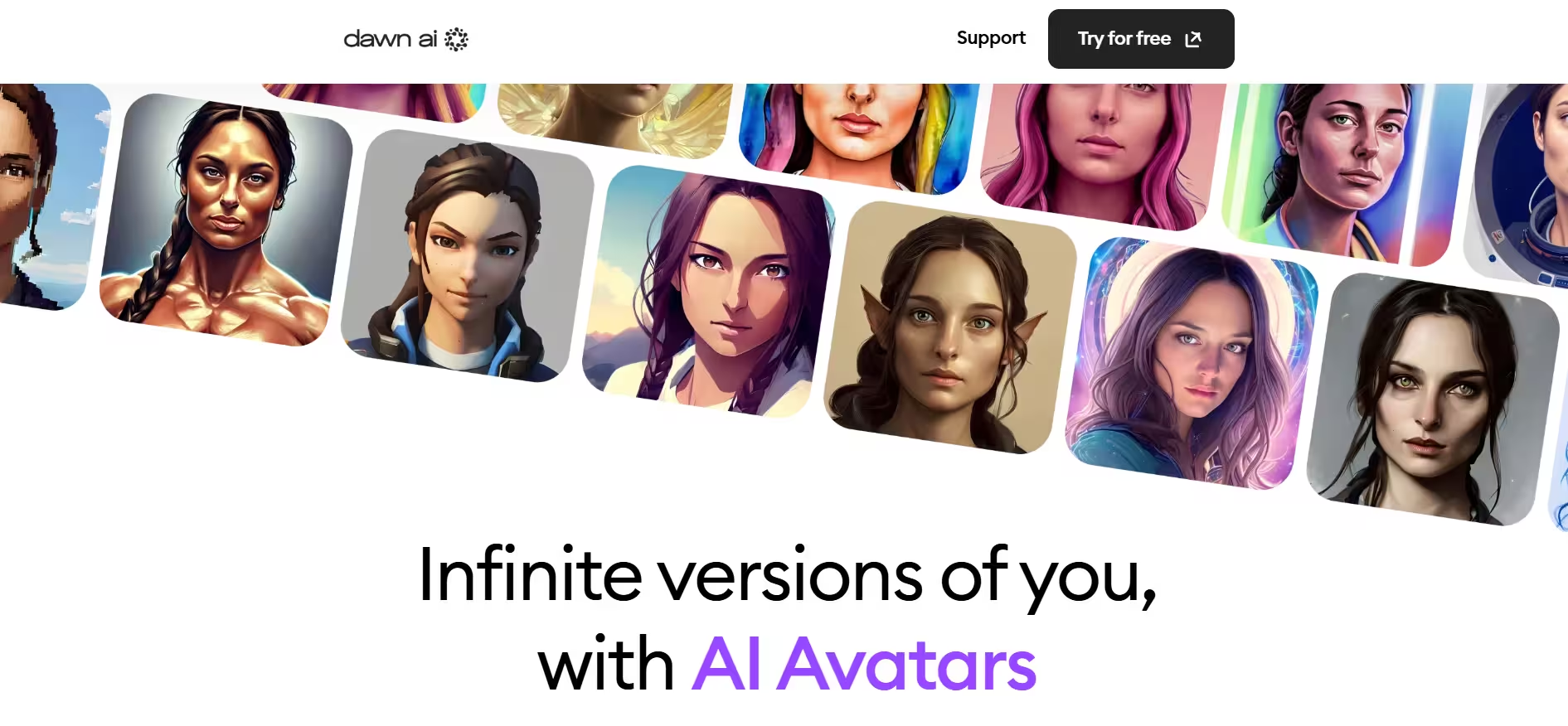
Dawn AI is an avatar creation tool that works by learning the trigonometry and layout of the user’s own uploaded photos. It uses the learned information to create images in varying styles and cinematic effects.
Key Features
1. AI Avatar Generator
The AI Avatar Generator functions by accepting uploaded selfies. The app’s AI learns the face trigonometry and layout and then uses it to create new portraits of the user. That way, key facial features are preserved during the process of turning the same face into different artistic styles.
Dawn AI also creates many variations of an avatar to provide multiple options. This is the main feature of the app and is what most users use it for.
2. Text-to-Image Generator
The Text-to-Image Generator lets users type a prompt, such as “me as a knight.” Dawn AI will then use the prompt as a basis for creating an image. The generator can be used with and without the user’s own photos.
3. Style Presets/Filters
Dawn AI has a number of style presets and filters for creating different artistic looks. There’s the option of anime, fantasy/sci-fi scenes, realistic portraits, watercolor paintings, or cyberpunk and vintage styles. There are thousands of style combinations available, allowing you to experiment with many different visual effects.
4. Face Transformation & Role Play
Face Transformation and Role Play feature turns photos/images of the user into different types of characters and personas. Persona options are celebrity, historical figure, superhero, and even fictional character.
These creative options remain irrespective of demographics. Therefore, Dawn AI can modify appearance to represent different genders or ages.
5. Face Swap Tool
With this feature, Dawn AI replaces the user’s face with someone elses such as a celebrity of friend. It can also place a user’s face into different scenes. This is the idea behind many viral memes and social media content.
6. AI Training Profile
From uploaded selfies, Dawn AI learns the structure of the facial features and then builds a custom model of a user. This is similar to a prototype. After this training is complete, the model can be reused to generate a many images and avatars without uploading new photos.
7. Batch Generation
Dawn AI typically generates in batches to save time and increase efficiency when producing a large number of avatars or variations.
8. Image Editing & Refinement Tools
Post generation, Dawn AI provides tools for adjusting styles and certain visual effects. Imperfections and areas can be fixed or regenerated if the result do not measure up. It also offers upscaling features to improve image quality and make the final output sharper.
9. High-Resolution Output
Generated media can be exported in high resolution and good quality. This extends their applications, which include but are not limited to profile pictures, printed artwork, and social media content.
10. One-Tap Generation
Dawn AI is a simple software. Generating media assets is easy because the tool only requires a tap to produce results. The process proceeds much faster when contrasted with other multi-step complex tools.
11. Mobile-Friendly Interface
Dawn AI is targeted at mobile users. Mobile use requires a simple design and uncomplicated steps.
Verdict:
Dawn AI appears to be a go-to tool for creating images and avatars for a wide range of applications. However, it’s lack of a free plan or trial and steep pricing can be repelling.