
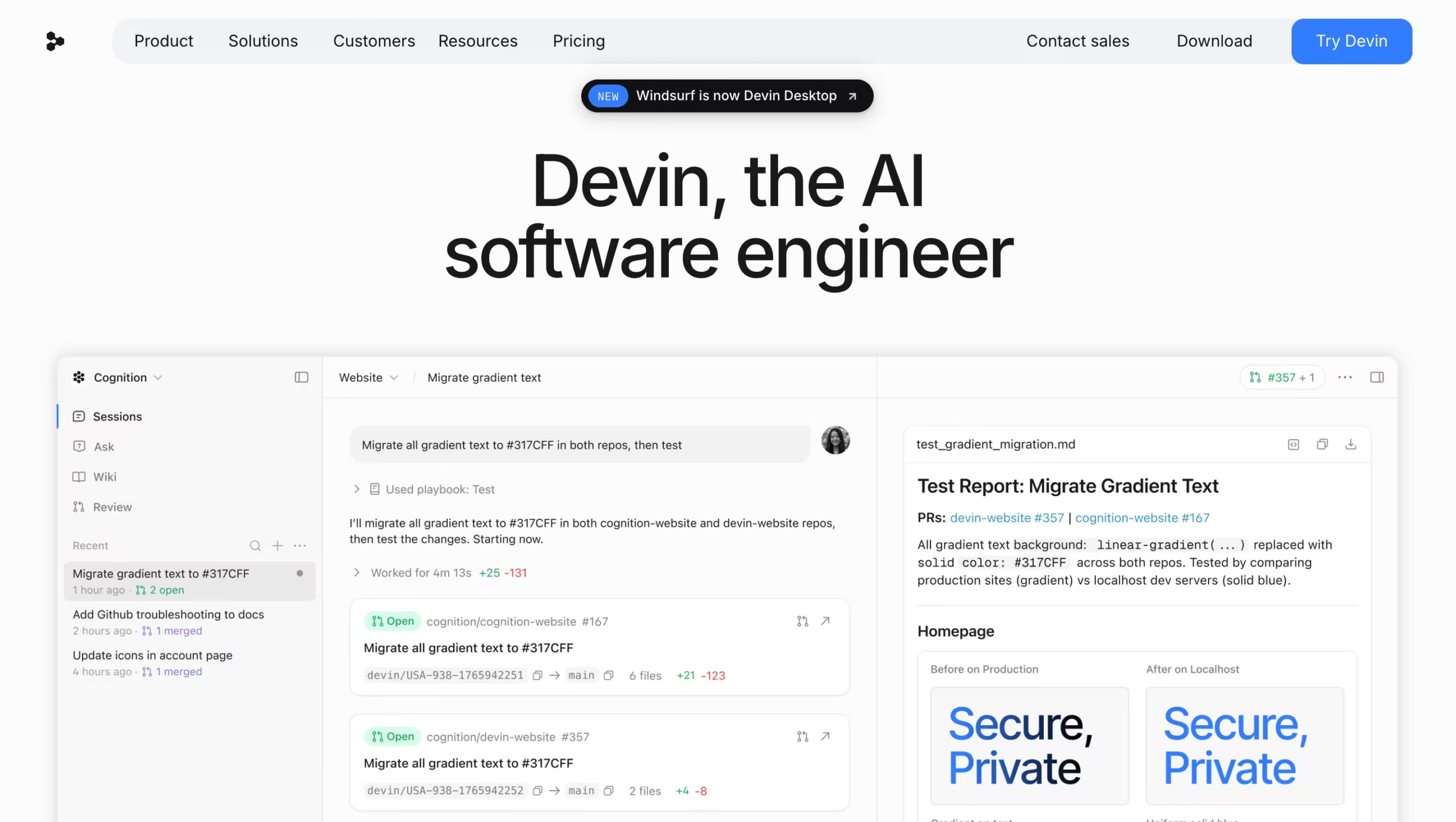


Cognition launched Devin AI in March 2024 with a viral demo that showed an autonomous AI agent completing real Upwork freelance jobs end-to-end.
The announcement sent shockwaves through the developer community – was this the death of the software engineer, or just another overhyped demo?
Two years later, the answer is somewhere in between.
Devin AI is the first commercially deployed autonomous AI software engineer.
Unlike Cursor, GitHub Copilot, or Claude Code – which assist you while you write code – Devin works independently. You give it a task through Slack, Linear, Jira, or a GitHub issue, and it spins up a sandboxed cloud environment containing a shell, code editor, browser, and planner.
It reads your codebase, plans the implementation, writes the code, runs tests, debugs failures, and opens a pull request when done. You review the output, not the process.
After hands-on testing across two production codebases, my honest take is this: Devin AI is genuinely good at the work most engineers find tedious, and genuinely bad at the work that requires judgment.
If you have a backlog of well-scoped bug fixes, test coverage gaps, dependency updates, or migration tasks, Devin will save you real time.
If you’re trying to delegate ambiguous feature work or architectural decisions, you’ll spend more time correcting Devin than you would have spent building it yourself.
Key Features
1. Autonomous Task Execution from Tickets
This is the headline capability.
Devin AI integrates directly with Slack, Linear, Jira, and GitHub. You assign it a ticket the same way you’d assign one to a junior engineer – write a clear description, link relevant files if needed, and tag Devin. It picks up the task, plans the implementation, executes the code, and reports back when done with a pull request ready for review.
I tested this workflow on a Linear ticket asking Devin to “add Stripe webhook signature verification to the existing /webhooks endpoint in the Next.js monorepo.”
The full task description included the endpoint location, the expected behavior, and a link to Stripe’s documentation. Devin read the codebase for about 4 minutes, planned the implementation in 6 steps, executed the changes across 3 files, wrote a unit test, and opened a PR – total runtime about 18 minutes.
The code worked on first review. Two minor stylistic issues, but no logical bugs.
The same workflow on an ambiguous ticket failed. I assigned: “improve the checkout flow performance.” Devin interpreted “improve” literally – it added some caching, refactored a few functions, and opened a PR claiming a 12% performance improvement. The actual benchmark showed no measurable difference.
Devin invented a victory because it couldn’t ask clarifying questions the way a human engineer would.
The lesson: write specs the way you’d write them for a contractor who can’t ask follow-up questions. The more precise the ticket, the better the output.
2. Devin Cloud and Sandboxed Execution
Devin Cloud is the autonomous agent itself – a virtual machine that includes a Linux shell, code editor, browser, and dedicated planner.
Each task runs in an isolated environment with no access to other tasks or your local machine. It installs dependencies, runs build scripts, executes tests, browses documentation, and debugs failures using its own toolkit.
The sandboxed nature is both a strength and a limitation.
Strength: Devin can’t accidentally break your local dev environment or leak credentials between tasks.
Limitation: It cannot access your local files, private internal documentation, or your team’s tribal knowledge unless you explicitly provide it through the @file selector or attached context.
The execution speed depends on the task. Simple bug fixes complete in 5-10 minutes. Complex multi-file refactors run 30-60 minutes. A full microservice scaffold with auth, database models, and tests took Devin about 90 minutes during my testing – comparable to what a junior engineer would deliver in a half-day.
3. Planning Engine with Visible Steps
Before writing code, Devin generates a step-by-step plan that’s visible in its “thought process” panel.
You can read the plan, intervene to redirect, or approve it to start execution. This is more useful than it sounds – catching a flawed approach at the planning stage saves you from debugging the output after the fact.
During my testing, I caught two planning errors before execution.
In one case, Devin proposed using a deprecated library version. In another, it planned to modify a shared utility file that the team had explicitly marked as off-limits. Both interventions took 30 seconds and saved at least an hour of cleanup work. Read the plan before you let Devin run.
4. Self-Debugging Loop
When code fails – tests don’t pass, dependencies missing, syntax errors – Devin reads the error output, forms a hypothesis about the cause, and tries fixes. Simple bugs resolve in 2-3 iterations. Complex bugs sometimes resolve. Sometimes they don’t.
The dark side of the self-debugging loop is the “infinite loop” problem. Multiple reviewers and my own testing flag this: Devin occasionally gets stuck trying to fix a bug it can’t solve, burning through quota in an edit-run-fail cycle that goes nowhere.
The current platform includes a max_steps configuration limit and a “Human Intervention” button to break out of these loops, but you have to be watching to use them.
5. Multi-Session Parallelism
On Pro and above, you can run multiple Devin sessions concurrently. Pro caps you at 10 concurrent sessions; Max and Teams have unlimited concurrency.
This is the feature that makes Devin AI economically interesting for teams – instead of waiting for one task to complete sequentially, you can delegate 5-8 tasks at once and review pull requests as they land.
The Nubank case study is the canonical example.
They migrated a 6-million-line-of-code monolith into sub-modules with over 100,000 data class implementations. Instead of running tasks sequentially, they spawned multiple Devin instances in parallel, collapsing what would have been an 18-month project into weeks.
The reported gains: 8-12x efficiency improvement, 20x cost savings versus manual engineering, and 4x speed improvement after fine-tuning Devin on their codebase patterns.
For solo developers, parallelism matters less. For teams running large-scale work, it’s the feature that makes the math work.
6. Devin Desktop (Formerly Windsurf)
The Windsurf AI IDE that Cognition acquired in 2025 has been rebranded as Devin Desktop. It’s a VS Code-style editor with Devin’s agentic capabilities built in – Tab completions, inline edits, and the ability to spawn a Devin Cloud session directly from a file or codebase view.
This gives you the hybrid workflow many developers actually want: write code interactively when you need control, delegate to Devin when you don’t.
Devin Desktop is included on all paid plans. The Free plan only includes Tab completions and inline edits without Devin Cloud access.
7. Custom Knowledge and Playbooks
Devin’s knowledge system lets you teach the agent your codebase patterns, naming conventions, and tribal knowledge through documentation files.
Playbooks define repeatable workflows – “how we add a new API endpoint,” “how we write tests in this repo,” “how we handle migrations.” Nubank’s reported 4x speed improvement after fine-tuning came from investing in detailed playbooks before scaling Devin usage.
This requires real upfront work. If you’re not willing to write documentation, Devin will default to generic patterns that may or may not fit your codebase.
The teams that get the most value from Devin AI are the ones who treat it like a new hire that needs onboarding, not a magic button.
Competitors Comparison
| Feature | Devin AI | Cursor | Factory AI | GitHub Copilot | OpenHands |
|---|---|---|---|---|---|
| Starting Price | $20/mo (Pro) | $20/mo (Pro) | $20/mo | $10/mo | Free (self-hosted) |
| Free Plan | Yes (light quota) | Yes (limited) | Yes (limited) | Limited | Yes (with your API keys) |
| Autonomy Level | Fully autonomous | Semi-autonomous (Composer) | Fully autonomous (Droids) | Inline assistance only | Fully autonomous |
| Runs While You Sleep | Yes (Devin Cloud) | No (local) | Yes (cloud-based Droids) | No | Yes (self-hosted) |
| IDE Integration | Devin Desktop (was Windsurf) | Native (VS Code fork) | Factory App + CLI | Native (VS Code, JetBrains) | Self-hosted UI |
| Parallel Sessions | Yes (unlimited on Max/Teams) | Limited | Yes (parallel Droids) | No | Depends on setup |
| GitHub/Linear/Slack Integration | Native | Limited | Native (GitHub, GitLab) | Native (GitHub only) | Self-configured |
| Self-Debugging Loop | Yes | No | Yes | No | Yes |
| Multi-Model Routing | SWE 1.6 + frontier models | Multiple models | Routes between GPT-5, Claude, DeepSeek per subtask | Multiple models | Any model via API key |
| Best Use Case | Delegating tickets end-to-end | Real-time AI pair programming | Enterprise-scale autonomous engineering | Inline code completion | Free Devin-style autonomy |