
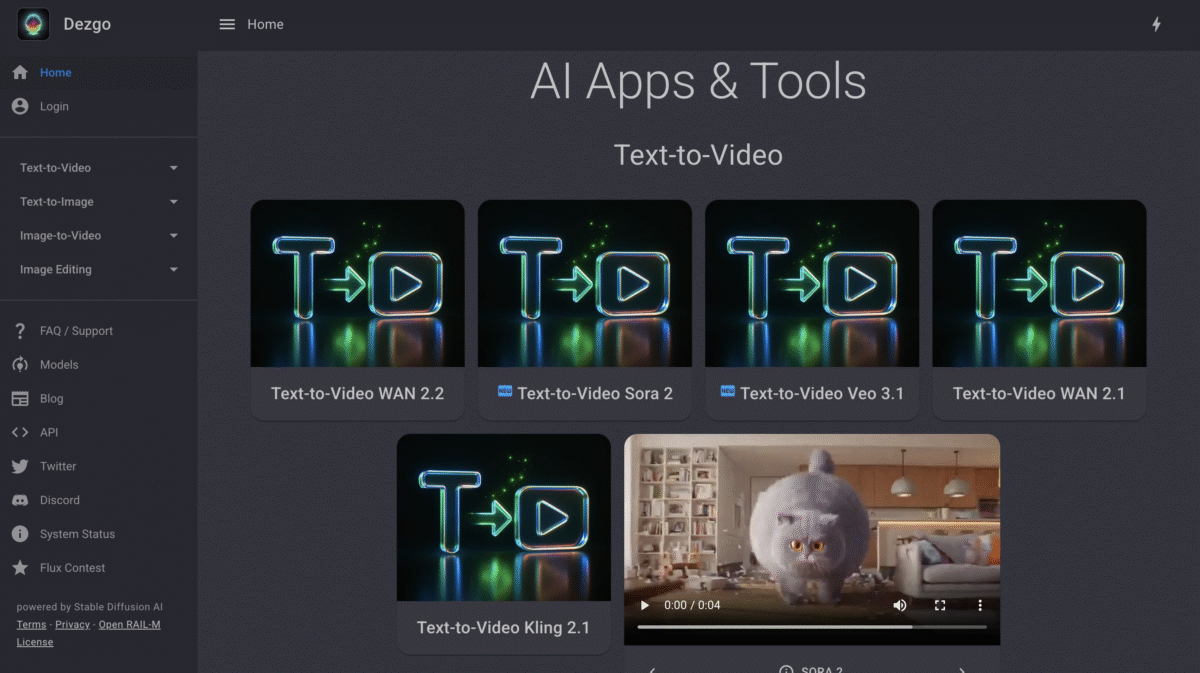
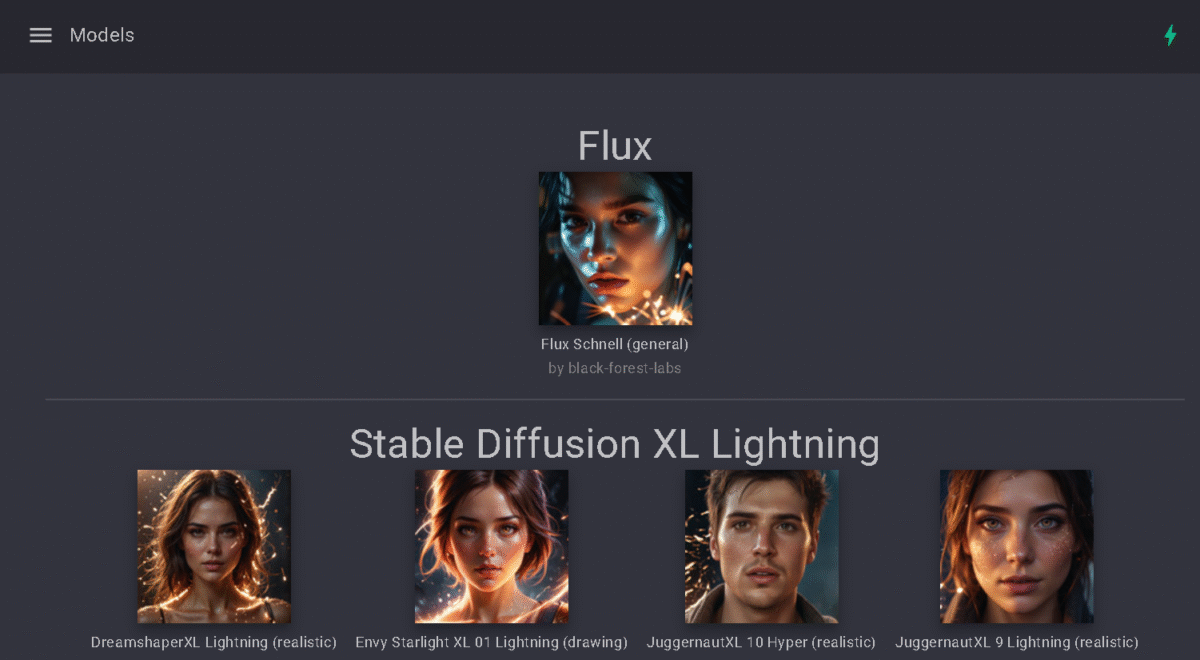
Dezgo AI launched as a simple Stable Diffusion interface, but the 2026 version has evolved into something more ambitious: a multi-model marketplace that aggregates over 100 AI models from multiple providers.
The platform now includes Flux 2 Pro, Grok Imagine, Nano Banana Pro, SDXL Lightning, and community-trained variants optimized for specific styles – photorealism, anime, fantasy, concept art.
Each model targets a particular creative niche, and switching between them takes one click.
The company is based in France and generates over 500,000 images daily – a staggering number for a platform most people have never heard of, which tells you something about the demand for free, no-commitment AI image tools.
The platform runs entirely in a browser – no desktop app, no mobile app, no installation. You navigate to dezgo.com, type a prompt, and get an image in 4-30 seconds depending on the model and queue load.
I spent time testing Dezgo across free and Power Mode, running roughly 80 prompts across text-to-image, inpainting, ControlNet, background removal, and the beta video generator. Dezgo fills a specific niche extremely well. It’s the fastest path from curiosity to first AI image for someone who’s never used a generator before.
Where Dezgo falls short is everywhere beyond that starting point. The interface looks dated and lacks the visual polish of Leonardo AI or Playground.
Image quality, while solid for free output, trails Midjourney and Nano Banana by a noticeable margin – especially on complex compositions, faces, and hands. And the 512×512 free resolution cap means most free outputs are useful for concept exploration, not finished deliverables.
If you value speed and cost over output quality and user experience, Dezgo delivers solid value.
If you need polished, print-ready images or a refined creative workflow, you’ll outgrow Dezgo quickly.
Key Features
1. Text-to-Image Generation with 100+ Dezgo AI Models
Over 100 AI models. That’s what you’re choosing from when you open Dezgo’s text-to-image generator. The defaults – Stable Diffusion 1.5, SD 2.1, SDXL, and SDXL Lightning – cover most casual use cases well enough.
But Power Mode unlocks the interesting stuff: Flux 2 Pro for higher fidelity output, Grok Imagine for experimental compositions, and Nano Banana Pro for painterly, artistic styles. Community-trained variants go even deeper, targeting specific aesthetics like photorealism, anime, fantasy, and concept art.
I tested the same prompt (“a cinematic cyberpunk street at night with rain, neon reflections on wet pavement”) across four models: SD 1.5, SDXL Lightning, Flux 2 Pro, and Nano Banana. SD 1.5 produced a usable but soft 512×512 image in about 4 seconds. SDXL Lightning delivered sharper results at 1024×1024 in roughly 6 seconds.
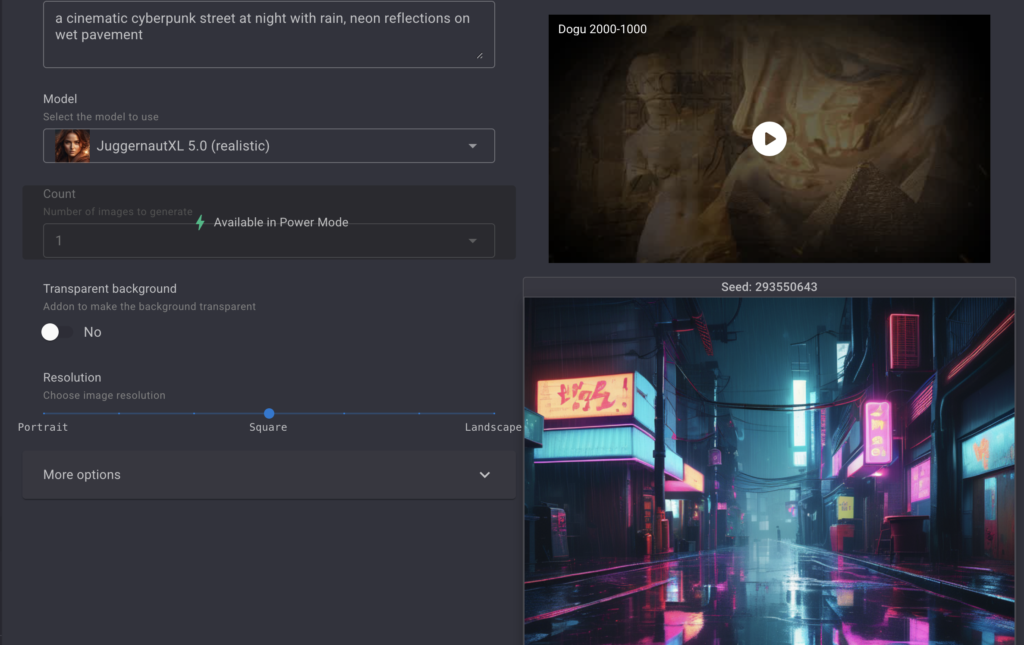
Flux 2 Pro added more atmospheric depth and better neon reflection rendering, but took about 15 seconds.
Nano Banana gave the most stylized, painterly result – beautiful for concept art, less useful for photorealism.
The model variety is Dezgo’s real competitive advantage. No other free tool lets you A/B test this many generation engines without paying or signing up.
2. Image-to-Image Style Transfer
Upload a source image and let an AI model reinterpret it. You can apply a new style, change the mood, or transform a sketch into a finished illustration.
Available models for image-to-image include Grok Imagine, Nano Banana, Flux 2, and SD1. This is useful for concept artists working from reference photos, designers exploring style variations, and anyone who wants to see “what would this look like if…”
3. Controlled Text-to-Image Generation
Most free AI image generators give you a prompt box and nothing else. ControlNet is different.
It lets you guide image generation using structural inputs – depth maps, edge detection (Canny), pose references, and more. You upload a base image, select a detection model, and generate variations that follow the same structural composition while changing the visual style.
I tested this feature by uploading a simple room interior photo and running it through three different style models.
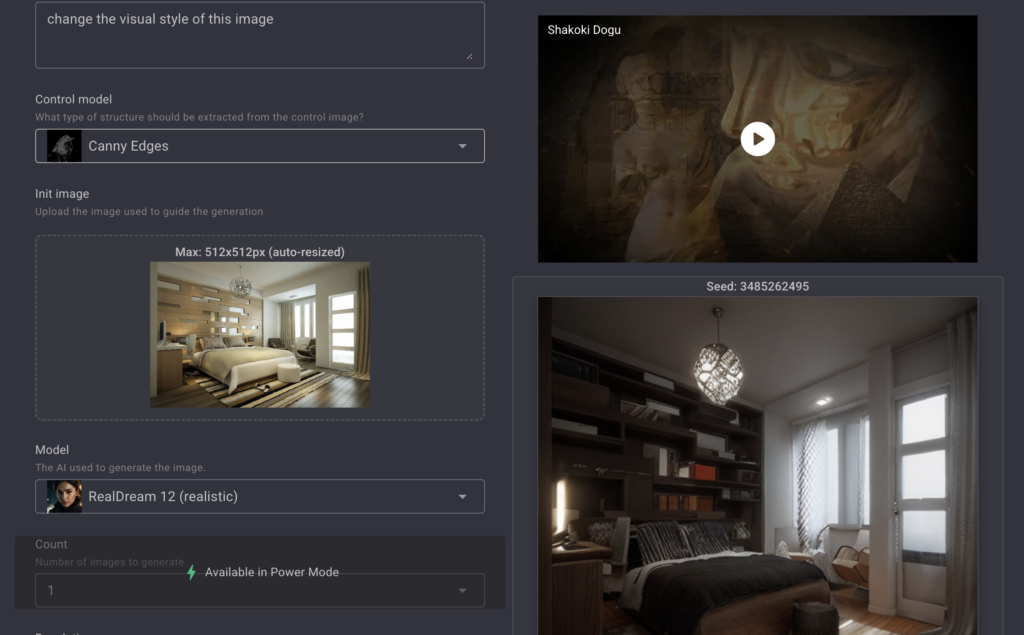
All three outputs maintained the room’s spatial layout (furniture placement, window position, perspective) while completely changing the aesthetic – one became a cozy cottage, one became a modern minimalist space, one became a sci-fi interior.
For concept artists and interior designers who need to keep composition consistent across style iterations, this is a real productivity tool.
ControlNet typically requires a local Stable Diffusion installation or premium platforms like Leonardo AI. Getting it free and in-browser through Dezgo is a genuine differentiator.
4. Image Upscaling
Dezgo’s AI upscaler uses Real-ESRGAN to increase image resolution by up to 4x while preserving edge detail.
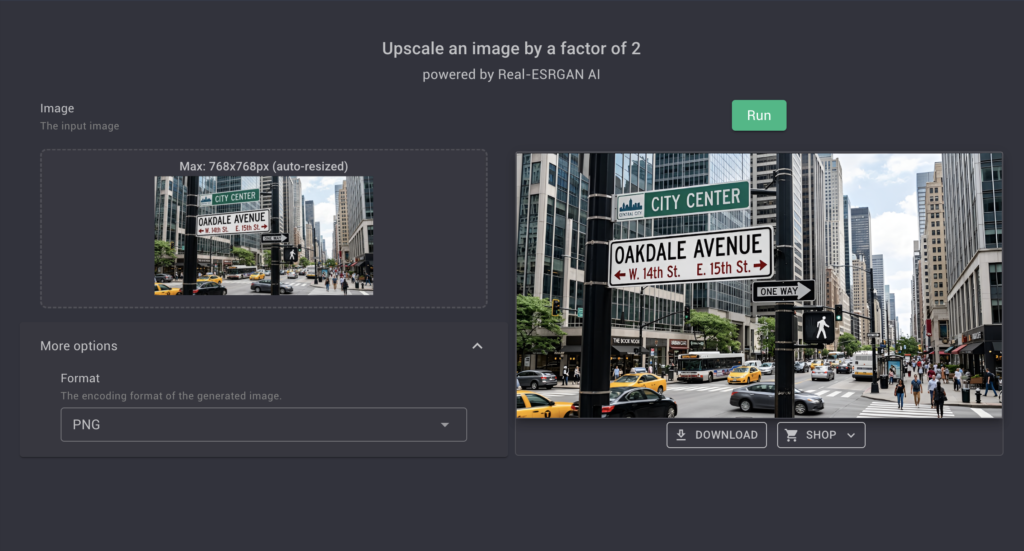
The result was sharper than the original with clean edge preservation on buildings and neon signs. Fine text and very small details lost clarity, but for most use cases the upscaled output was acceptable for social media posting and blog illustrations.
5. Inpainting from Text
Pick a specific area of an image and describe what should replace it.
This works well for removing unwanted objects, adding elements, or fixing composition issues – without needing Photoshop.
I tested inpainting by selecting a street sign in a generated cityscape and prompting “replace with a holographic advertisement for cyberpunk ramen.”
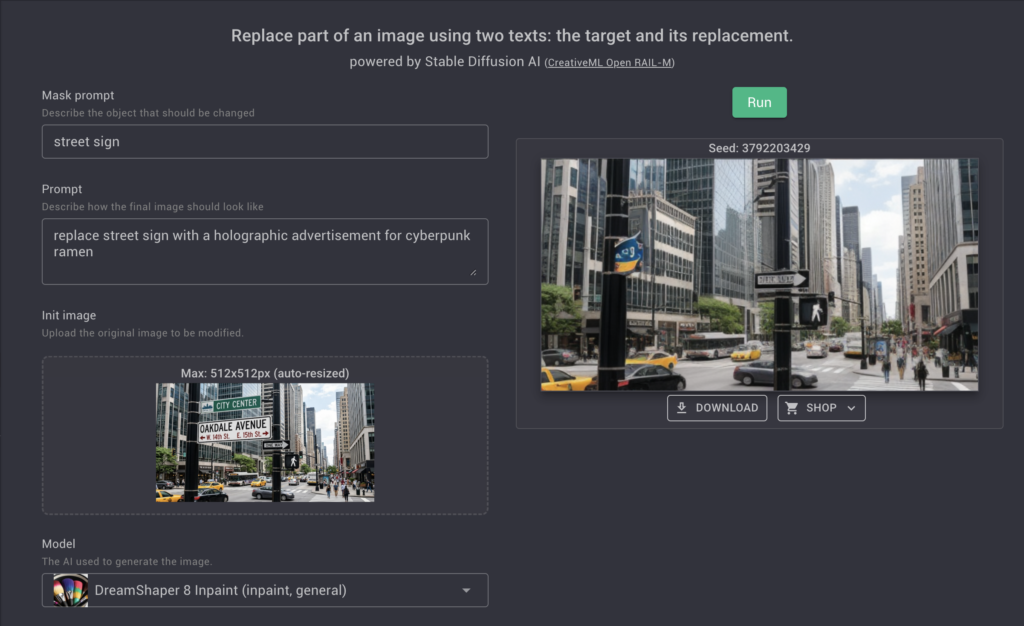
The replacement blended naturally with the surrounding scene, matching the lighting and perspective. Simple replacements on consistent backgrounds work reliably. Complex replacements on detailed backgrounds occasionally produce visible seam artifacts.
6. Background Removal
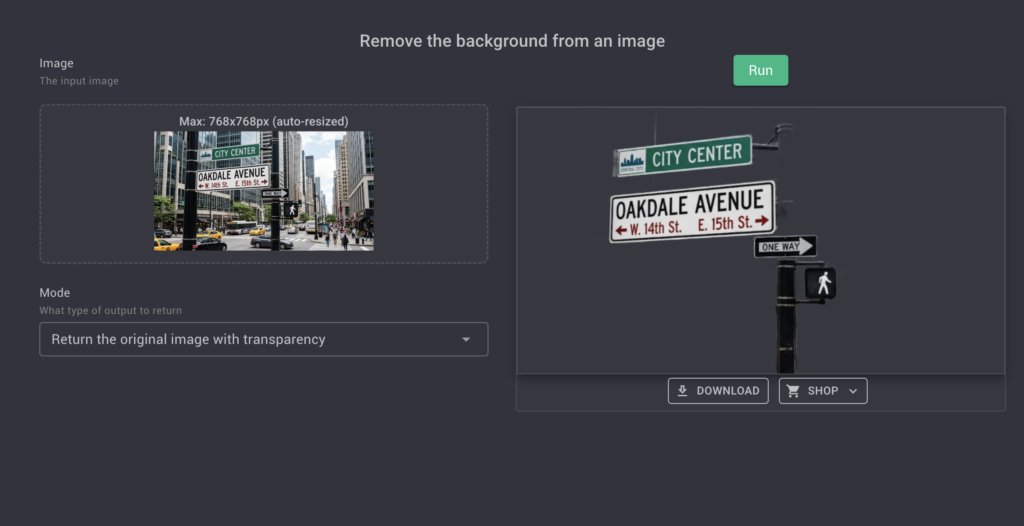
One-click background removal that isolates subjects automatically. Priced at $0.001 per image in Power Mode – one of the cheapest automated background removal options available anywhere.
Quality is comparable to mid-tier tools for simple subjects. Complex subjects (hair, transparent objects) produce rougher edges than dedicated tools like Remove.bg or PicWish.
7. Text-to-Video (Beta)
Dezgo’s experimental video feature now supports multiple premium video models including Sora 2, Veo 3.1, Kling 2.6, and WAN 2.6. You write a text prompt and get a short video clip.
Quality is basic and generation times are long – this is clearly a beta feature – but having access to models like Sora 2 and Veo 3.1 through a pay-per-use interface (rather than a separate monthly subscription) positions Dezgo as one of the most affordable gateways to premium AI video in 2026.
I tested video generation with the prompt “a drone shot flying over a cyberpunk city at sunset.”
The Kling 2.6 output produced a roughly 4-second clip with smooth camera movement but visible artifacting on building edges. It’s not production-ready, but for quick concept visualization or social media teasers, it shows genuine promise.
8. Advanced Prompt Control and Customisation
Here’s where Dezgo stops feeling like a toy and starts feeling like a real tool.
You can adjust guidance scale (1-30), sampling steps (1-150), seed values for reproducibility, resolution settings, and negative prompts to exclude specific elements.
Most people will never touch these settings – but the ones who do will get dramatically better results.
I found that bumping guidance scale to 8 -12 and sampling steps to 40 consistently produced sharper, more coherent images than the defaults. This level of control is typical for local Stable Diffusion installations but unusual for a free browser-based tool.
Competitors Comparison
| Feature | Dezgo AI | Leonardo AI | DALL-E 3 | Midjourney | Stable Diffusion | Magnific (formerly) Freepik AI |
|---|---|---|---|---|---|---|
| Pricing | $10/mo | $12/mo | $20/mo (ChatGPT Plus) | $10/mo | $5/mo | €6/mo |
| Ease of Use | Very easy, browser-based | Easy, polished dashboard | Easy, web interface | Moderate, Discord-based | Advanced, requires setup | Very easy, stock-integrated |
| Signup Required | No | Yes | Yes | Yes | No (local) | Yes |
| Speed | Fast (4–30 seconds) | Fast | Moderate | Moderate | Variable (hardware-dependent) | Fast |
| Image Quality | Good (trails premium tools) | High (Phoenix, Kino XL) | Very high, realistic | Highest artistic quality | Variable (excellent with tuning) | Good for general use |
| Model Variety | 100+ models | Multiple (Phoenix, Kino XL, SDXL) | Single model | Single model (proprietary) | Thousands (open ecosystem) | Limited |
| ControlNet | Yes (free) | Yes (paid) | No | No | Yes (requires setup) | No |
| Video Generation | Yes (beta, Sora 2/Veo 3.1/Kling 2.6) | Yes (Motion) | No | No | Community models | No |
| Customisation | Strong (guidance, steps, seeds, negatives) | Strong (fine-tuning, training) | Good prompt detailing | Excellent style control | Full coding control | Limited |
| API Access | Yes ($2-$100/mo via RapidAPI) | Yes | Yes (OpenAI API) | No (unofficial) | Yes (local) | Yes |
| Community | Growing gallery and forums | Active community gallery | Moderate | Strong artist community | Large developer community | Moderate |
| Best For | Free experimentation and budget generation | Intermediate creators wanting polished output | Top-tier photorealism | Artistic excellence | Technical users wanting full control | Stock-integrated general use |