

Granola AI launched in 2023 and has raised $192 million to date, hitting a $1.5 billion valuation after its $125 million Series C in March 2026.
The core idea is simple: Granola AI sits on your desktop and captures system audio during any video call. It doesn’t join the meeting as a participant.
Nobody sees a “Granola is recording” notification. Nobody gets a consent pop-up.
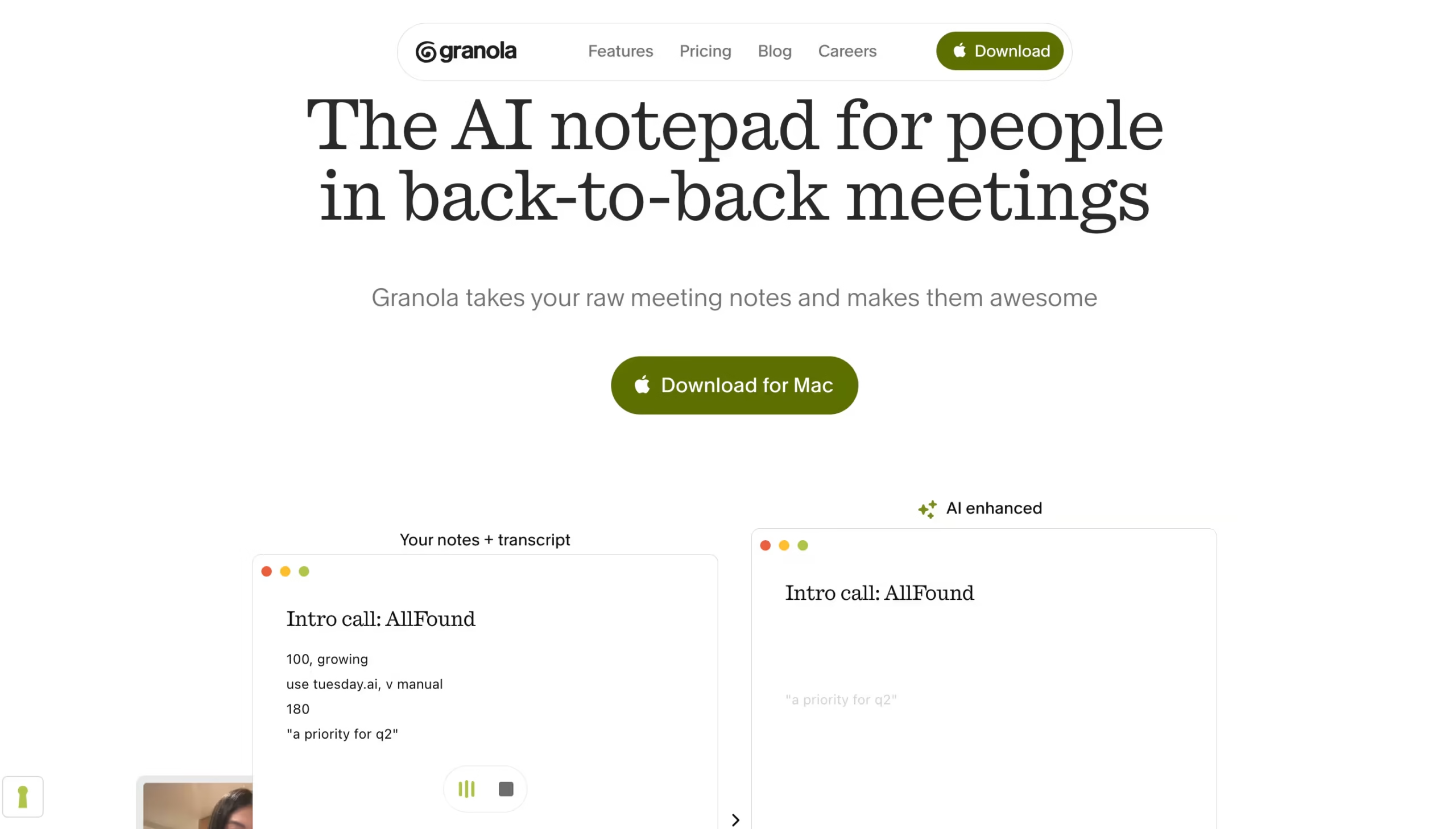
The audio stays local on your device, gets transcribed in the background, and then an LLM (you can choose between GPT-4o, Claude, or Gemini on paid plans) transforms that transcript into structured, readable notes.
I tested Granola AI across 5+ meetings over a week. The notes it produced were consistently cleaner and better formatted than what I’ve gotten from Otter.ai or Fathom for similar calls.
The “Enhance Notes” button that runs after each meeting turned rough transcripts into something I’d actually send to a colleague without editing. That’s rare.
Where Granola AI falls short is everywhere beyond individual note-taking.
There’s no audio or video playback, so you can’t go back and listen to how someone said something – only what the transcript captured.
Speaker identification is hit-or-miss, especially in calls with more than three people.
And the export story is weak: your main options are copy-paste or sharing a Granola link. There’s no one-click PDF export, no native Google Docs integration, and the Notion sync – while functional – requires the Business plan.
If you work alone and want the most discreet, best-formatted meeting notes available in 2026, Granola AI delivers. If you manage a team and need playback, analytics, or deep CRM pipelines, you’ll run into walls.
Key Features
1. Bot-Free Recording
This is the feature that made Granola AI popular, and it still matters.
Most AI note-takers join your call as a visible participant. That works fine for internal meetings, but it creates friction with external clients, investors, or anyone who gets nervous when they see “AI Notetaker” in the participant list.
Granola AI sidesteps this entirely.
It captures system audio from your device’s output, which means it works on any platform that plays audio through your speakers or headphones.
I tested it on Zoom, Google Meet, and Microsoft Teams without issues. It also works on Slack Huddles and FaceTime – something most competitors can’t touch because they rely on calendar integrations or meeting-specific APIs.
There’s a trade-off though.
Since Granola AI only captures your device audio (not individual participant feeds), speaker identification suffers in larger calls.
In my one-on-one meetings, it correctly attributed quotes about 80% of the time. In a five-person standup, it defaulted to “Speaker A” and “Speaker B” labels more often than not.
If knowing exactly who said what matters for your workflow, Fireflies.ai or Otter.ai handle this better.
2. Recipes
Recipes launched in late 2025 and remain one of Granola AI’s most underrated features.
Think of them as saved prompts that process your meeting notes through a specific lens. You access them by typing / in Granola Chat after a meeting.
There are 29 built-in Recipes covering everything from project kickoffs to pipeline reviews.
The “Coach Me” recipe analyzes your meeting and tells you how you showed up – did you talk too much? Did you ask enough open-ended questions? The “Write a Brief” recipe takes a messy brainstorm and turns it into a structured document.
You can also build your own Recipes.
Each one is a static prompt template (no variables or dynamic content), so if you need different formats for different meeting types, you create separate Recipes for each.
3. Granola Chat
Granola Chat lets you ask questions about your meetings in two ways.
During a live call, you can press Cmd+J (or Ctrl+J on Windows) to ask about what’s been said so far – useful when you zone out for a second and need to catch up.
After the meeting, you can query across your entire meeting history: “What did Sarah say about the Q3 timeline?” or “Which meetings mentioned the rebrand?”
The cross-meeting search is where this gets powerful. Instead of scrolling through individual notes trying to find when a decision was made, you ask Granola Chat and it pulls the relevant context.
I used it to find a pricing commitment a client made three weeks earlier, and it surfaced the exact meeting and the surrounding context in about five seconds.
One limitation: in-meeting chats are ephemeral.
Anything you ask during a live call isn’t saved unless you manually copy it. And Granola Chat only searches your own meeting history – it won’t browse the web or answer general knowledge questions.
4. Spaces
Launched alongside Granola’s Series C funding round, Spaces brings team functionality to what was previously a solo tool. You can create shared folders – Sales Calls, Customer Feedback, Hiring Loops – and grant granular access to specific team members.
It’s a step in the right direction, but Spaces still feels early. There’s no team-wide search across all members’ meetings (each person still searches their own library), and there’s no manager dashboard showing meeting volume or coaching metrics like you’d get in Fireflies.ai or Gong.
For small teams of 3–5 who just want a shared folder of client call notes, it works. For anything larger, the team features feel thin compared to what competitors offer at similar price points.
5. Integrations
Granola AI connects natively with Slack (automatic summary posting), Notion (note export), HubSpot, Attio, and Affinity for CRM sync. A Zapier integration opens the door to 8,000+ additional apps – so you can push meeting data into Salesforce, Asana, or Google Sheets through automation.
An MCP server launched in February 2026, letting you connect your meeting data to your AI tool of choice. The Business plan includes a personal API, and the Enterprise plan adds a full enterprise API for custom integrations.
The gap?
No native Salesforce integration. If your sales team lives in Salesforce, you’re routing everything through Zapier, which adds latency and complexity that Fireflies.ai or Fathom don’t require.
What’s Actually Good
The note quality stands out above everything else. I’ve tested Otter.ai, Fathom, Fireflies, and tl;dv over the past year, and Granola AI consistently produces the most readable, best-structured summaries.
The notes feel like something a sharp colleague would write – not a robotic transcript dump with bold headers slapped on top.
The “Enhance Notes” feature deserves specific credit here: it takes the raw transcript plus any bullet points you jotted during the meeting and blends them into a cohesive summary. The combination of your human context and the AI’s processing creates output that’s better than either alone.
The bot-free approach remains a meaningful differentiator. In three weeks of testing, not a single meeting participant asked “what’s that bot?” or hesitated when I mentioned I was taking notes.
That social friction might sound minor, but anyone who’s had a client refuse to proceed with a Fireflies bot in the call knows it’s real.
Recipes transform Granola AI from a note-taker into something closer to a meeting workflow tool. The ability to run a custom prompt against your meeting transcript – and get consistent, formatted output every time – saves meaningful time if you’re in 5+ meetings a day.
And at $14/month for Business, the pricing is genuinely competitive.
It’s cheaper than Fathom Premium ($16–19/mo), tl;dv ($18/mo), and significantly cheaper than conversation intelligence platforms like Gong.
What Needs Work
The lack of audio or video playback is Granola AI’s most significant limitation.
Once a meeting ends, you have the transcript and the AI-generated notes – but you can’t press play and listen to how something was said. Tone, emphasis, hesitation – all lost.
For sales teams doing deal reviews or managers coaching reps, this is a dealbreaker. Every major competitor (Fathom, Fireflies, tl;dv, Otter) offers playback.
Speaker identification needs work. In one-on-one calls, it’s acceptable. In group meetings with three or more participants, accuracy drops noticeably.
Granola doesn’t offer speaker diarization the way Otter.ai or Fireflies.ai do, and it doesn’t learn and remember voices across meetings. If your workflow requires knowing exactly who said what – legal reviews, compliance calls, hiring debriefs – this is a problem.
The export and sharing experience feels unfinished. Your primary option is copying notes to your clipboard or sharing a Granola link.
There’s no one-click export to PDF, no native Google Docs sync, and the Notion integration – while useful – requires the paid plan. Competitors like Fireflies offer CSV, JSON, and Markdown exports. Granola gives you copy-paste.
Competitors Comparison
| Tool | Starting Price | Free Plan | Bot-Free Option | CRM Integration | Best Use Case |
|---|---|---|---|---|---|
| Granola AI | $14/user/mo | Yes (30-day history cap) | Yes (core feature) | HubSpot, Attio, Affinity | Best for discreet individual meeting notes |
| Fathom | $19/mo | Yes (unlimited recordings, 5 AI summaries/mo) | Yes (recently added) | HubSpot, Salesforce | Best free option for individuals |
| Otter.ai | $16.99/mo | Yes (limited) | No | Limited | Best for real-time transcription and collaboration |
| Fireflies.ai | $18/user/mo | Yes (limited) | No | Salesforce, HubSpot, Zoho | Best for teams needing deep CRM workflows |
| tl;dv | $29/mo | Yes (unlimited recordings) | No | HubSpot, Salesforce | Best for async teams sharing timestamped video clips |