
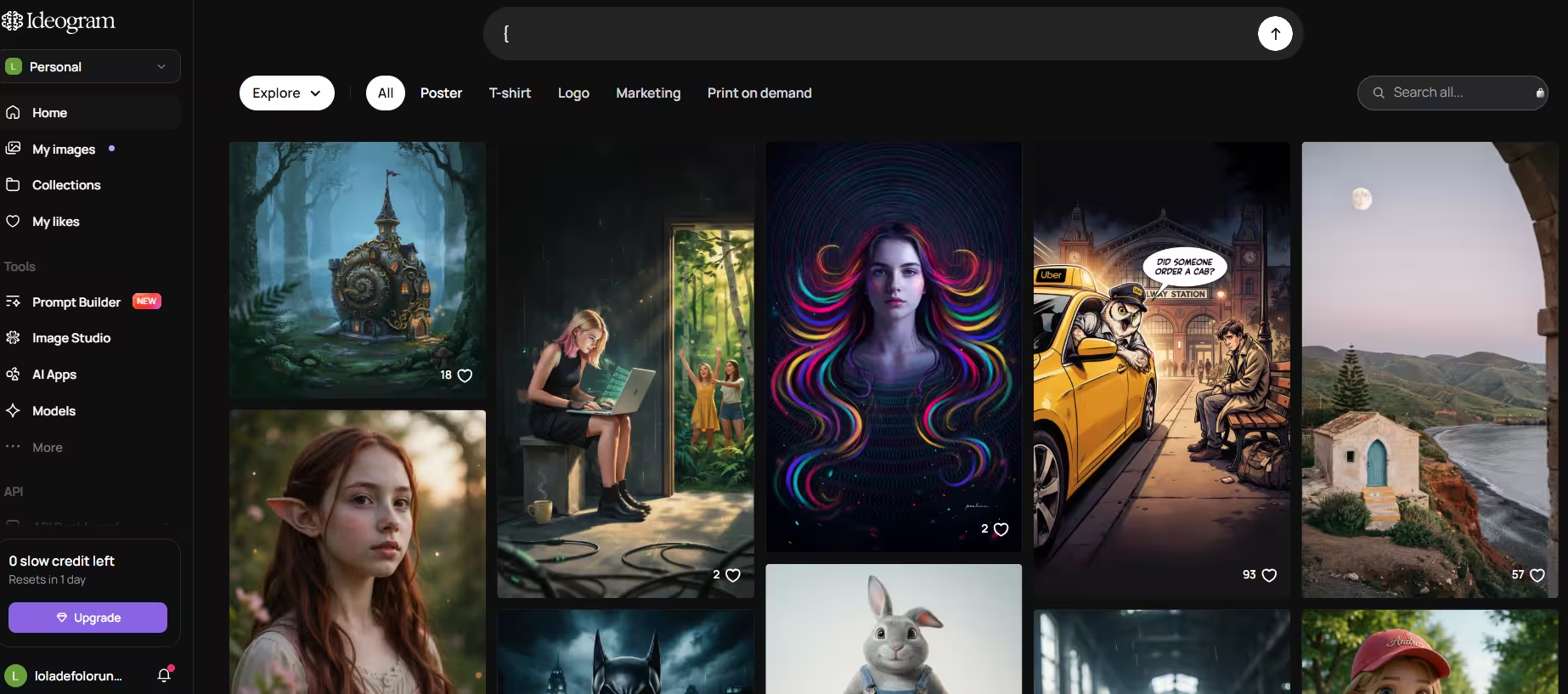


Ideogram launched in 2023, founded by former Google Brain researchers, including CEO Mohammad Norouzi, and it was built around a single unsolved problem in AI image generation: readable text. Independent testing puts Ideogram’s text accuracy in the 90–95% range, compared to roughly 30–40% for Midjourney and Stable Diffusion.
Ideogram shipped three major versions in a little over two years, with 2.0 adding style controls and a mobile app, 3.0 improving multilingual text and overall image realism, and 4.0 arriving in June 2026 with open weights. That last release matters more than the others, because it changes who controls the model. Layer-based design and multilingual support improved what Ideogram can produce; open weights changed who can run it. Enterprises can now download, audit, and fine-tune Ideogram themselves, on their own servers, instead of depending on a hosted API. Alongside 4.0, Ideogram introduced a new brand identity, signaling its move from a text-rendering tool to a broader design platform.
Key Features
1. Magic Prompt
Magic Prompt elaborates short, simple prompts into detailed ones automatically. In my testing, a basic input like “a birthday poster” became a fuller prompt with composition, lighting, and text details built in. Ideogram gave a scenic map of the poster, ascribing elements in positions that gave the best aesthetic appeal.
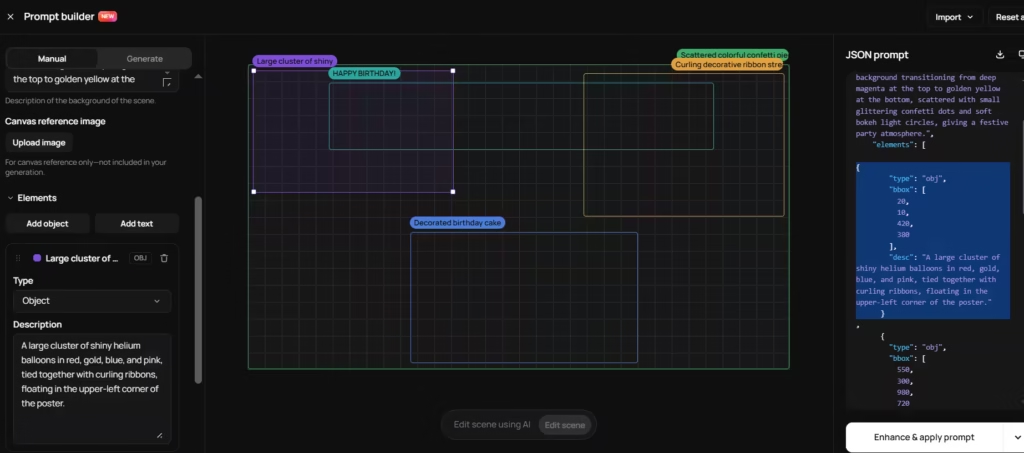
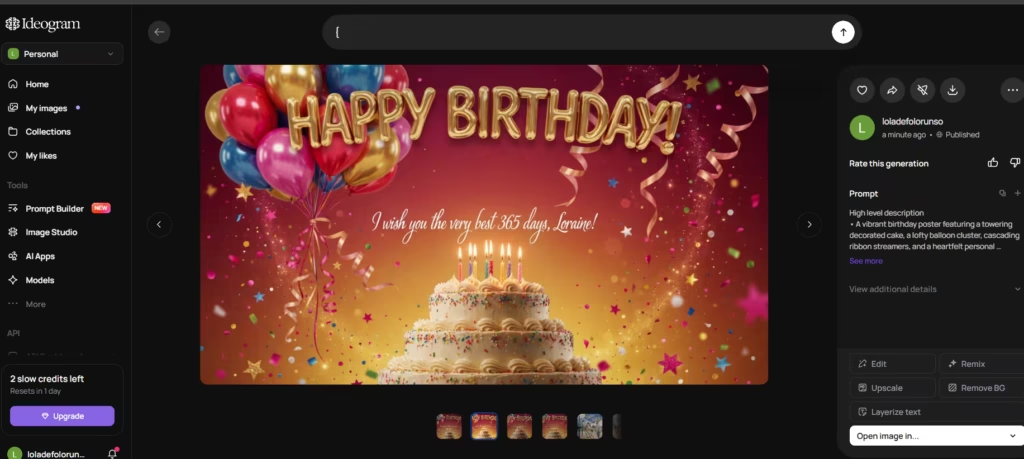
Skip the prompt-writing altogether, and Magic Prompt still delivers a usable result. It consistently filled in details I hadn’t thought to specify myself, like lighting direction and color mood, and those details showed up directly in the final image.
2. Text Rendering
Ask Ideogram to put a 12-word slogan on a poster, and it will actually get most of the words right. That’s still rare among image generators. Text rendering built Ideogram’s reputation, and version 4.0 keeps that core strength while adding multilingual support, smaller and denser type, and longer text strings than earlier versions could handle reliably.
I ran a direct comparison to see how much that lead actually holds up: the same 12-word slogan, generated in Ideogram and Recraft. Ideogram rendered 12 of the 12 words correctly. Recraft AI got it mostly right with a few minor errors – a few of the letters were wrapped and slightly misshaped compared to the standard font characters.
I also found I could get specific with the text design itself, describing font weight, placement, and style directly in the prompt, and Ideogram followed those instructions instead of guessing.
Also read: How Are AI Images Even Generated?
3. Bounding-Box Layout Control
New in 4.0, this feature lets users specify exactly where a headline, logo, or subject should appear on the canvas. It’s an extension of the prompt builder, and it removed a step I used to dread: nudging elements around after the fact.
I found that I could change the location of the text and other graphical elements, like the balloons in the birthday poster I had generated, before generation instead of after.
4. Canvas
Canvas is Ideogram’s built-in editor, and it holds up well for quick adjustments, cropping, color tweaks, and minor touch-ups without leaving the platform. Where it falls short: Canvas doesn’t support layer masking.
If you need to isolate and edit one small part of a complex image, you’ll still end up exporting to Photoshop, which defeats some of the convenience.
5. Character Consistency
Users can upload a reference image or define a character in a prompt, then keep that character consistent across multiple generations. This works well for mascots, comics, and recurring social media characters, as long as you keep the art style the same.
I tried carrying a character from a flat illustration style into a photorealistic scene, and the consistency broke down noticeably. Stick to one style per character, and it holds up fine.
6. Background Remover
Background Remover produces a clean, transparent cutout in seconds, and the edges came out sharper than I expected, even around fine details like hair and thin logo strokes. For isolating a product shot or a logo for reuse elsewhere, it’s fast enough to skip a separate tool entirely.
7. Batch Generation
Users can upload a spreadsheet of prompts and generate many images in one pass. Each row becomes its own image, which saves significant time for marketing teams running large campaigns.
8. Open Weights and API Access
Ideogram 4.0 is open-weight under a commercial license. Developers can download the model, fine-tune it on their own data, and deploy it on their own infrastructure. The platform also supports an API and MCP (Model Context Protocol), making it easier to plug Ideogram into custom apps and agent workflows.
Is Ideogram AI still the Best for Text Rendering?
Ideogram AI is still at the forefront of text rendering, and Ideogram 4.0 offers even more. Ideogram now provides open weights, layout control, and layer-based design. If you need an image where the words actually work (logos, posters, packaging, or ads), Ideogram AI is the tool to use.
Also read: The Best AI Image Generators of 2025