
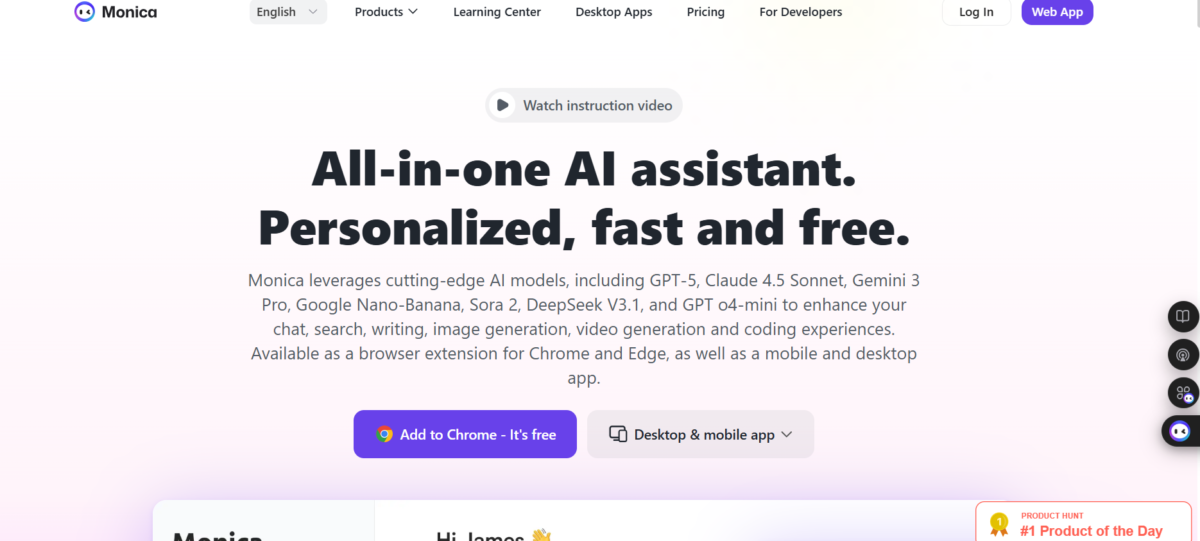

Monica AI is a cross-platform AI assistant that functions as a productivity tool. It has a variety of use cases: text generation, summarization, translation, paraphrasing, and question answering directly within webpages or apps. Monica AI is promoted as a tool for anyone who works with text online.
Key Features
1. AI Chat
Monica AI has a chat feature consisting of advanced models (GPT-5.2, Claude, Gemini, Nano-Banana) in one interface. The models respond to questions, brainstorm ideas, draft content, and provide explanations to complex topics. Users are allowed to switch models; alternatively, Monica AI can autopick the best AI model per task.
2. Webpage Summarization
This works best with the Chrome extension. Monica AI reads webpages to extract and provide the key ideas. The good thing about this is that the summary feature works as the user works to automatically provide summaries without prompting.
3. Video Summarizer
Monica can take a YouTube video and produce a concise summary, often with timestamps of major points. This allows users to understand content without watching the full video, saving time and allowing for faster content digestion.
4. AI Writing Assistant
Monica AI harnesses the capabilities of its advanced AI models to draft and refine text. The content type is not limited to any specific form: blog posts, emails, social media posts, and reports.
5. Translation
Monica AI translates pasted text and text from webpages. This feature is built into the Chrome extension for live while browsing.
6. PDF Tools
Monica has document tools that include ChatPDF (interactive Q&A with your PDF), translators for PDF content, and converters to formats such as Word, PowerPoint, JPG, PNG, and searchable OCR text.
7. Image Generation & Editing
There are image tools powered by Ideogram 2.0 and other models that make text-to-image generation and image-to-image transformation. They also create avatars and logos, remove backgrounds and objects, and upscale.
8. AI Video Tools
Monica turns text prompts into motion content. It also has stable video diffusion, can create animation from images, and supports standard video generation AI – Pika AI and Runway AI. The obvious benefit of this is video creation without technical expertise.
9. Writing Tools
Apart from basic content drafting, Monica AI features a text humanizer to make content sound natural, detectors for AI-generated text, rewrite/paraphrase tools, and a translator. A combination of these will move AI text closer to sounding human and meeting quality standards.
10. Math Solver
There is an embedded math solver that provides step-by-step answers, and mind map generators to organize concepts visually for easier comprehension.
Other minor features;
- Resume checking and scanning
- Podcast generator
- PowerUps for webpages
- Browser extension add-ons
Using Monica AI
1. Chat
Monica AI chat works primarily through the Chrome extension. I installed the Monica AI Chrome extension in my browser, opened a web page, and asked it to provide a summary. The summary came up in a side panel.

The summary function became automatic as I browsed pages.

From the side panel, I could also request a translation, which I did. The language options covered European, Asian, and African languages. For this translation task, I chose French.

The side panel also hosted other functionalities. I could create a PowerUp, generate a podcast from the webpage, clip the webpage.

I could also choose between models for each generation task.
2. Podcast Generation
I found this feature quite lacking. From a webpage, I followed through with the podcast generator in the Chrome extension. However, the result was a podcast with an unrelated topic, even after a retry.
3. ChatPDF
From an uploaded PDF, Monica AI gave a summary of the file, complete with key points and highlights. What I found particularly useful was the infusion of a chatbot with the ChatPDF feature. This let me pick out points from the PDF and make research, without leaving Monica or switching to another chat feature within Monica.

4. File conversions

Monica AI offers conversion from PDF to a decent number of file types. I decided to convert a PDF to a PowerPoint. I appreciated having the option to paste a link; it could prove particularly accommodating for online PDFs.
After conversion, here’s what I noticed;
- Monica AI preserved the format and multi-stage structure
- It correctly processed the file with its mixed content (text+images+tables)
- Text was extracted without missing information or sections
What I didn’t like, however, was the layout: It appeared that Monica retained the A4 form of content; they didn’t look like presentation slides.

5. Image
I typed in a prompt:

And got this image;
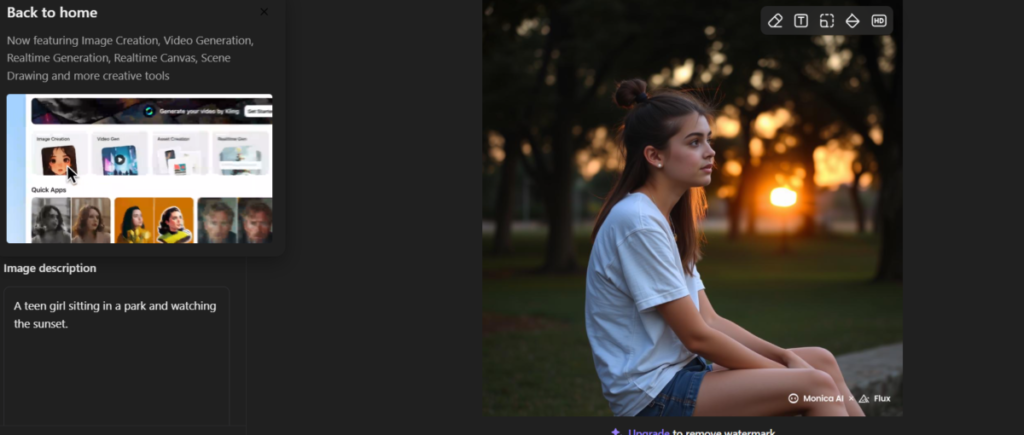
The image looked realistic, with a great deal of prompt adherence. It did, however, have one caveat: the teen girl was not watching the sunset as I had detailed. Instead, the teen girl sat facing a different direction.
6. AI text Humanizer
I generated a piece of text with ChatGPT and ran it through an AI detector.

As expected, it was flagged. Then, I ran the content through Monica’s humanizer.

Monica AI’s integrated AI checkers reported that the text was fully human-written. But I decided to test with a third-party checker, Quillbot.

Quillbot did confirm its “human origin” and attributed it a score of 0% AI-generated text.
7. AI Video Summarizer
I pasted a YouTube link into Monica.

I discovered that Monica did rely on subtitles to summarize videos. As a result, videos with subtitles were not eligible for summaries. I fixed this by going to the YouTube video to turn on subtitles.
The generated summary was comprehensive. It came with an overview, section by section breakdown punctuated with time stamps.


Monica also provided a transcript of the entire video and a rather interesting feature – chat with video. The feature is exactly what it sounds like; it lets users ask any question about the video. It can be used to backtrack or extract very specific information.

The Bottom Line
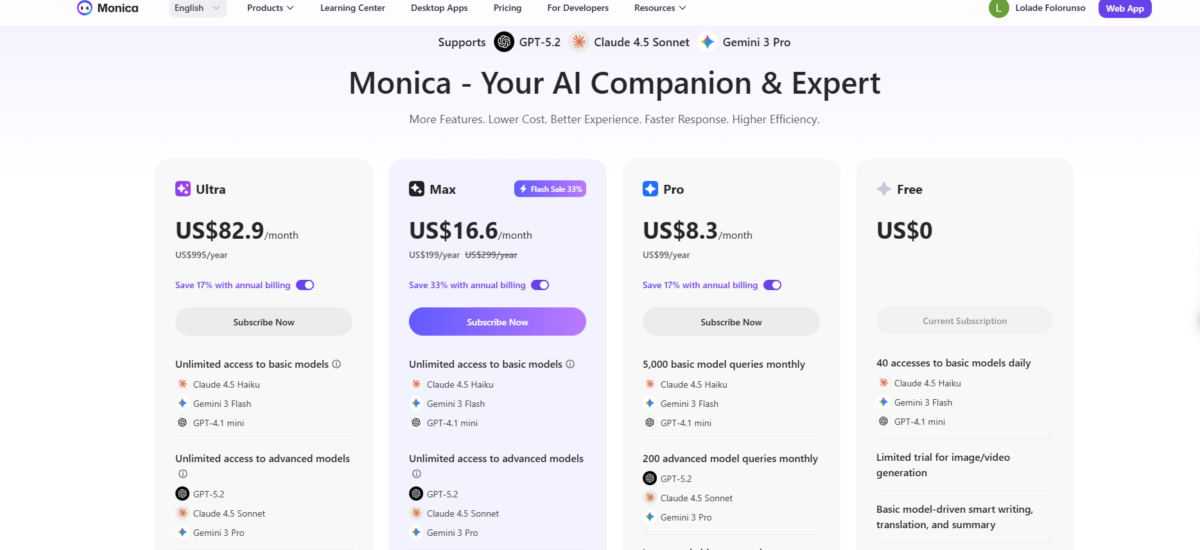
Monica AI is a thorough tool, assisting with even unrelated tasks like studying math. It has generous and far-reaching capabilities even in the free plan. Anyone who values content creation, learning, and overall productivity stands to gain a lot from Monica AI.