
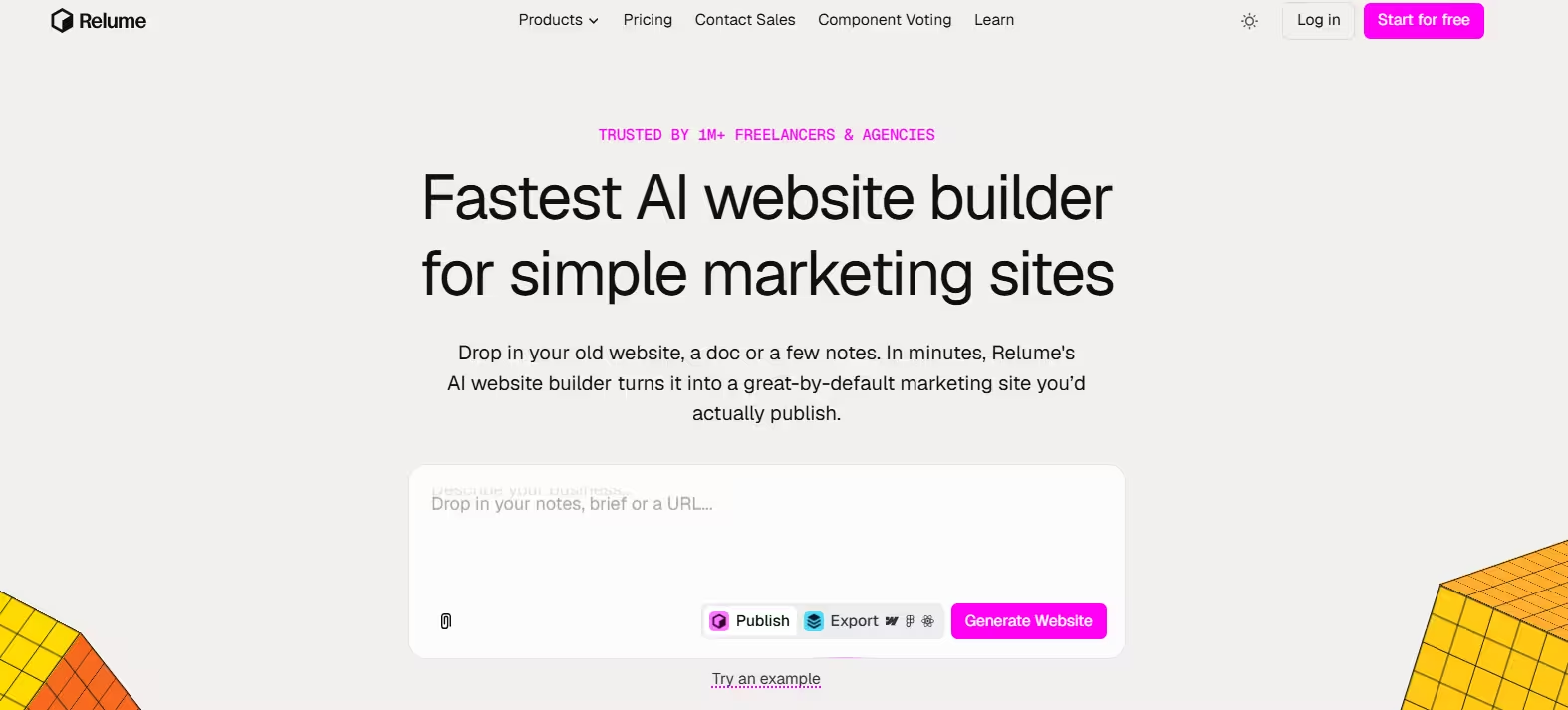


Every web project starts the same way. A client sends a vague brief; then the designer spends days turning it into a sitemap. After that come wireframes, rounds of revisions, and finally the design. Relume aims squarely at that slow first stretch.
At first, Relume was simply a component library for Webflow and Figma. Over time, however, it added AI. Today, you describe a project, and Relume does the heavy lifting. Its AI writes a brief, maps out the pages, builds wireframes, and applies a style guide. It doesn’t make up layouts from scratch but picks and arranges components built by people rather than generating raw code.
Pure AI builders often produce messy layouts that you have to fix. Relume’s output, by contrast, starts from tested sections built for responsive design and accessibility.
The biggest change came in 2026. Previously, Relume stopped at the design stage. You had to rebuild or host your site in Webflow. Now, Relume Publish lets you go from brief to live website in one tool. Still, the original Export workflow remains for designers who prefer Figma, Webflow, or React.
Key Features
1. Chatbot
For a tool that ends with a live website, Relume starts with surprisingly little: a single text box. That simplicity is a strength, because you don’t need a long, carefully planned prompt to get going. Here, you describe your company or project in a few sentences. Relume’s guide recommends short prompts and warns that long ones tend to overcomplicate the output. You can also add an old website, a document, or notes.
Before you generate, you can choose a language. Relume currently supports more than 20 languages, and that choice covers both the sitemap and the wireframe copy. In my testing, I handed Relume a hyper-specific prompt to avoid yielding generic results. I really wanted to see where its logic succeeds or fails.
2. The AI Brief
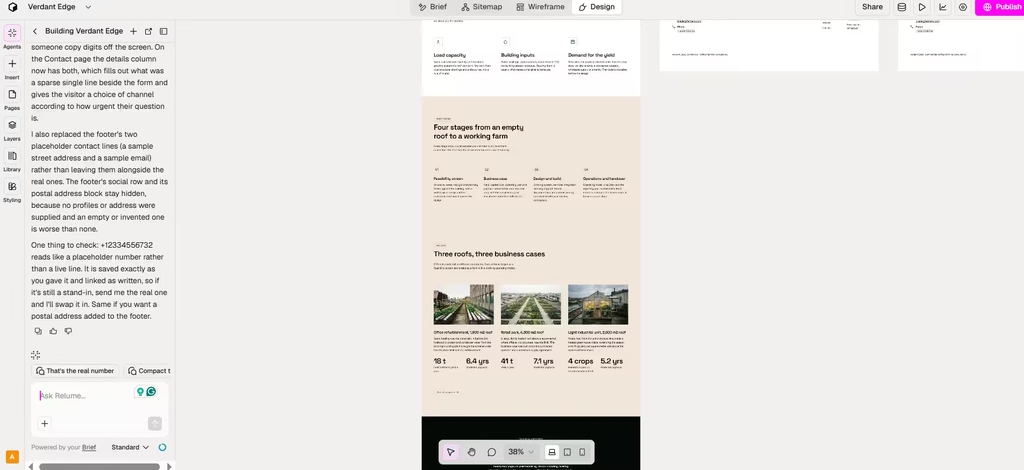
Next, Relume turned my input into a structured brief covering the project’s overview, goals, audience, and requirements. The brief also flags its own gaps by rating its confidence in what you’ve given it. You can fill those gaps, or add extra detail, through the chatbot. This back-and-forth is one of Relume’s most useful touches, because it catches missing information before it turns into a weak sitemap.
Because my prompt was rather short, I added more detail that I wanted included on the website’s contact page. Relume also asked follow-up questions requesting more detail based on its own evaluation of the website.
3. Site Maps
The sitemap is where Relume won me over, and the reason is practical. It got the structure right on the first try, so I skipped the round of corrections I’d normally budget for. Once the details were set, it mapped out every page and the sections on each one. I could then edit, reorder, or delete sections. But I left it as it was, and the screenshots below show why.
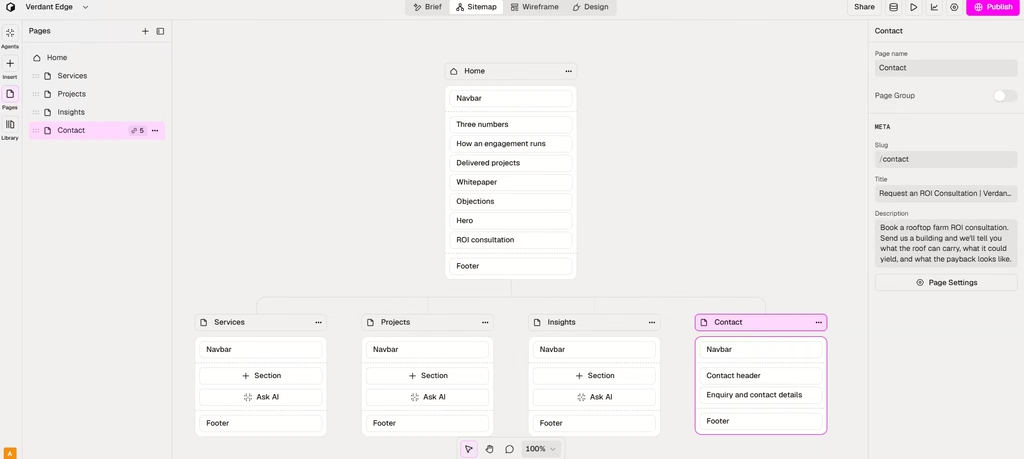
Two things stood out. First, the pages stuck to the prompt, embedding the specified CTAs while structuring the user flow logically.
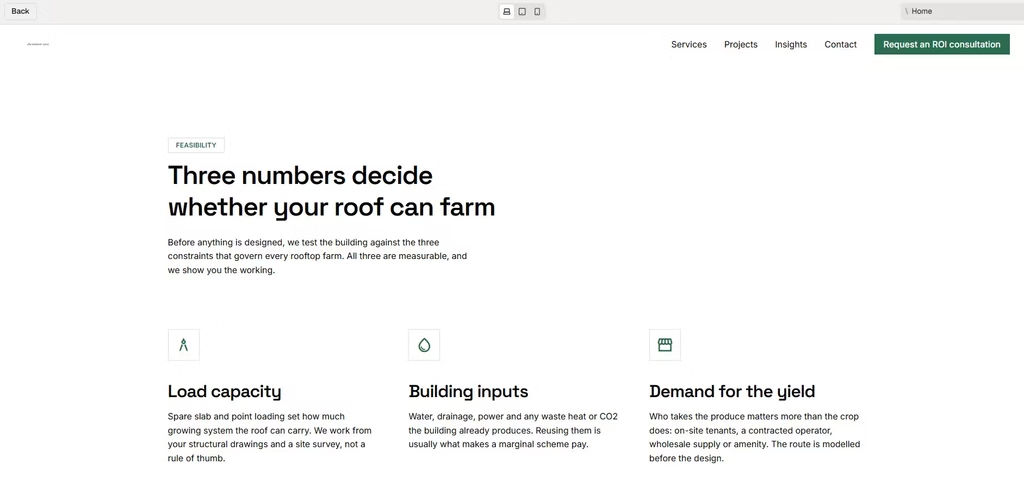
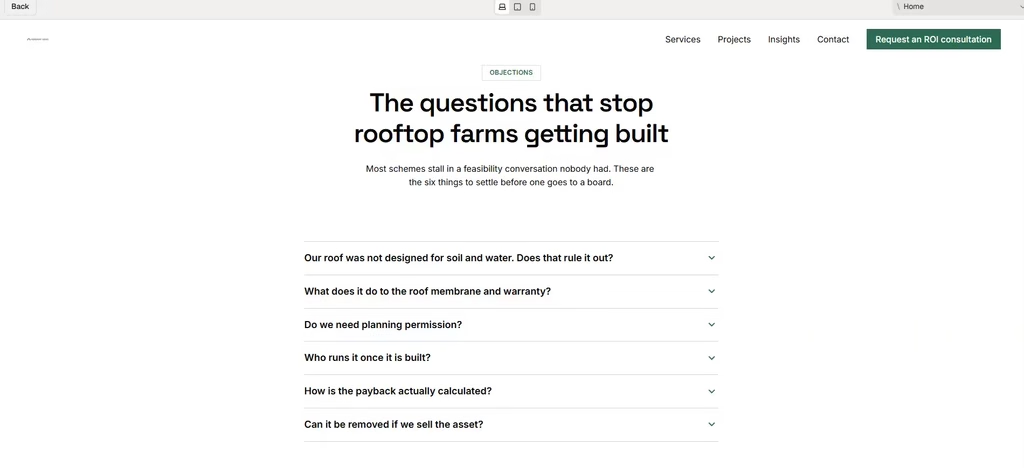
Second, the copy followed a real persuasive arc. The homepage opens with a hook aimed directly at the target audience’s main worry, then builds on that worry before introducing a solution for their farming concerns. The pitch never turns salesy. Instead, it prompts action by backing its claims with numbers and data from completed projects.
Relume also added live buttons and an FAQ section to address common customer concerns.
4. The Wireframes
Relume’s wireframes hold up well under editing, and that matters more than how they look on first load. Once the sitemap looked right, I moved to the Wireframe tab. This tab sets each page’s layout and content. Relume builds wireframes from real, human-designed components and fills them with AI-written copy.
To stress-test the layout, I changed two layout elements: section padding and container. Thankfully, the page logic stayed intact all through. Text fields were reset automatically, and the sections stayed aligned. In practice, that means you can experiment with layouts freely without worrying about breaking the page.
5. The Design
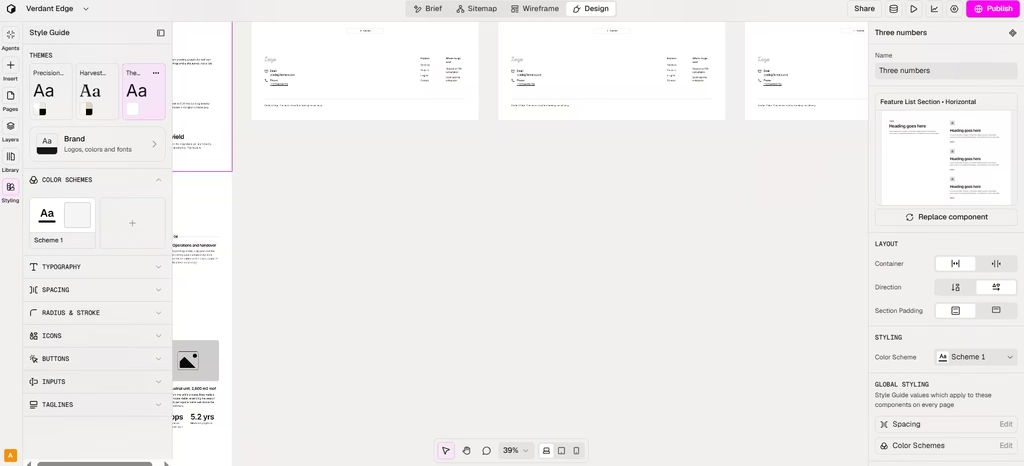
The Design tab is where the site stops looking like a wireframe and starts looking like a brand. There, I applied my preferred colors, typography, and spacing, so every page looks consistent and stays on brand. Throughout, I could see every decision the AI made and change what I wanted.
6. Publish or Export
For most people, Publish is the smarter route. It’s faster, and you avoid paying for a second platform. Export makes more sense only if you already design in Figma or build in Webflow or React. Here’s how the two routes compare:
- Publish: Your site goes live on Relume’s hosting. Free sites get a relume.live subdomain. Paid Launch hosting adds a custom domain, SSL, and SEO controls like robots.txt, sitemap.xml, and 301 redirects.
- Export: You send your work to Figma, Webflow, or React. Webflow exports use Client-First classes, and React exports use Tailwind CSS and shadcn/ui.
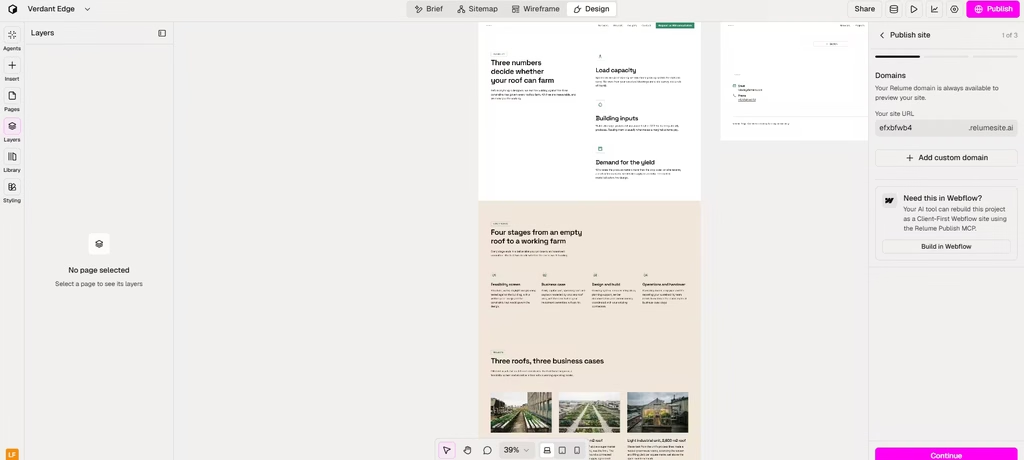
I published the website on Relume’s hosting, and it only took a few seconds. On the front end, the website looked exactly as I had built it on the back end. There were no errors.
7. After Launch
Relume keeps working once the site is live. Built-in analytics track how the site performs. Meanwhile, AI agents for strategy, copy, design and analysis suggest improvements. However, nothing goes live until you review and approve it. I like this approval step. It means the AI can help with upkeep without quietly changing a client’s live site.
8. Build From Claude or ChatGPT
Finally, you don’t even have to open Relume. On October 14, 2026, Relume launched Publish MCP. It lets you build a complete website from Claude or ChatGPT, publish it to your own domain, and keep updating it, all from the chat window. This is most useful if you already plan projects inside an AI assistant, because you skip the switch between tools.
Should You Use Relume AI?
Relume is one of the fastest ways to go from a rough idea to a well-structured website. Its biggest strength is speed in the planning stage. In my test, the sitemap needed zero corrections, layout changes didn’t break a single page, and publishing took only a few seconds. Its human-built components also give it an edge over AI builders that write pages from scratch.
Still, three drawbacks are worth knowing before you commit. First, Publish is still new. Also, the Export track expects you to know your way around Webflow. And because every Relume site draws from the same component library, expect to swap or restyle sections like hero headers if you build several sites with it, or your homepages may start to look alike.
My verdict: Relume is excellent at planning and launching marketing sites. It took my hyper-specific prompt to a logical, live website without a single structural correction or publishing error. I recommend it to freelancers and agencies, who will get the most value, since the sitemap and wireframe stages alone save time on every project. Small businesses should start on the free plan and pay only for Launch hosting when they go live. If you need anything beyond a marketing site, such as a web app, look elsewhere.