
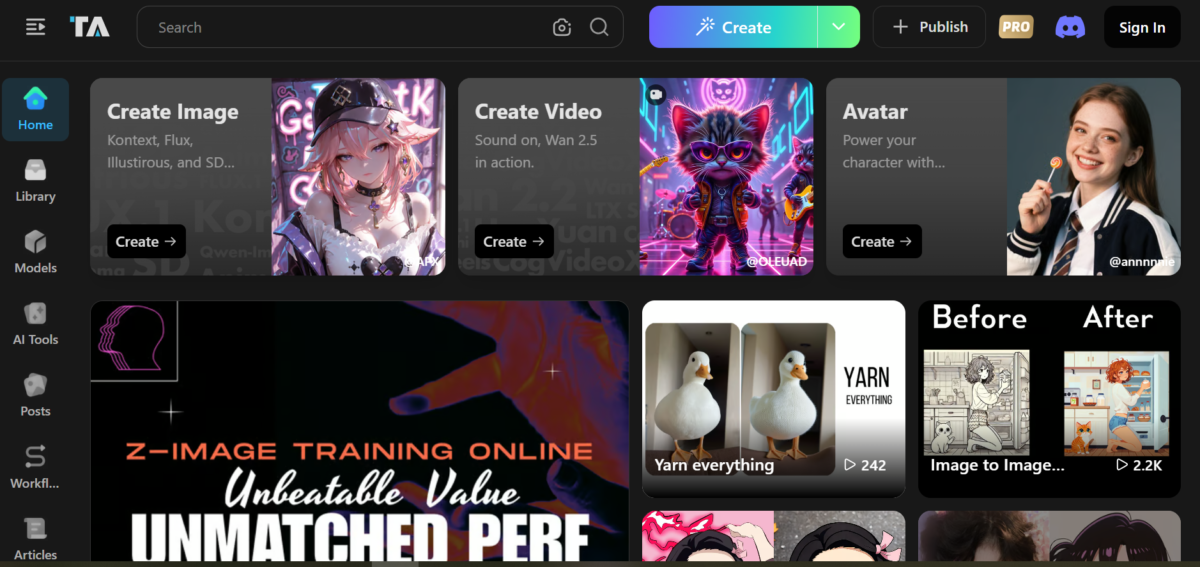


Tensor.Art is a tool that provides custom model hosting and free credits for image generation. Its access to various AI models (Stable Diffusion, Wan 2.2, and Qwen image) allows users to create images of varying styles and quality.
Tensor.Art is community-focused and gives access to the creations of others. Credits are earned when users interact with these creations, either by liking or commenting.
Key Features
1. Image Generator
Tensor.Art primarily uses stable diffusion to generate images in a diverse range of styles and presets. It works with both text and image prompting (multiple reference images) and makes available settings for post-generation editing.
Note: Using certain image settings consumes more credits.
2. Video Generation
Just like the images, Tensor.Art can be prompted through both images and text. Some options add sound effects and allow the selection of other models.
3. Avatar Generation
This feature generates avatars of people using one or multiple picture references. When initiated, the system trains a temporary mini-model based on the provided photos, then generates the avatars in different styles, poses, outfits, and aesthetics. There’s also an audio feature for making talking avatars with lip-syncs and emotionally consistent animations.
Tensor.Art creates realistic, anime, cartoon, and fantasy style avatars. These avatars can be used as professional headshots, social media posts, or just portraits.
Use Case
Image Generation
At first glance, the interface can appear overwhelming due to the number of settings. A quick run-through shows that many of them are defaults and do not have to be set before image generation. Still, users can experiment with the settings to produce diverse images.
I entered a simple prompt, “A little girl walking through a flower field.”
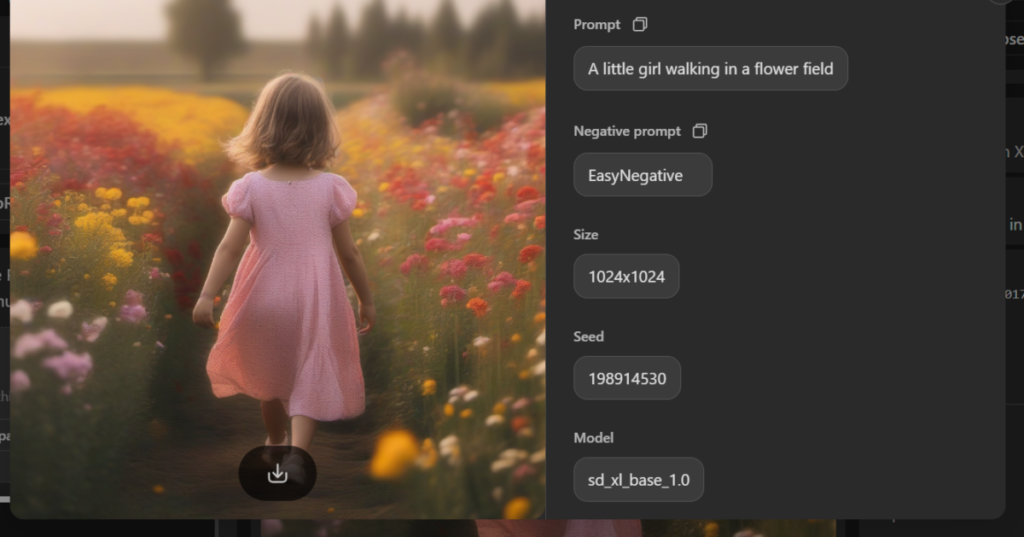
I liked that post-generation, Tensor.Art gave the details of the image. However, I did find it weird that each generation had an expiry date of approximately 1 week. It’s probably to manage the server load. Regarding the image, I found that Tensor.Art did stick to the prompt. However, the image came out blurry. A repeat generation still produced blurry results.
Post-generation, Tensor.Art provides editing. I could change the model and add LoRa, a one-time modifier for the style, character, look, concept, and aesthetic.
Video Generation
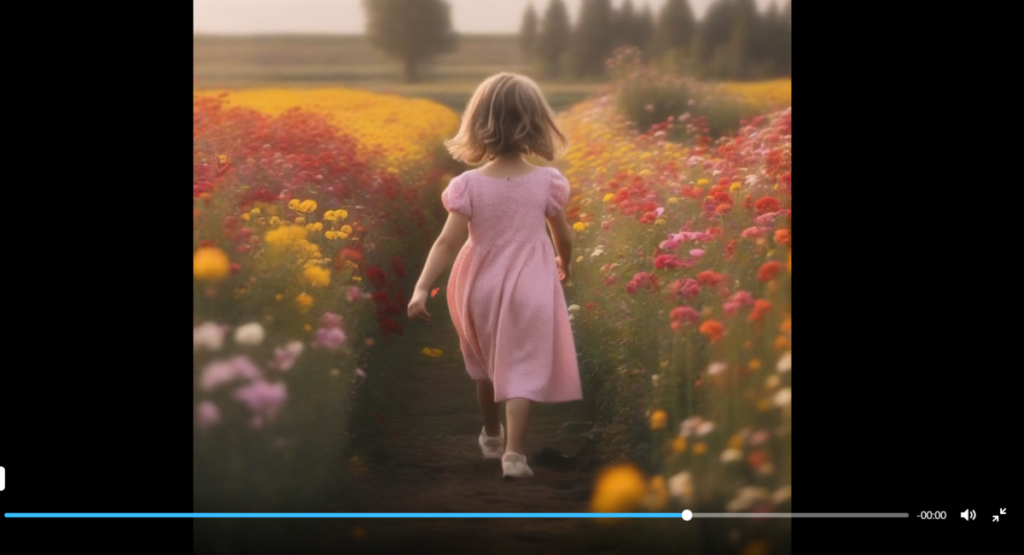
I used the image output as a reference for the video. Most of the video settings were default; however, adjustments could be made. The adjustments did come with high credit charges; for instance, my attempt to extend the default duration of 3 seconds came with a significantly higher credit increase.
As for the video itself, I found that Tensor.Art did stick to the prompt. It paid attention to the physics of motion and added natural elements where necessary. For one, it added a sway to the little girl’s dress, arms, and hair without being prompted. This came across as an intelligent tool that effectively understood the features of the reference image and could understand that body movement and possible breeze from the flower field should cause a sway.
The Bottom Line
Tensor.Art is a good generator, and its model options make it easy to explore diverse image styles to meet varying design needs. However, for maximum use of its extensive features, I find that Tensor.Art does have a learning curve.