


TwainGPT (now Verva) is an AI writing platform built by Overthink, LLC. It launched to help users bypass AI detectors, which can make the difference between passing a class and failing it. The platform bundles three core tools into a single dashboard; you can generate a draft, humanize it, and check its AI score without switching apps.
To get started, log in with a Google account. Once inside, the interface presents as clean and minimal. TwainGPT also supports over 100 languages; non-English writers can still use TwainGPT’s writer and humanizer. One caveat is that technical or highly specialized content still tends to come out stiff, regardless of language.
In my testing, TwainGPT moved the AI score from 100% to 0% each time, confirmed by QuillBot, but others had different experiences. Independent testers report mixed results when checking TwainGPT’s output against detectors like GPTZero, Turnitin, Copyleaks, and Originality.AI.
Some tests show the tool lowering AI-detection scores significantly. Other tests show flagged content even after humanizing.
On Trustpilot, TwainGPT holds a rating that hovers around 2.5 out of 5 stars. The stars are split, with 50% 5-star reviews, 40% 1-star, and 4% 2-star reviews. The positive reviews praise the tool’s usefulness for essays and everyday rewriting.
Meanwhile, negative reviews point to repetitive phrasing and unclear billing terms. A Trustpilot reviewer, Jonathan Barbara, gave a 1-star review citing a complicated billing process and undue charges. So, while TwainGPT isn’t a scam, it also isn’t universally loved.
I think this split matters because it indicates a disparity in use case. Users who report better experiences are using TwainGPT for basic drafting, humanizing, and low-stakes content transformation.
On the other hand, 1-star reviewers are most likely attempting to pass strict AI detectors like Turnitin. So when the output fails, they leave disappointed.
My experience aligned with the low-stakes use case. Across 4 use cases, QuillBot’s AI score dropped from 100% to 0% each time.
Also read: Top 10 AI Humanizers For Bypassing AI Detection
Key Features
1. Humanize AI Text
TwainGPT’s humanizer rewrites AI-generated content sentence by sentence, not through simple word swaps like many competing tools. It restructures the phrasing to sound less mechanical while retaining the core idea.
Even though my research yielded reviews that note how repetitive TwainGPT is, I had a different experience. I pasted a text piece from ChatGPT and then checked the text with QuillBot AI checker, just to be sure it was scored as “100% AI-generated”.
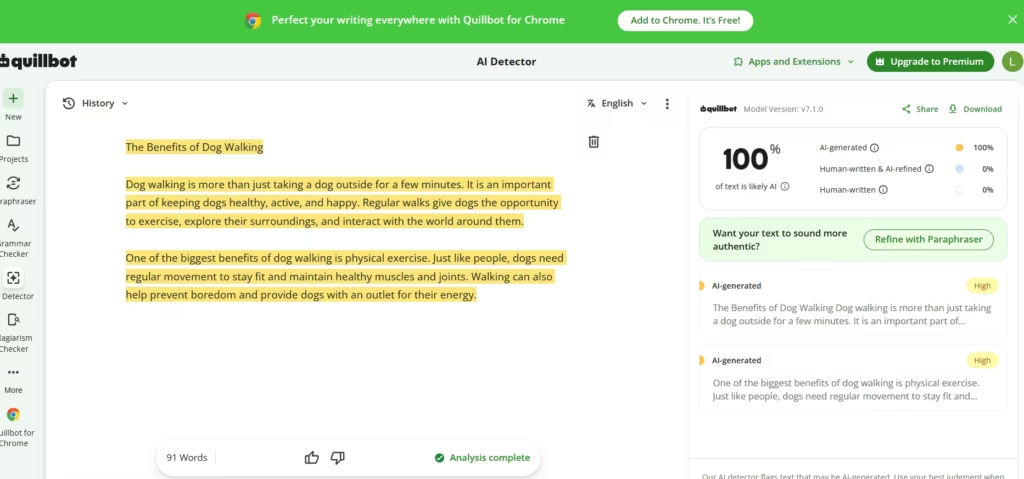
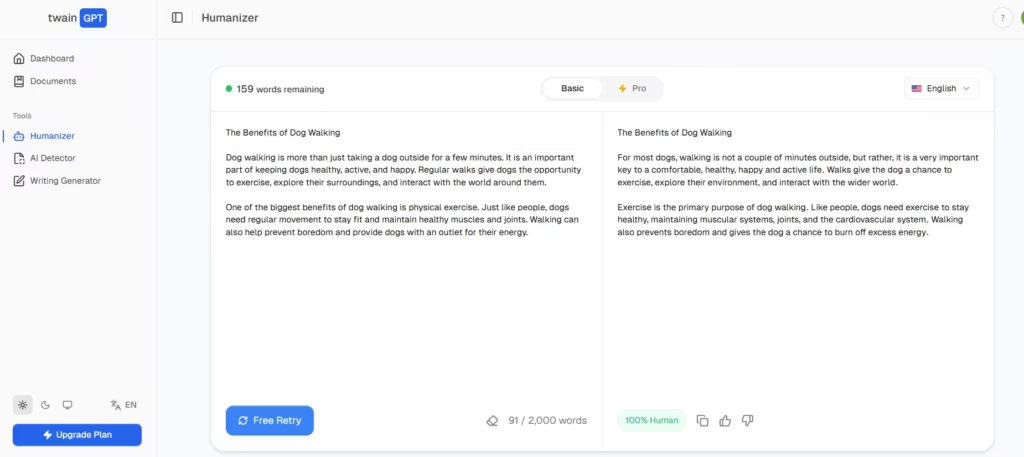
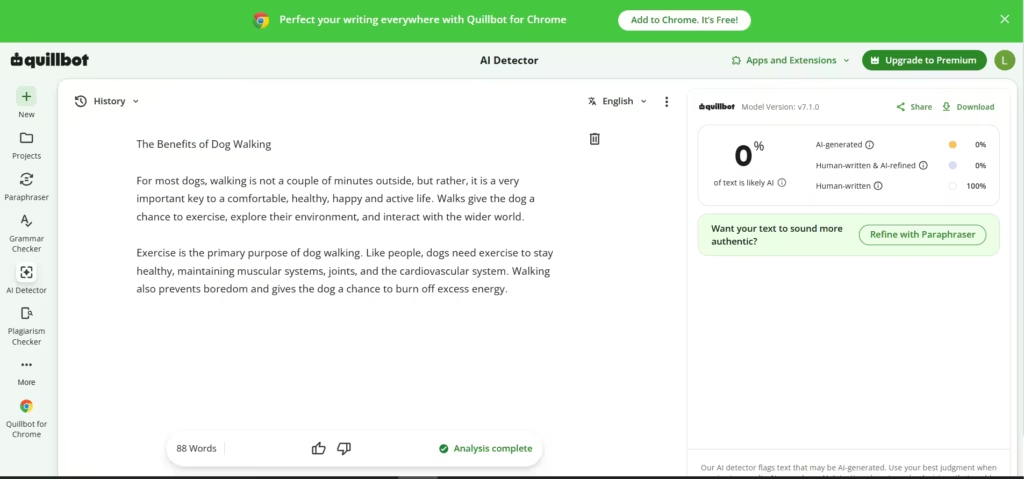
After humanizing with TwainGPT and running it through Quillbot, the content got a “0% AI written” score. That’s a great decline from the 100% it was.
To test the limits of TwainGPT’s AI humanizer, I pasted in a technical text on ‘Cloud Computing’ from ChatGPT and humanized it.
Both QuillBot and TwainGPT’s own tool ascertained that it was human-written.
2. AI Detector
The built-in detector scans text and returns a score that indicates its origin: either AI or human. It handles up to 10,000 words per scan on paid plans. In testing, it generally aligns with other major detectors like QuillBot.
I pasted the humanized text into TwainGPT’s own checker and got results that tallied with QuillBot’s.
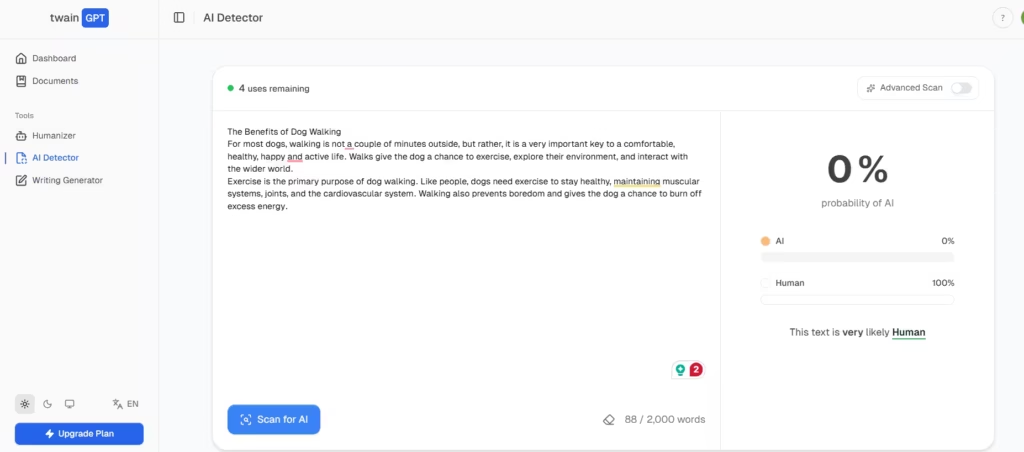
However, no detector is perfect. That’s why I tested for false positives. I wrote a short paragraph on “Science” and ran the test. TwainGPT accurately deemed it “0% AI and 100% human”
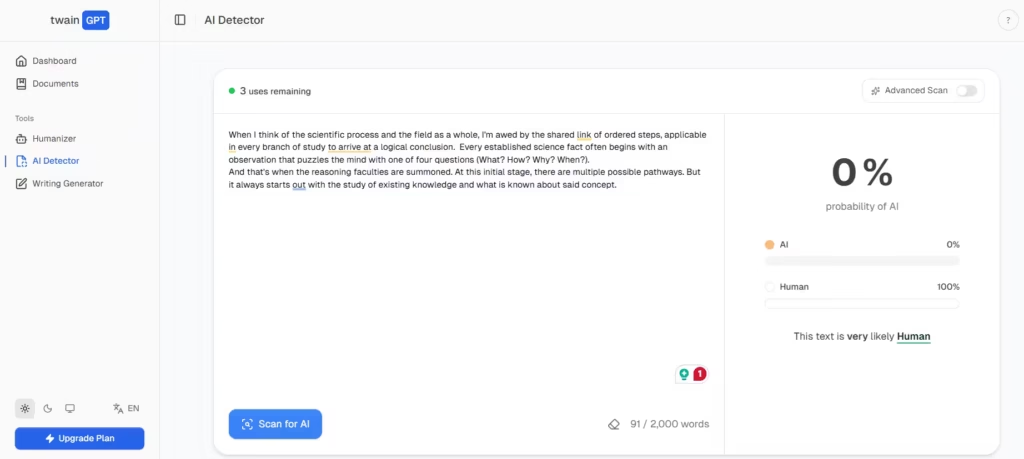
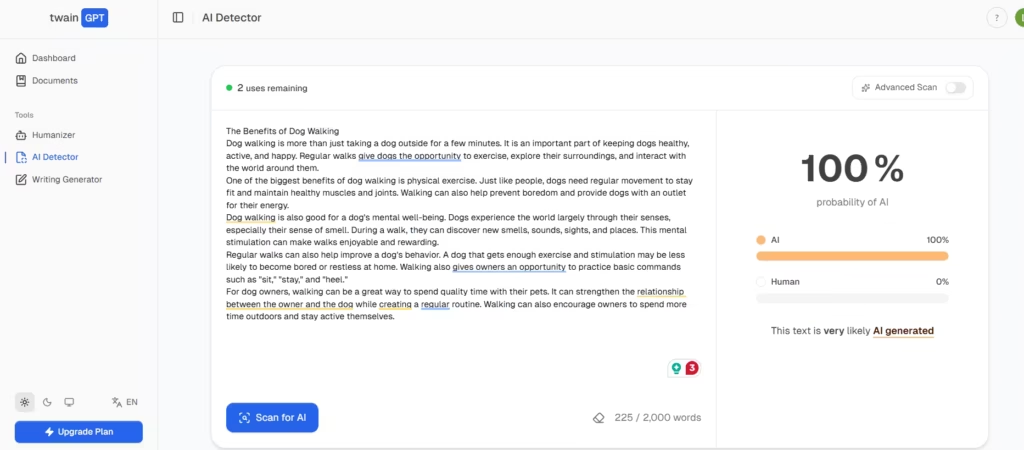
There’s a chance that TwainGPT’s AI checker was created to be lax, knowing that users would mostly use it for the tool’s own humanized text. So, I pasted a text from the gold standard of AI writers known to trip every detector, ChatGPT.
It flagged it as “100% AI,” just like Quillbot had done earlier.
3. Writing Generator
Like all other writing generators, TwainGPT drafts persuasive, general, or creative content from a prompt. The only difference is that TwainGPT’s own detector flags generator output as AI-written by default. That’s intentional.
The platform expects you to generate first, then humanize, then re-check. This built-in workflow keeps the process transparent. Still, it means the generator alone isn’t a finished-content machine. You’ll need to review, humanize, and fact-check anything it produces before publishing.
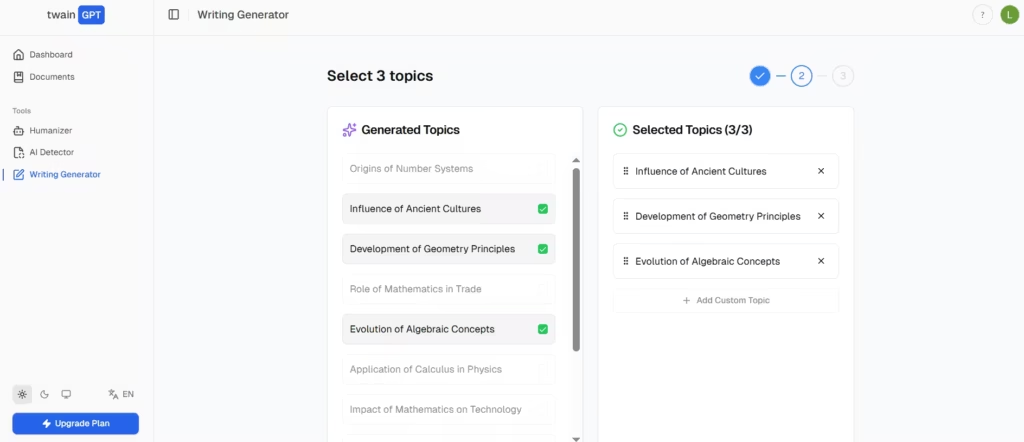
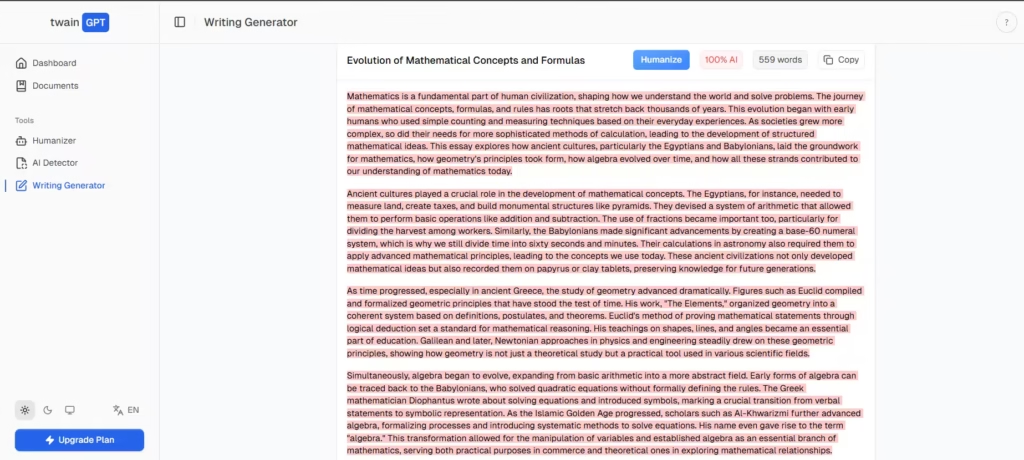
The generator asks you to select specific topics after entering a general umbrella prompt. In my testing, I asked it to generate a 3-paragraph essay on the Origins of mathematical concepts and how the rules and formulas came to be.
TwainGPT first had me pick a narrowed selection of topics to hone its focus before continuing with generation.
As expected, TwainGPT conducted an automatic AI detector check, which flagged it as “100% AI written.”
Litero, a dedicated AI writer, outranks TwainGPT’s generator. In my testing, I found that a content draft generated from Litero passes AI detectors right off the bat (that is, without editing). If your main reason for exploring TwainGPT is the writer, I’ll recommend Litero instead.
Is TwainGPT a Good AI Humanizer?
After running five tests across different content types, I found that TwainGPT’s humanizer consistently struggled with domain-specific knowledge content. But for blog posts and everyday rewriting, it was reliable enough to be worth the $10/month basic plan. If your workflow depends on guaranteed bypass rates on longer technical content, this dashboard isn’t worth the subscription fee.
I recommend it for literally anyone who wants to humanize AI-written content without tripping detectors. Even though its humanizer works, it’s still better to complete the text with human editing to bypass the strictest AI detectors.