



Upscayl enhances images with AI instead of simple pixel stretching. Legacy enlargement relies on interpolation, a method that calculates extra pixels between existing ones. It can’t create new detail.
Upscayl uses AI models, including Real-ESRGAN, to rebuild textures and edges by guessing what the details could be. That produces more believable results, even if they aren’t always accurate.
Upscayl now comes in two forms. The free desktop app runs locally. The paid cloud version, still labeled Beta, runs in a browser on a phone, tablet, or computer. It adds face enhancement, image generation, and image editing.
Upscayl is not for everyone. If your photos are badly out of focus, Upscayl cannot de-blur them, according to its own FAQ. Likewise, if your computer lacks a compatible GPU, the cloud version or another tool may serve you better.
Upscayl has strong community backing. Its GitHub repository shows more than 49,000 stars, and the page lists version 2.15 as the latest release. Trustpilot offers less help. As of October 2026, upscayl.org shows only a handful of reviews (a 2-1 average from six), which is too few to judge.
Key Features
1. Local Offline Processing:
The desktop app runs on your own computer, and I confirm that it works with the internet disconnected. I valued that. Unlike the cloud version, nothing gets uploaded, so my photos never leave my device.
The only caveat to this is the processing time, which took about 5 minutes.
I uploaded an image of a city view, and Upscayl showed my results as a before-and-after, side-by-side comparison:
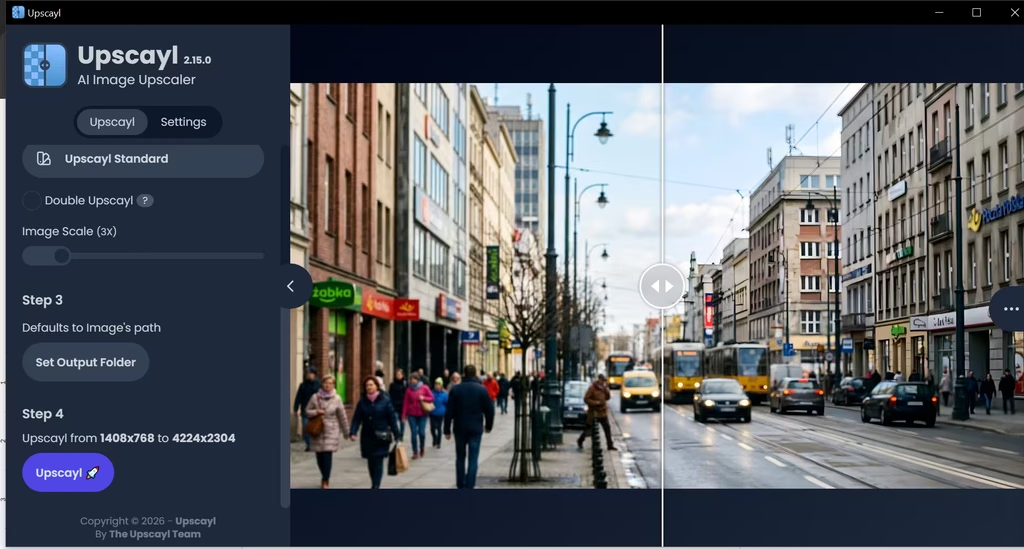
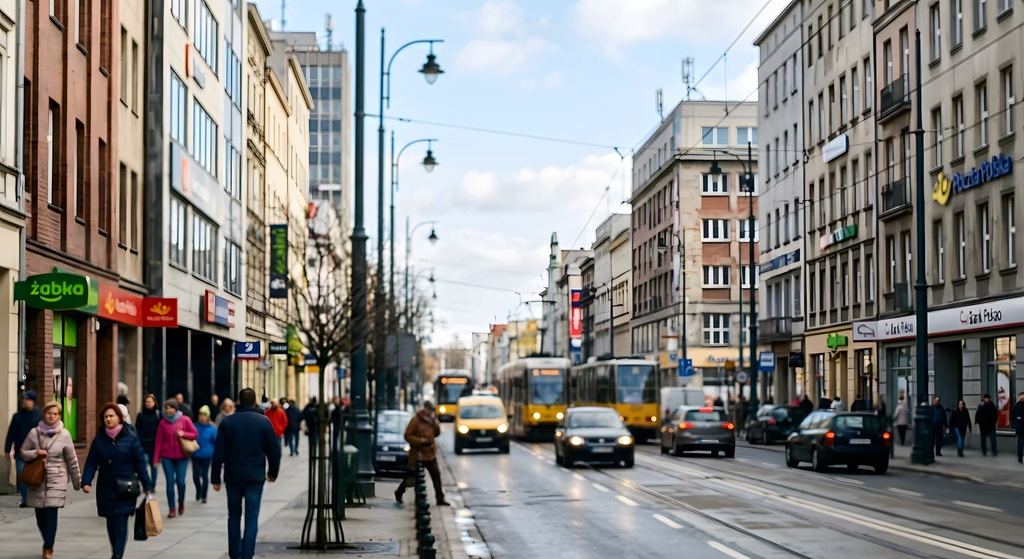
I noticed more of the upscale in the buildings, which are the more conspicuous details. Given that it was a zoomed-out image, the people walking the street stayed blurred, so I didn’t find that inadequate.
Also read: Top 7 AI Image Upscalers 2026
2. Multiple AI Models:
Upscayl ships with five models, and I tested two of them. The app includes Upscayl Standard, High Fidelity, Remacri, Ultrasharp, and Ultramix Balanced. In my testing, I used the Upscayl Standard model because it’s suited to general images and increases resolution without over-sharpening details.
This helps avoid unwanted artifacts, grid patterns, or unnatural line doubling. My test image was a city view with numerous details, and I didn’t need particular details, like the people, standing out.
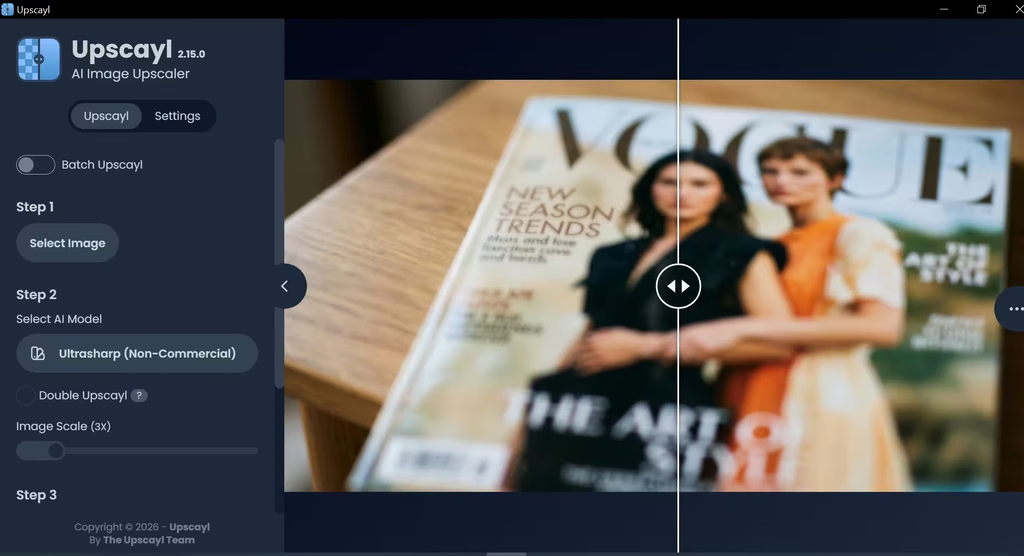
When I ran the Ultrasharp model on a blurry magazine cover, the faces stayed soft. Upscayl can’t invent focus that the original never captured, and I saw that firsthand.

3. Wide-scale Range
The official site advertises upscaling up to 16x. However, the default models natively output 4x. Upscayl emulates other scales by downscaling the 4x result. But it’s best to stay at the default for natural-looking results that don’t look overdone. In my view, 4x covers most needs, so the 16x headline matters less than it sounds.
4. Batch and Double Upscaling
Batch mode processes several images in one go. Double Upscayl runs an image through the process twice. As a result, you can queue a folder and walk away.
I used batch mode to upscale 4 images at once with the High Fidelity model, and walked away. It saved me from babysitting the app and surprisingly cut processing time to about 10 seconds.
5. Custom Models
Since version 2.5, you can load your own NCNN models. The project also maintains an official custom-models repository. Most casual users can skip this. Tinkerers get the most from it, since you can add models such as the Real-ESRGAN General variants.
6. Output and Interface Options
You can save PNG, JPG, or WebP files. You can also switch the theme and language. Multi-GPU users can select a specific GPU by ID. Also, the settings tab shows processing logs. They help when you troubleshoot a failed run or look up details about an image. I’d call the logs the most useful extra here, because a failed run otherwise tells you very little.
7. Optional Cloud Version
Upscayl Cloud works in a browser and needs no GPU. It also offers face enhancement, AI image generation, and image editing. I’d use it only if your computer lacks a compatible GPU or you want the face enhancement.
Does Upscayl Really Upscale Images?
Upscayl is a good tool for improving the resolution of images. It costs nothing, runs locally, and adds visible resolution to small, soft, or cropped images. In my city-view test, the buildings gained the most detail. As my testing shows, it cannot work miracles, especially when the raw images are severely blurred. It can also invent detail, so faces and fine textures need to be examined for accuracy.
If you have a compatible GPU and want a free upscaler, download the desktop app and test it at 4x. The cloud version is only worth it if you lack a GPU or need the bonus features. In my opinion, Upscayl is where most people should start. It is free, and it shows you quickly whether upscaling can help your images. I recommend it for casual users who put privacy ahead of speed. If you upscale professionally, a paid tool like Topaz Gigapixel may be worth the money.