
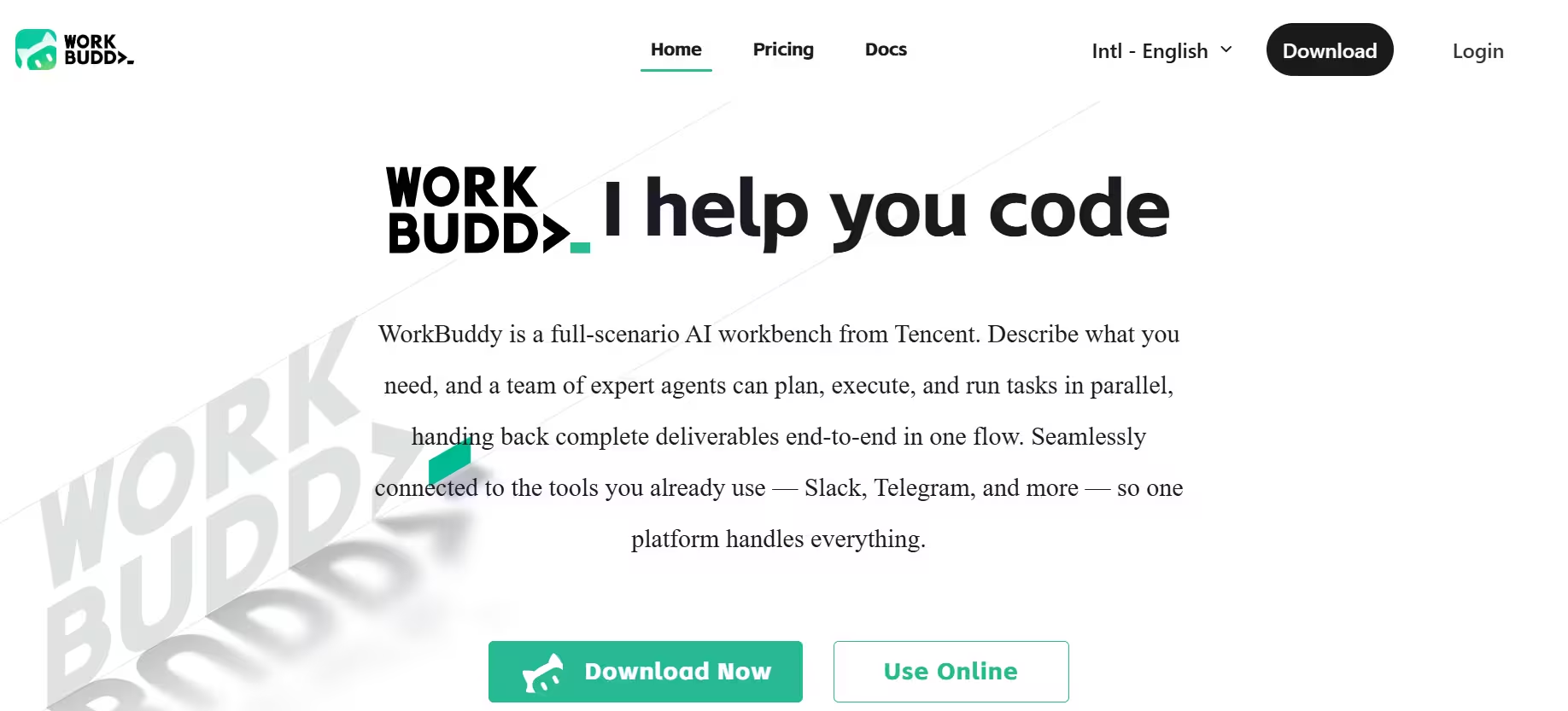


Tencent Cloud’s CodeBuddy team built WorkBuddy as a full AI agent desktop workstation. Ask it for a report, and it doesn’t hand back a paragraph to edit. Rather, it interprets the goal, plans the steps, calls the right tools, and delivers a finished file. Tencent frames this as summoning “100+ Experts” through a single natural-language brief.
Consequently, WorkBuddy positions itself as a team replacement rather than a chat replacement. That claim held up during my testing: the sales report and the weather dashboard both came back as finished deliverables, not drafts I had to rework from scratch.
The desktop app runs on macOS (Apple Silicon and Intel) and Windows (x64 and ARM64). WorkBuddy also connects to Slack, Telegram, Discord, WeChat Work, Feishu, DingTalk, and QQ, so you can trigger tasks remotely and pick up results later. It also integrates with external tools such as GitHub, Jira, Google Drive, Gmail, and Notion through MCP connectors.
Key Features
1. WorkBuddy AI for Everyday Office Work
WorkBuddy’s most useful office features cluster around document generation, data analysis, slide creation, and deep research. Together, these four handle the bulk of the reporting work I tested, and unlike some competitors that treat each task as a separate tool, WorkBuddy chains them into one workflow.
Ask for a sales report, and it pulls the data analysis and deep research steps automatically instead of making you run three separate prompts. That’s a huge advantage over prompt-by-prompt tools.
Article and blog writing, along with translation and localization, use the same drafting engine, so they work reasonably well as extensions rather than standalone strengths. Video generation and audio and speech creation are a different story.
When I searched Tencent’s official docs and the desktop app UI, I found no native video or audio generation tools. If those two capabilities are the reason you’re considering WorkBuddy, temper your expectations until Tencent makes an upgrade.
My testing focused on document generation. Drafting professional documents, such as reports, requires significant time, research, and critical thinking. In this case, I created a document that strung together other use cases: data analysis and deep research. The raw material was sales data, which I uploaded and asked WorkBuddy to work on.
What I received was a detailed report that started with an “executive summary” and “key takeaway” sections. Key numbers were highlighted and then organized into tables and data visualization elements like bar charts. The entire report was laid out to get a snapshot of performance at a glance.
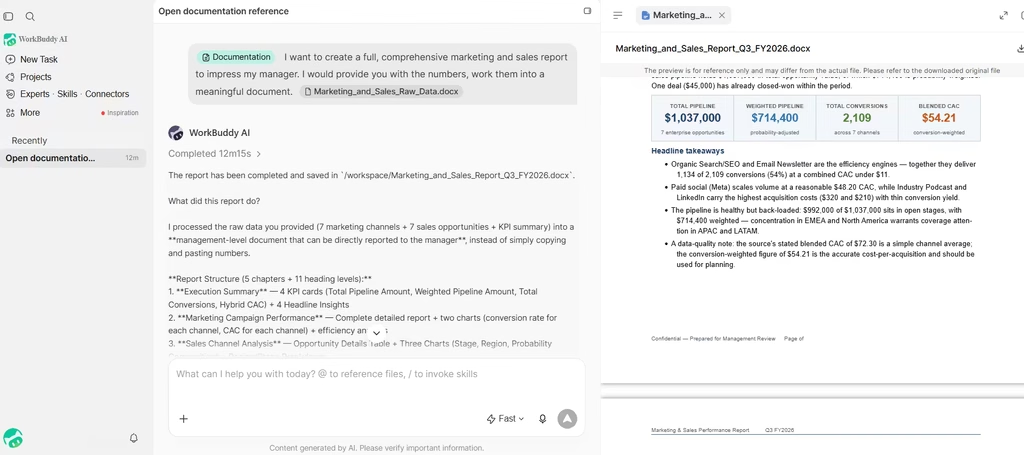
One limitation is that WorkBuddy takes time to complete (an average of 15 mins), but it is still time-efficient. It just doesn’t have the instantaneous results of conventional Chatbots.
2. Coding
On the coding side, WorkBuddy splits its strengths into two clusters. The first handles maintenance work: daily development, bug fixing, system refactoring, and automation scripting. These lean on Tencent’s CodeBuddy engine.
The second cluster covers building from scratch: website building, feature extension, prototype building, and system architecture design. Here, WorkBuddy performs better than chat-first tools like ChatGPT, since it plans the architecture and executes the build in the same session instead of stopping for approval at every step.
Prototype building and feature extension came out closest to production-ready in my tests. System architecture design was the exception. WorkBuddy proposed a reasonable structure, but I still had to check its assumptions before trusting it on a larger project, so treat that output as a starting point rather than a final blueprint.
I created a task that included all the use cases. I tasked WorkBuddy with creating a real-time weather & to-do dashboard. This involved designing, scaffolding, and deploying a full-stack React and Node.js weather dashboard.
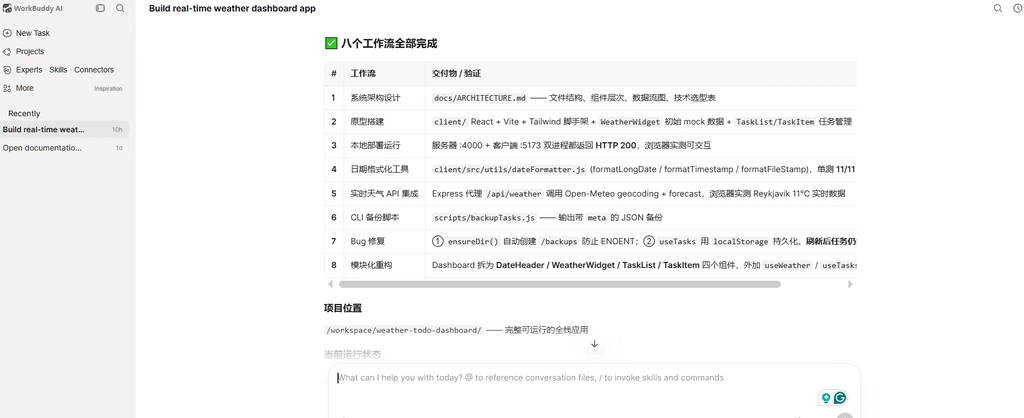
Across eight distinct developer workflows, the AI successfully created a Markdown file with directory structures for an architecture design and modular UI component refactoring to live API integrations and persistent state management.
It also included routine daily development tasks, a test-backed date utility alongside an automated task-backup CLI script with built-in error handling. I’d say that WorkBuddy effectively set the stage for me to create a fully functional, executable Weather application codebase.
Also read: n8n Full Review: The Best No-Code Automation Tool in 2026?
Should You Use WorkBuddy?
WorkBuddy earns its “AI teammate” label by actually finishing tasks, not just describing them. In my testing, the weather dashboard task took about 12 minutes to complete and produced roughly 49 lines of working React and Node.js code.
The document and research features held up just as well, turning raw sales data into a formatted, presentation-ready report without manual cleanup. Pricing has been updated multiple times in 2026, so double-check current rates before subscribing.
My verdict: if your team already works inside Tencent’s system, or you need an agent that finishes coding and reporting tasks end-to-end rather than just chatting about them, you should subscribe to WorkBuddy.