

Earlier this month, Anthropic quietly rolled out Cowork, a new AI tool built to help non-technical teams work faster with AI agents. Now, the company is adding something big to the mix: plug-ins.
This update pushes Cowork beyond a helpful assistant and closer to a true workplace teammate.
So, what changed? And why should businesses care?
Let’s break it down.
What Cowork Was Built to Do
Cowork started as a way to take the power behind Claude Code and make it useful for people who don’t write code.
Think marketers. Legal teams. Customer support reps. Sales staff.
Instead of learning complex prompts or workflows, users could rely on agent-based automation to help get work done faster.
But Anthropic didn’t stop there.
Plug-Ins: Small Tools, Big Impact
Plug-ins are the newest addition to Cowork, and they’re designed to handle very specific jobs.
Each plug-in focuses on one clear task. For example:
- Writing marketing copy in a company’s brand voice
- Flagging risks in legal documents
- Drafting customer support replies
- Pulling insights from internal data
In simple terms, plug-ins tell Claude exactly how your company likes work done.
No guessing. No re-explaining every time.
How Plug-Ins Actually Work
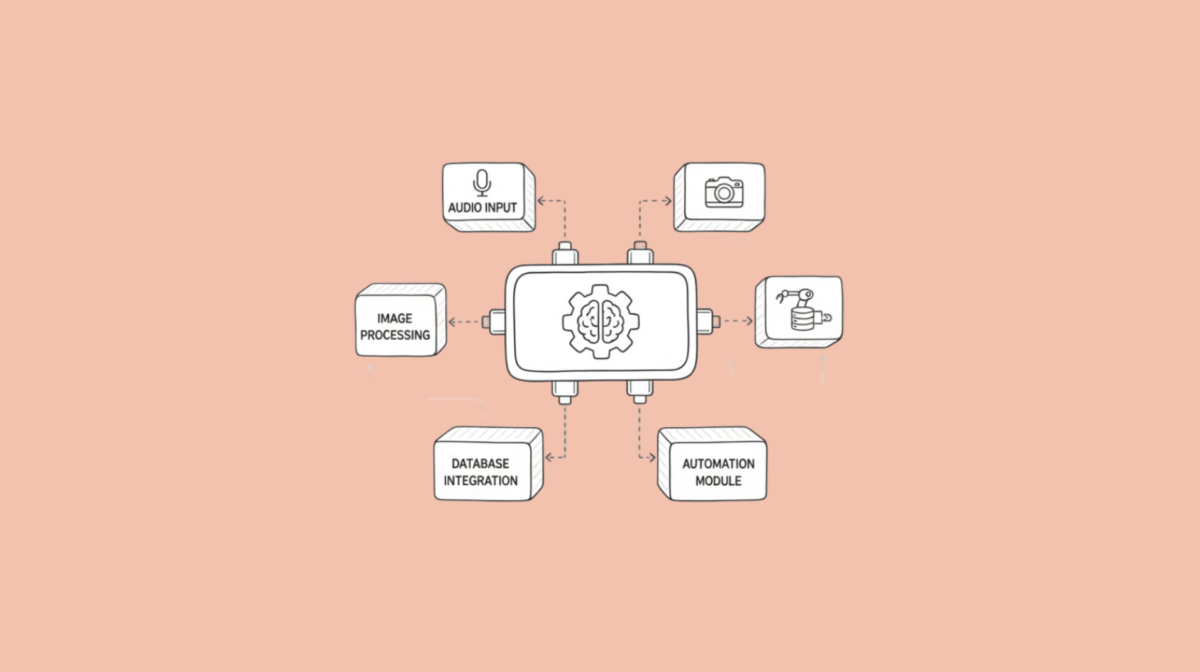
Plug-ins act like instructions plus tools combined.
They define:
- Which data Claude can access
- Which tools it should use
- How sensitive workflows should be handled
- What shortcuts teams can trigger with slash commands
This leads to more consistent results across teams. And fewer “why did it answer like that?” moments.
Built for Custom Use, Not One-Size-Fits-All
According to Matt Piccolella, customization is the whole point.
In an interview with TechCrunch, he explained that enterprises are expected to build plug-ins around their own needs.
Anthropic shared 11 internal plug-ins as examples. But the real value comes from making your own.
The good news? You don’t need deep technical skills.
Plug-ins are designed to be:
- Easy to create
- Simple to edit
- Quick to share
That lowers the barrier for teams who want AI help without an engineering backlog.
From Developers to Everyone Else
Plug-ins aren’t brand new to Anthropic.
They’ve existed inside Claude Code for a while. What’s different now is access.
By bringing them into Cowork, Anthropic is opening the door to more users. The interface is more visual. The setup is simpler. The learning curve is smaller.
In short, more people can use them without feeling lost.
Real Teams Already Seeing Results
Some departments are already benefiting.
Sales Teams, In Particular
Sales has stood out as an early success area.
Plug-ins help sales teams:
- Stay closer to customer feedback
- Pull relevant insights quickly
- Support sales-adjacent roles with better context
That means fewer silos and better conversations with customers.
Data and Analysis Use Cases
Data teams are also experimenting with plug-ins for analysis and reporting. Instead of starting from scratch, they reuse workflows that already work.
That saves time. And reduces mistakes.
Smarter Over Time, Not Just Faster
One interesting detail: the more teams use plug-ins, the better Claude understands a company’s workflows.
Over time, this helps Claude suggest smarter optimizations.
Right now, plug-ins are saved locally on a user’s machine. However, Anthropic says shared, organization-wide plug-in libraries are coming.
That could make collaboration even smoother.
Availability and What Comes Next
Cowork is still in research preview. It launched about two weeks ago, and there’s no confirmed date for a wider release yet.
For now:
- Plug-ins are available to all paying Claude customers
- Enterprise feedback is shaping future updates
- Broader rollout is still being evaluated
This cautious approach suggests Anthropic wants to get it right before scaling fast.
Why This Matters for Teams
AI tools often promise a lot. But they fail when they ignore real workflows.
Plug-ins flip that script.
They adapt AI to how teams already work, instead of forcing teams to adapt to AI.
And that’s a shift worth watching.
