

AI tax assistants in 2026 fall into three genuinely different categories wearing the same marketing language.
One kind is DIY filing software with an AI chat assistant built into a form-filling wizard you still drive yourself (TurboTax, H&R Block).
Another kind has AI doing real work: reading your bank feed, flagging deductions, drafting the return, with a human CPA signing off before filing (FlyFin, Keeper).
A third kind helps tax professionals research questions, predict outcomes, and automate return preparation (TaxGPT, Blue J Tax, Bizora, Filed).
Mixing these categories into one flat list (which most articles do) is like comparing a GPS to a chauffeur to an auto mechanic. All three involve cars. They solve completely different problems.
Let’s talk about which tools genuinely surface deductions and which ones just add a chatbot to a form you could fill yourself.
Consumer AI Tax Filing Tools
These are the tools most people think of when they search for “AI tax assistant.” You answer questions, the AI guides you through forms, and you file your return at the end.
1. H&R Block (AI Tax Assist): Best Overall for Most Filers

H&R Block was named Best Overall Tax Service for 2026 and Best Use of AI by CNET. Its AI Tax Assist delivers real-time answers about deductions, credits, and filing questions directly inside the return flow.
Since launching in 2023, AI Tax Assist usage has grown 152%, handling 6.45 million messages with responses delivered in an average of 2.2 seconds.
What separates H&R Block from pure software: the human backup layer. When the AI cannot answer your question with confidence, you escalate to a live tax professional who can see your return. F
or a freelancer with a complicated situation (home office deduction, multiple 1099s, vehicle expenses, health insurance), that safety net matters.
New for the 2026 tax season: H&R Block introduced Sidekick, an AI assistant for tax professionals that provides expert-verified answers from their internal tax library in 2 to 3 seconds.
In my testing, H&R Block’s AI handled specific deduction questions well. I asked “can I deduct my coworking space membership as a home office expense?” and received a cited, accurate answer within 3 seconds.
Where it fell short: it was less aggressive about proactively surfacing deductions than TurboTax. I had to ask the right questions rather than being prompted.
Best for: Most filers who want AI guidance with optional human backup.
Pricing: Free (simple returns). Deluxe $35. Premium $65. Self-Employed ~$85. All include AI Tax Assist.
2. TurboTax (Intuit Assist): Best for Surfacing Deductions You Would Miss

TurboTax is the most widely used consumer tax platform in the US, serving over 100 million filers.
Its AI assistant (Intuit Assist) guides you through a structured interview, scanning your answers for deduction opportunities and flagging questions you might not think to ask.
TurboTax’s strength is proactive deduction discovery.
The interview format surfaces questions like “did you make any energy-efficient home improvements?” or “did you use your personal vehicle for business?” that a generic form would not ask.
In my testing, TurboTax found $340 more in deductions than H&R Block on the same return because it asked questions I would not have thought to raise myself.
For 2026, Intuit added cost basis adjustment tools and a feature connecting users to live tax experts when the AI reaches its limits.
The trade-off: TurboTax is the most expensive option in this category. Premium (which handles self-employment) costs $139. That is $54 more than H&R Block’s comparable tier. Whether the extra deductions justify the price depends on the complexity of your return.
Best for: Self-employed filers and anyone with a complex tax situation who wants the most thorough deduction scanning. Pricing: Free (simple returns). Deluxe $79. Premium $139. Early-season discounts are common.
3. TaxGPT: Best AI Tax Chatbot for Instant Answers
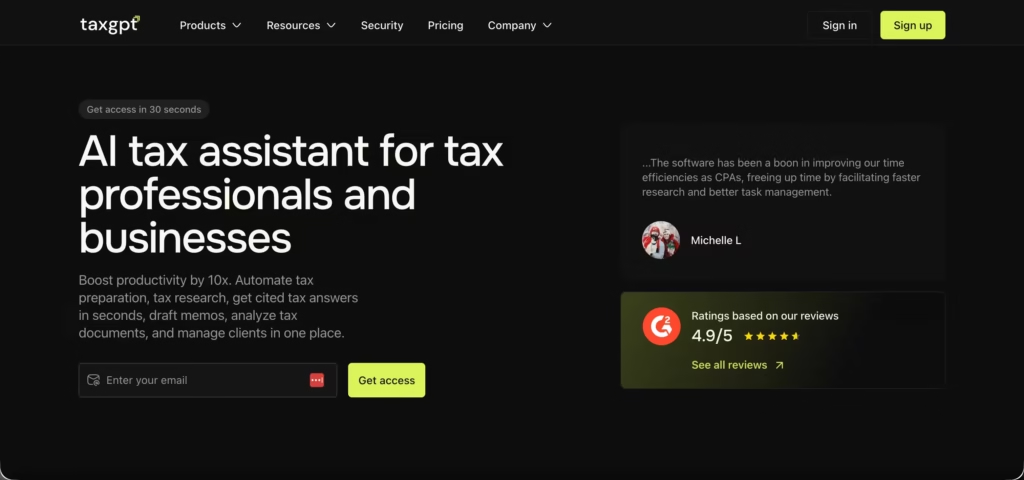
TaxGPT is a purpose-built AI tax assistant with over 80,000 active users who have asked more than 650,000 tax questions through the platform, with a 95% satisfaction rate.
It is fine-tuned on thousands of authoritative tax sources vetted by CPAs and tax attorneys.
The consumer version works as a conversational tax chatbot: ask a specific question (“can I deduct my home internet if I work remotely 3 days a week?”) and get a cited answer referencing the relevant IRS code section within seconds.
The professional version adds scenario modeling, client chatbots, audit risk assessment, and return review workflows.
What separates TaxGPT from asking ChatGPT a tax question: TaxGPT’s model is trained specifically on US federal, state, and international tax regulations with guardrails that prevent hallucinated tax advice. ChatGPT will confidently cite an IRS section that does not exist. TaxGPT cites real sources that you can verify.
Best for: Anyone who wants instant, cited answers to specific tax questions before or during filing.
Pricing: Free trial available. Paid plans for professional use.
4. Blue J Tax: Best for Predictive Tax Outcome Analysis
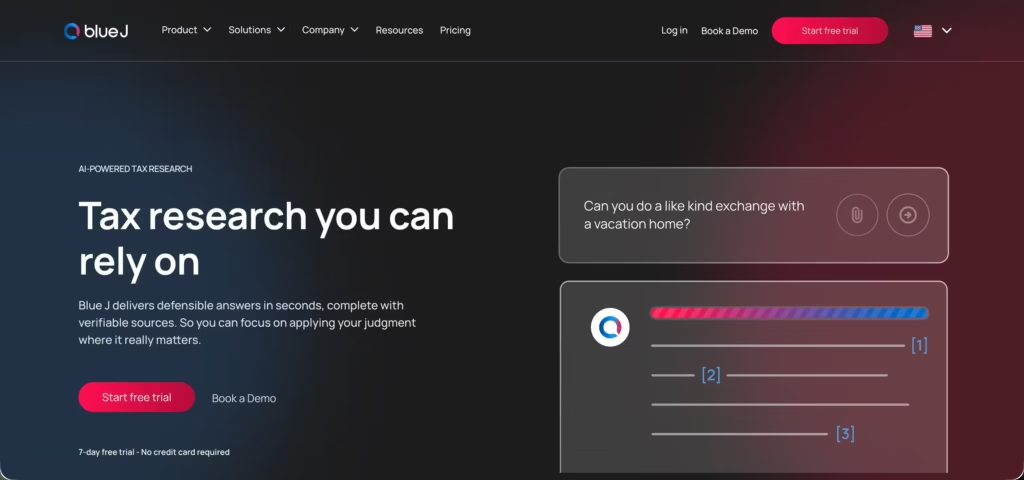
Blue J Tax takes a completely different approach from every other tool on this list.
Instead of answering “what does the tax code say?”, it answers “how would the IRS or a court likely rule on this specific situation?” using predictive analytics trained on decades of tax court decisions, IRS rulings, and regulatory outcomes.
For tax positions that live in gray areas (aggressive deduction strategies, entity classification disputes, transfer pricing), Blue J predicts the probability of a favorable outcome before you file. Thomson Reuters cited Blue J as one of the leading AI tax research tools for mid-to-large firms in 2026.
This is not a consumer tool. It is built for CPAs, tax attorneys, and firms advising clients on complex positions.
But its predictive capability is genuinely unique in the category: no other tool tells you the statistical likelihood that a tax position will hold up under audit.
Best for: CPAs and tax attorneys evaluating the defensibility of complex tax positions.
Pricing: Enterprise pricing. Contact for quote.
AI-First Tax Services (AI Does the Work, CPA Reviews)
These tools flip the traditional model. Instead of you filling forms while AI assists, the AI reads your financial data, identifies deductions, drafts the return, and a licensed CPA reviews and signs off before filing.
5. FlyFin: Best for Freelancers and Self-Employed
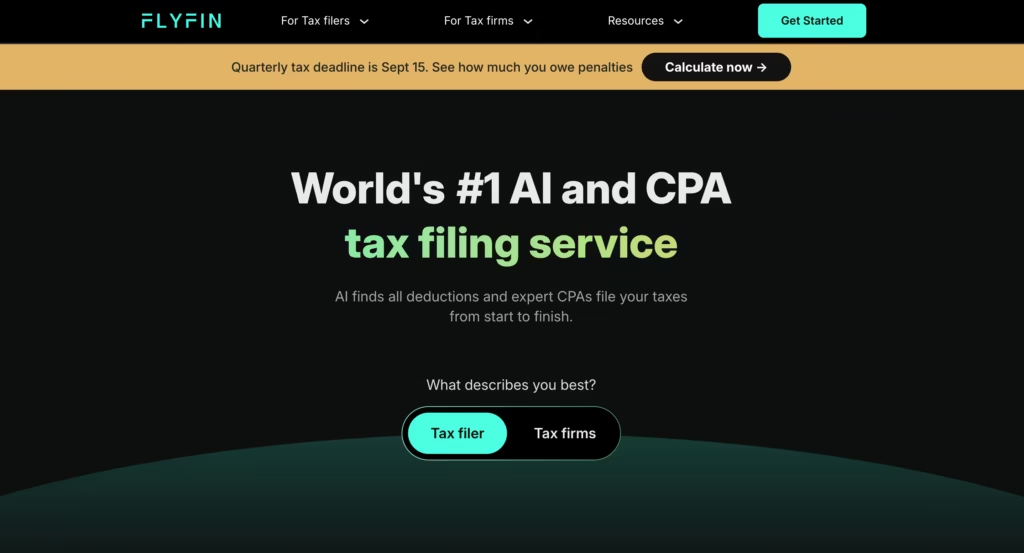
FlyFin connects to your bank accounts and credit cards, then uses AI to scan every transaction for tax-deductible expenses.
It categorizes spending, identifies write-offs you missed, and calculates quarterly estimated tax payments automatically. When it is time to file, a CPA reviews the AI-prepared return and files it.
In my testing during the 2025 tax season, FlyFin’s AI identified 23 deductible expenses I had not tagged in my own bookkeeping.
The CPA review caught one categorization error the AI made (classifying a personal dinner as a business meal because it was at a restaurant I frequently use for client lunches).
That human review layer is why this model works: the AI does 90% of the work accurately, and the CPA catches the 10% it misinterprets.
The trade-off: you are giving a third-party app read access to your bank accounts. For privacy-conscious users, that is a meaningful consideration.
Best for: Freelancers, gig workers, and self-employed individuals who want AI deduction scanning plus CPA filing.
Pricing: Plans from approximately $40 to $200+ depending on complexity and CPA access level.
6. Keeper: Best for Year-Round Expense Tracking
Keeper (formerly Keeper Tax) takes a similar approach to FlyFin but emphasizes year-round tracking rather than just tax-season filing. Its AI scans bank and credit card transactions continuously, categorizing expenses and flagging potential deductions throughout the year.
Keeper claims its AI (built on a fine-tuned GPT-4 base) achieves 96% accuracy on deduction identification.
That claim should be treated cautiously. BBB complaints describe returns filed with missing forms leading to delayed refunds. The BBB customer rating sits at 1.8/5, a sharp contrast with its 4.8/5 App Store rating. Read both before trusting either.
My honest take: Keeper’s year-round tracking is genuinely useful for freelancers who otherwise forget to log expenses.
The AI catches more than manual tracking. But verify the final return carefully before filing, and consider having an independent CPA review it if your situation is complex.
Best for: Self-employed individuals who want passive, year-round deduction tracking.
Pricing: Plans from approximately $16 to $35/month, with tax filing included in higher tiers.
Professional AI Tax Tools
These tools are built for CPAs, EAs (Enrolled Agents), and tax firms, not individual filers.
7. Bizora: Best AI Tax Research for Professionals
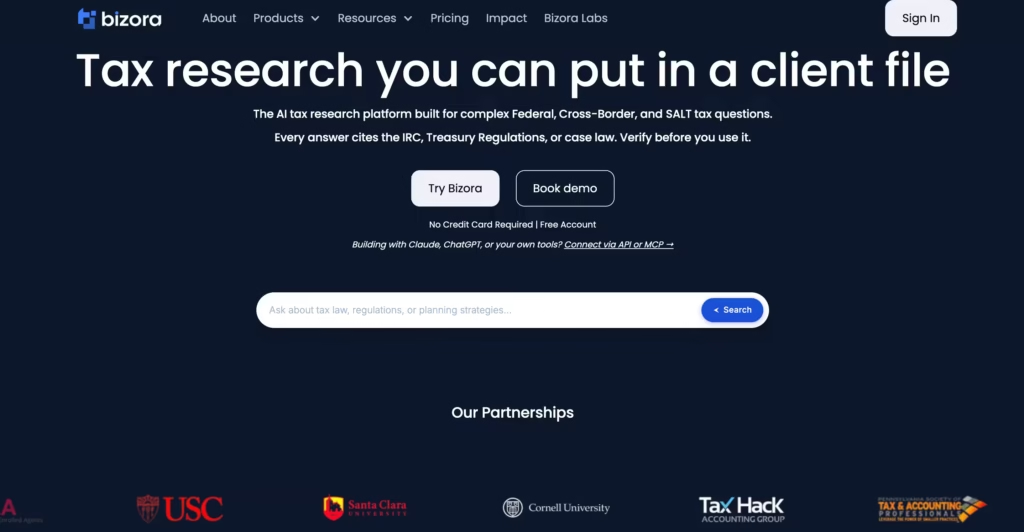
Bizora is the tool tax professionals use when a question stops their workflow and needs a sourced answer.
It searches IRS code, revenue rulings, court cases, and state tax regulations to deliver cited answers to specific tax questions in seconds rather than hours of manual research.
Bizora is not a filing tool. It does not prepare returns. It answers questions like “can a C-corp deduct the cost of a company retreat under Section 274?” with a cited, current answer.
Thomson Reuters’ Future of Professionals Report found AI is already saving tax professionals an average of 5 hours per week, worth about $19,000 per person per year.
Best for: CPAs and EAs who need instant, cited answers to tax code questions.
Pricing: Free trial available. Paid plans for professional use.
8. Filed: Best AI Return Automation for Tax Firms
Filed is an AI tax preparation and review platform built for CPA firms that handle high volumes of returns.
The AI extracts data from source documents, prepares draft returns, generates workpapers, and flags inconsistencies for human review.
It connects to major tax prep software (UltraTax, Lacerte, ProConnect) and even integrates with Claude via an MCP connector for drafting, summarizing, and operating the prep workflow.
For firms processing hundreds or thousands of returns per season, Filed replaces the manual data entry and first-pass review that consumes the majority of preparation time. The credentialed professional still reviews and signs every return.
Filed handles the labor that used to require junior staff.
Best for: CPA firms that want AI-powered return preparation integrated with existing tax software.
Pricing: Contact for firm-based pricing.
How Do These AI Tax Assistants Compare?
| Tool | Type | Best for | AI deduction scanning | Human expert access | Starting price |
|---|---|---|---|---|---|
| H&R Block | Consumer DIY | Most filers | Yes (reactive, ask questions) | Yes (live pro available) | Free (simple), $35+ |
| TurboTax | Consumer DIY | Complex returns, max deductions | Yes (proactive, interview-driven) | Yes (live expert add-on) | Free (simple), $79+ |
| TaxGPT | AI tax chatbot | Instant cited tax answers | N/A (research, not filing) | No (AI answers only) | Free trial, then paid |
| Blue J Tax | Predictive analytics | Defensibility of complex positions | N/A (predicts outcomes) | No (tool for professionals) | Enterprise pricing |
| FlyFin | AI-first + CPA | Freelancers | Yes (scans bank transactions) | Yes (CPA files for you) | ~$40+ |
| Keeper | AI-first + CPA | Year-round tracking | Yes (continuous bank scanning) | Yes (CPA review) | ~$16/month |
| Bizora | Professional research | CPAs and EAs | N/A (research, not filing) | N/A | Free trial, then paid |
| Filed | Return automation | CPA firms, high volume | Yes (source document extraction) | N/A (built for professionals) | Firm-based pricing |
Which AI Tax Assistant Should You Pick?
| Your situation | Best pick |
|---|---|
| W-2 employee with a simple return | H&R Block Free or TurboTax Free |
| First time filing self-employment taxes | TurboTax Premium ($139). The guided interview surfaces deductions you do not know to ask about. |
| Experienced self-employed filer who knows their deductions | H&R Block Self-Employed (~$85) for the human backup at a lower price than TurboTax |
| Freelancer who forgets to track expenses | FlyFin or Keeper. Both scan bank transactions automatically year-round. |
| Need instant answers to specific tax questions with IRS citations | TaxGPT (free trial, then paid) |
| CPA evaluating the defensibility of an aggressive tax position | Blue J Tax (predictive outcome analytics) |
| CPA or EA needing faster tax research | Bizora |
| CPA firm processing hundreds of returns per season | Filed (AI return automation) |
| Want AI to handle everything with CPA review | FlyFin (AI prepares, CPA files) |
After filing through 4 of these tools across 3 tax seasons, my recommendation for most freelancers and self-employed filers is FlyFin.
The AI-scans-your-bank-then-CPA-reviews model caught more deductions than any DIY tool because it analyzed actual transaction data rather than relying on me to remember and answer interview questions correctly.
TurboTax found $340 more than H&R Block through better questions. FlyFin found $580 more than TurboTax because it scanned every transaction I made all year, including ones I had forgotten about.
The caveat is important: the IRS holds you responsible for your return, not the software. AI handles the heavy lifting. A licensed professional should review the result. No AI tax tool, no matter how good, replaces that final human check.
FAQs
1) Can AI do my taxes for me?
Partially. Tools like FlyFin and Keeper use AI to scan your financial data, identify deductions, and draft your return.
A licensed CPA then reviews and files it. DIY tools like TurboTax and H&R Block guide you through the process with AI assistance, but you still drive the filing. No tool files a return without some form of human involvement (yours or a CPA’s).
2) Which AI tax tool finds the most deductions?
In my testing, FlyFin found the most because it scans actual bank transactions rather than relying on interview questions. TurboTax found the second most due to its thorough interview format.
H&R Block’s AI is reactive (you ask, it answers) rather than proactive, so it finds fewer unless you know the right questions.
3) Is it safe to connect my bank account to an AI tax tool?
FlyFin and Keeper use bank-level encryption (256-bit AES) and read-only access (they can see transactions but cannot move money).
The risk is data breach exposure, not unauthorized transactions. If that risk is unacceptable, use TurboTax or H&R Block with manual entry instead.
4) What is the cheapest AI tax assistant?
H&R Block offers free filing for simple returns with AI Tax Assist included. For AI-first filing with CPA review, Keeper starts at approximately $16/month with year-round expense tracking.
TaxGPT offers a free trial for instant tax question answers. For the most deductions found per dollar spent, FlyFin’s AI bank scanning consistently surfaces write-offs that DIY tools miss.
5) Do I still need a CPA if I use an AI tax tool?
For simple W-2 returns, probably not. For self-employment, rental income, crypto, stock options, or multi-state filing, a CPA review is worth the cost even if you use AI tools to prepare the return.
The AI catches deductions. The CPA catches errors the AI makes.
