

The macOS app came in June 2024. Windows followed in October 2024. Linux users have been waiting ever since. As of yesterday, the wait is over.
OpenAI announced Tuesday that ChatGPT now has a dedicated desktop app for Linux, released in preview worldwide.
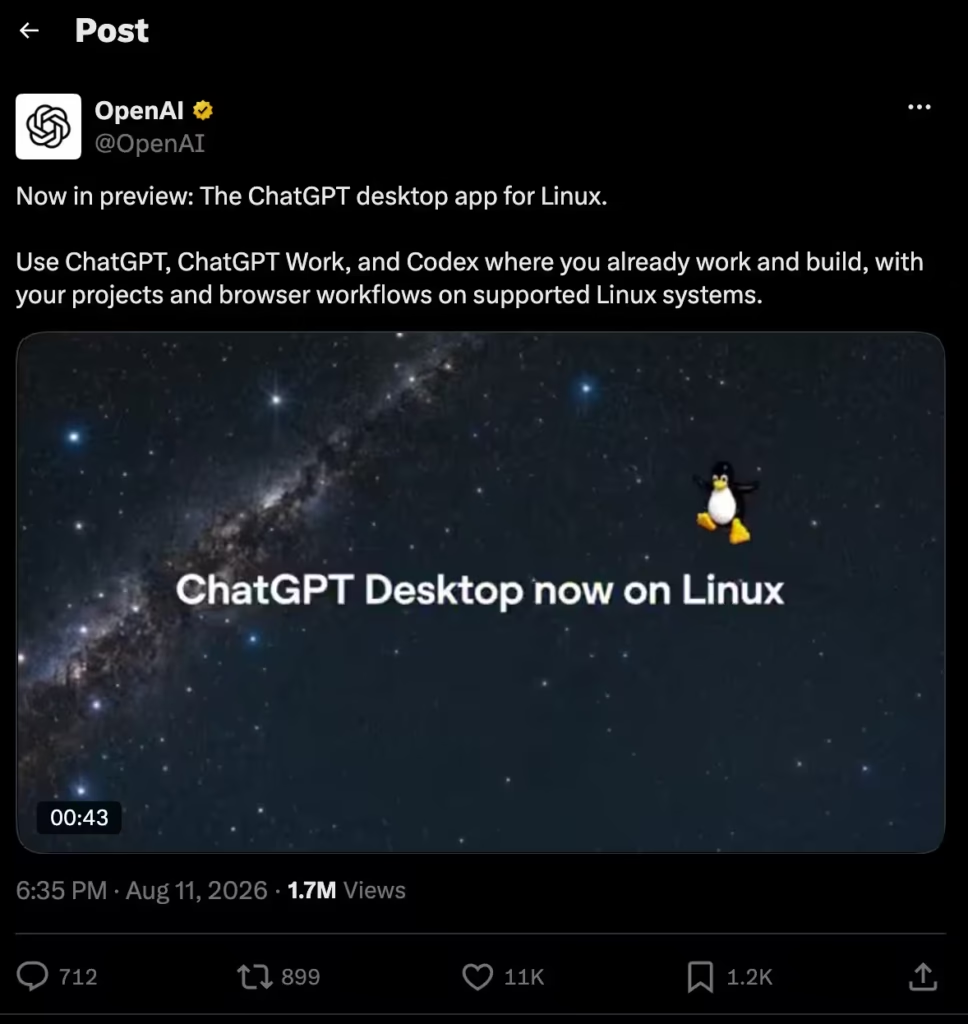
It bundles ChatGPT, ChatGPT Work, and Codex into a single native client, available as .deb and .rpm packages for both x64 and ARM64 architectures.
“Linux has been one of the most-requested platforms for the desktop app, and this launch extends ChatGPT and Codex across every major desktop operating system,” OpenAI said.
Translation: they finally closed the one gap that had developers reaching for browser tabs instead of a proper client.
Which Distros Are Supported
OpenAI is targeting the big three families: Ubuntu 24.04 and 26.04 LTS, Debian 13, and Fedora 43 and 44. Those aren’t just five distributions. They’re the upstream base for hundreds of downstream variants.
If you’re running Pop!_OS, Linux Mint, Kubuntu, Elementary, or anything built on Ubuntu or Debian, it should work.
The installer adds an OpenAI repository to your package manager so updates deploy automatically alongside your normal system packages.
That’s a smart touch for an audience that lives in the terminal and hates manual update workflows.
No Arch Linux support at launch. No openSUSE. The community forum request thread that’s been running since 2024 will probably keep going for those users.
Why This Matters More Than It Sounds
“Just use the browser” has been the standard response to Linux users asking for a native app. That was reasonable when ChatGPT was a chatbot. It stopped being reasonable when Codex arrived.
Codex on macOS and Windows can see your screen, interact with your desktop, and control your computer. It integrates with local files, browser workflows, and project directories.
Running that through a browser tab doesn’t cut it. The people who build and deploy cloud infrastructure overwhelmingly do it from Linux workstations.
Giving them a native client where Codex can plug into their actual environment closes a real gap.
As AI Weekly put it: “Linux was the last major desktop holdout for OpenAI’s flagship client, and closing it puts Codex on the workstation where most cloud infrastructure actually gets built.”
The app also includes an agent importer that lets users migrate configurations from other agent harnesses.
That’s a signal about who OpenAI expects to show up first: developers already running Hermes Agent, OpenClaw, or Claude Code on Linux who might switch if the native experience is good enough.
Anthropic Got There First
Worth noting: Anthropic launched a Claude desktop app for Linux about a month ago.
It supports Ubuntu 22.04 and later plus Debian 12 and later. No Fedora support. No ARM64 at launch.
OpenAI’s release covers more distributions and includes ARM64 from day one.
But Anthropic had a head start, and Claude Code has been deeply popular with the Linux developer crowd that cares most about native integration.
Both apps are in beta. Both will improve. The interesting question is which one becomes the default tool Linux developers reach for when they sit down to work. That race is just getting started.
What You Get Today
The preview includes everything the macOS and Windows apps already have: ChatGPT for conversations, ChatGPT Work for professional tasks with connected services, and Codex for coding agent workflows.
Whether the full Codex desktop control features (screen reading, app interaction) are fully functional on Linux at launch or rolling out incrementally isn’t entirely clear from OpenAI’s announcement.
It’s free to download. Paid features require the usual Plus, Pro, Business, or Enterprise subscriptions.
Install it, keep your CLI tools alongside it, and leave auto-update off if you’re cautious. It’s a preview. Treat it like one.
