


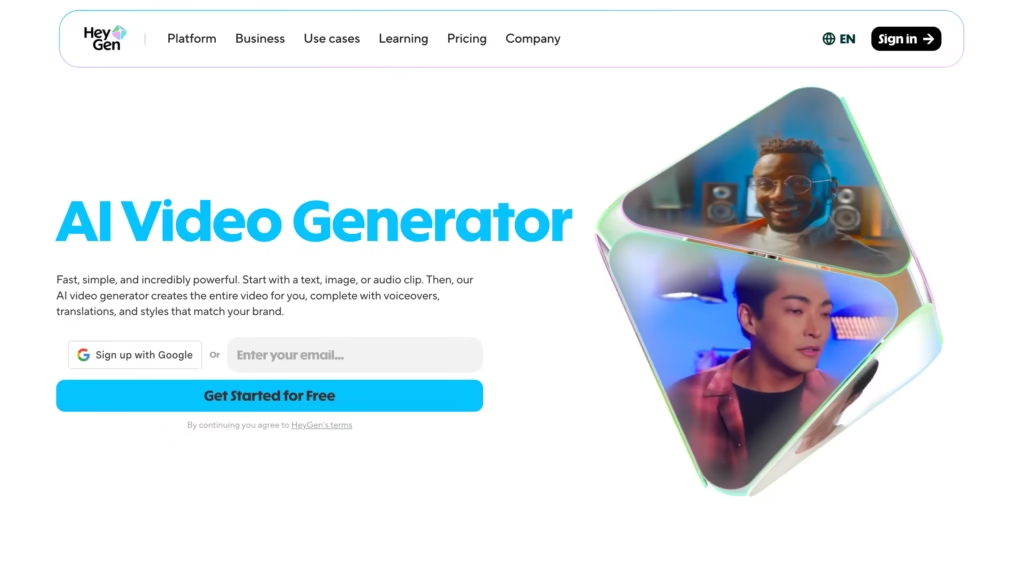
HeyGen AI video generator is a browser-based platform that turns text, images, and audio into polished, professional videos using artificial intelligence.
You type a script, pick a digital avatar, and the tool handles the rest, voiceover, lip-syncing, transitions, and visual effects, all without a camera, studio, or editing experience.
Founded as Movio in 2022, HeyGen has grown fast.
The company crossed $100 million in annual recurring revenue by late 2025, serves more than 100,000 businesses worldwide.
It raised over $60 million in Series A funding from Benchmark and Thrive Capital in June 2024, putting its valuation at roughly $500 million.
This article goes deeper into the video generation engine itself: how it works, what makes it different from competitors, and whether the output quality actually holds up in real-world use.
How Does the HeyGen AI Video Generator Actually Work?
There are three main paths to create a video inside HeyGen.
Each one fits a different workflow, and none of them require video editing skills.
Path 1: Script-to-Video (AI Studio)
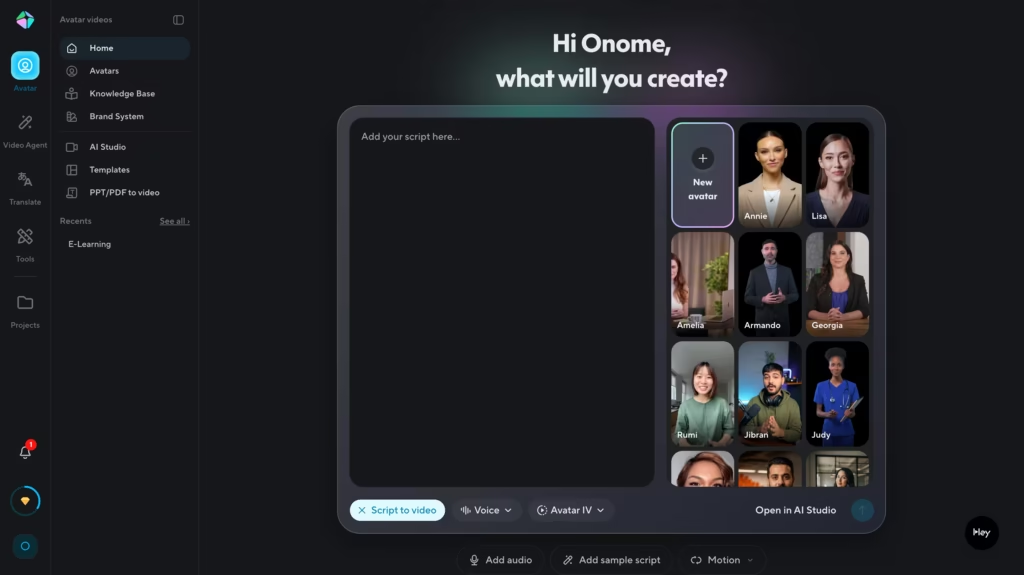
This is HeyGen’s traditional creation mode.
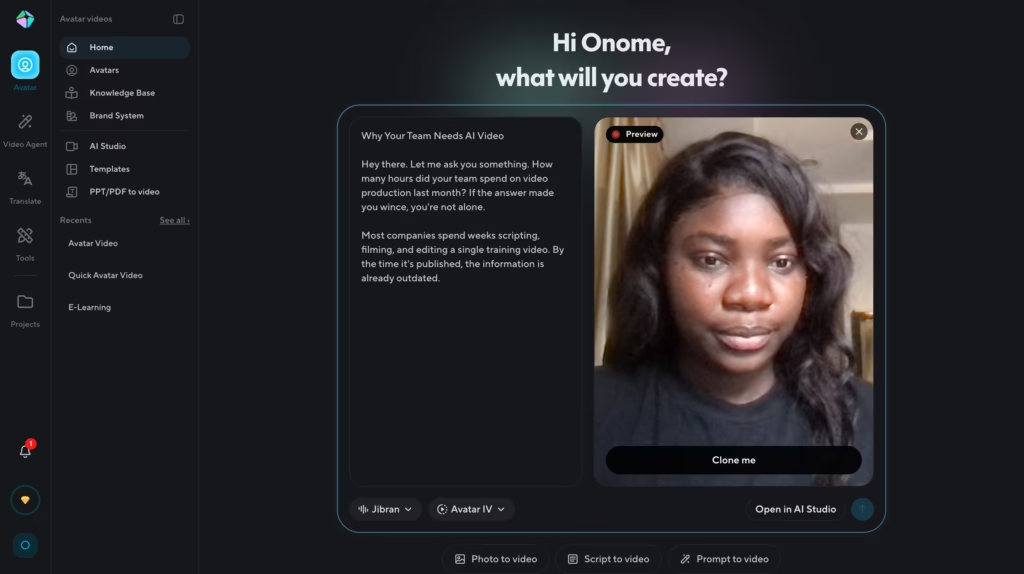
You write a script (or paste one in), choose an avatar from a library of 230+ options, select a voice, and hit generate.
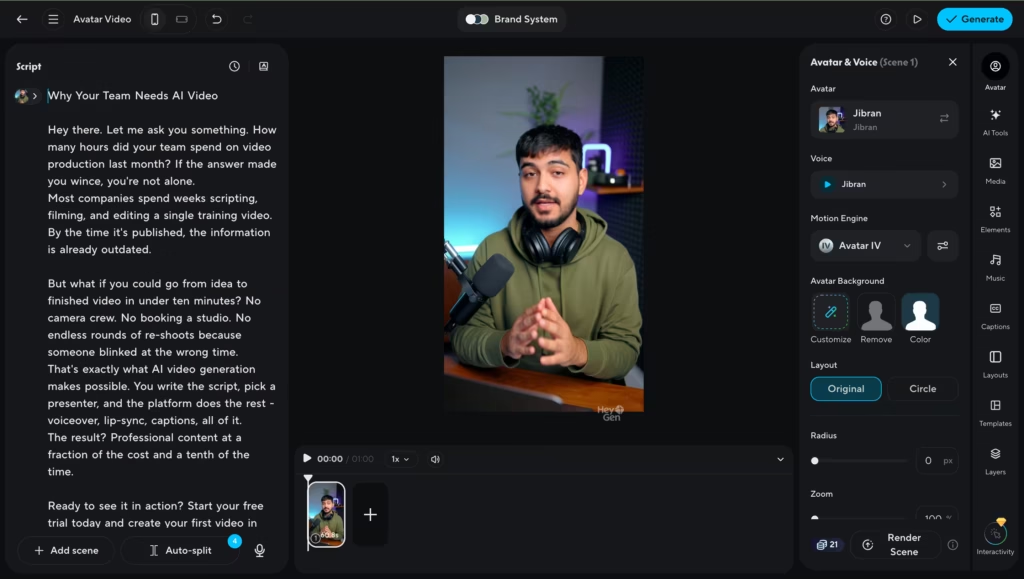
The platform handles lip-sync, facial expressions, and on-screen text placement. You can think of it as a drag-and-drop video editor, except the “actor” is AI-generated.
Oh, by the way, there’s also an option to create a clone of yourself if you don’t want no avatar, and you need the video to look and sound like you.
Path 2: Prompt-to-Video (Video Agent)
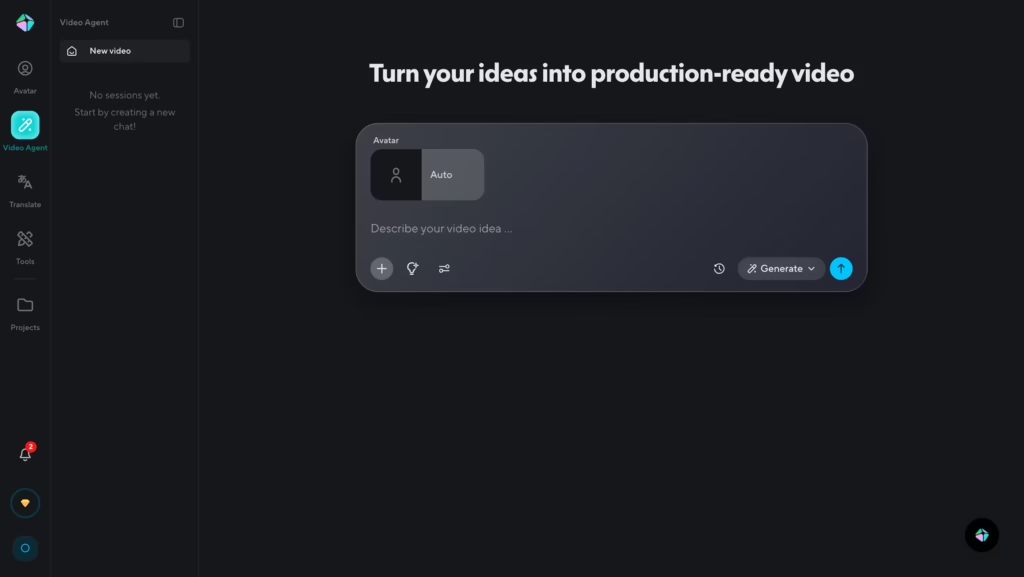
Video Agent is HeyGen’s newest and most ambitious feature.
Instead of building scenes manually, you pick an avatar (or your clone) and describe what you want in plain language.
Something like:
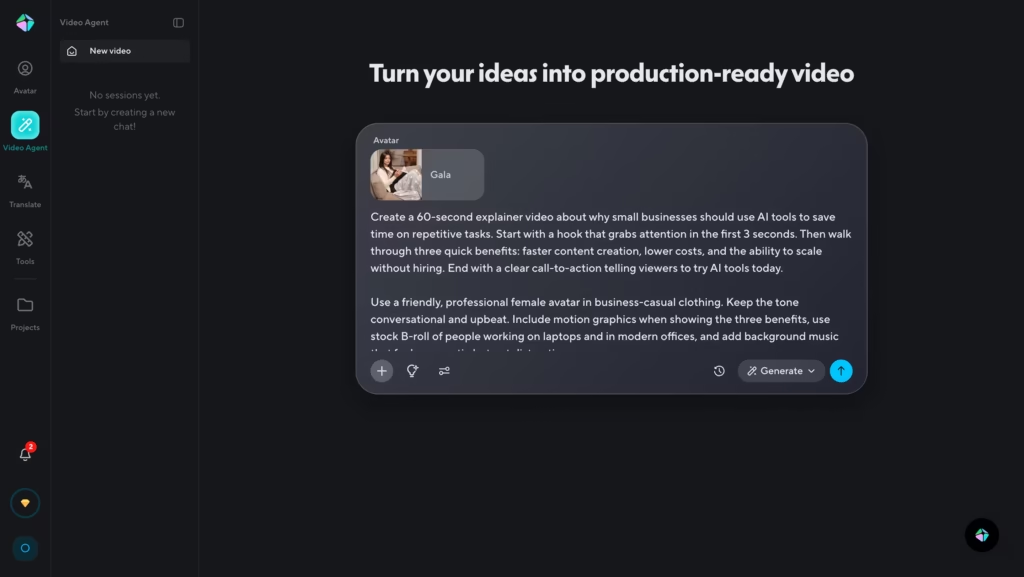
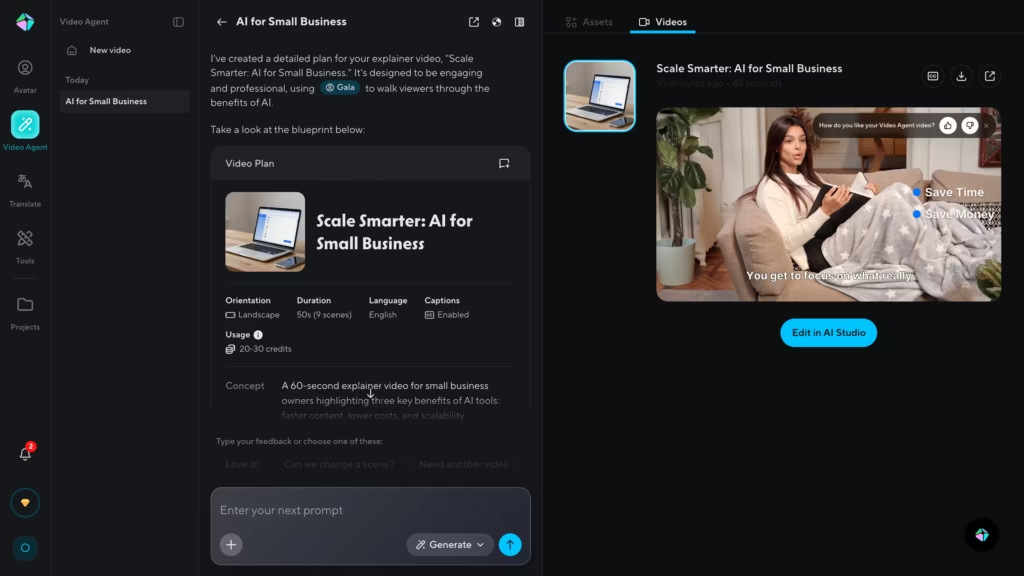
The system then writes the script, selects visuals, picks background music, generates B-roll (powered by integrations with OpenAI’s Sora 2 and Google’s Veo 3.1), and assembles the entire video.
You review a plan before anything renders, and you can adjust scenes, swap avatars, or rewrite sections after generation.
Path 3: Photo or Audio to Video
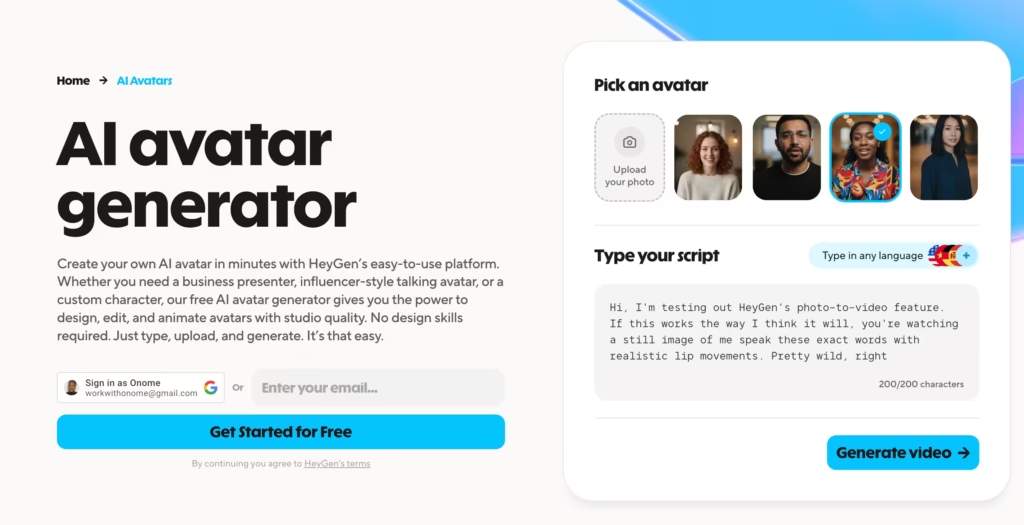
All you need here is a headshot and a voice recording.
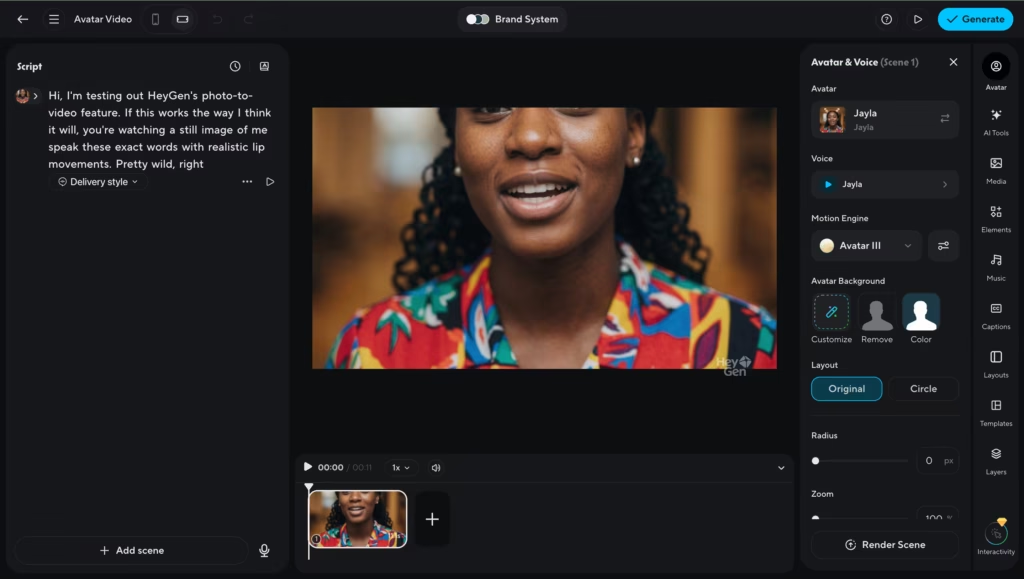
HeyGen can animate a still photo into a realistic talking-head video.
Upload a portrait, feed in audio, and the AI generates matching mouth movements, blinks, and subtle head tilts.
This is powered by their Avatar IV model, which launched in mid-2025 and remains one of the most photorealistic avatar systems available on any commercial platform.
Path 4: Video and Audio Translation (Translate & Dub)
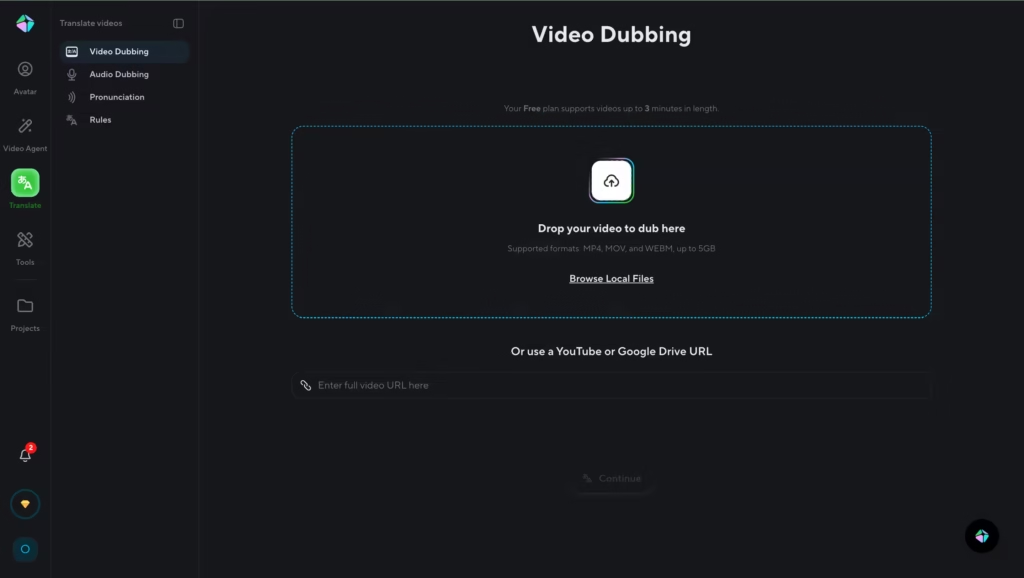
Already have a finished video – maybe one you filmed yourself or a recording from a webinar?
HeyGen’s video translator lets you upload that file (or paste a YouTube link) and automatically translate it into any of 175+ languages and dialects.
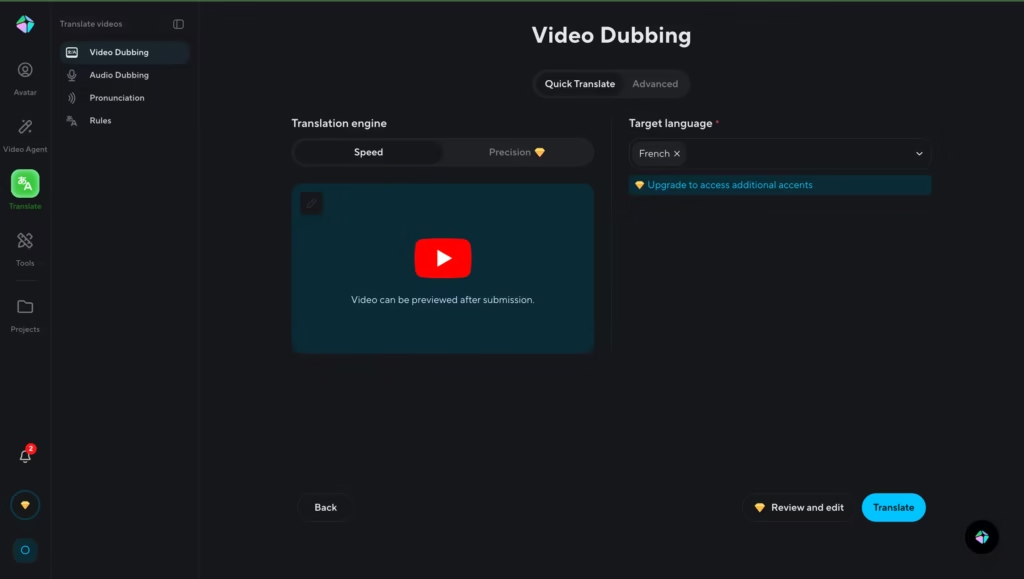
Here’s what makes it different from standard subtitle tools: HeyGen doesn’t just swap the audio track. It clones the original speaker’s voice into the target language and re-syncs the lip movements so the video looks like it was natively recorded in that language.
The result feels natural rather than dubbed.
This path is a huge deal for two groups in particular. Global businesses can take a single English product demo and roll it out in Spanish, Japanese, German, and Portuguese without re-filming a thing.
And content creators on YouTube or social media can instantly reach audiences in markets they’d never have the budget to dub for manually.
What Are the Core Features That Set HeyGen Apart?
1. Avatar IV Technology
HeyGen’s fourth-generation avatar model produces full-body, motion-captured digital humans. I’m talking timing-aware hand gestures, micro-expressions like natural blinks and subtle smiles, and lip-sync accuracy.
The avatars look convincing enough that casual viewers often can’t tell the difference, at least for the first few seconds.
2. Voice Cloning and Multilingual Support
You can clone your own voice from a short recording and use it across every video you create. HeyGen supports 175+ languages and multiple accents, making it a powerhouse for localization.
A training video recorded in English can be translated, re-voiced, and lip-synced in Spanish, Mandarin, or Hindi automatically.
3. Video Translation with Lip-Sync
This goes beyond simple dubbing. HeyGen re-syncs the avatar’s mouth movements to match the new language, so the translated video looks native rather than dubbed.
4. Brand Kit and Style Consistency
Define your colors, fonts, and logo once, and Video Agent applies them across every video. This is especially useful for agencies managing multiple client accounts or brands running campaigns across regions.
How to Create Your First Video with HeyGen (Step-by-Step)
- Sign up for a free account at heygen.com. No credit card needed.
- Choose your creation path: AI Studio for manual control, or Video Agent for prompt-based generation.
- Select an avatar from the 230+ stock options, or upload your own photo to create a custom one.
- Write your script or type a natural-language prompt describing the video you want.
- Pick a voice. Use one of HeyGen’s 300+ voice options, or clone your own.
- If using Video Agent, review the generated video plan and approve or tweak it.
- Hit generate. Your video renders in minutes.
- Edit as needed. Swap visuals, adjust captions, change music, all from the built-in editor.
- Export in up to 4K resolution and publish wherever you need it.
How Does HeyGen Compare to Other AI Video Generators?
This is the question everyone asks. Let’s stack it up against the other major players across the features that matter most.
| Feature | HeyGen | Synthesia | DeepBrain AI | D-ID |
|---|---|---|---|---|
| Avatar Realism | Best-in-class (Avatar IV) | Strong (expressive) | Studio-grade | Good (photo-based) |
| Prompt-to-Video | Yes (Video Agent) | No | No | No |
| Languages | 175+ | 140+ | 80+ | 30+ |
| Lip-Synced Translation | Yes | Yes (enterprise) | Yes | Limited |
| Voice Cloning | Yes (all paid plans) | Yes (enterprise) | Yes | No |
| Starting Price | $29/month | $14/month | $24/month | $5.9/month |
| Real-Time Avatar | Yes (LiveAvatar) | No | Yes (kiosks) | Yes (API) |
| Best For | Marketing, UGC, scale content | Enterprise L&D, training | Broadcast, corporate comms | Low-budget, API-first |
Synthesia wins on enterprise infrastructure and structured training workflows. DeepBrain AI produces broadcast-quality avatars for high-stakes corporate communications. D-ID is the cheapest entry point with strong API access.
But HeyGen is the only platform that combines top-tier avatar realism, prompt-based video generation, and multilingual lip-sync all in one place.
Who Should Use HeyGen AI Video Generator?
- Marketing teams scaling video ads, product demos, and social content across multiple languages and markets.
- Course creators and educators building talking-head lessons without the hassle of filming and re-filming.
- L&D departments producing multilingual compliance and onboarding training at a fraction of traditional costs.
- Agencies running personalized video campaigns for clients who need volume without sacrificing brand consistency.
- Solo creators and small businesses who want professional-looking video without hiring a production team.
- Developers embedding AI video generation into their own apps through HeyGen’s API.
What Are the Limitations You Should Know About?
No tool is perfect, and it would be dishonest to pretend otherwise. Here are the trade-offs to weigh before committing.
1. The Premium Credits system can be confusing.
HeyGen’s most impressive features – Avatar IV, lip-synced translation, Video Agent in Quality Mode, and AI-generated B-roll – all consume premium credits.
These credits are capped by plan and can run out faster than you expect, especially if you iterate heavily. HeyGen acknowledged this pain point and recently overhauled the system to make costs more transparent, but it’s still worth monitoring your usage closely.
2. Emotional range still has limits
While Avatar IV is remarkably realistic, the avatars still struggle with deep emotional nuance. A heartfelt apology or an excited product reveal won’t carry the same weight as a real human presenter.
For straightforward explainers and training content, the quality is excellent. For emotionally-charged storytelling? You’ll notice the gap.
3. Non-English lip-sync isn’t flawless yet
While HeyGen’s lip-sync accuracy in English is outstanding, I experienced occasional glitches in less common languages.
The team ships monthly updates, so this is steadily improving, I guess.
What Are the Best Use Cases for HeyGen’s Video Engine?
Multilingual Product Videos. Record once in English. Translate and lip-sync into dozens of languages automatically. A global e-commerce brand can produce localized product explainers for every market without hiring voice actors or filming multiple takes.
Internal Training and Onboarding. Traditional presenter-led training videos cost $10,000–$50,000 per video and take weeks to produce. HeyGen delivers comparable content in under 30 minutes. SCORM export support means the output drops directly into most LMS platforms.
Social Media and UGC-Style Ads. Video Agent can generate scroll-stopping short-form content for TikTok, Instagram Reels, and YouTube Shorts. Create multiple variations of an ad concept, test them, and scale the winners, all without coordinating a shoot.
YouTube and Educational Channels. If you run an informational channel, HeyGen lets you batch-produce episodes with a consistent on-screen persona.
Your avatar doesn’t call in sick, and it delivers every line exactly as scripted.
Is HeyGen Safe and Ethical to Use?
Fair question, given the deepfake conversation happening across the industry.
HeyGen holds SOC 2 Type II certification, complies with GDPR and CCPA requirements, and has aligned its practices with the EU AI Act.
All custom avatars require verified consent from the person being replicated, you can’t just upload someone else’s photo and create an avatar without their permission.
Are there still broader ethical concerns around AI-generated video? Absolutely.
But from a platform governance standpoint, HeyGen has invested more in compliance infrastructure than most competitors in the space.
So, Is HeyGen the Right Tool for You?
HeyGen isn’t trying to replace Hollywood cinematography. What it does, better than almost anyone else, is make professional-looking talking-head videos accessible to people who don’t have a production budget.
The Avatar IV technology is genuinely impressive. Video Agent changes the workflow from “build a video” to “describe a video.” And the multilingual capabilities alone can save global teams thousands of dollars per project.
Does it have rough edges? Sure. The credit system takes getting used to, emotional delivery still feels slightly mechanical, and support could be faster.
If video is part of your content strategy and you’re spending too much time or money producing it the old-fashioned way, HeyGen is one of the strongest options available right now. Start with the free plan, generate a few test clips, and see for yourself whether the output quality meets your bar.
For a detailed look at what each plan costs and whether it’s worth the investment, check out our full HeyGen Pricing Review.
FAQs
1. Can I try HeyGen for free?
Yes. The free plan includes 3 videos per month at 720p with a watermark. It’s enough to test the platform and see if the output meets your needs before paying anything.
2. Do I need editing skills to use HeyGen?
No. The entire platform is designed for people who have never touched video editing software. Video Agent in particular removes almost all manual work, you describe what you want, and it builds the video.
3. Can HeyGen translate my existing videos?
Yes. Upload a video you’ve already recorded, and HeyGen can translate the audio, re-voice it, and re-sync the lip movements to the new language. Free users get up to 3 minutes of translation per month.
4. What video formats does HeyGen export?
HeyGen exports in standard MP4 format. Paid plans support 1080p and 4K resolution. You can choose between portrait and landscape aspect ratios depending on your target platform.
5. How realistic are the avatars, really?
Avatar IV is the most photorealistic system available on a commercial platform as of early 2026. Independent reviewers consistently rank it above Synthesia and DeepBrain for natural motion and facial expression quality.
That said, a trained eye can still spot the difference in longer clips, especially with complex emotional delivery.
6. Is HeyGen worth it compared to hiring a videographer?
For recurring content needs – training videos, product demos, localized ads – the math overwhelmingly favors HeyGen.
A single traditional production can cost $10,000+. HeyGen’s Creator plan at $29/month pays for itself with one video. But for high-stakes brand campaigns that demand genuine human emotion, a real videographer still wins.
