

Many of the documents that matter most arrive as PDFs: contracts, tax forms, invoices, and reports. However, PDFs are also hard to change. An error that needs to be remedied or a page that needs to be taken out is hard to get around. But not with Lumr.
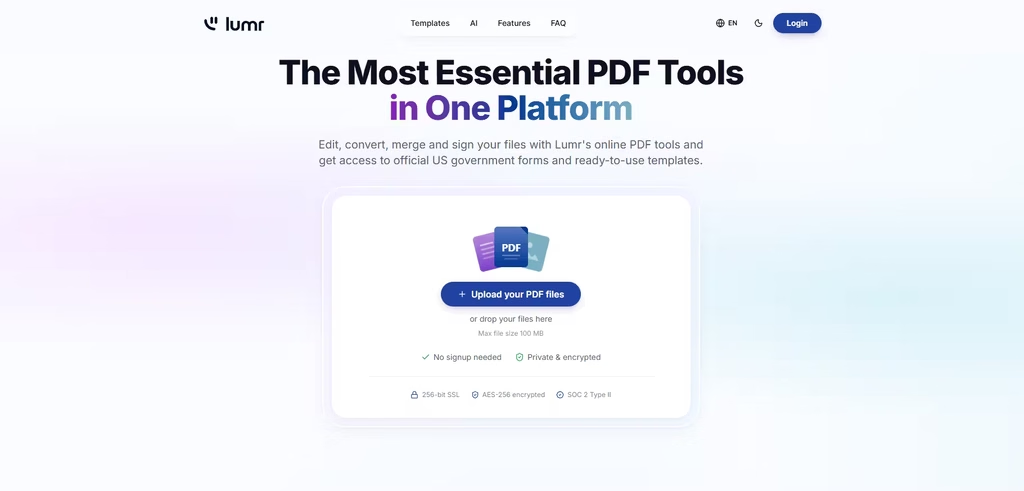
Lumr is a browser-based PDF platform, and what surprised me most is how much it packs in. It edits, converts, merges, splits, compresses, and signs files, all without installing software. On top of that, it adds AI tools and fill-in legal templates, so most document jobs can start and finish in a single browser tab.
Lumr works in any modern browser, including Chrome, Safari, Firefox, and Edge. It also runs on phones and tablets. You never need to download an app, and in this article, we’ll be testing some of its features with a key focus on its AI tools.
Lumr Key Features
1. PDF Editing
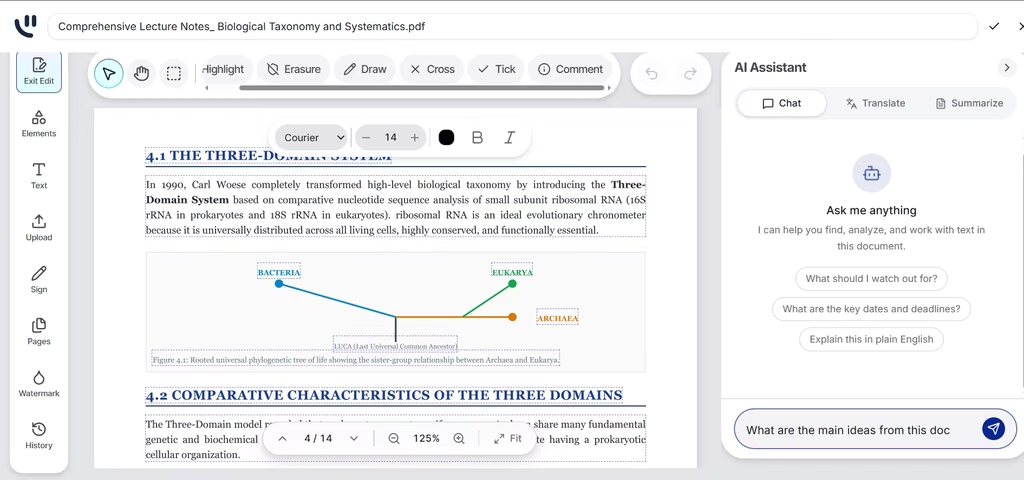
Editing felt instant. I clicked straight into a PDF and typed, much like editing a Word document, then swapped out words and dropped in an image without converting the file first. Beyond that, the editor let me highlight, annotate, add pages, merge PDFs, delete text and pages, re-order pages, insert elements, and label and watermark pages.
2. AI Summarize, Chat with PDF, and Translate
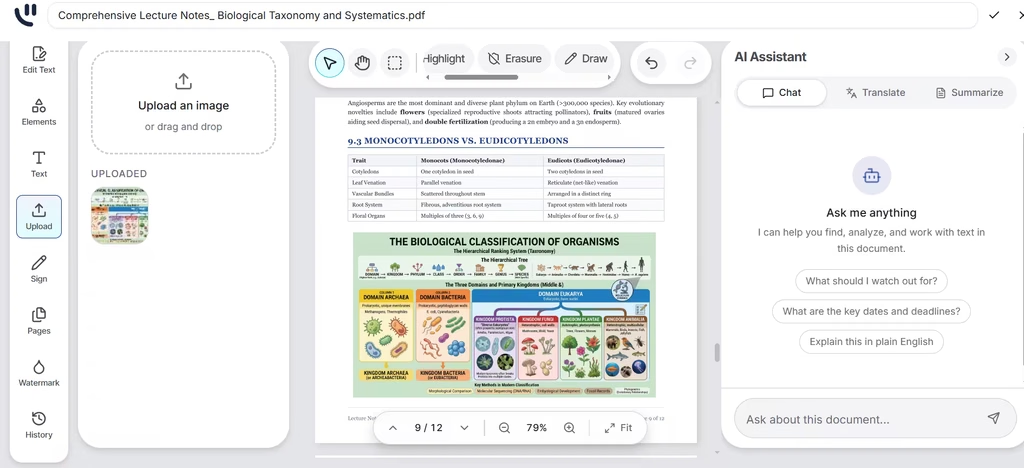
Lumr’s three AI tools condense long PDFs, answer questions about them, and translate them into over 100 languages. However, I hit a paywall when I tried using all three AI tools. Not even the translate feature was free. Honestly, that surprised me. I expected at least one AI tool to be free to try, so I could judge its quality before paying. Instead, Lumr asks you to commit before you see a single summary or translation.
3. E-Signatures
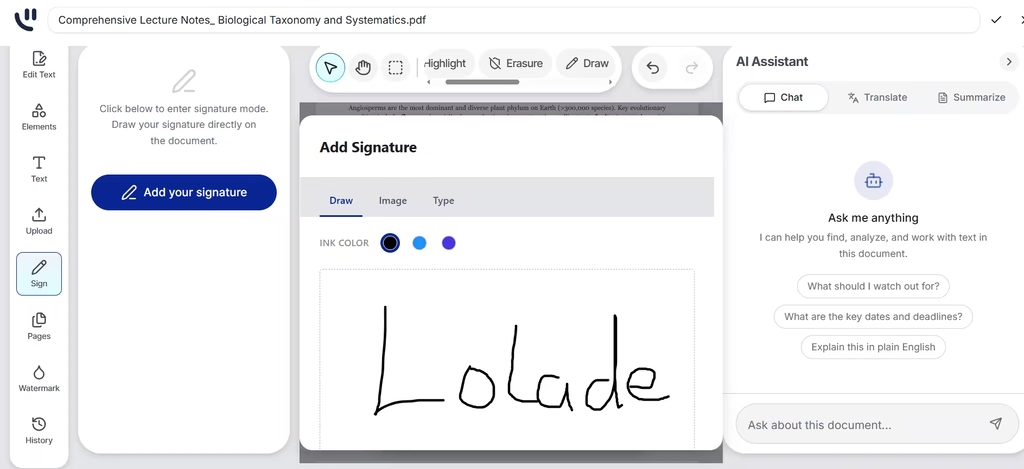
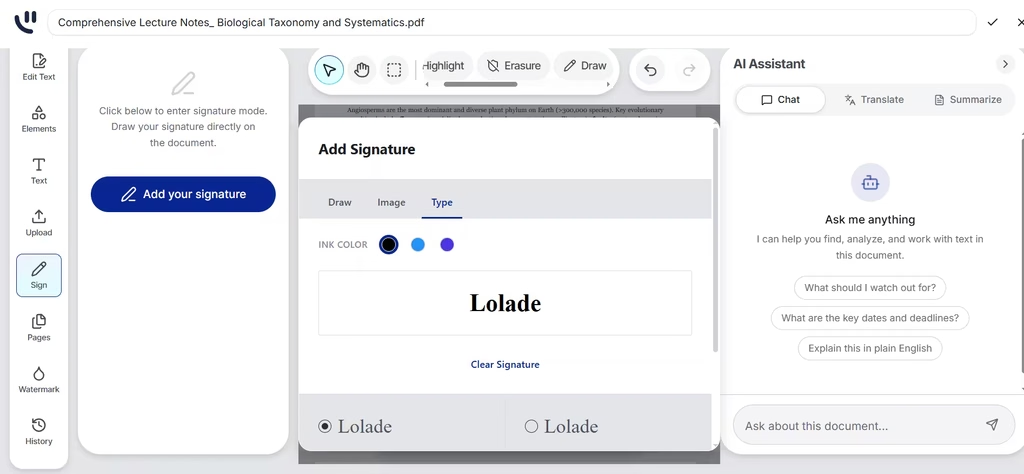
Sign PDF lets you draw, type or upload your signature. You then place it on the page and download the signed file. No printer, scanner, or extra app is involved at any point.
4. File Conversion, Split and Merge Files
Getting a file into or out of PDF format is where many online editors stumble. Lumr handles both directions: it converts Word, Excel, PowerPoint, JPG, and PNG files into PDF, and it turns PDFs back into those formats. For example, PDF to Excel pulls tables into editable spreadsheets. Likewise, PDF to PowerPoint produces editable slides.
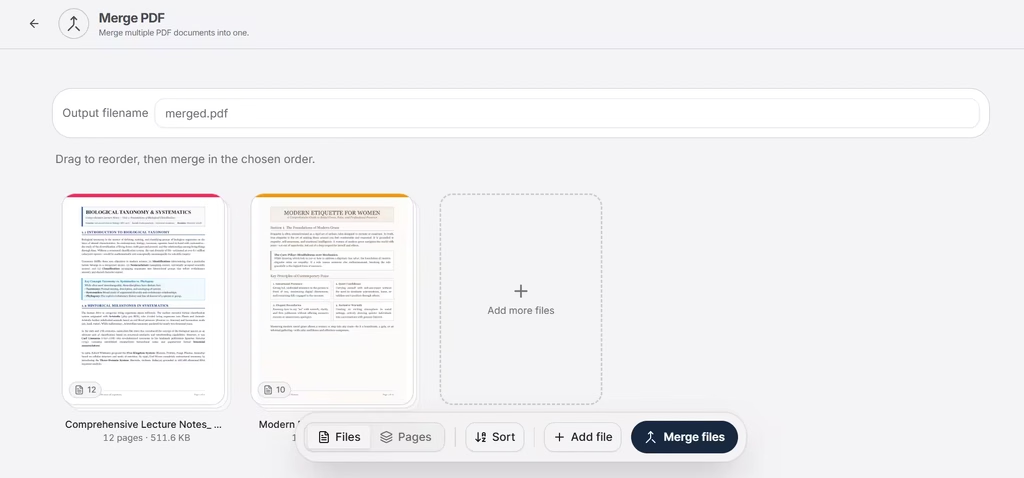
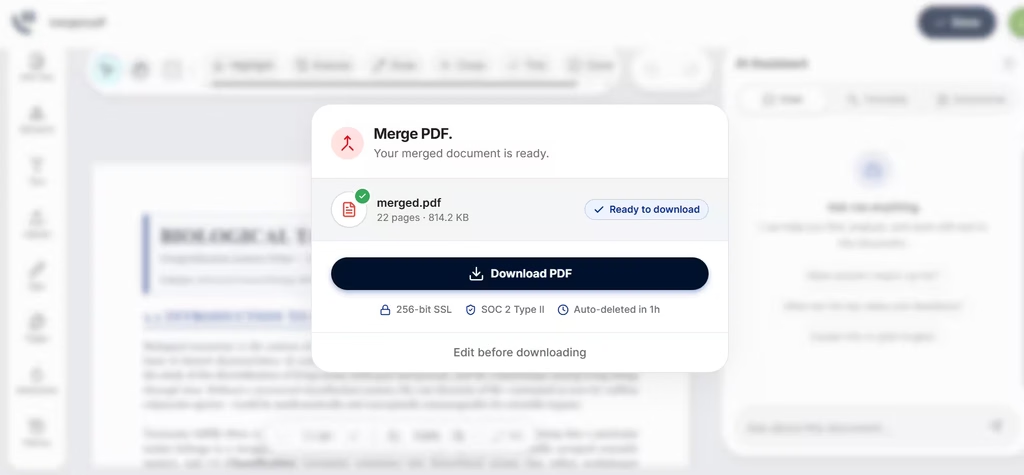
Through my testing, I found that the original layout will stay intact. When I merged two PDF files, every heading, image, and margin stayed in place. Even tables and images didn’t go askew.
5. File Compression
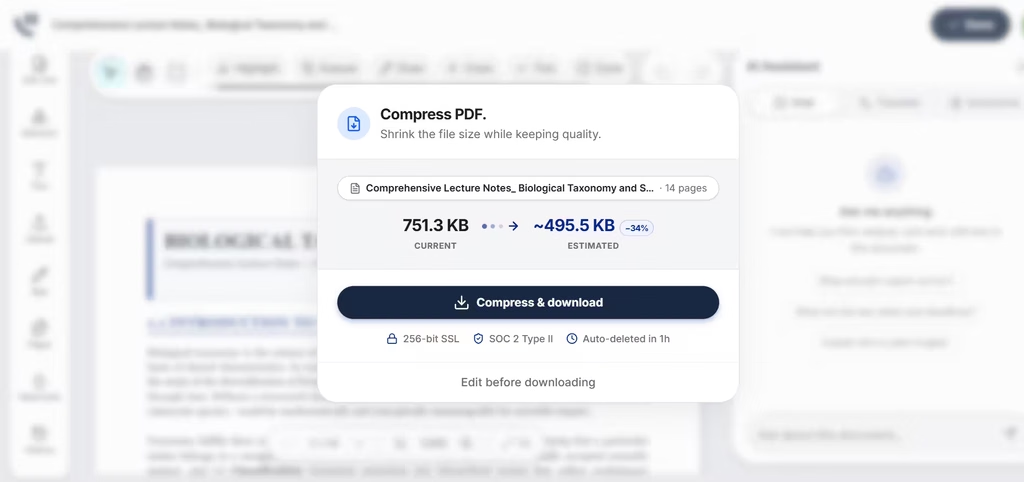
Large files can be hard to email, but fortunately, Lumr has a Compress PDF tool to shrink them. When I compressed a 751.3 KB PDF file (an e-book), Lumr cut it down to 495.5 KB in about 10 seconds, with no quality loss. That’s a 34% decrease. Meanwhile, a separate Image Compressor handles JPG, PNG, and WebP files.
6. Security Tools
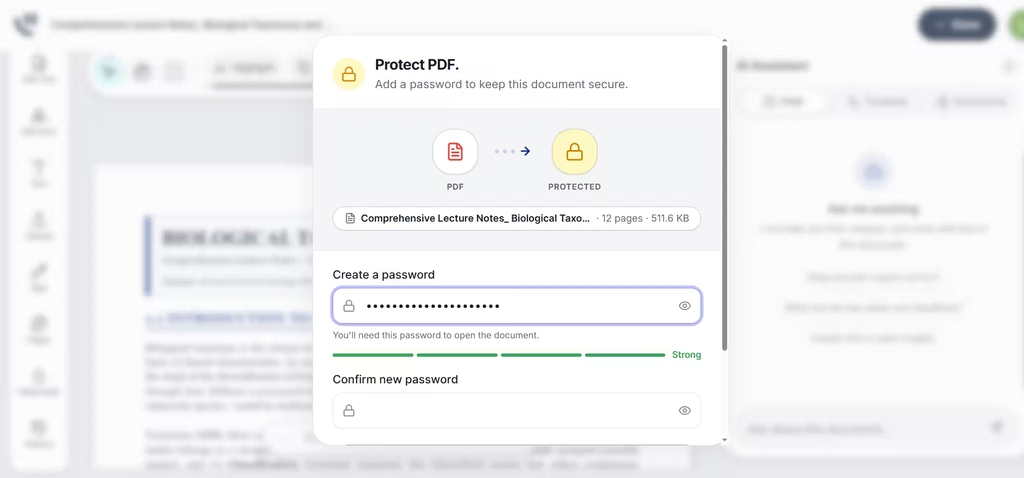
Password Protect locks a PDF with encryption. Also, Lumr has an Unlock PDF tool that removes a password from a file.
7. Fillable Forms and Templates
Lumr’s PDF Filler helps you complete existing forms and also build fillable forms. It can be used to fill out other official US government and tax forms. However, its terms note that Lumr is not affiliated with the IRS, USCIS, or any other agency. Therefore, always check that you have the current form version.
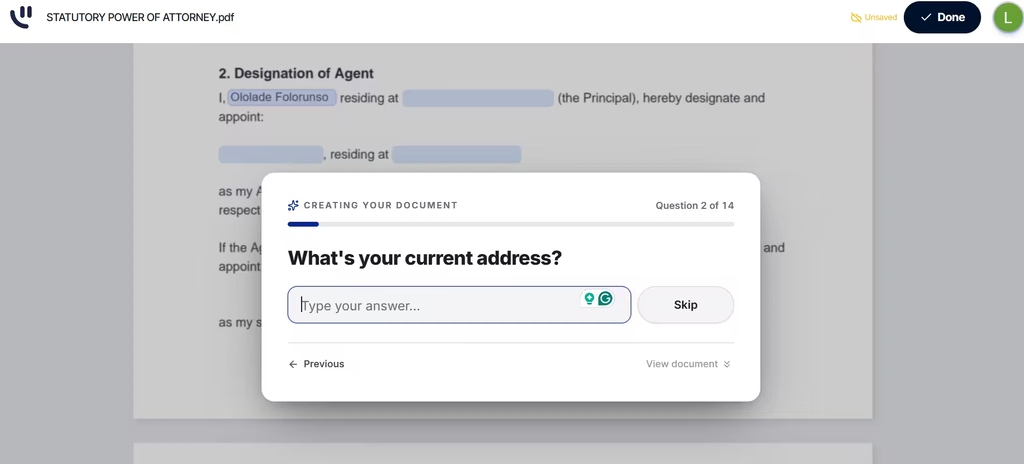
Lumr also offers guided legal templates. These include a bill of sale, lease agreement, power of attorney, quitclaim deed, and eviction notice. I used this feature to fill out a Power of Attorney document in October, 2026. For this, Lumr had me answer a few questions. Then, I reviewed the result in the editor and could download a print-ready PDF.
Pros and Cons
Pros
- All-in-one toolkit: Twenty-nine tools cover editing, conversion, compression, signing, and individual page editing. For me, this is the biggest advantage: I never had to jump to a second app mid-task.
- Nothing to install: Lumr runs in any modern browser on desktop, phone or tablet. That is a benefit if you switch between devices or work on a locked-down office computer.
- Legal templates built in: Leases, deeds and powers of attorney sit next to your PDF tools. Neither Smallpdf nor iLovePDF lists templates like these among its tools, so this is Lumr’s clearest point of difference.
- AI toolkit: Provides summaries, translation and document chat that save time on long files. The summarizer is the standout; the other two are handy but need a quick double-check.
- Clear cancellation and refunds: You can cancel from your account, and refunds cover the last charge within 120 days. Given the short trial, this safety net is reassuring.
- 24/7 support: Lumr advertises round-the-clock multilingual customer service.
- Generous file limit: Each upload can reach 100 MB.
Cons
- No public pricing page: You only see the price at checkout, and it varies by region. When I tested it, checkout showed $49.99, charged once the 24-hour free trial ended.
- Four-week billing cycle: Lumr’s terms say the “monthly” plan renews every four weeks, which works out to about 13 charges a year instead of 12.
- Short trial: The trial lasts only 24 hours before it converts to a paid plan. Personally, I think 24 hours is too short to get a feel for how Lumr would fit into your workflow.
- Unclear free limits: I hit a paywall most times I tried to download my creations/edits without paying, and I only found where the limits were by trial and error. Lumr never told me upfront which tools were actually free.
- AI tools need a paid plan: Full AI access is not free.
In my view, $49.99 every four weeks is steep for a browser tool. For comparison, iLovePDF Premium costs $9 billed monthly, and Adobe Acrobat Standard costs $24.99 month to month, so Lumr runs about double Acrobat’s price. The legal templates add real value, but not enough to close that gap unless you use them regularly.
Is Lumr the One Document Tool You Need?
Lumr’s biggest strength is range: 29 PDF tools, AI features and legal templates under one login. It handles everyday tasks well. Its legal templates are the real standout, since Smallpdf and iLovePDF don’t offer them. That makes Lumr a good fit for freelancers who sign client contracts, landlords who need leases, and small businesses that juggle forms every week.
The trial is the main caveat. It turns into a $49.99 paid plan after just 24 hours, the “monthly” plan actually bills every four weeks, and you only see the price at checkout. So if you just want to try Lumr, set a reminder before the trial ends.
So, is Lumr worth it? Yes, if you handle PDFs weekly and need legal templates. Every core tool I tried, from editing and merging to compression and templates, worked smoothly. For that kind of user, one subscription replaces both a PDF editor and a separate template service.
If you only edit PDFs a few times a year, though, the price doesn’t justify the cost. Stick with a free tool, or pay once with the Single Document option for that one-off job.
