

Perplexity AI once lived inside WhatsApp. Millions of users texted a simple phone number and got instant, sourced answers. Then it vanished. Here’s what the assistant could do, where it fell short, and why Meta pulled the plug.
What Perplexity AI on WhatsApp Was and Current Status
Perplexity launched its WhatsApp integration in spring 2025. Setup took seconds: save the Perplexity AI WhatsApp number, +1 (833) 436-3285, as a contact, open a chat, and start asking questions. There was no app download or sign-up.
That made it one of the easier AI tools to reach, because you didn’t need an account, and you never left WhatsApp to get an answer with sources attached.
Then, on January 15, 2026, Meta updated its WhatsApp Business API terms. The new policy banned “general-purpose AI chatbots” from the platform. Perplexity, ChatGPT, Microsoft Copilot, and several other third-party bots lost access as a result.
So if you’re wondering whether the Perplexity WhatsApp shutdown actually happened: yes. Texting the old number today typically returns nothing, or the chat won’t connect at all. That’s what happened when I texted the number. I tried with another contact and got the same result: no response.
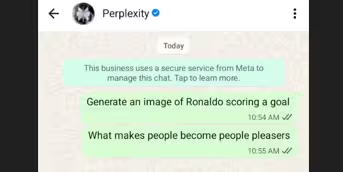
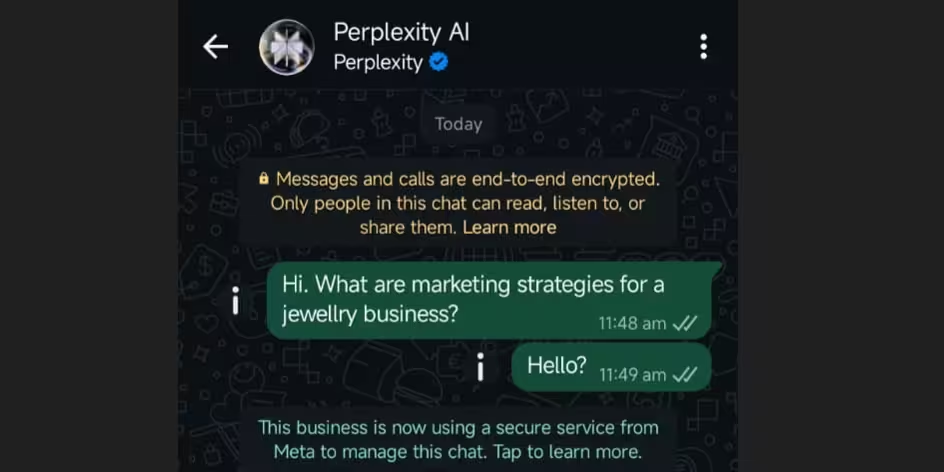
Meta AI, Meta’s own assistant, is now the only general-purpose chatbot allowed on WhatsApp. Anyone hoping to revive the Perplexity integration will need Perplexity’s standalone app or website instead.
Core Features
While active, the assistant packed a surprising amount into a simple chat window. Here’s what it could do.
1. Real-Time Answers With Sources
Perplexity pulled live information from the web, not a static training set. Ask about current events, prices, or breaking news, and the bot searched in real time before replying. Every answer arrived with numbered source references, so users could verify claims without opening a browser.
2. Fact-Checking Forwarded Messages
This became one of the assistant’s most-covered features in tech press. TechRadar published a walkthrough on May 2, 2025, showing readers how to forward a suspicious message, the kind claiming, say, that garlic water cures baldness, and get it debunked with sourced links in seconds.
Vice covered the same launch, describing it as a useful, if imperfect, weapon against WhatsApp misinformation. The mechanism allowed anyone to forward a questionable text, image, or screenshot to Perplexity’s number, and it cross-referenced the claim against live web sources in over 20 languages.
3. Free Image Generation
Perplexity normally charges for image creation in its main app. On WhatsApp, this feature was free. Type a prompt, “draw a fox reading a book”, and the bot generated an image right in the chat. It handled basic edits on request too, no subscription required.
4. Voice Notes
Typing isn’t always convenient. So Perplexity accepted voice input: record a question as a voice note, and the bot transcribed it automatically before replying in text. Useful for anyone driving, cooking, or otherwise in the middle of a task.
5. Scheduled Reminders and News Digests
Beyond answering questions, the assistant handled light productivity work. Say “remind me to call the dentist tomorrow at 10 a.m.,” and Perplexity set the reminder and notified you later. Some users configured recurring digests for topics like industry news or competitor updates, turning a simple chatbot into a lightweight assistant.
Limitations
Despite the convenience, the WhatsApp version never fully replaced Perplexity’s main app. It had four restrictions.
1. No group chat support: The assistant only worked in one-on-one conversations. This mattered because misinformation spreads fastest in group threads, precisely where the fact-checking feature would have been most useful, and precisely where it didn’t work.
2. No PDF or document upload: The main app lets users upload files and ask questions about them. That never made it to WhatsApp, so document-heavy research still meant opening a laptop.
3. No account sync: Chatting on WhatsApp was completely anonymous and untied to any Perplexity account. Pro subscribers got no benefit from their paid features here, no higher limits, no better models, nothing carried over. Conversations weren’t saved to the cloud either, so switching devices meant starting from zero.
4. Shorter answers than the web app: WhatsApp is a messaging platform, so responses stayed brief and conversational. Deep, multi-source research, something the full app handles well, wasn’t available. Citations also appeared as plain text instead of clickable links, so verifying a source meant copying and pasting a URL by hand.
Of these four, the missing account sync is the one I think stings the most. Pro subscribers paid for better models and higher limits, yet got the standard free experience the moment they switched to WhatsApp, in what was otherwise the most convenient access point Perplexity had.
Why It Was Removed: Meta’s 2026 Ban on General-Purpose AI Chatbots
Understanding how to use Perplexity on WhatsApp today means understanding why it stopped working in the first place.
Meta didn’t target Perplexity specifically. It rewrote its WhatsApp Business API policy to exclude an entire category: “providers and developers of artificial intelligence or machine learning technologies, including but not limited to large language models, generative AI platforms, and general-purpose AI assistants.” Meta published the change on October 18, 2025, and enforced it starting January 15, 2026.
Meta gave a few reasons. General-purpose bots strained its systems and support infrastructure, the company said. More importantly, the existing Business API pricing model wasn’t built to monetize open-ended AI conversations. Business-focused bots (customer service, order tracking) stayed allowed. General-purpose assistants like Perplexity did not.
There was also a competitive angle. Meta had already rolled out its own Meta AI assistant across WhatsApp, Instagram, Messenger, and Facebook. Removing rival chatbots positioned Meta AI as the only general-purpose option on Meta’s platforms. OpenAI and Microsoft made similar announcements around the same time, confirming ChatGPT and Copilot would lose WhatsApp access on the same date.
FAQ
1. Is Perplexity Still Available on WhatsApp?
No. As of January 15, 2026, Meta’s updated Business API terms blocked general-purpose AI chatbots, including Perplexity, from operating on WhatsApp.
2. What Was the Perplexity AI WhatsApp Number?
+1 (833) 436-3285. It no longer connects to an active Perplexity assistant.
3. Can I Still Fact-Check Messages Using Perplexity?
Yes, but not through WhatsApp. You can forward text or screenshots to Perplexity through its app or website instead.
4. Why Did Meta Ban These Chatbots Specifically?
Meta cited system strain and a pricing model that didn’t fit open-ended AI conversations. The move also cleared space for Meta’s own AI assistant to become the default option across its apps.
5. Are there Alternatives to Perplexity on WhatsApp?
Meta AI, which is built into WhatsApp directly, is an alternative. It isn’t a substitute for Perplexity’s sourced, real-time search results, though. For that, you’ll need Perplexity’s standalone app or website.
