


With so many new platform software and Technology coming along which one do you think is the best when it comes to recovering blurry photos or extremely blurry photos?
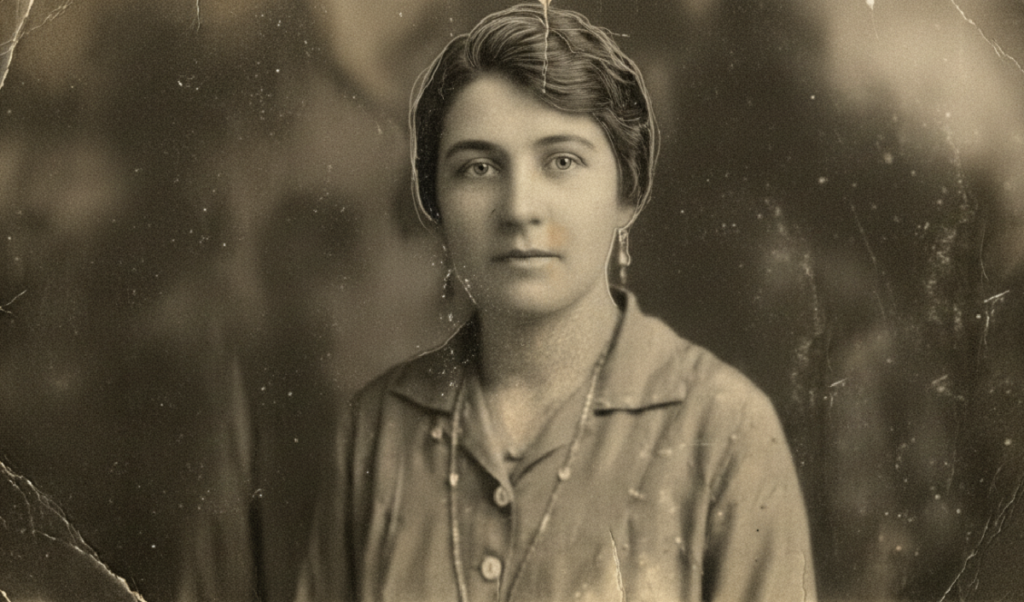
We have an example, an old vintage photo which is absolutely noisy absolutely blurry we’ll see if he can recover it.
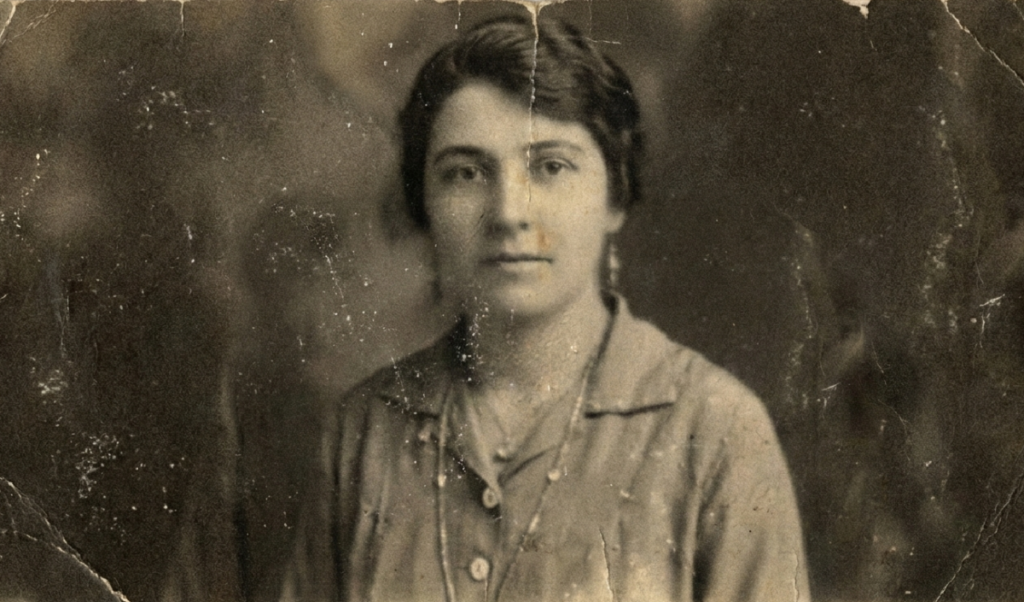
Software Review
SoftOrbits Photo Retoucher
By popular demand the first tool that we’re going to be testing is SoftOrbits Photo Retoucher.
It’s already checked recover face oh wow I was not expecting that that is pretty darn good however there’s a noise line right there noise is not gone from around the face.
So let us turn on remove noise and we can open this up and choose the type of noise that we are trying to remove.
Now the great part about SoftOrbits Photo Retoucher is that it’s offline by the way you can try to get a trial version and you have controls for everything like recovering original details.
Now the only problem with this one is that it messes up the eye for this particular image only.
We need to turn on probably recover faces let’s turn that on and it does a pretty amazing job look at the results take a look at the before and after take a look at the eyes it is just a completely different universe.
Have a look at the shirt right here the buttons and the crease it’s recovered too right here you cannot even see the buttons so that’s hell of an improvement.
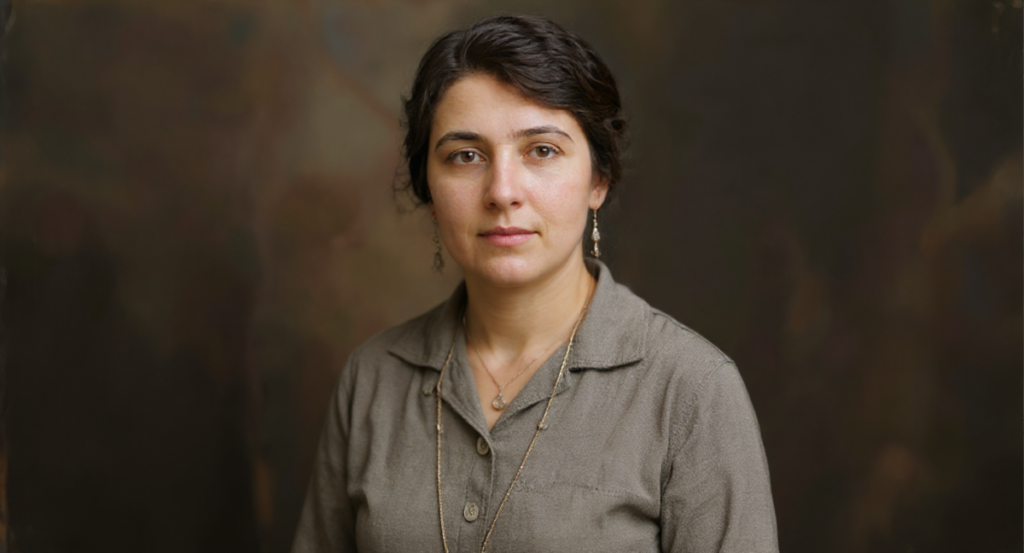
What I like is that it also got the details back in the clothes and the jewelry as well so far I’m super impressed with SoftOrbits Photo Retoucher.
If you need to solve a small problem, unblur image, for example, you may download SoftOrbits Easy Photo Unblur.
Remini
For the next tool let us try another popular one Remini.
It did a pretty amazing job so here’s the before and here is the after not bad not bad but then again it did mess up slightly here we don’t have that level of control that we had in SoftOrbits Photo Retoucher.
Also this is online and you do have certain limitations I subscribed to this plan just for this material which is $7 a week and only gives you 20 photo limitation.
You can upgrade if you want it gives you unlimited photo enhancements for $10 a week.
And here’s the worst part if I try to download and Export it as a PNG or a TIFF you cannot do it you need to have a business subscription for it to do it which is insane.
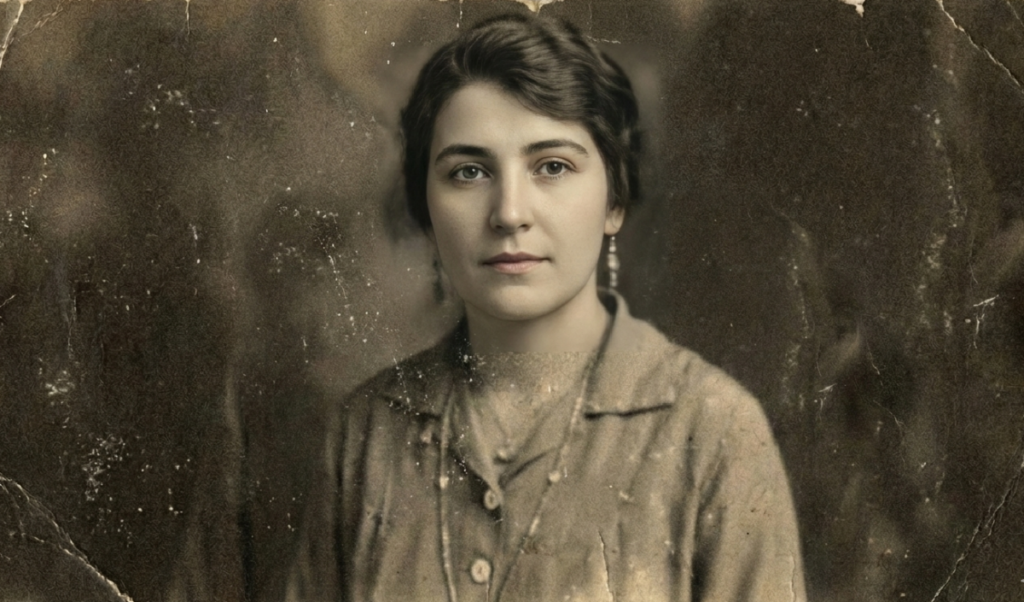
Remini was also able to recover this blurry face incredibly perfectly just have a look at the details have a look at the skin texture this is so darn good.
However it does leave some patterns here and there you need to be careful of that.
If you have a look at the other parts of the image like this button right here here’s the before here’s the after not so much of an improvement which we did see in SoftOrbits Photo Retoucher.
Even at the top have a look at the jewelry right here before after it actually makes it worse.
Fotor
The next one we’re going to try is Fotor they have a tool for unblurring image let’s see what it does again this is also a credit based platform they may give you some free stuff.
It did blur out these areas a lot but just have a look at the face the eyes are the best with this one even better than Remini I think.
Thankfully you don’t have the Restriction here that you cannot download as a PNG so let’s do that.
But here’s a positive thing it is not leaving out that area just like Remini did so each one of these programs have their own pros and cons.
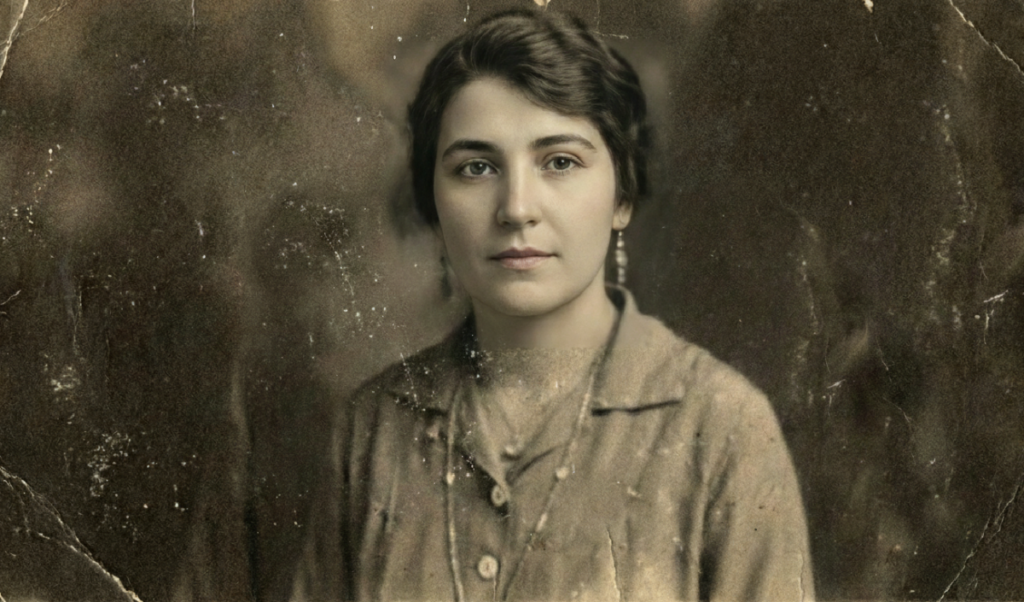
What I do appreciate with Fotor though that they don’t charge credits for face unblur they only charge it for AI generation and stuff so I think you can do it as much as you want.
Luminar Neo
Now Luminar Neo has been doing a lot of stuff lately and it’s a great program to easily edit your photos it also came up with super sharp and noiseless recently.
Let’s try super sharp first and the middle right here well it doesn’t improve it here’s the before here’s the after that’s weird.
Let’s try high and check face enhancer does it do anything here you have an animation going on let’s see that is quite better here’s the before here’s the after but then again not as close to what we were used to before.
On top of that you can also try noiseless and we’re going to choose middle since it advises middle.
The hair does look like bad Thai noodles even with this one and the face enhancer I got to say this is super fast but the quality this is looks like a beer maybe.
Let’s not even consider Luminar for the main comparison.
On1 NoNoise AI
The next program we are trying is On1 NoNoise AI let’s drag and drop our photo here and it already gives you a before and after here’s the before here’s the after no improvement at all.
You can choose tack sharp AI let’s see what it does and you can play with the settings and even then here’s the before here’s the after this is crap.
Canva
The last tool is a funny surprise and that is guess what drum roll please Canva and by the way I am a free user it is asking me to get Canva Pro anyway.
So all you have to do is to go to apps right here inside of apps you’ll find something like enhancer you can also search it if you want and just get the app.
Now all this while do keep in mind I am a free user I didn’t even sign up for a trial version or anything and there you go it’s done.
Just take a look at the lips and the nose and the eyes are also moderately good I have to say I’m impressed and by the way it also says that the image has been upscaled by 475%.
Now it did mess up the jewelry at the Top If you scroll down the details on the clothes are also not enhanced the hands are okay here not so okay right here.
Comparison and Verdict
SoftOrbits just kills it overall image overall it is the best for this one.
If you ask me it is hard for me to decide some softwares and tools do a better job in some areas While others do a good job in other areas so we can always mix and match.
We can always composite those images maybe just keep the eyes from Fotor keep the rest of the areas from SoftOrbits maybe keep the clothes from SoftOrbits try something with Canva keep the hair from Canva.
So if you ask me my go-to tool is SoftOrbits and then if it cannot do certain areas like the face I would try Fotor.
