


LTX studio is a creative text-to-video tool built for professional use. It’s an all-in-one platform for creating video elements, concepts, frames by the scene, audio, camera movements, and camera angles. It is an in-depth tool that provides a fine degree of control over each scene and video parameter.
In this article, we’ll take a close look at LTX Creative Studio, explore its features, and put it through a real-world test run to see how it holds up.

Features of LTX Studio
1. AI Image Generator

LTX Studio has image generation abilities that double as the starting point for video creation. The mechanism works with either text or image prompting, with the latter acting as a visual reference to guide the AI’s output.
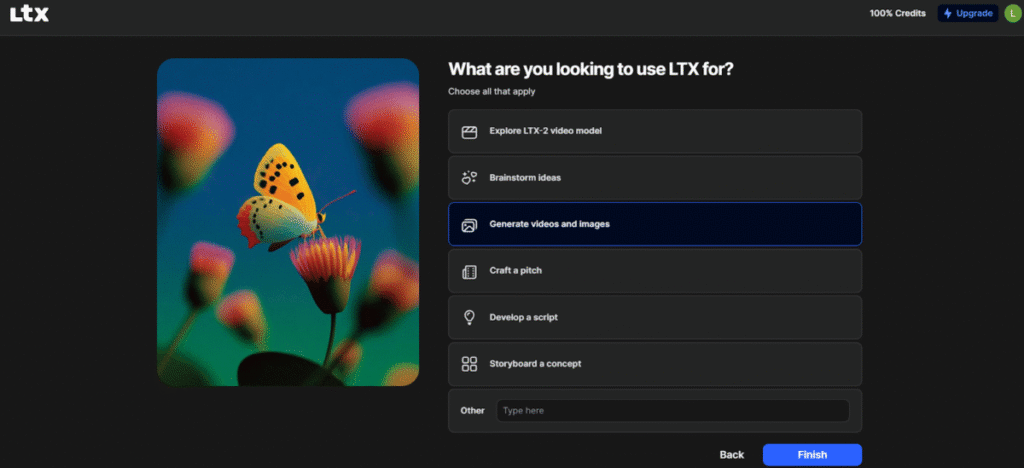
Going through the image tool’s onboarding process revealed a wider scope of LTX’s capabilities, beyond generation; LTX can also be used to brainstorm ideas, craft pitches, and develop scripts.
For my image generation test, I typed in a short prompt with an underlying concept: An eerie house with a lone woman standing in a darkened hallway. Despite the lack of fine-tuning details, LTX interpreted the intent accurately.
The generation returned six slightly distinct image frames, all carrying a sombre, horror-adjacent atmosphere. One image in particular landed the theme convincingly: the woman dominates the frame, her back turned, her silhouette carrying a quiet, unsettling energy, accentuated by what appears to be a small bouquet of wilted flowers in one hand.
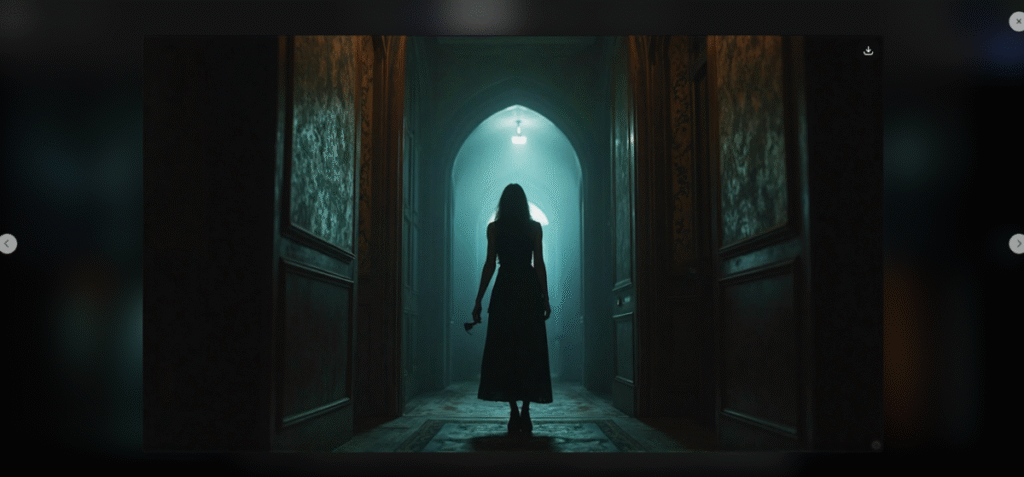
The shadows are rightly placed, and the house looks antique and secretive, as if holding mysteries yet to be revealed. A few other frames follow the same theme with slight variations, while the rest seem to represent the AI’s alternative conceptual interpretations of the prompt.
I ran a second test. This time, I was looking at LTX’s spatial awareness and location description words. I prompted with
“A vibrant red apple sitting directly on top of a stacked tower of three thick textbooks. To the left of the books, a blue ceramic coffee mug is steaming. In the background, a chalkboard with faint chalk physics equations is slightly blurred.”
Once again, it excelled.
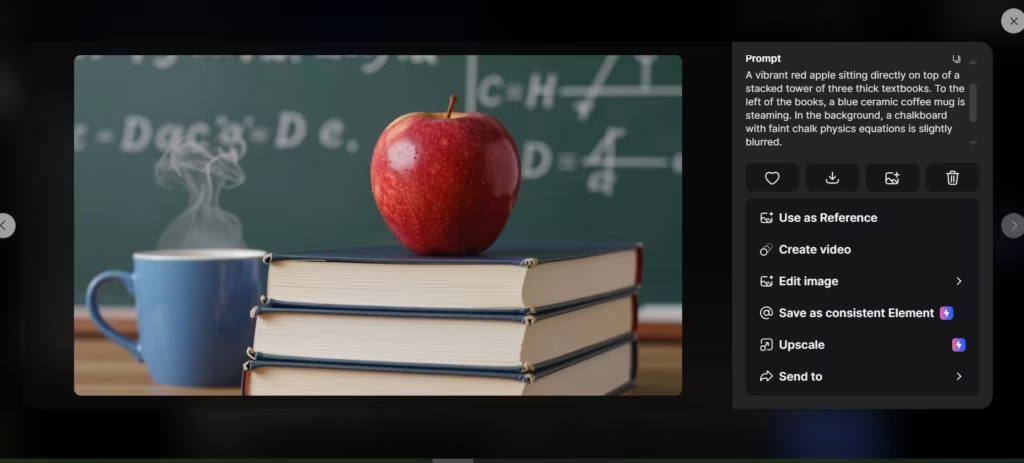
The image generator performed well without any hand-holding. It reads intent rather than just instructions, which is great for creative use.
2. AI Storyboard Generator
The AI storyboard tool offers two paths: an AI-guided story mode or a blank slate for users who want full creative control. In the AI-guided path, the user feeds LTX a basic idea, plot, settings, and cast, and the tool structures it into a visual sequence.
The blank slate option is quite useful for experienced creators who already have a clear vision and just need a fast way to map it out scene by scene. Both modes give you control over camera angles and shot composition, which is more directorial depth than most competing tools offer at this stage.
3. AI Text to Video
LTX Studio generates video using a diffusion transformer architecture, producing output that holds up at the scene level. It holds composition, subject focus, and motion consistency across the full clip. It works with both text and image prompting. For my test, I used a deliberately simple prompt: A woman sips from a cup of coffee while turning her head slightly.
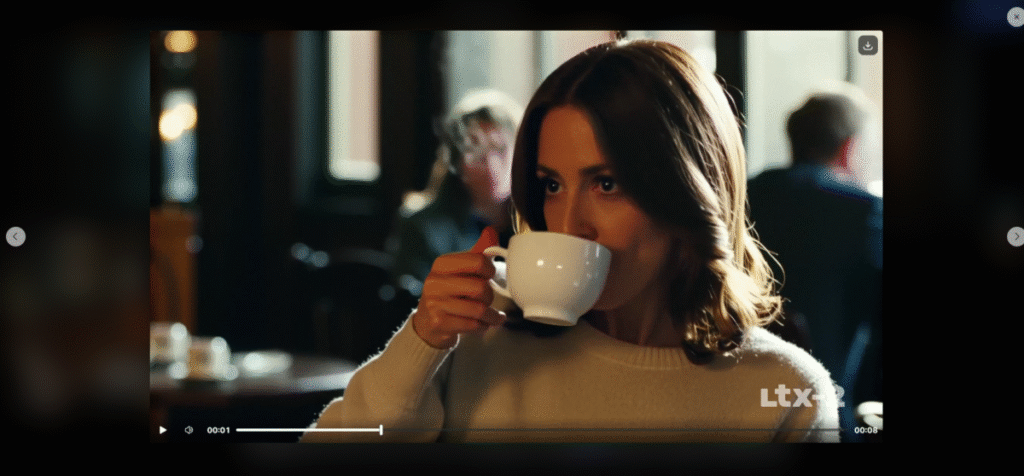
The generated video was of a decent length, and the AI stuck closely to the minimal details I provided, with one slight caveat: the woman turned her head after sipping the coffee rather than during the action. A minor timing miss, but worth noting for anyone who needs precise motion synchronisation.
Beyond that, the video performed well. The resolution was high, the frame details sharp, and LTX added background elements that created a casual, cinematic feel without crowding the subject. The woman remained in focus throughout, with background characters and elements appropriately blurred, a deliberate depth-of-field choice the model made without being prompted.
A few other things:
- The video subject was stable and moved smoothly, with no jitter or distortion across the duration.
- Her appearance stayed consistent even as camera angles shifted, no morphing or identity drift, which is a known weakness in many text-to-video tools.
- Without any instruction, LTX added a subtle audio effect, a soft sound as the subject set the coffee mug down on an unseen table. A small touch, but it adds to the sense of a complete scene.
- Basic editing options are available post-generation: resolution, duration, and aspect ratio can all be adjusted.
4. AI text-to-audio
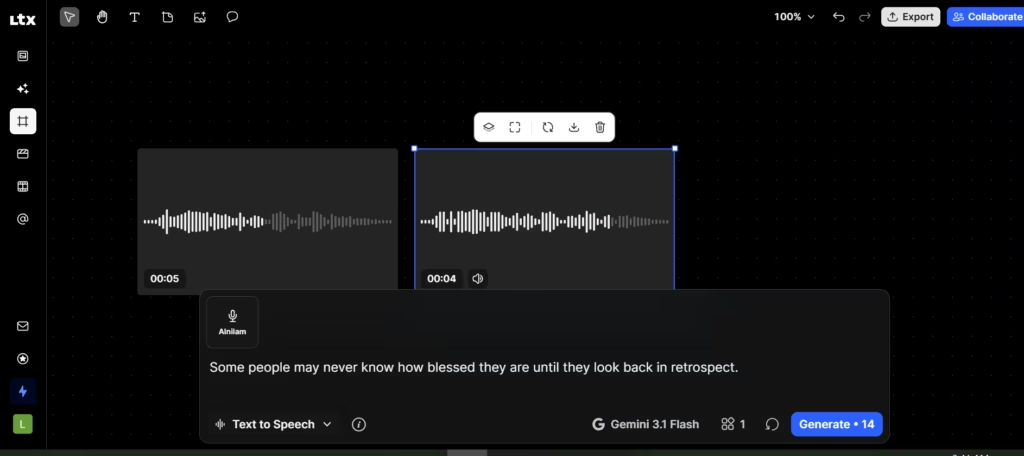
This involves voice generation. Using it is quite straightforward; I typed in a text and then clicked “generate.” I got to choose from a selection of voices, and I chose two: one male and one female.
Both had audio that was clean and free of distortion, but also that unmistakable AI undertone. It wasn’t unbearable; it was just a noticeable robotic quality. There was also a slight flatness to the pitch.
5. Video Editing
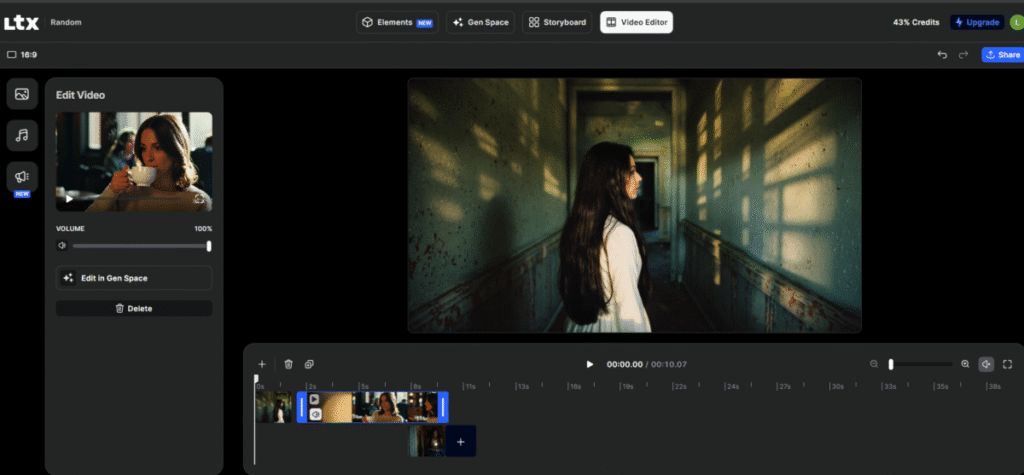
Post-creation, LTX provides a timeline-based editing interface. You can select generated clips and images, drop them into the timeline, and reorder them to extend or restructure the video duration. But when I tried to do anything more precise, like trimming a clip mid-scene, adding transitions, or applying effects, I hit a wall. LTX’s editing suite is limited to reordering clips and adjusting basic parameters.
There are no granular cuts, no layered effects, and no real post-production tooling to speak of. For quick concept videos or drafts, this is fine. For anything that needs a polished finish, you’ll need to export and finish the job in a dedicated editor like DaVinci Resolve or CapCut.
LTX Pricing
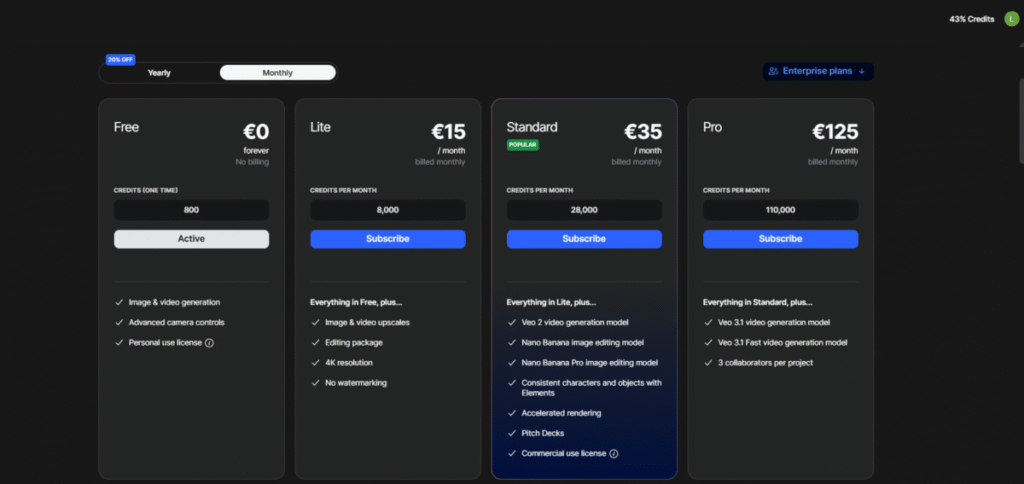
LTX Studio offers both monthly and yearly billing cycles. There’s a free plan available, with paid tiers starting at €15/month and going up to €125/month. Opting for yearly billing brings a 20% discount across all plans.
To put that in context: at €15/month, LTX Studio is competitively priced against tools like Runway ML, though Runway’s entry tier includes more granular editing capabilities. LTX’s edge is in its scene-level control and storyboard workflow, which Runway doesn’t match at the same price point. The free plan is a reasonable way to test the tool before committing, though credit limits will cap how thoroughly you can evaluate the video generation quality.
Personally, for what you get at the €15/month tier, I think it’s a fair deal if and only if your primary need is generation and concept drafting. The image and video output quality alone justifies the entry cost for creators who are still in the ideation phase. But if you’re expecting a tool that takes you from first draft to finished product, the price starts to feel less justified given how quickly you’ll hit the ceiling on the editing side.
Also read: Top 6 Free AI Video Generators
The Ideal LTX Studio User
I’d recommend LTX Studio for content creators, early-stage filmmakers, and marketers who need concept drafts quickly (30–60 seconds per generation) at a resolution and consistency level that works for client presentations or internal pitches and storyboards. Its image generation is accurate and intent-aware, its video output is stable and visually coherent, and the scene-level control it has goes beyond what most text-to-video tools provide at this price.
That said, I wouldn’t recommend it yet as a standalone production tool. If you need professional-grade video editing, precise cuts, transitions, and layered effects, the editing suite is too bare-bones for serious post-production work. Think of LTX Studio as a strong starting point, not a finishing one.
FAQs
1. What Kind of Projects does LTX Studio Work On?
LTX Studio is designed for creating AI-generated videos, concept scenes, storyboards, short films, and visual drafts. It works well for creative projects, marketing content, social media clips, and early-stage film or animation ideas.
2. What makes LTX Studio Unique?
LTX Studio stands out for its shot-based workflow, strong scene control, fast iteration, and the ability to guide characters, camera movement, and story structure. It offers more directorial control than most text-to-video tools.
3. Is LTX Studio Safe to Use?
Yes, LTX Studio uses standard security practices and provides clear usage rights. As long as you follow its terms of service and avoid uploading sensitive data, it’s safe for typical creative work.
4. What Does the LTX Stand For?
“LTX” refers to Lightricks, the company behind the platform. It’s used as short-form branding for their advanced AI video creation tools.
