


I used to love editing videos. The process of cutting clips, matching the beat, and color grading felt like art. But that was when I only had to make one video a month. That creative joy turns into a grind very quickly. You stop caring about the art and start looking for shortcuts. I reached that point last month. I needed a way to produce content without spending my entire evening staring at a timeline.
That’s why I decided to test Vmake. It is a platform that claims to automate the tedious parts of video creation. Specifically, I wanted to try their new “AI Agent.” The promise is simple. You give it an idea, and it gives you a video. I wanted to see if it could actually produce usable UGC Videos or if it would just spit out generic garbage.
The Interface: No Learning Curve Required
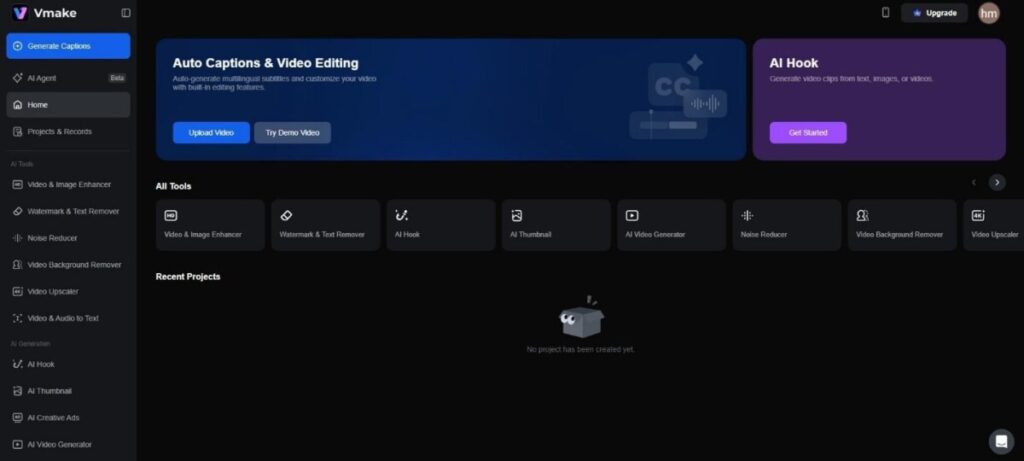
I logged in expecting a cockpit of confusing buttons, but the dashboard was nothing like that. Vmake is different. Its sparse and dark UI ensures that the options are clearly labeled.
You don’t see “Keyframes” or “Luma Curves.” You see problems and solutions. “AI Video Editing” and “ai video enhancement” sit there like simple menu options rather than a busy workspace. The “Agent” tool is front and center. It is currently in beta. I clicked it to start my experiment.
The Test: Selling a Posture Corrector
To give the tool a fair shot, I needed a realistic scenario. I decided to act like a dropshipper selling a posture corrector. This is a classic product. It solves a pain point. It needs a demonstration. It needs to look real.
I typed my prompt into the Agent. I didn’t want to be vague. Vague inputs get vague outputs. I wrote: “Make a 30-second video for a posture corrector aimed at office workers. Highlight back pain and show how it instantly fixes posture, with an empathetic yet urgent tone.”
Make a 30-second video for a posture corrector aimed at office workers. Highlight back pain and show how it instantly fixes posture, with an empathetic yet urgent tone.”
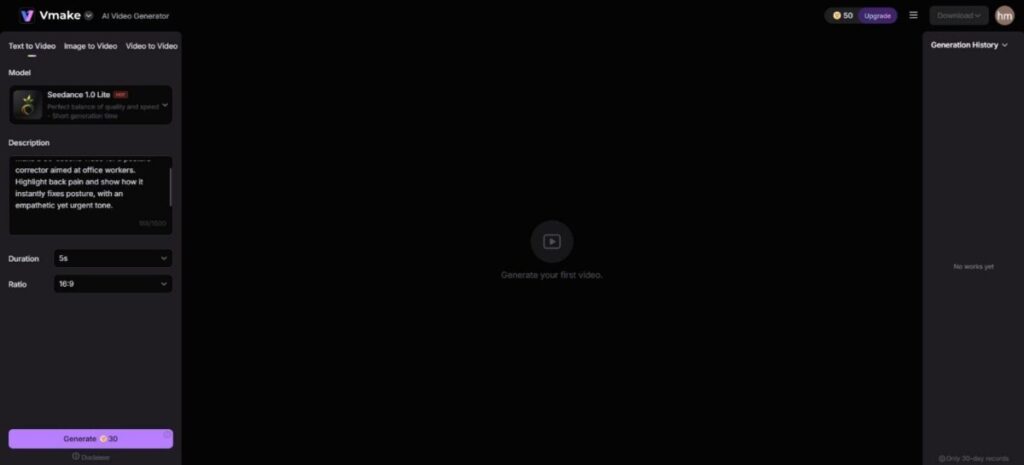
I hit generate and watched the process.
The Script and the Logic
The first thing the AI did was write the script. This is usually where these tools fail. They write scripts that sound like a robot trying to be human. The script Vmake produced was actually decent. It started with a hook: “Does your back hurt right now?” It is a simple question, but it works. It forces the viewer to check in with their body. If their back hurts, they keep watching.
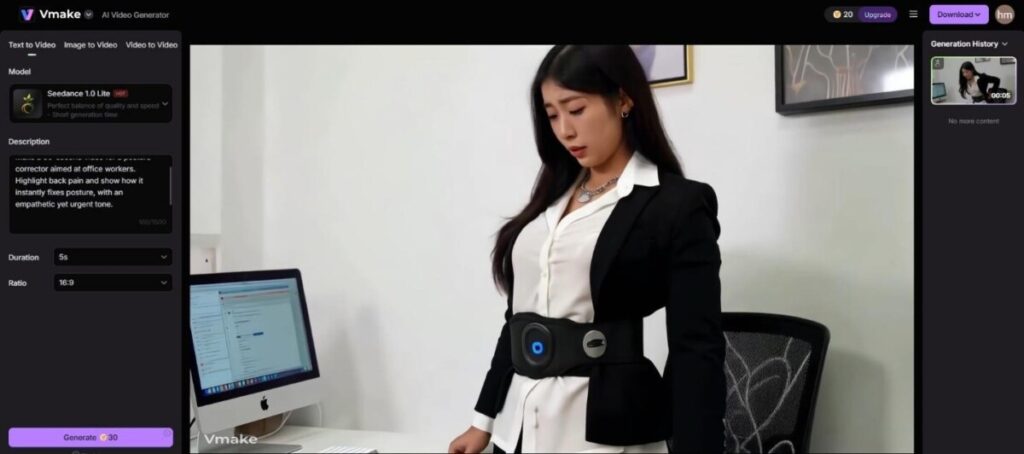
The middle section explained the problem of slouching. The ending offered the product as the solution. It followed a logical sales structure.
The Visuals: Matching Context
After the script, the Agent started pulling visuals. This is the hard part. The AI has to understand what “slouching” looks like.
The video assembled used clips of people rubbing their necks while looking at computer screens. It showed an animation of a spine straightening out. It wasn’t perfect. One clip was a bit generic. But overall, it told the story.
The editing pace was fast. It didn’t linger on any shot for too long. This is critical for retention. If a shot drags, people scroll.
The Result: Is it Postable?
The final video was about 80% of the way there. The voiceover was clear. It didn’t sound like a GPS navigation voice. It had some inflection.
Is it going to win a film festival award? No. But for a Facebook ad or a TikTok organic post, it works. It gets the message across. It looks like the kind of content people actually watch. It feels like UGC Videos because it uses that mix of stock and lifestyle footage that is popular right now.
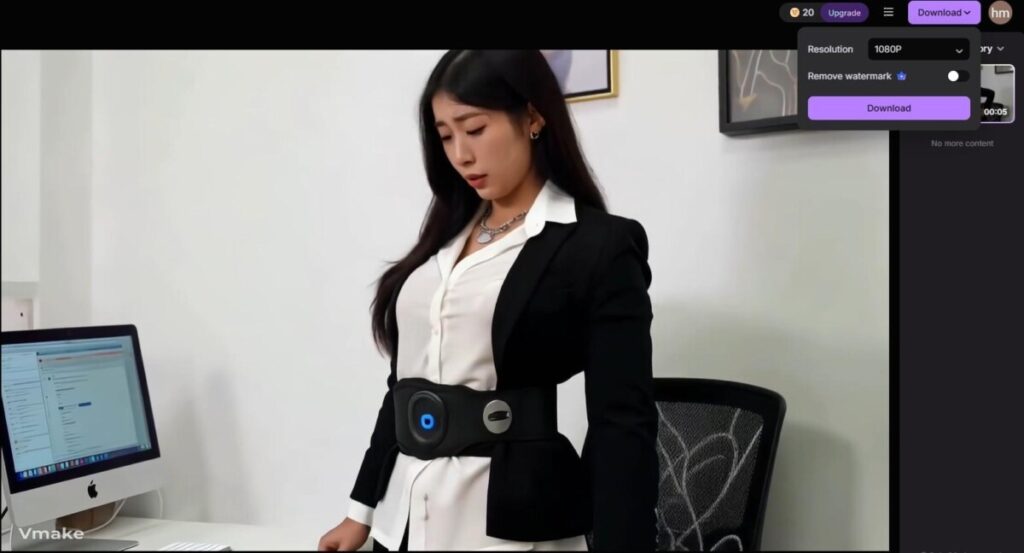
I saved about three hours of work. I didn’t need to hunt for stock footage or record the voiceover. The cherry on top? I didn’t even have to sync the audio myself.
Fixing the Rough Edges
While the Agent is the headline feature, the other tools in the Vmake suite are what keep you there. Real-world video files are rarely perfect. They have issues.
I dug into the “AI Enhancement” tools to see if I could fix some older content I had.
The Watermark Problem
I had a great clip with a logo I didn’t own, and cropping it would ruin the resolution. I used the “Video Watermark Remover.” You just paint over the area you want to disappear. The AI looks at the pixels around it and fills in the blank space. It worked surprisingly well. It didn’t look like a blurry smudge. It looked like the logo was never there. This is a massive time saver for repurposing content from different sources.
The Resolution Issue
Another common headache is grainy footage. Maybe you shot it in low light. Maybe it was sent to you via WhatsApp, and the quality got crushed.
I tested the “AI Video Enhancer.” I uploaded a grainy clip of a dog running. The tool processed it and sharpened the edges. It reduced the digital noise that makes a video look cheap. It didn’t turn it into 4K cinema quality, but it made it usable. In marketing, “usable” is often the difference between posting nothing and posting something that makes money.
The Silent Scroll
Finally, I looked at the “Auto Captions” feature. I never post a video without captions. Most people watch on mute. If you don’t have text on the screen, you are invisible.
The Vmake caption tool listens to the audio and generates the text automatically. It was accurate. I had to fix one spelling error, but the timing was perfect. It saved me the tedium of typing out every word manually.
Who is this for?
This tool isn’t for filmmakers. If you want full control over every pixel, stick to Premiere Pro. This tool is for marketers, business owners, and anyone who needs to post three times a day to stay relevant but doesn’t have a production team.
The workflow is fast. You get an idea. You put it into the Agent. You get a video. You clean it up with the enhancer if needed. You export.
It turns video creation from a project into a task. You can knock out five videos in a morning instead of one in a week. That volume is what allows you to test what works. You can try different angles and scripts.
Final Thoughts
The internet is moving too fast for traditional editing. We need tools that help us keep up. Vmake does that. It removes the friction. It handles the boring parts of the process so you can focus on the strategy. It might not replace a human editor for high-end commercials, but for the daily grind of social media, it is a weapon worth having in your arsenal.
