


AI is transforming the way we engage with digital documents, and nowhere is this more apparent than in the evolution of PDF workflows. In the past, PDFs were static archives—difficult to search, edit, or translate without specialized software. Today, a new generation of AI-powered PDF tools unlock powerful capabilities such as natural language search, intelligent summarization, on-the-fly translation, and context-aware editing.
In this product review, we explore the top seven AI-powered PDF solutions for 2026, comparing their key features, security measures, pricing, and ideal use cases for professionals, researchers, and businesses.

What is an AI PDF editor?
An AI PDF editor is advanced software that uses artificial intelligence to enhance the editing, interpretation, and transformation of PDF documents. Beyond basic text or image manipulation, an AI PDF editor can understand document context, rewrite sections for clarity, automate repetitive editing tasks, and even translate or summarize content. Top solutions integrate AI-driven tools such as chatbots, natural language interfaces, optical character recognition (OCR), and machine learning-powered data extraction, making complex PDF workflows more efficient and user-friendly.
Key Features to Consider
When choosing an AI PDF tool, focus on the following capabilities:
- Contextual Content Editing: The ability to understand and suggest improvements or rewrites to your documents.
- AI-Powered Search & Summarization: Extracting insights and overviews from large or technical documents.
- Multilingual Support & Translation: Quality AI PDF translator capabilities with accurate language retention.
- Data Extraction & Organization: Automated retrieval of figures, tables, and required fields from complex files.
- Accessibility Enhancements: Features such as text-to-speech or generating accessible summaries.
- Integration & Collaboration: Compatibility with other productivity tools and secure sharing options.
- Security & Compliance: Encryption, user permissions, and privacy controls for sensitive and regulated documents.
1) Adobe Acrobat Pro
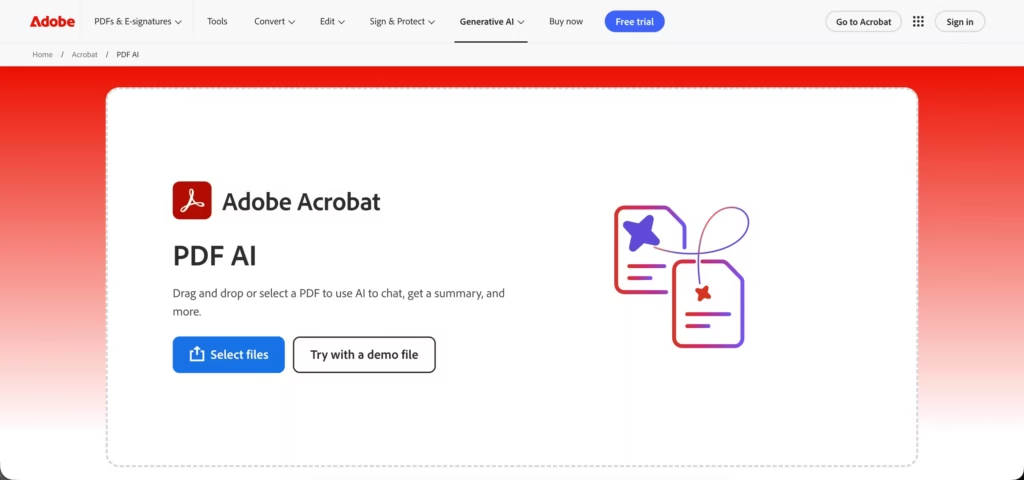
As the original creator of the PDF format, Adobe Acrobat remains a benchmark for document management. The platform has integrated a powerful [AI Assistant] that works across desktop, web, and mobile to analyze and interpret document content, making it a formidable tool for professional environments.
Key Features:
– AI Assistant to summarize long documents, answer questions, and generate citations.
– Context-aware tools for editing text and formatting layouts directly within the PDF.
– Seamless integration with Microsoft 365 and the Adobe Creative Cloud suite.
– Comprehensive [document conversion tools] to and from various formats.
Security and Pricing:
– Enterprise-grade security features, including password protection, redaction, and compliance with standards like HIPAA.
– Subscription-based, with plans starting around $20 per month for the Pro version.
Best For: Businesses, creative professionals, and enterprise users who need a reliable, secure, and fully integrated solution for their document workflows.
2) pdfFiller: All-in-One Tool for Document Workflows
pdfFiller stands out as a comprehensive solution trusted by businesses for end-to-end document lifecycle management. Its advanced AI seamlessly integrates into editing and workflow tasks, streamlining everything from content creation to secure file sharing.
Key Features:
- Integrated AI PDF editor with contextual rewriting, translation, search, and summarization capabilities.
- Smart data extraction for names, dates, and other key details.
- Document workflow automations—fill, sign, collaborate, and manage all in one platform.
- AI suggestions specifically trained for technical, legal, and business documents.
Security and Pricing:
- End-to-end encryption and granular permission controls.
- Compliance with industry standards, including GDPR and HIPAA.
- Free trial available. Pricing starts around $8 per month for basic users, with enterprise options available.
Best For:
Businesses and teams needing advanced editing, workflow management, and robust security for large volumes of document processing.
3) ChatPDF: Comprehensive Document Management
ChatPDF revolutionizes the way users engage with PDFs by transforming static documents into interactive conversations. This AI-powered tool allows you to ask questions and receive instant, relevant answers, saving time and making document analysis effortless.
Key Features:
- Chatbot-style interface to query PDFs using natural language.
- Instant, context-aware answers, semantic search, and location-based referencing.
- Converts dense documents into searchable, interactive data sources.
Security and Pricing:
- Secure encrypted uploads with document retention controls.
- Free tier for light use; premium monthly plans (~$5 – $19.99/month) unlock more powerful features.
Best For:
Researchers, legal professionals, and students who need rapid answers and insights from long or technical documents.
4) AskYourPDF: AI-Powered Text-to-Speech Conversion
AskYourPDF brings a fresh approach to handling complex and lengthy PDF documents by making in-depth analysis interactive and efficient. This AI solution excels at managing multiple files at once, helping users compare, summarize, and extract insights with ease.
Key Features:
- Upload and analyze multiple documents simultaneously.
- AI-powered comparison of methodologies, arguments, or data across PDFs.
- Automated summarization, outline creation, and extraction of key takeaways.
Security and Pricing:
- Encryption for documents during upload and processing.
- Subscription plans priced from $9.99 per month, with a free limited-use tier for new users.
Best For:
Academics, technical analysts, and anyone conducting literature reviews or competitive research.
5) SciSummary: Focused Research Summarization
SciSummary is tailored specifically for the scientific and academic communities seeking rapid, accurate document overviews. This AI-powered tool excels at condensing dense research papers into easily digestible summaries, saving researchers valuable time.
Key Features:
- Specializes in summarizing scientific and technical papers using AI.
- Breaks down articles into introduction, methods, results, and discussion.
- Trained on a vast corpus of academic content for precise, concise synthesis.
Security and Pricing:
- Secure handling of uploaded files, with a commitment to privacy.
- Tailored to academic subscriptions, with tiered pricing for individuals and institutions.
Best For:
Researchers and academics seeking quick overviews and summaries to stay on top of the latest literature.
6) Tomedes AI PDF Translator
Tomedes AI PDF Translator provides accurate PDF translations in over 330 languages while keeping the original formatting intact. It preserves headings, tables, lists, columns, and overall layout, making it ideal for reports, manuals, research papers, and business documents.
Key Features:
- SMART multi-engine translation for more accurate results
- Preserves layout, tables, headings, and multi-column formatting
- Built-in OCR for scanned and image-only PDFs
- Compare translations to refine tone and terminology
- Optional human review for critical documents
- Supports PDFs up to 30 MB
Security and Pricing:
- Secure uploads with privacy protection
- Free tier available with fair usage limits; full translations may require a one-time payment
Best For:
Business professionals, legal teams, researchers, and global teams handling multilingual PDFs who need reliable translations without losing document structure.
7) Smallpdf: Managing PDF Files Online
Smallpdf stands out as a user-friendly platform that brings both traditional and next-gen PDF tools under one roof. Its recent AI enhancements deliver smarter document handling, from translation to real-time content queries, making it a flexible choice for nearly every workflow.
Key Features:
- 20+ document tools, including conversion, editing, and e-signatures.
- AI-powered summarization and a chat interface for content queries.
- AI PDF translator to translate documents while preserving layout and formatting.
Security and Pricing:
- Uses SSL encryption and automatic file deletion after processing.
- Free tier available; premium subscriptions start around $9 per month and unlock advanced AI and batch features.
Best For:
General users and businesses looking for an all-in-one PDF solution with accessible advanced AI features.
8) UPDF: Smart PDF Editor
UPDF stands out as a comprehensive AI-powered solution, seamlessly integrating advanced editing capabilities with a smart digital assistant. This platform merges traditional PDF editing with intelligent features, making complex document tasks more intuitive than ever.
Key Features:
- Complete AI assistant with summarization, translation, and content simplification.
- Highly accurate OCR for editing scanned documents.
- Real-time content generation and brainstorming functionalities.
Security and Pricing:
- Strong data security, regular software updates, and optional cloud sync.
- Freemium model with advanced AI tools available via paid plans for individuals, enterprises, and education.
Best For:
Power users and tech enthusiasts who want the latest AI innovations embedded within a full-featured editor.
Summary
The rise of AI-powered PDF tools has made document management smarter, faster, and more insightful than ever before. Whether your priority is contextual editing, accessibility, or multilingual translation, the solutions reviewed here represent the forefront of AI-driven document intelligence for 2026. Choose the tool that best matches your workflow needs, security requirements, and organizational goals to unlock the full power of your digital documentation.
