


So you’ve been scrolling TikTok or Instagram Reels, stumbling across those faceless videos with the smooth AI voice, crisp captions, and perfectly timed background clips.
And you’ve probably wondered: how are people pumping these out so fast?
Chances are, tools like Wava AI are behind a lot of them.
But just because something looks good doesn’t mean it’s worth your money.
So before you pull out your card, let’s get into what Wava AI actually does, who it works for, where it falls short, and whether it deserves a spot in your content creation toolkit.
What Exactly Is Wava AI?

Wava AI is a browser-based video creation platform built specifically for short-form, faceless content like TikTok videos, Instagram Reels, and YouTube Shorts.
The pitch is simple: you give it a script (or let it write one), and it spits out a finished video with an AI voiceover, background footage, and auto-captions.
Wava AI Core Features
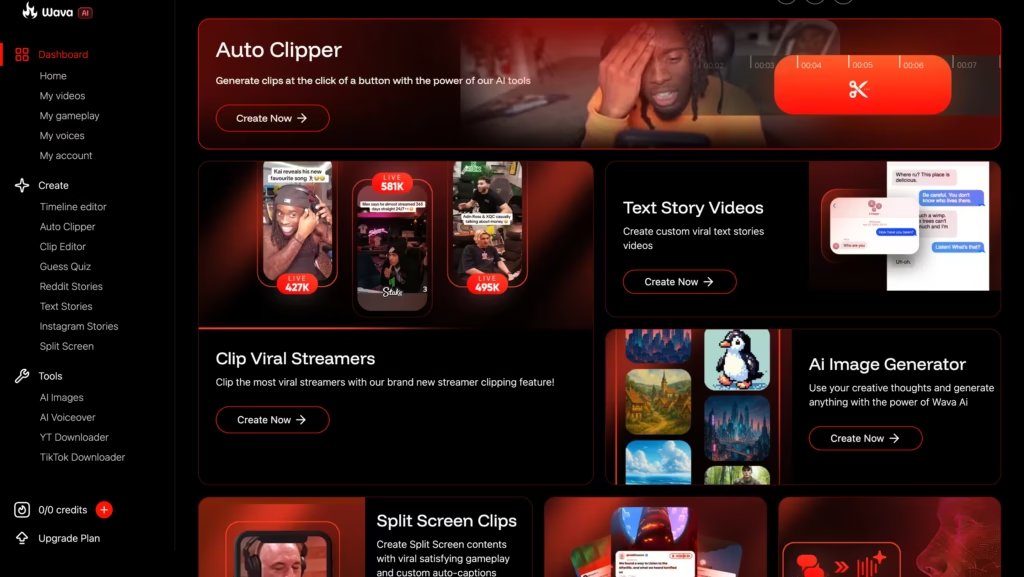
1. Text Story Videos
This is one of Wava’s flagship creation modes.
You provide a topic or script, and the platform converts it into a text-based story video. Yes, the kind you see constantly on TikTok and Reels where bold captions appear on screen line by line, synced to a voiceover, with background footage running underneath.
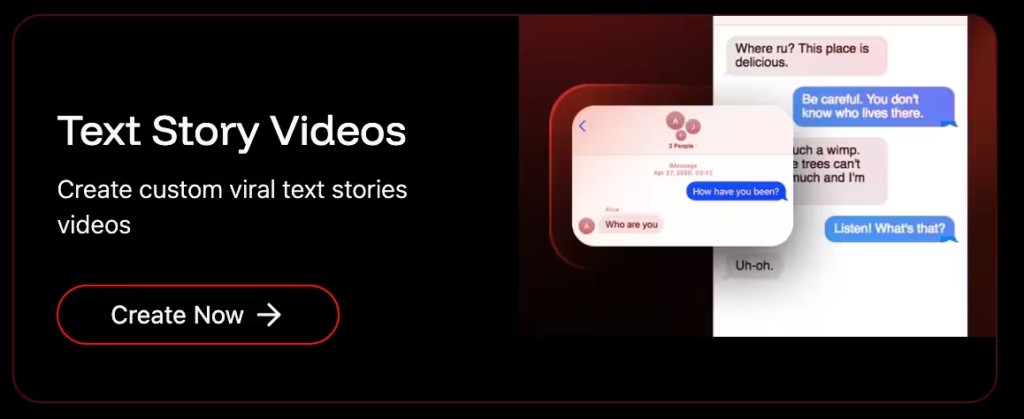
The upside? You can go from a rough idea to a fully formatted text story video in minutes. The limitation? The visual style can start feeling similar across your videos if you don’t manually vary your background clip choices.
2. Split Screen Clips
Split screen videos are dominating short-form feeds right now.
You’ve seen them, two pieces of content running side by side, often with AI narration playing over two stacked background videos. Wava builds this format directly into the platform.
You pick your script and voiceover, and the tool assembles the split screen layout automatically.
This is a genuinely useful feature for creators who want to tap into one of the most replicated formats on TikTok right now without dealing with the technical setup involved in building it manually.
3. Custom AI Voiceovers
Wava integrates with ElevenLabs, one of the most respected text-to-speech providers on the market. You write your script, choose a voice, and the platform generates the narration.
The voices sound natural and clean, far from the robotic monotone that plagued earlier AI voice tools.
What makes this feature more flexible than most competitors is the custom voice import option. You can upload your own recorded voice or a cloned voice and use it within Wava.
That means your faceless videos can still carry a consistent, recognizable audio identity rather than sounding like every other AI channel out there.
One honest note: voiceover mispronunciations occasionally happen, especially with unusual names, niche terminology, or specific accents. Always review your videos before publishing.
4. Generate Story Videos
Separate from text story videos, Wava offers a story generation mode where the AI takes a prompt and builds an entire narrative video from scratch.
It’s the most hands-off creation option on the platform.
This mode works well for broad, narrative-driven content that doesn’t require a highly specific or nuanced take.
For creators with strong, specific brand voices, you’ll still want to write your own scripts and use this as a rough starting point rather than a finished product.
5. Auto Clipper
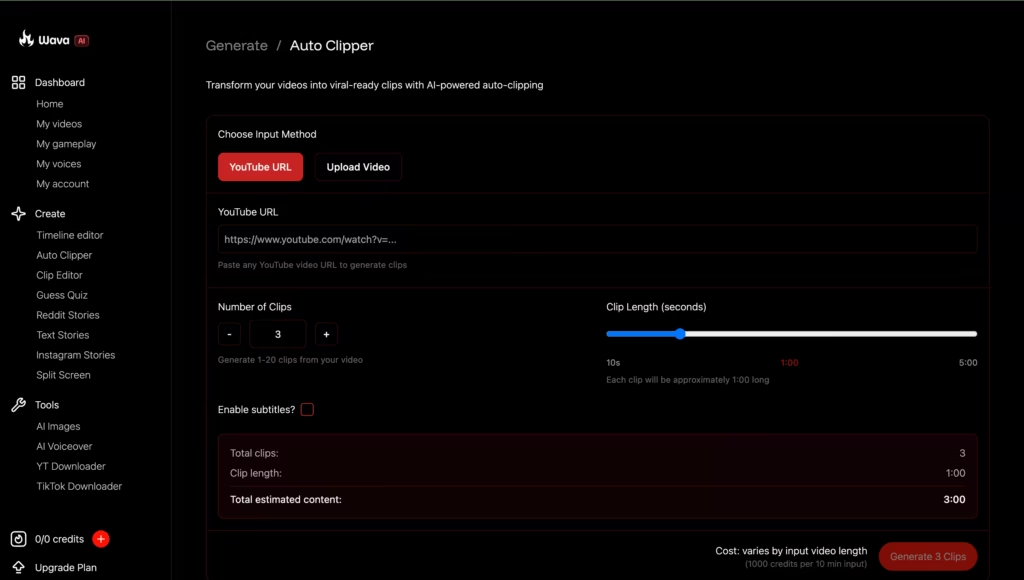
This is the feature that makes Wava AI useful for a completely different type of creator, not just people building content from scratch, but those sitting on existing long-form footage who want short clips fast.
Wava’s Auto Clipper automatically identifies and edits the best moments from your footage, drastically cutting down the time you’d spend manually scrubbing through a recording to find the good parts.
You upload your video, and the AI scans it, detects the high-engagement segments, and surfaces them as ready-to-edit clips.
6. Auto Captions
Wava AI generates and places captions automatically once your voiceover is finalized.
The caption system syncs to the audio in real time. You can customize the font, color, size, and position to match your visual style.
The accuracy for standard English content is solid.
Formatting options mean your captions can actually look polished rather than slapped on as an afterthought. For a creator posting multiple times a week, this feature alone can save hours every month.
7. Discord Community
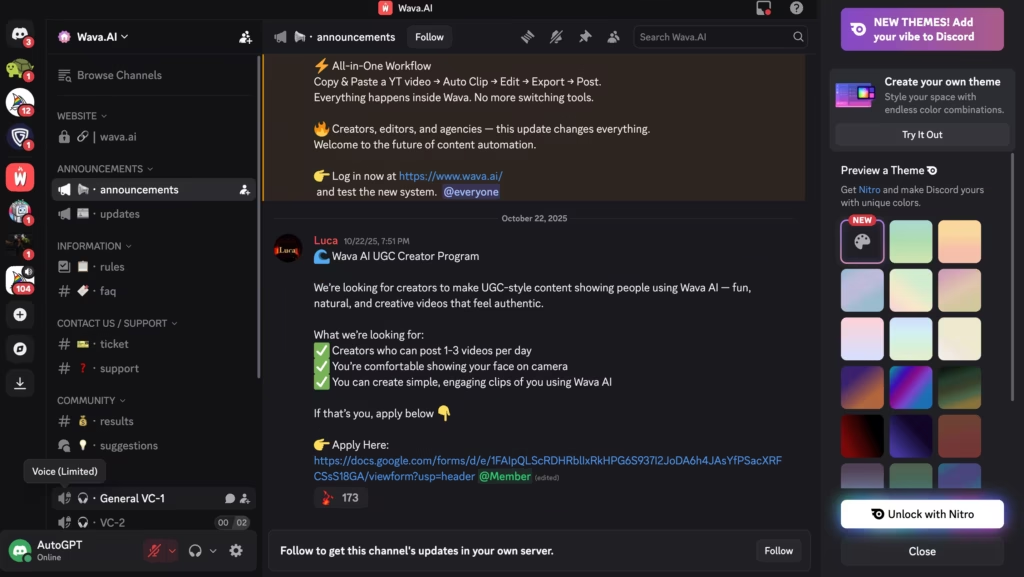
Wava AI links to their Discord community directly on the homepage as a key touchpoint for creators. In principle, a Discord for a creator tool like this can add real value – tips, feedback, workflow sharing, and product updates.
In practice, the experience has been mixed.
Multiple users across review platforms report minimal active moderation and little official support presence from the team itself. Questions go unanswered. Billing and account problems don’t get resolved through Discord.
Treat it as a peer community, not a customer support channel. If other creators are active and sharing what works, it could be a useful resource.
But don’t count on it for account or billing help, based on user reports, that’s not what it currently delivers.
Best For
-
- Beginner creators who don’t know how to edit videos
-
- People running “faceless” niche channels (finance, history, motivation, etc.)
-
- Busy entrepreneurs who need consistent content without hiring an editor
-
- Anyone testing content ideas fast before investing in full production
-
- Agencies or creators managing multiple channels at once
Wava AI Pricing – What Does It Actually Cost?
Wava AI runs on a video-based model.
You pay for a set number of videos per month, not minutes or credits. Here are the confirmed plan details at the time of writing:
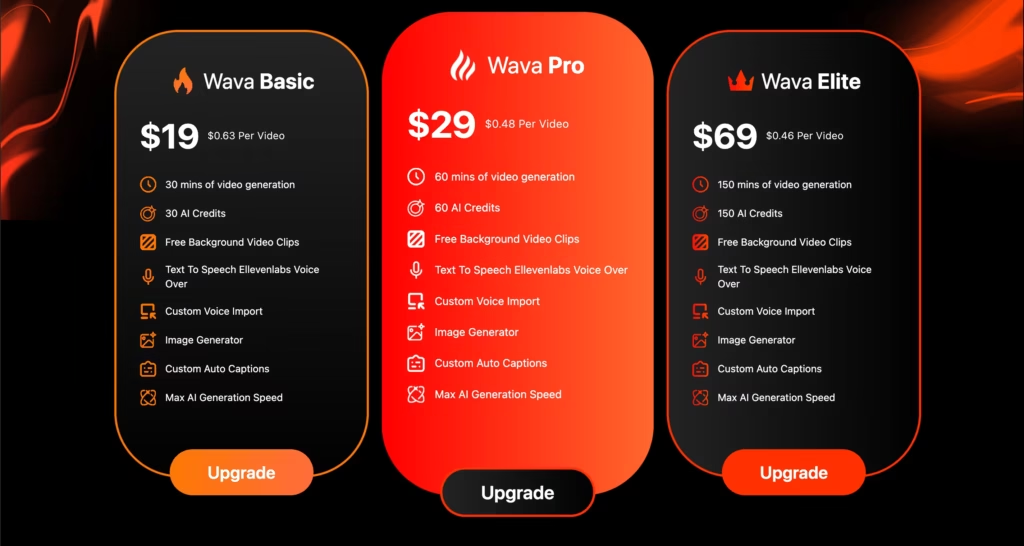
All paid plans include free background video clips, ElevenLabs voiceover integration, and custom voice import.
The main differences between tiers are video volume, support level, and AI generation speed.
Important: Pricing can change. Always verify the latest numbers directly on the Wava AI pricing page before committing to any plan.
The annual billing options offer significant savings – the Basic plan drops from $19/month to $11/month when billed yearly, and the Elite plan drops from $69 to $39.
The Strengths of Wava AI
Speed is the real superpower here. Before tools like this, editing felt like a negotiation with yourself. “I’ll do it tomorrow.” Tomorrow becomes next week. Momentum dies. Wava AI kills that friction almost entirely.
The learning curve is almost nothing. Most users figure out the core workflow in a single session. You don’t need tutorials or onboarding calls. That’s genuinely rare in software.
It exposes weak writing – and that’s a good thing. When production becomes effortless, your script quality becomes the only variable. Wava AI doesn’t make bad ideas good. But it does reveal them faster, which pushes creators to sharpen their writing over time.
Consistency becomes achievable. Regular posting is one of the biggest challenges for any content creator. When each video takes hours to produce, it’s easy to fall behind. When it takes 15 minutes? You post. Simple as that.
The Drawbacks You Need to Know
Creative sameness sneaks up on you. After a few weeks of using automation, your videos start to sound identical. Same rhythm. Same pacing. Same emotional arc.
The platform speeds up execution, not learning. If you rely on it completely without injecting fresh angles and ideas manually, your content can start to feel like wallpaper.
Stock footage gets repetitive. The background clips that Wava auto-selects are fine at first. But if you’re posting frequently, viewers (and your own eyes) start to recognize the same shots cycling through.
Customer support has been a real problem. Several users have reported serious difficulties canceling subscriptions. Reviews on Trustpilot mention bounced support emails and no visible presence on their Discord or Whop channels. This is a legitimate red flag. Before subscribing, make absolutely sure you know how to cancel.
It works best as a “first-draft machine.” Most experienced users describe Wava as getting them 70–80% of the way to a finished video. The last 20-30% often still requires a second pass, either inside Wava or in a separate editor like CapCut. It’s fast, but rarely perfect out of the box.
How Does Wava AI Compare to Alternatives?
According to this deep dive on the best AI video generators, the short-form video creation space has expanded significantly, which means you don’t have to commit to any single tool if something feels of
| Tool | Best Feature | Main Weakness |
|---|---|---|
| Wava AI | End-to-end faceless video workflow | Limited control; support concerns |
| CapCut | Free; full editing control | Requires more manual work |
| InVideo AI | More template variety; longer track record | Slightly steeper learning curve |
| Pictory | Great for repurposing long-form content | Less focused on short-form |
| Opus Clip | Excellent for clipping existing long videos | Doesn’t create from scratch |
If your goal is creating short, faceless, AI-narrated videos from scratch as fast as possible, Wava AI is genuinely one of the more streamlined options available.
If you want more creative control or a longer track record of reliability, InVideo or Pictory might serve you better.
Read More: Wava AI Best Alternatives
So, Is Wava AI Actually Worth It?
Here’s the straight answer: it depends on how you use it.
If you’re a beginner creator who wants to start posting faceless short-form content without learning how to edit – yes, it’s worth trying.
Start with the free tier, test the output, and only pay if the quality meets your standards.
If you’re an experienced creator looking for a tool to cut production time on high-volume output, again, worth a trial. Just go in knowing you’ll still need to apply your own creative thinking to keep the content from going stale.
If you need advanced editing, long-form content creation, or bulletproof customer support, look elsewhere. Wava AI wasn’t built for you, and there are better-suited tools for those needs.
The biggest watch-out? Read the fine print before subscribing.
Make sure you know exactly how to cancel, because based on user reports, the process isn’t always smooth. Don’t let a billing headache overshadow what is otherwise a genuinely useful product for the right person.
