

The Synthesia AI video generator is a cloud-based platform that turns written scripts into professional videos featuring realistic AI avatars.
You type what you want the presenter to say, pick a digital human from a library of 240+ avatars, and the platform renders a polished video with synchronized lip movements, hand gestures, and voiceover in 160+ languages.
Founded in London in 2017, Synthesia is the oldest and most well-funded player in the AI video space.
The company raised $200 million in a Series E round in January 2026, led by Google Ventures, pushing its valuation to $4 billion, nearly double its $2.1 billion price tag from just a year earlier.
If you’ve already read our Synthesia AI review, you know the basics. This article digs specifically into the video generation engine.
How Does Synthesia’s Video Generation Work?
The process is designed to feel dead simple, even if the technology underneath is anything but. Here are the four main ways to generate a video.
Path 1: Script-to-Video (The Editor)
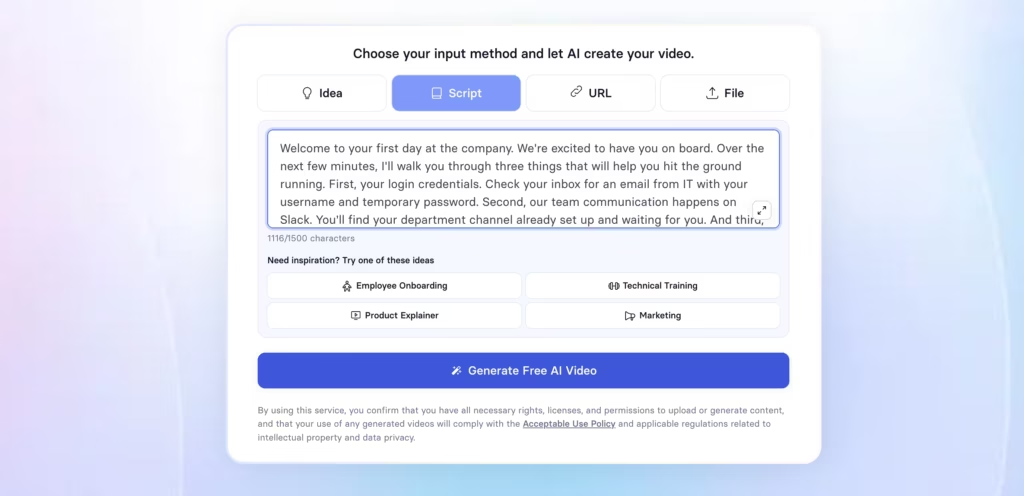
You open the editor, write or paste a script, choose an avatar, select a voice, and arrange your scenes on a slide-by-slide timeline.
Each scene can have its own layout, background, text overlays, and visual elements.
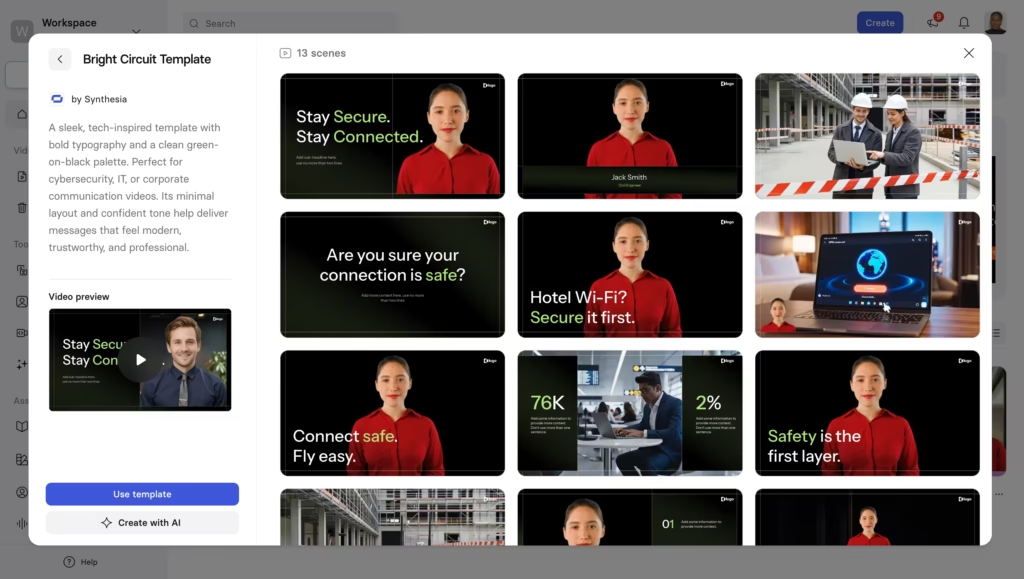
The platform includes 250+ pre-built templates covering common business scenarios: onboarding, technical training, product explainers, sales/marketing enablement. You can also start from a blank canvas if templates aren’t your thing.
Path 2: AI Video Assistant (Prompt-to-Video)
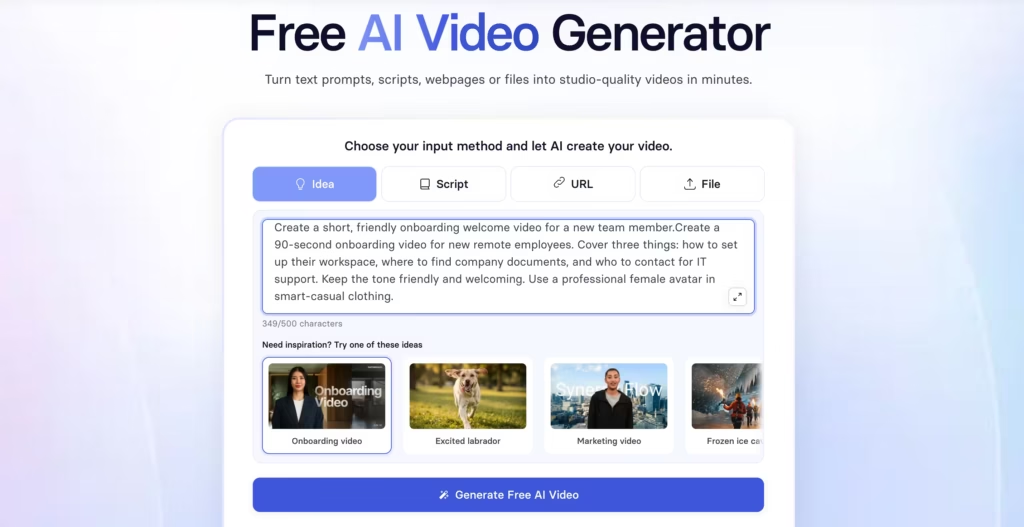
Don’t want to write a script or design scenes?
Describe your video in plain language and the AI Video Assistant generates a complete draft.
You review the output, tweak whatever needs adjusting, and generate the final version.
It’s a significant time-saver for anyone who produces training or internal comms content at volume.
Path 3: Document-to-Video (PPT, PDF, URL)
Already have a slide deck or a PDF manual? Upload it directly and Synthesia converts it into a narrated video.
The platform detects content, turns speaker notes into scripts, preserves design elements, and pairs everything with an avatar presenter.
This feature alone can save hours for L&D teams who already produce slide-based training.
Path 4: AI Dubbing and Translation
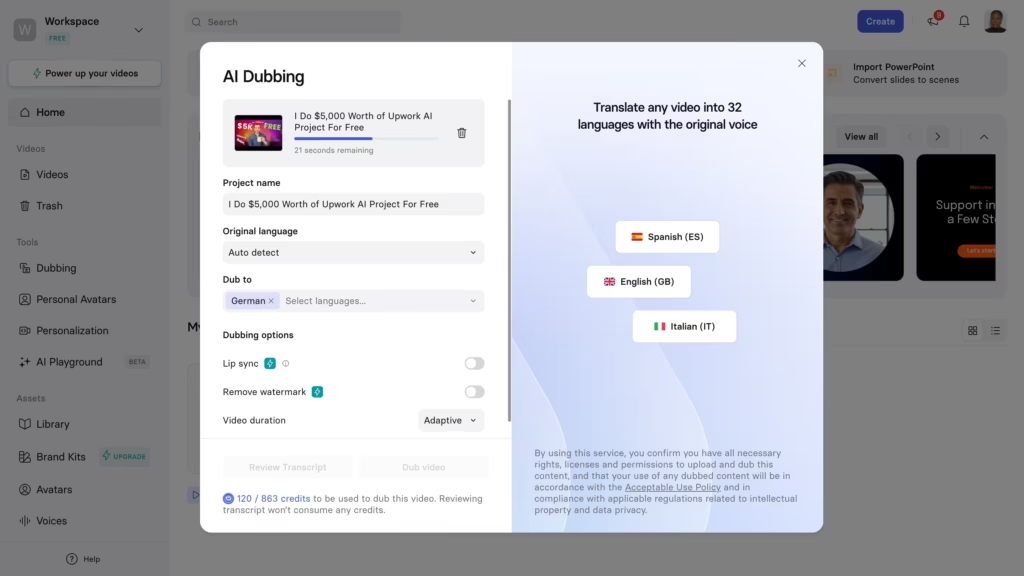
Record a video in English and Synthesia can translate it into 130+ languages with one click.
The system preserves the original speaker’s voice through voice cloning and re-syncs lip movements to match the new language, so the dubbed version doesn’t feel dubbed at all.
Audio dubbing is available on all plans, while lip-synced video translation is reserved for paid and enterprise customers.
What Makes Synthesia Different from Other AI Video Generators?
1. Express-2 Avatars
Synthesia’s Express-2 engine, launched in September 2025, is its biggest technical leap.
Unlike earlier generations that mostly showed a talking head from the shoulders up, Express-2 produces full-body avatars that gesture like professional speakers.
They point, wave, use hand movements to emphasize key ideas, and display facial micro-expressions that match the emotional tone of the script.
Even MIT Technology Review tested Express-2 avatars firsthand and noted how accurately they replicated the tester’s voice and facial features, calling the results “slick enough to pass as a high-definition recording.”
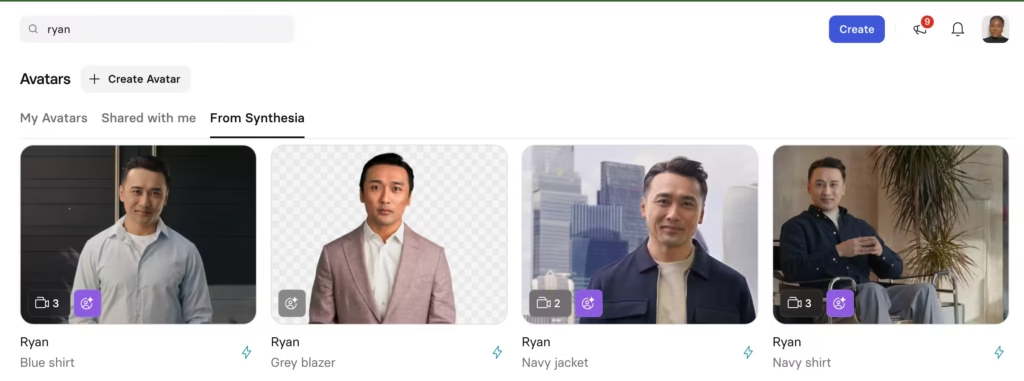
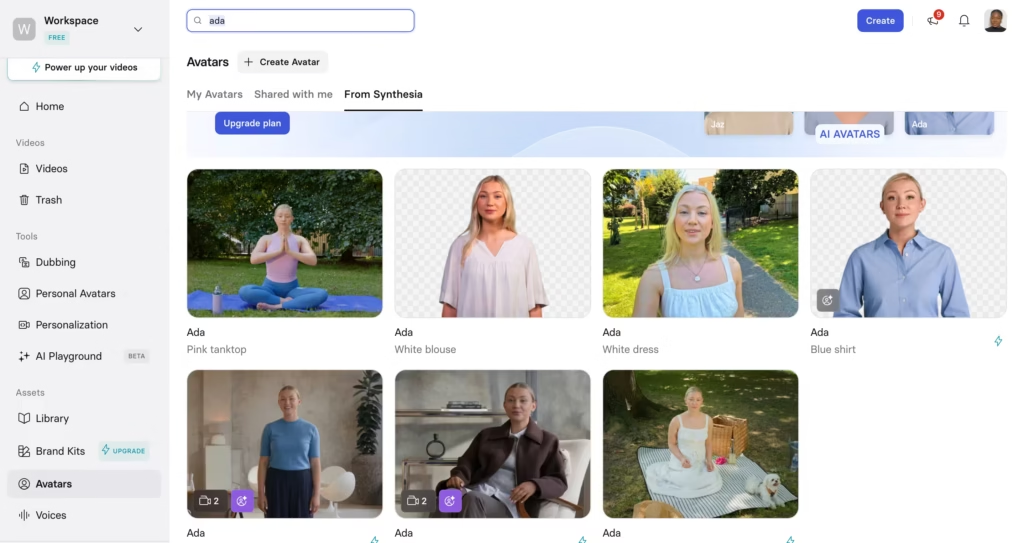
Five Express-2 avatars – Ryan, Ada, Michael, Ellie, and Zola – are available on all paid plans. Some include built-in voice styles (concerned, excited, neutral, assertive), giving you more control over delivery tone.
2. Customizable Avatars with Prompt-Based Outfits
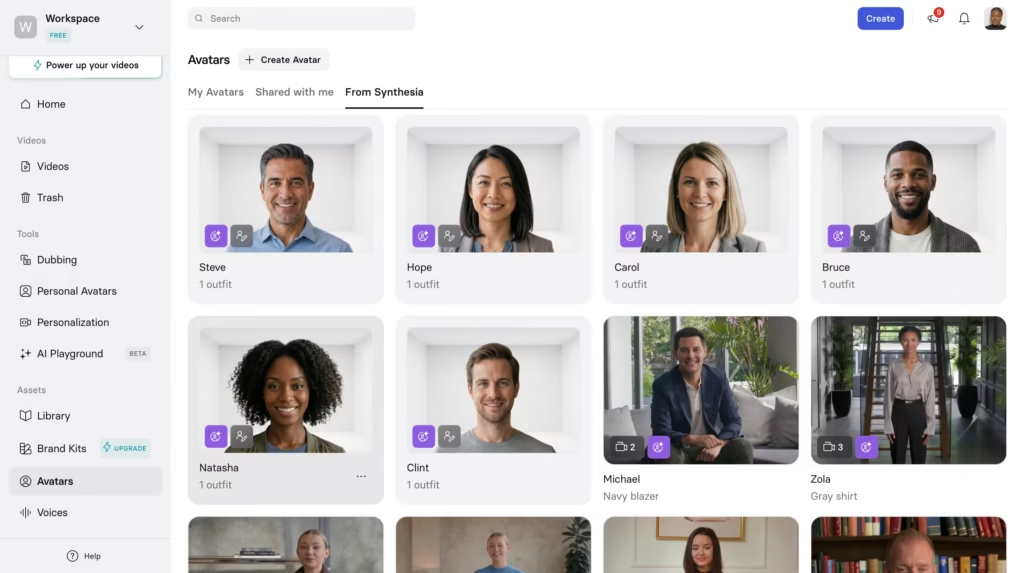
Here’s something unique to Synthesia: you can prompt an avatar’s outfit and environment using natural language.
Most competitors still limit you to a fixed wardrobe catalog.
Even more interesting? These same avatars can perform short prompted actions as B-roll, so the presenter can explain a concept and then demonstrate it visually within the same video.
Generative B-Roll (Veo 3.1 and Sora 2)
Instead of hunting for stock footage, Synthesia lets you generate B-roll clips using Veo 3.1 and Sora 2 directly inside the editor.
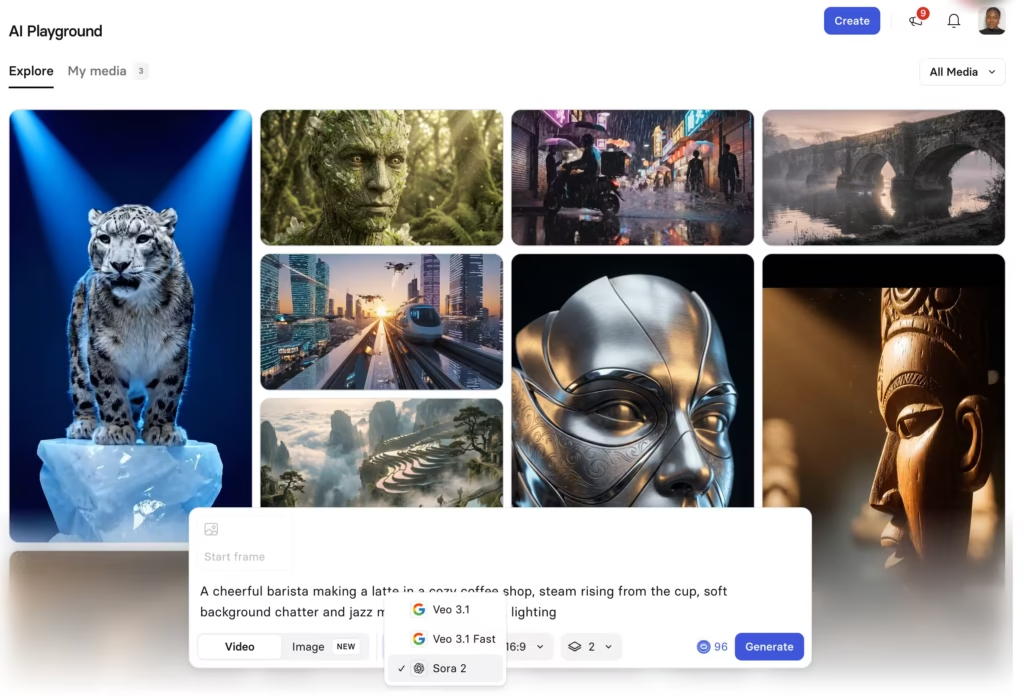
You describe the scene you need, and the AI produces it.
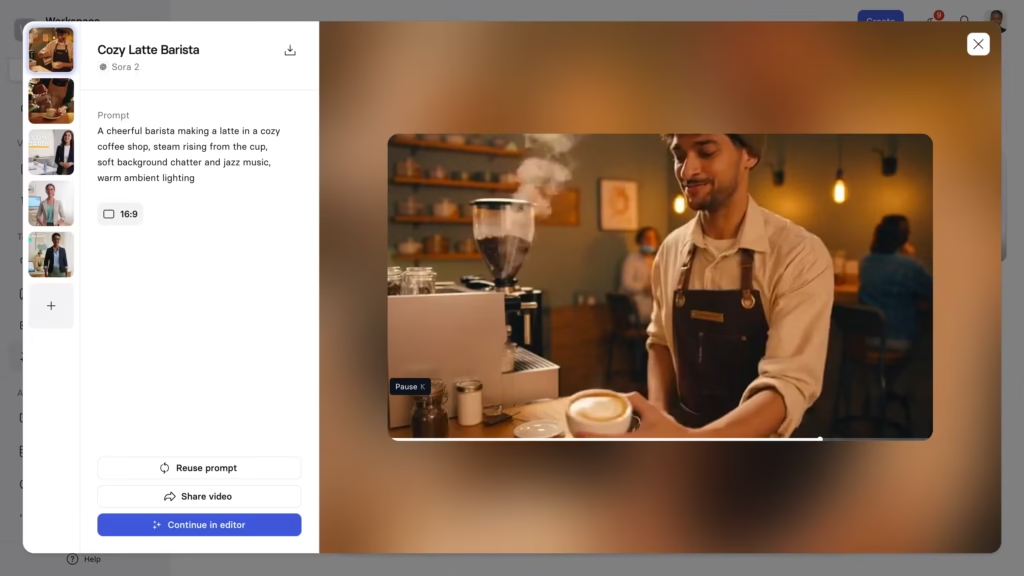
This is available on both free and paid plans and adds serious creative flexibility, especially for teams that previously relied on a patchwork of stock libraries.
How Does Synthesia Compare to Other AI Video Generators?
| Feature | Synthesia | HeyGen | DeepBrain AI | Colossyan |
|---|---|---|---|---|
| Avatar Realism | Express-2 (full-body gestures) | Avatar IV (best lip-sync) | Studio-grade broadcast | Solid for training |
| Languages | 160+ | 175+ | 80+ | 70+ |
| Prompt-to-Video | Yes (AI Video Assistant) | Yes (Video Agent) | No | No |
| Interactive Video | Yes (quizzes, branching) | No | No | Yes (branching) |
| Prompt-Based Outfits | Yes | No | No | No |
| Video Agents (Real-Time) | Coming 2026 (enterprise) | Yes (LiveAvatar) | Yes (kiosks) | No |
| Generative B-Roll | Veo 3.1, Sora 2 | Sora 2, Veo 3.1 | Sora 2, Veo 3.1 | No |
| SCORM Export | Yes (enterprise) | Yes | Yes | Yes |
| Starting Price | $29/mo | $24/mo | $24/mo | $19/mo |
| Best For | Enterprise L&D, training at scale | Marketing, UGC, multilingual | Broadcast, corporate comms | E-learning on a budget |
How to Create Your First Video with Synthesia (Step-by-Step)
-
- Go to synthesia.io and sign up for a free account. No credit card required.
-
- Choose your input: type a script, describe your video in a prompt, upload a PowerPoint/PDF, or paste a URL.
-
- If using the AI Video Assistant, review the generated draft and adjust the script, visuals, or structure.
-
- Pick an avatar from the 240+ stock options. Express-2 avatars (Ryan, Ada, Zola, Michael, Ellie) offer the most realistic delivery.
-
- Select a voice and language. You can preview how the avatar sounds before committing.
-
- Customize scenes with backgrounds, text overlays, images, screen recordings, or generative B-roll.
-
- Add interactive elements if needed – quizzes, CTAs, or branching paths.
-
- Click generate. Most videos render within a few minutes depending on length.
-
- Download, share via link, embed on your website, or export as a SCORM file for your LMS.
Best For
-
- L&D and HR teams
-
- Enterprise marketing teams
-
- Course creators and educators
-
- Global companies
-
- IT and security teams
What Are the Limitations Worth Knowing?
1. Emotional range is narrow.
The avatars deliver in a professional, polished tone. But ask for genuine excitement, humor, or heartfelt sincerity, and the output feels flat. For brand storytelling that demands real human warmth, you’ll notice the gap.
2. Video minutes run out fast.
The Starter plan gives you just 10 minutes of video per month. When a single training module runs 3–5 minutes, that’s only two or three videos before you hit the cap. Heavy users will need the Creator ($89/month) or Enterprise tier.
3. Key features are locked behind Enterprise.
One-click translation, SCORM export, SSO, and Video Agents all require custom enterprise pricing. Mid-tier users miss out on some of the platform’s strongest capabilities.
4. No offline editing.
Everything runs in the cloud. If your internet drops mid-edit, you risk losing unsaved work. There’s no desktop app or local rendering option.
So, Is Synthesia the Right Fit for You?
Synthesia isn’t the flashiest AI video tool on the market. It doesn’t chase the TikTok creator crowd, and it won’t wow you with cinematic visual effects.
What it does, better than anyone else, is make scalable, professional, enterprise-grade video production possible for teams that don’t have a production department.
Start with the free plan, generate a few test videos, and judge the quality for yourself.
For a closer look at plan pricing and what’s included at each tier, see our Synthesia AI pricing breakdown.
FAQs
1. Can I try Synthesia for free?
Yes. The free plan includes 10 minutes of video per month, 9 stock avatars, and voices in 160+ languages. No credit card needed. You can also generate clips using Veo 3.1 and Sora 2 in the AI Playground at no cost.
2. How long does it take to generate a video?
Most videos render in a few minutes. Longer or more complex videos may take 5–15 minutes depending on plan tier and server load. Enterprise users get priority processing.
3. Are Express-2 avatars available on all plans?
Yes. Five Express-2 avatars (Ryan, Ada, Zola, Michael, Ellie) are available on all paid plans at no extra cost, with multiple camera angles and framings included.
4. How does Synthesia handle ethical concerns around deepfakes?
Every custom avatar requires verified consent from the real person being replicated. The platform runs content moderation before any video is generated, and strict content policies prohibit harmful or non-consensual uses.
5. Is Synthesia AI safe and ethical to use?
Yes, with caveats.
Synthesia uses consent-based avatar creation, meaning real people are compensated and must opt in before their likeness becomes a stock or custom avatar, unlike some competitors that scrape footage without permission. That said, users have reported inconsistent content moderation (videos flagged or rejected without clear reasoning)
6. Can I use Synthesia for video ads and marketing?
You can, but it’s not where Synthesia is strongest. The platform is built around scripted, presenter-style videos (training, internal comms, product explainers) rather than the fast-cut, hook-driven format that performs best in paid social.
7. How much does a custom avatar cost on Synthesia?
A custom AI avatar (built from your own footage rather than Synthesia’s stock library) runs around $1,000/year on top of your plan, with roughly a 10-day turnaround for processing.
8. How does Synthesia compare on price to HeyGen and Colossyan?
Synthesia’s entry paid tier (Starter) runs $29/month, similar to HeyGen’s Creator plan at $29/month.
Colossyan’s paid tier (Professional) is priced around $59/month annually, up from where it sat earlier this year.
All three also offer a free or trial tier, so the real cost differences show up in minutes included and export limits rather than sticker price alone.
