


Jobright AI is an AI job search platform, often called a “copilot”, that matches you with open roles, rewrites your resume for each application, auto-fills job forms, and even suggests insider contacts at your target companies.
Founded in 2023 and headquartered in the U.S., it pulls from a database of over 8 million job listings and adds roughly 400,000 more every day.
The question that keeps coming up on Reddit, Trustpilot, and every job-seeker forum: is Jobright legit, or does it just overpromise? I signed up, uploaded my resume, and spent 3 days testing every major feature to find out for myself.
I also analyzed over 960 Trustpilot reviews, 12 Product Hunt reviews, and 40+ Reddit threads to see if my experience matched the crowd. This article is the result of that testing.
Key Features: What Exactly Does Jobright AI Do?
Jobright bundles eight different tools into a single dashboard. Not all of them carry equal weight, though.
After testing each one, the three features I found most valuable were the AI job matching, the Autofill Chrome extension, and the Insider Connections networking tool. The resume AI and Orion copilot were useful but had clear limits.
Job seekers comparing AI-assisted platforms before committing to one have added Global Work AI to the shortlist specifically for its focus on remote and international opportunity matching — a gap that domestically oriented tools like Jobright don’t fully address
The paid human coaching and cover letter generator felt more like nice extras than essentials.
Here’s how each feature performed when I put it through its paces:
1. AI Job Matching
You upload your resume, and the algorithm scans it against millions of listings. Each job gets a compatibility score so you know where you stand before you hit “Apply.”
According to Jobright’s AI job match page, the platform is trained on more than 10 million job descriptions to boost accuracy.
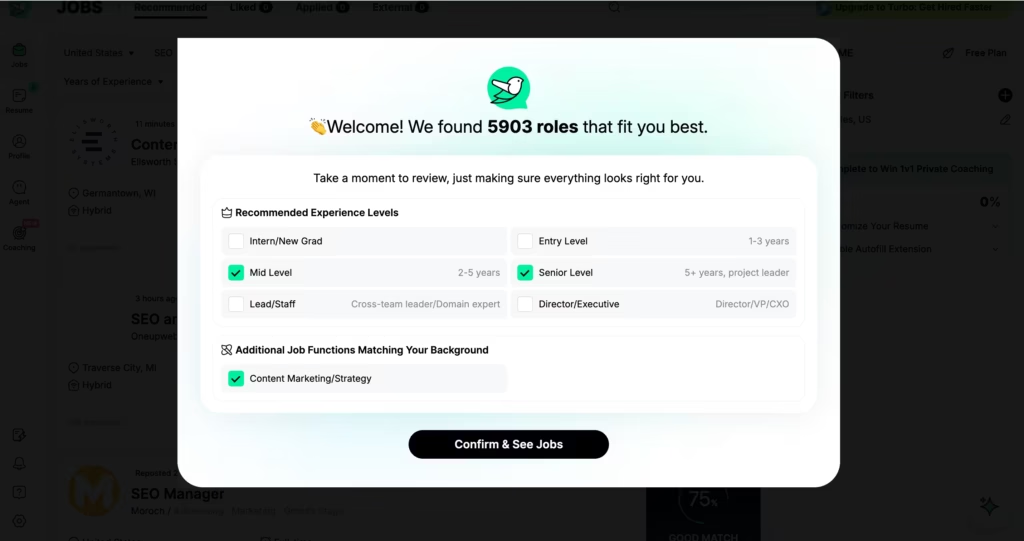
When I tested it, 5903 matched jobs showed up within minutes.
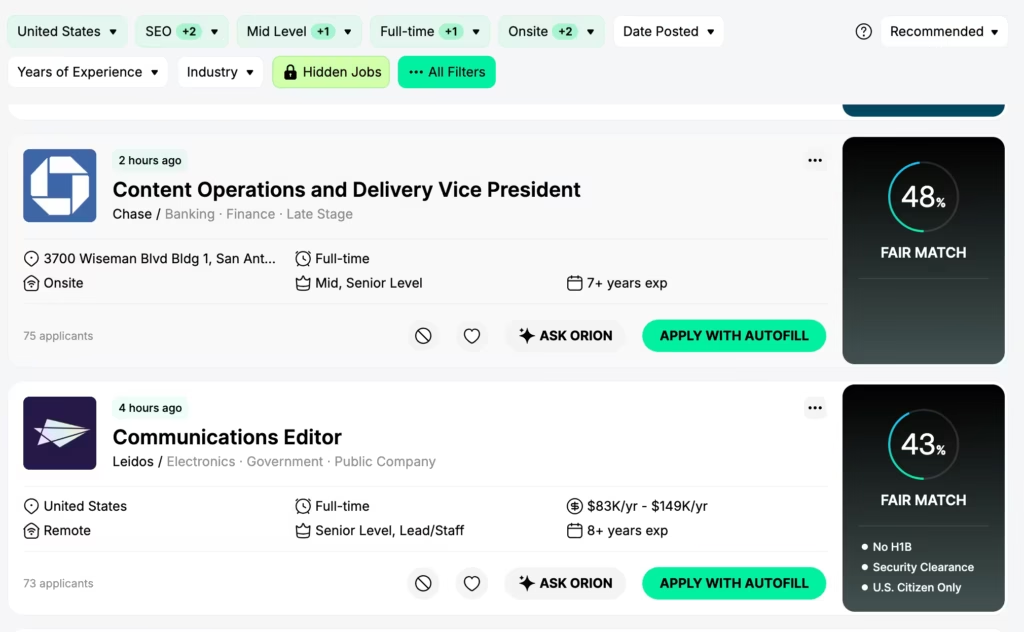
Roles closely aligned with my background scored in the 80–90% range, while stretch roles landed around 40–50%.
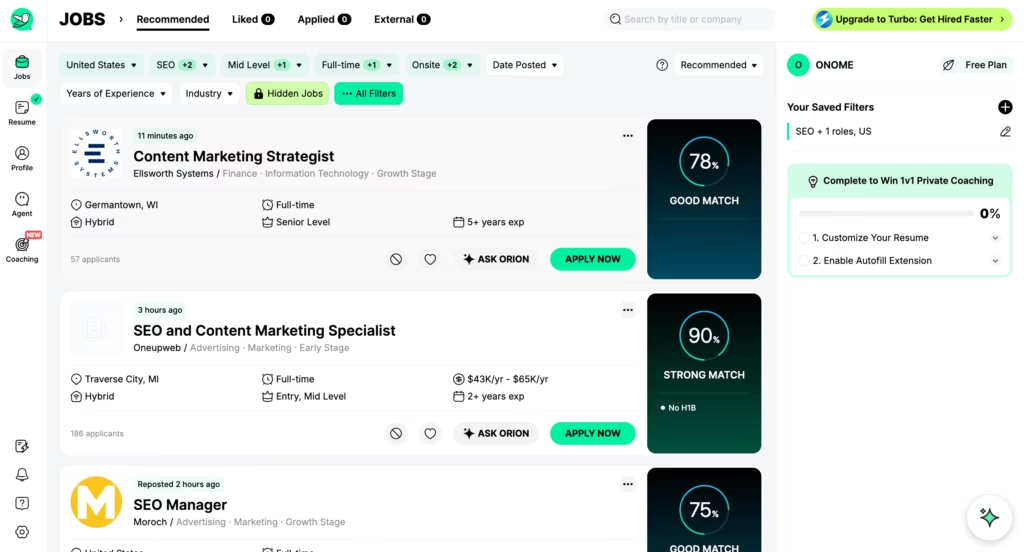
That part felt useful. I could immediately focus my energy on the highest-scoring matches instead of scrolling blind.
2. Resume AI
This tool rewrites your resume to match specific job descriptions, injecting the right keywords so applicant tracking systems (ATS) don’t filter you out. Jobright claims it generates a tailored resume in about six seconds.
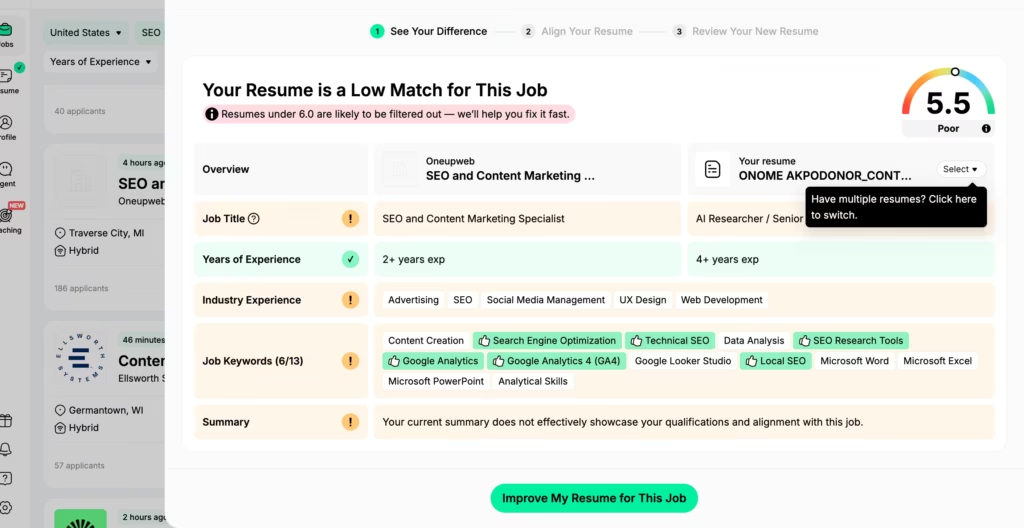
The speed claim held up – I had tailored resumes in seconds. Most changes were smart keyword additions and rephrased bullet points that genuinely improved ATS alignment.
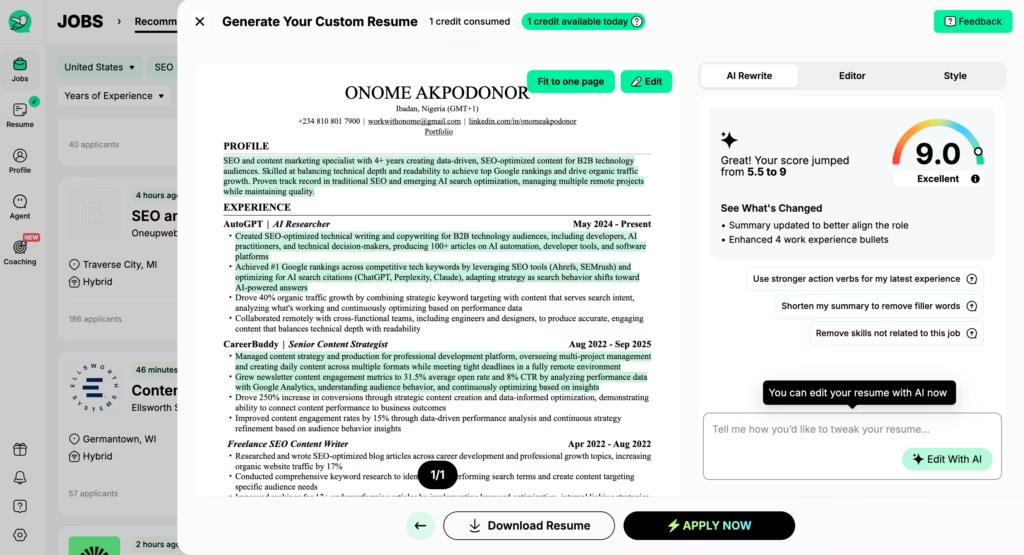
3. Autofill Chrome Extension
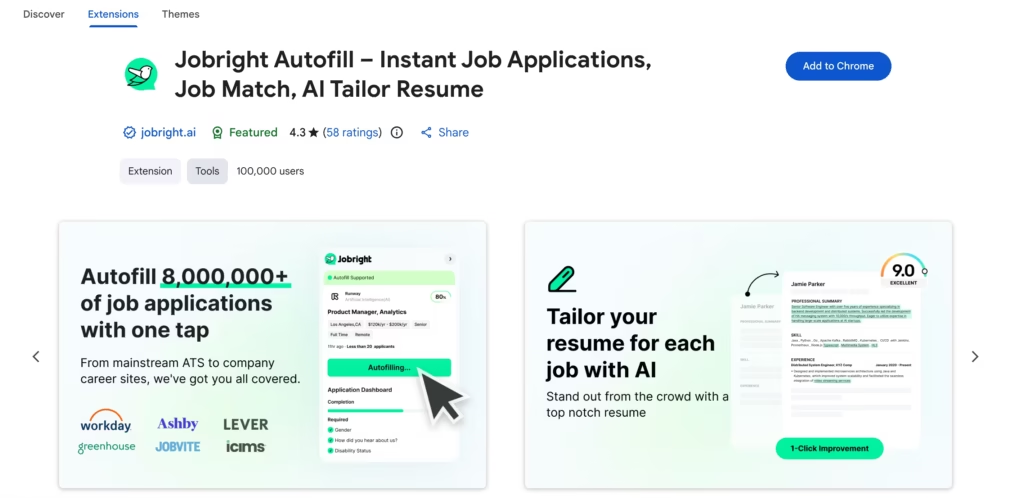
With over 100,000 users and a 4.6-out-of-5 rating on the Chrome Web Store, this extension fills out application forms across major ATS platforms with a single click.
No more retyping your address seventeen times in one afternoon.
I tested this on 3 real applications – two on Workday and 1 on Greenhouse. It filled 80 – 90% of fields correctly every time.
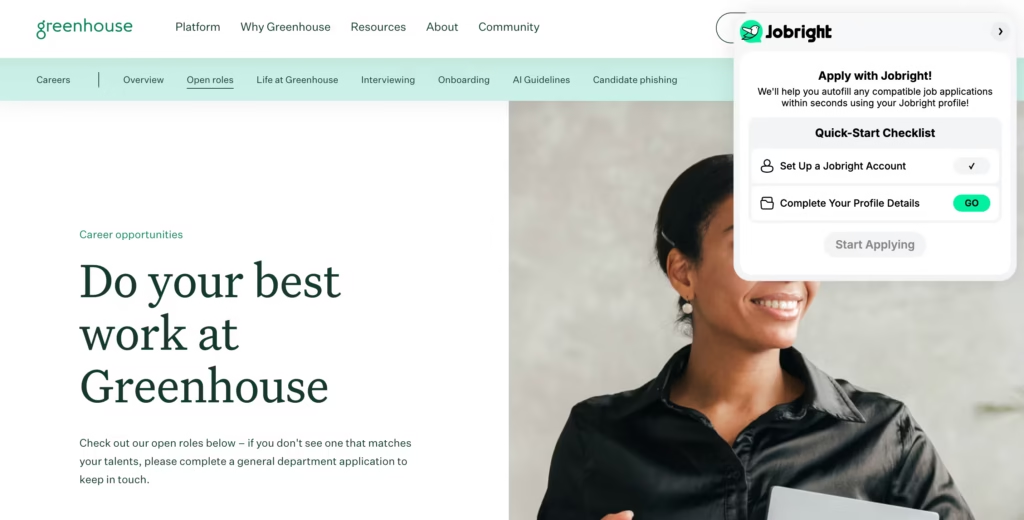
It tripped up on a couple of custom fields (one asked for my earliest start date and the extension left it blank). Applications that would have taken me 15 minutes each took about 2. Over a week of heavy applying, that adds up to hours you get back.
4. Insider Connections
This networking feature surfaces employees at companies you’re targeting – alumni, hiring managers, potential referral sources. According to Jobright’s own data, using insider referrals can increase your chances of landing an interview by up to 4X.
I tested this for three companies, and the results were inconsistent.
For a mid-size tech company, it surfaced six connections – two were actually in my target department, which was useful. For a large bank, the suggestions felt more random – people who worked there, sure, but nobody connected to my target role or level.
Treat this as a lead generation tool, not a finished networking strategy. You still need to write the outreach message and build the relationship yourself.
P.S This is a paid feature.
5. Orion Copilot
Orion is a built-in AI career coach available 24/7 for interview prep, job search questions, and career advice.
I asked Orion how to prepare for a SEO manager interview at a Series B startup.
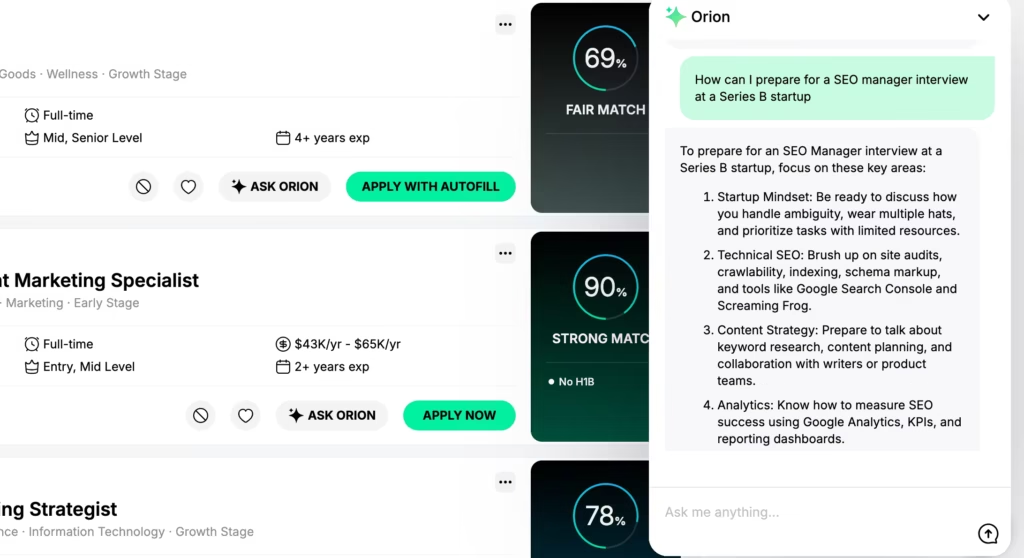
The advice was surprisingly specific. But after 10 different questions, I noticed Orion recycled similar frameworks each time. Solid structure to build on, but you’ll still need to personalize the answers yourself.
6. Paid 1-on-1 Coaching
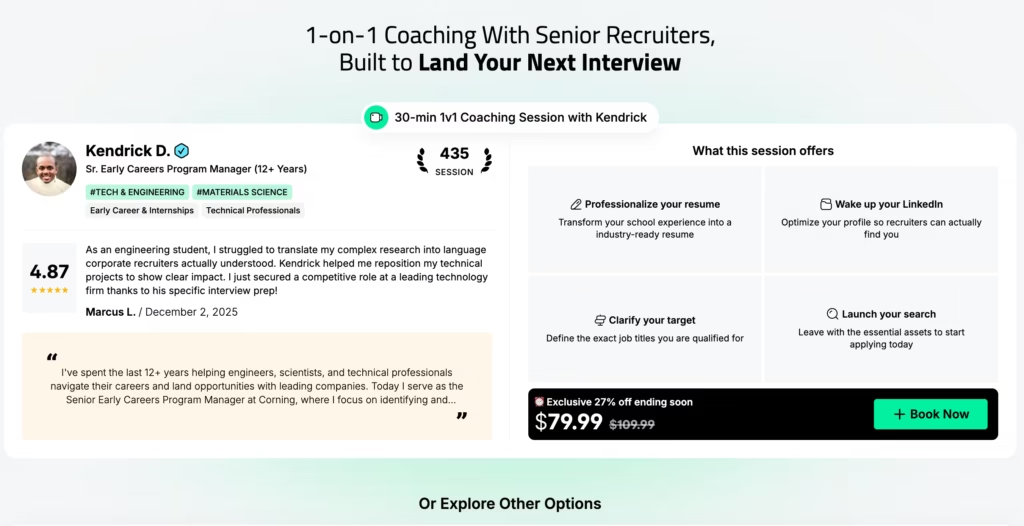
Beyond Orion, Jobright offers live 30-minute sessions with senior recruiters who’ve reviewed thousands of resumes. These are real humans, not chatbots.
You pick your resume, choose a time slot, and join a live video call for personalized feedback.
I didn’t book a session due to the price point, but it’s worth knowing the option exists if you’ve hit a wall and need feedback that AI can’t give.
7. Cover Letter Generator
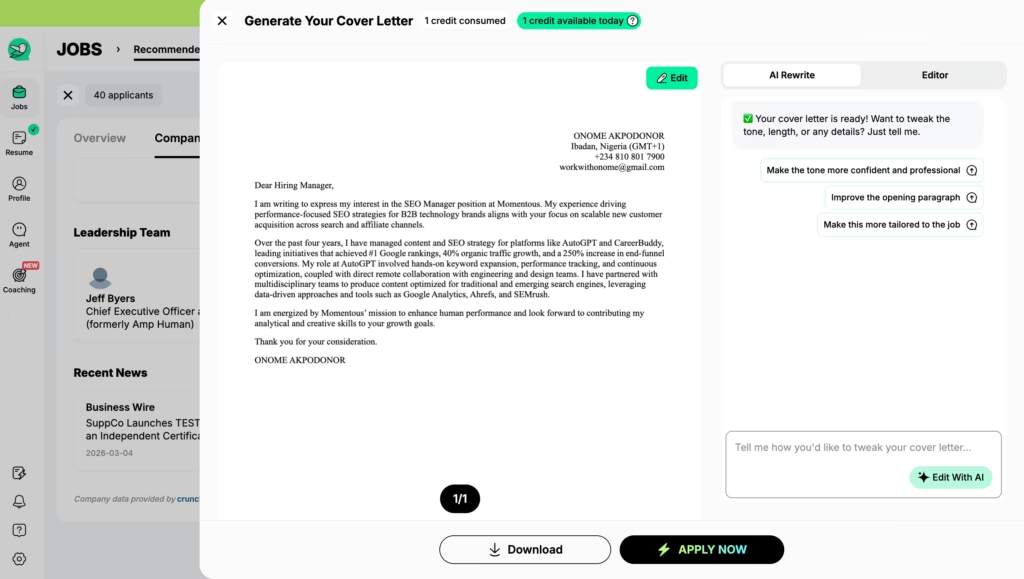
Jobright AI also offers a one-click cover letters tailored to each role. The result was decent but quite generic though.
How Does the Jobright AI Job Search Process Work?
Getting started takes about five minutes. I timed my own onboarding from account creation to first matched job, and the whole process took 4 minutes:
- Create your account on Jobright.ai and set your preferences – job titles, industries, locations, salary range.
- Upload your resume. The AI parses your skills, experience, and qualifications to build a profile.
- Browse matched jobs. Each listing shows a match score so you can focus your energy on roles where you’re genuinely competitive.
- Tailor your resume. Click into any job and the platform generates a custom, ATS-optimized version of your resume for that specific role.
- Apply with Autofill. Use the Chrome extension to populate application forms across thousands of ATS platforms in one click.
- Track everything. Monitor application statuses, follow up on leads, and lean on Orion for interview prep – all from one dashboard.
The onboarding was genuinely fast. I was browsing matched jobs within five minutes of signing up. The flow from ‘see a match’ to ‘generate a tailored resume’ to ‘autofill the application’ felt seamless when it worked.
What I didn’t quite expect was the jobs linked to “Indeed” job site when it was time to apply, and application had to be completed on the third party job site.
How Much Does Jobright AI Cost in 2026?
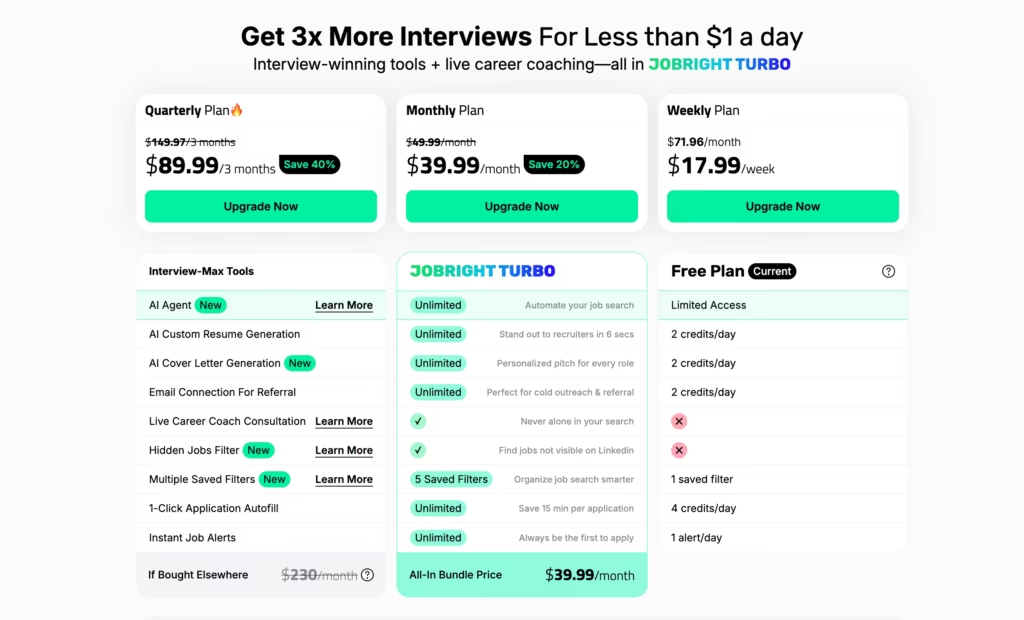
Pricing has shifted a few times, which has frustrated some users. Here’s where things stand:
| Plan | Price | What You Get |
| Free | $0 | Limited daily credits for AI resume tools, job alerts, insider emails, autofill. Resets daily. No access to live career coach. |
| Turbo (Weekly) | $17.99/week | Unlimited applications, full AI resume optimization, Insider Connections, Orion coach, AI Agent, instant alerts. |
| Turbo (Monthly) | $39.99/month | Same as weekly, better per-week value. Recently increased from $29.99/month. |
| Turbo (Quarterly) | $89.99/quarter | Same features, roughly $30/month. |
Is $39.99/month worth it?
That depends on how aggressively you’re applying. During my testing, the Autofill extension alone saved me hours. If I value my time at even $20/hour, the tool paid for itself in the first week.
The resume tailoring added another layer of time savings – what used to take me 30–45 minutes per application (tweaking keywords, reformatting) took seconds.
But if you’re taking a slow, selective approach, applying to five or fewer jobs per week, the free tier probably covers you. I hit my daily credit limit by mid-morning on day one after generating two tailored resumes and sending three insider connection emails.
For a casual search, that daily reset is workable. For full-on application mode, you’ll feel the ceiling fast.
Best For
- Mid-to-senior U.S.-based professionals
- Tech and corporate job seekers
- H-1B visa holders
- Anyone burned out by repetitive applications
- Recent graduates and career changers
Jobright AI Reviews: What Are Other Users Saying About Jobright AI?
I didn’t just rely on my own experience. I went deep into public reviews to see whether my testing matched the broader user base.
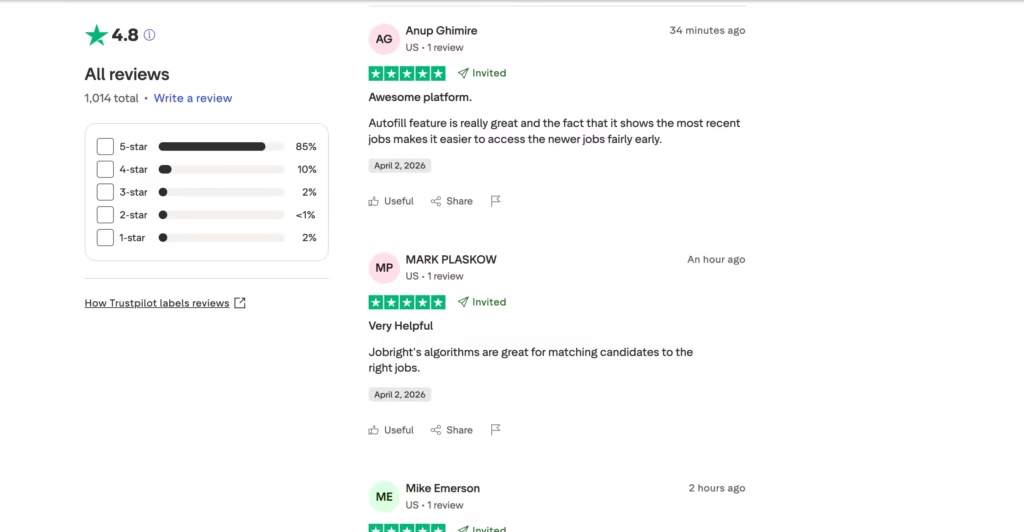
Trustpilot’s own page displays a TrustScore of 4.8 out of 5 from over 1k+ total reviews. That sounds incredible, almost too good. And there’s a reason.
The majority of those 960+ reviews are “invited” reviews, meaning Jobright asks users to leave feedback. Invited reviews tend to skew positive because satisfied customers are more likely to respond to prompts.
Remote Job Assistant, a competing platform that sells its own auto-apply tool, independently analyzed a subset of 230 verified Trustpilot reviews and found a rating closer to 4.6 out of 5, with 14% one-star reviews (32 out of 230).
On Product Hunt, the picture is more consistent: 4.8 out of 5 from 12 reviews as of March 2026, according to Product Hunt’s Jobright page.
Jobright AI Agent: Is the Auto-Apply Feature Ready?
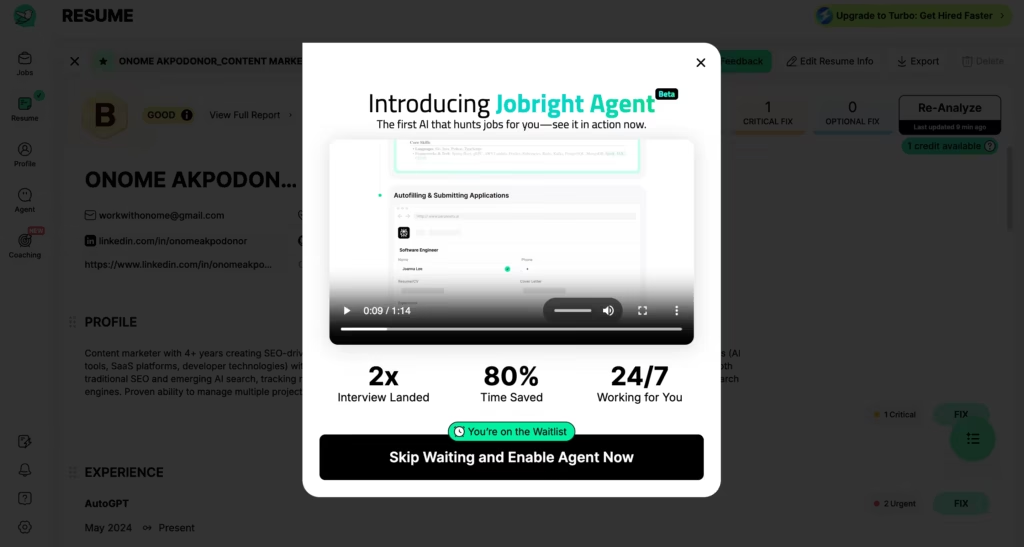
Jobright recently introduced an automation layer called Jobright Agent, which promises to handle the entire application cycle – matching, resume customization, form filling, and submission – with minimal manual input.
According to Jobright’s Agent page, the marketing language claims “90% job search automation.”
Here’s the honest reality: as of early 2026, the Agent feature remains in beta.
Access is being rolled out gradually, and many users land on a waitlist. JobCopilot’s independent review – a competing auto-apply platform – tested the Agent and found its job database “very limited,” noting it could only apply to a small fraction of available roles.
If full hands-off automation is your top priority right now, temper your expectations. The Agent shows promise, but it’s not yet the polished, fire-and-forget solution the marketing suggests.
Does Jobright AI Actually Help You Get Hired?
Can a platform really make a meaningful dent in your job search?
The data suggests yes, with caveats. Remote Job Assistant, a competing auto-apply platform, conducted an independent 14-day test of the Turbo plan and reported a 6.4% callback rate from 47 applications across six job categories.
For context, according to Glassdoor’s hiring data, the average callback rate for cold online applications typically falls around 2–3%. A threefold improvement matters.
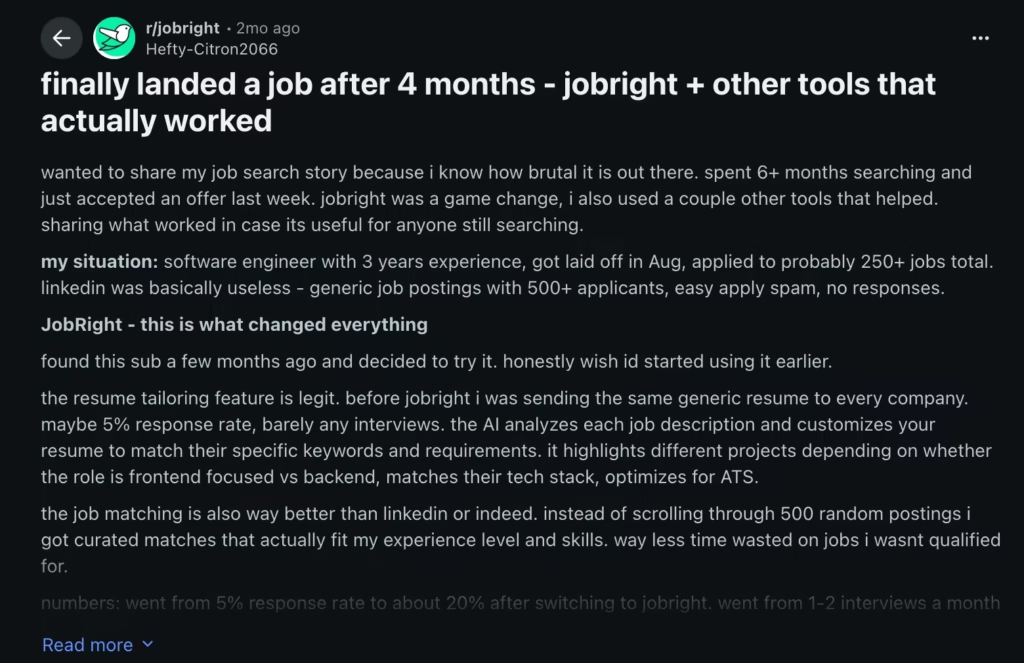
Some reddit users report landing interviews within days of switching to Jobright. One user accepted an offer within a couple months.
After testing it myself, I can say yes, it’s worth trying – and for heavy applicants, it’s worth paying for. It does great at matching you to a job and also speeding up the application.
But, and this is a big but, Jobright is a tool, not a miracle worker. The users who get the best results treat it as an accelerator, not an autopilot.
They review and edit AI-generated resumes before sending them. They use Insider Connections to pursue warm referrals. They leverage Orion for interview prep rather than winging it.
Jobright can get you to the interview faster. What you do once you’re there is still entirely on you.
FAQs
1. Is Jobright legit??
Yes. It’s a real company with verifiable products, over 960 Trustpilot reviews as of March 2026, a Chrome extension with 100,000+ users, and active profiles on Product Hunt.
ScamAdviser scores it highly for trustworthiness. It’s not a scam, though billing practices have drawn criticism from a significant number of users.
2. Is the free plan worth trying?
Absolutely. The free tier gives you enough daily credits to test job matching, try a couple of resume rewrites, and explore the interface.
You can make an informed decision about upgrading without spending anything upfront. Just know that you’ll likely hit the credit ceiling quickly if you’re applying aggressively.
3. Can Jobright AI write my resume from scratch?
It can rewrite and optimize an existing resume for specific roles. You’ll need to start with at least a basic resume that it can work from. It’s a tailoring tool, not a resume creation service.
4. Will Jobright automatically apply to jobs for me?
The Autofill Chrome extension streamlines form-filling, but you still click “Apply.” The fully automated Jobright Agent is in beta and only available to a limited number of users as of early 2026.
